
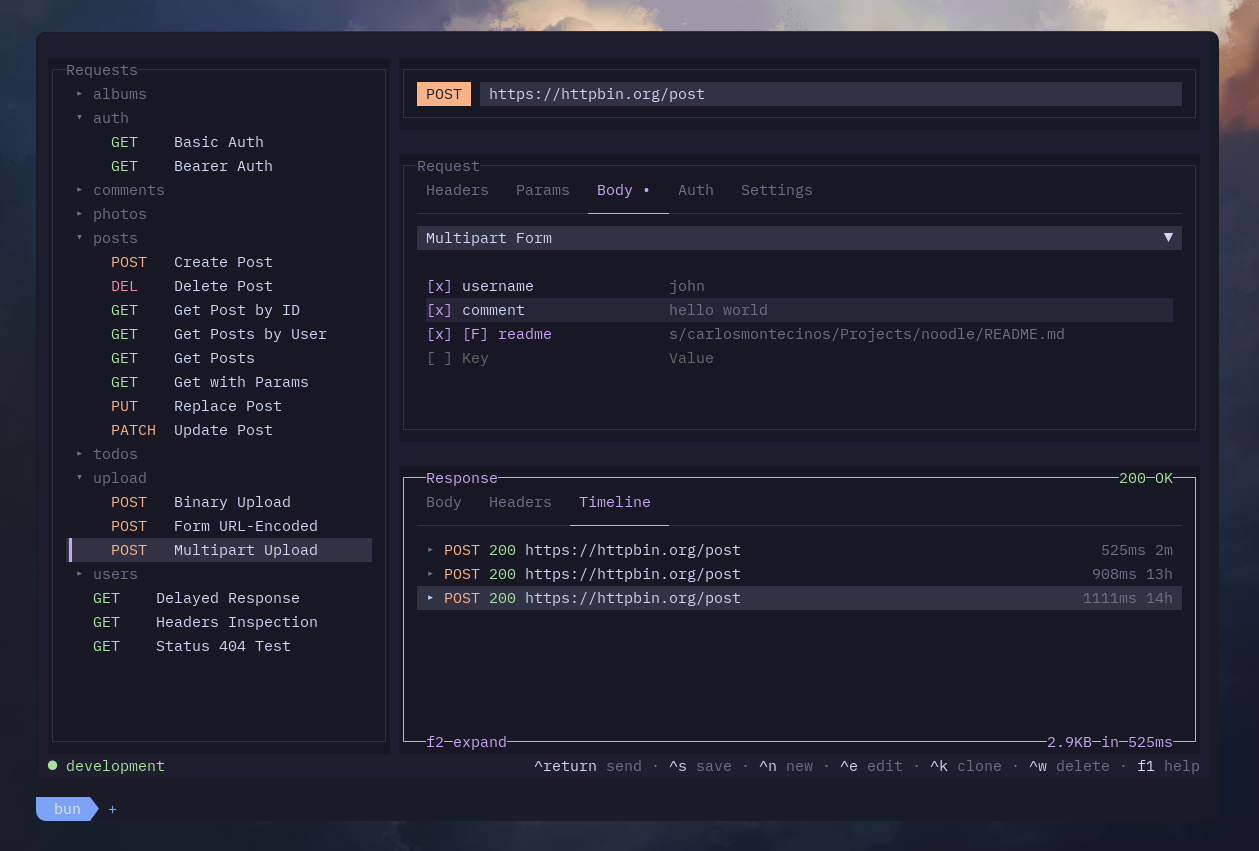
noodle is a terminal REST client that treats HTTP requests as files on disk. Each request lives in a YAML file you can edit, version-control, and share like any other code.
🎯 Why noodle?
Stop clicking around in GUI apps. Write your requests once, tweak them in your editor, run them with a keystroke, and store them alongside your project. No more copy-pasting URLs from Postman or Insomnia.
✨ What you can do
- ⚡ Send any HTTP request — GET, POST, PUT, PATCH, DELETE, HEAD, OPTIONS
- ✏️ Edit requests inline — headers, query params, auth, and body all editable from the TUI or directly in the YAML file
- 🔄 Switch environments — define dev/staging/prod variables in .env files, toggle with a keybinding
- 🧩 Use variables everywhere — $BASE_URL, $API_KEY, $TOKEN — substitute in URLs, headers, body, anywhere
- 🔐 Authenticate — Basic, Bearer, API Key, OAuth 2.0 built-in
- 📦 Send JSON, forms, files — JSON body, multipart form data, URL-encoded, raw text, binary uploads
- 📥 Import your existing stuff — OpenAPI 3.0 and Postman collections come in with
noodle import - 📁 Organize with folders — group requests into folders, inherit auth from parent
- 🎨 Pick a theme — 30+ built-in terminal themes
- ⌨️ Custom keybindings — remap any shortcut via
~/.config/noodle/keybinds.yml - 🔼 Self-update —
noodle updatechecks GitHub for the latest release
🚀 Getting started in 30 seconds
# Install via curl
curl -LsSf https://raw.githubusercontent.com/wilfredinni/noodle/main/scripts/install.sh | sh

# Or via Homebrew
brew tap wilfredinni/noodle && brew trust wilfredinni/noodle && brew install noodle
# Launch with the sample collection
noodle --collection ./collections

# Import an existing OpenAPI spec
noodle import my-api.yml --format openapi --output ./my-collection
noodle --collection ./my-collection
Once inside, press F1 to see all keybindings. Tab cycles between panels, Ctrl+Enter sends the request.
💻 Platform support
| Platform | Status |
|---|---|
| 🍏 macOS (Apple Silicon) | Supported |
| 🐧 Linux (x86_64) | Supported |
| 🐧 Linux (arm64) | Supported |