Add "Orders to fulfill" card to dashboard #293
Conversation


…Order To Fulfill Dashboard card feature
Includes the layout XML, custom class, and plural string support.
Updated tests as well
This makes the method much more flexible for future use with custom statuses and helps to clean up usage for the orders to fulfill dashboard card.
This is used to prevent the orders list fragment from loading the full list before we can set the status filter. This also gives us a generic way of deferring initialization of any of the top level fragments for similar cases in the future.
Since `onBackStackChanged()` is from the childFragmentManager, this method will never be called until we start opening child fragments on top of the DashboardFragment.

The `isActive` property now uses both the childFragmentManager's backstack count as well as the hidden property to determine this fragments visibility.
The `isActive` property now uses both the childFragmentManager's backstack count as well as the hidden property to determine this fragments visibility.
Refresh if an OnOrderChanged event was received that wasn't either a fetch order count response, or a request for order notes (since those happen frequently).
 AmandaRiu
added
status: do not merge
AmandaRiu
added
status: do not merge


| fun refreshDashboard() | ||
| fun setLoadingIndicator(active: Boolean) | ||
| fun showStats(revenueStats: Map<String, Double>, salesStats: Map<String, Int>, granularity: StatsGranularity) | ||
| fun hideOrdersCard() |

There was a problem hiding this comment.
These two functions (and the view itself) seem mis-named to me. How about using UnfilledOrdersCard instead of simply OrdersCard?
| app:layout_constraintTop_toBottomOf="@+id/alertAction_title"/> | ||
|
|
||
| <!-- Action Button --> | ||
| <Button |
There was a problem hiding this comment.
Should this button have android:background="?android:attr/selectableItemBackground"?
There was a problem hiding this comment.
Good catch, this should have a style attribute assigned to it. Fixed in 78fc331

|
The way the card suddenly appears is a little odd to me. How about fading it in instead? |
| hideOrdersCard() | ||
| loadDataPending = false | ||
| setLoadingIndicator(true) | ||
| presenter.loadOrdersToFulfillCount() |
There was a problem hiding this comment.
Can these three lines be replaced with refreshDashboard()?
| if (isActive) { | ||
| setLoadingIndicator(true) | ||
| presenter.loadStats(dashboard_stats.activeGranularity, forced = true) | ||
| presenter.loadOrdersToFulfillCount() |
There was a problem hiding this comment.
Do we need to add loadDataPending = false here?
| dashboardView?.showOrdersCard(count) | ||
| } ?: dashboardView?.hideOrdersCard() | ||
| } ?: if (!event.isError && event.causeOfChange != WCOrderAction.FETCH_ORDER_NOTES) { | ||
| dashboardView?.refreshDashboard() |
There was a problem hiding this comment.
I'm not sure about this because it causes the dashboard to refresh even if nothing has changed. That seems wasteful since refreshing requires two non-trivial network requests.
There was a problem hiding this comment.
But something may have changed. An example scenario:
- User opens app, the dashboard loads and the orders to fulfill card displays 3
- User clicks view orders
- While the user is viewing the orders list, another order is submitted on their store
- the user refreshes the orders list view and sees the order
- the user switches back to the dashboard - the dashboard refreshes with the updated information because it was listening for that refresh event on orders.
There was a problem hiding this comment.
I guess since the refresh is deferred until the next time the dashboard is accessed then this isn't as big a deal as I thought, but down the road it really would be nice if we only made network requests when we know they're necessary (ie: something has changed). In the meantime, though, can we also skip the refresh when the cause of change is POST_ORDER_NOTE?
There was a problem hiding this comment.
it really would be nice if we only made network requests when we know they're necessary
That's the plan once notifications are done.
can we also skip the refresh when the cause of change is POST_ORDER_NOTE
Absolutely! 👍
There was a problem hiding this comment.
Post order notes event is ignored as of 2038fad
| } | ||
|
|
||
| fun updateOrdersCount(count: Int) { | ||
| val titleTxt = resources.getQuantityString(R.plurals.dashboard_fulfill_orders_title, count, count) |
There was a problem hiding this comment.
As Alex mentioned earlier, we can't use Android plurals due to a limitation in Glotpress. Also, this isn't handling the situation where there are more than 50 orders. Instead of saying 50+ it just says 50.
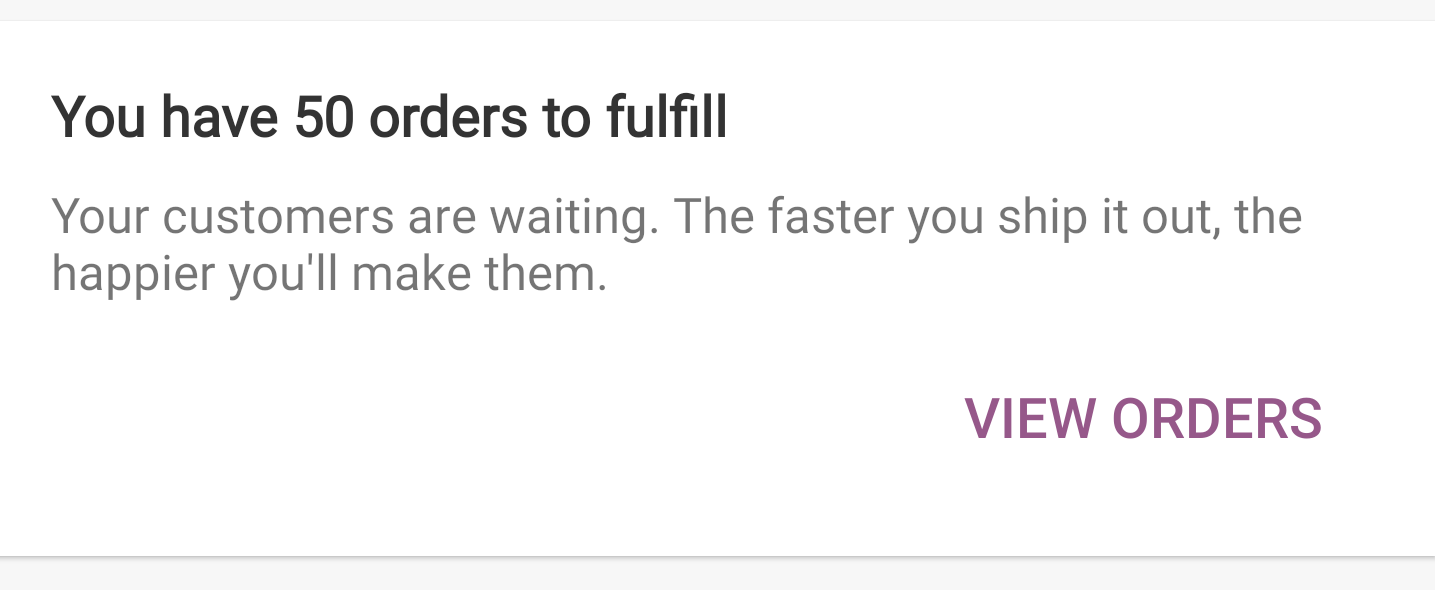
…e the one implemented in WordPress-Android.

This is because our translation service does not support pluralized strings.

|
@nbradbury Thanks for the thorough review! Ready for a second round 🥇 |
AmandaRiu
removed
the
status: do not merge
|
@AmandaRiu This all looks great, except that it still doesn't handle the case where there are more than 50 orders. In that situation it's supposed to say 50+, right? |
…r fetching

This is temporary until we have an api endpoint that will provide a total count directly.
|
@nbradbury Added support for displaying the plus sign. Ready for a 3rd round 🤦♀️
|
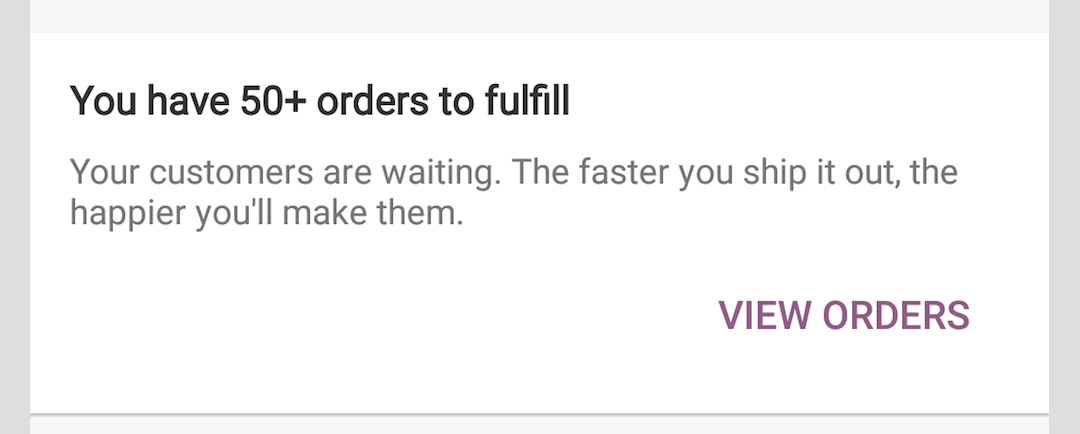
@AmandaRiu I'm not seeing this - did you forget to push the change? |
|
@nbradbury it would seem I did! ✔️ Done |
|
@nbradbury Yay! tests finally passed! |
|
|


Fixes #283
This PR adds the Orders to fulfill card to the Dashboard.
UI
This card should only be visible is the total count of orders to fulfill > 0. Otherwise it should be hidden.
This card makes use of pluralized strings to display the correct version of the string if there is only one order vs more than one order.
Navigation Changes
This feature required a new type of navigation, cross-TopLevelFragment. To keep this flexible, I've created a new interface called
TopLevelFragmentRouter. It only contains one simple functionshowOrderList(...)at the moment, but can later accept a bunch of routing options. It also allows us to do stuff like this so we know the hosting activity can handle this feature:I envision the
TopLevelFragmentdesign being replaced with the new Android Navigation components eventually, but for now, I've been trying to keep them generic and reusable whenever possible to avoid a bunch of custom routing scenarios. To this end, I've added a new property toTopLevelFragmentnameddeferInit. This allows for loading a top level fragment and specifying that a portion of the initialization code be skipped so it can manually be executed later. Using this property I can leave all the code for locating and/or creating a TopLevelFragment generic and then in the case of theOrderListFragmentpass along a status filter and call a method to finish loading.Refreshing the Dashboard cards
The data for the dashboard cards are fetched upon initialization, and then refreshed under the following scenarios:
OnOrderChangedevents are consumed except when the event wouldn't cause the dashboard to fall out of sync with the orders view. So theFETCH_ORDER_NOTESevent is ignored. AnyOnOrderChangedevent that has an error is also ignored.If the
DashboardFragmentis currently in the background, we just set a flag so it knows to refresh when it comes to the foreground.Dependencies
The FluxC PR must be merged before this PR can be merged.
cc: @nbradbury @aforcier