This repository was archived by the owner on Feb 5, 2025. It is now read-only.
Show magic link login option as a secondary CTA instead of a table view row under a configuration #665
Conversation
This file contains hidden or bidirectional Unicode text that may be interpreted or compiled differently than what appears below. To review, open the file in an editor that reveals hidden Unicode characters.
Learn more about bidirectional Unicode characters


…instead of a table view row in the password screen.
…use in the password screen.
…ondary button for magic link login.
…iguration is enabled.

3 tasks


itsmeichigo
reviewed
Aug 16, 2022
Contributor
 itsmeichigo
left a comment
itsmeichigo
left a comment
itsmeichigo
left a comment
There was a problem hiding this comment.
The changes look good to me! One minor thing though - when I tap the "Log in with magic link" button, the "Continue" button is displayed as loading instead of the other button. Should this be the other way around?
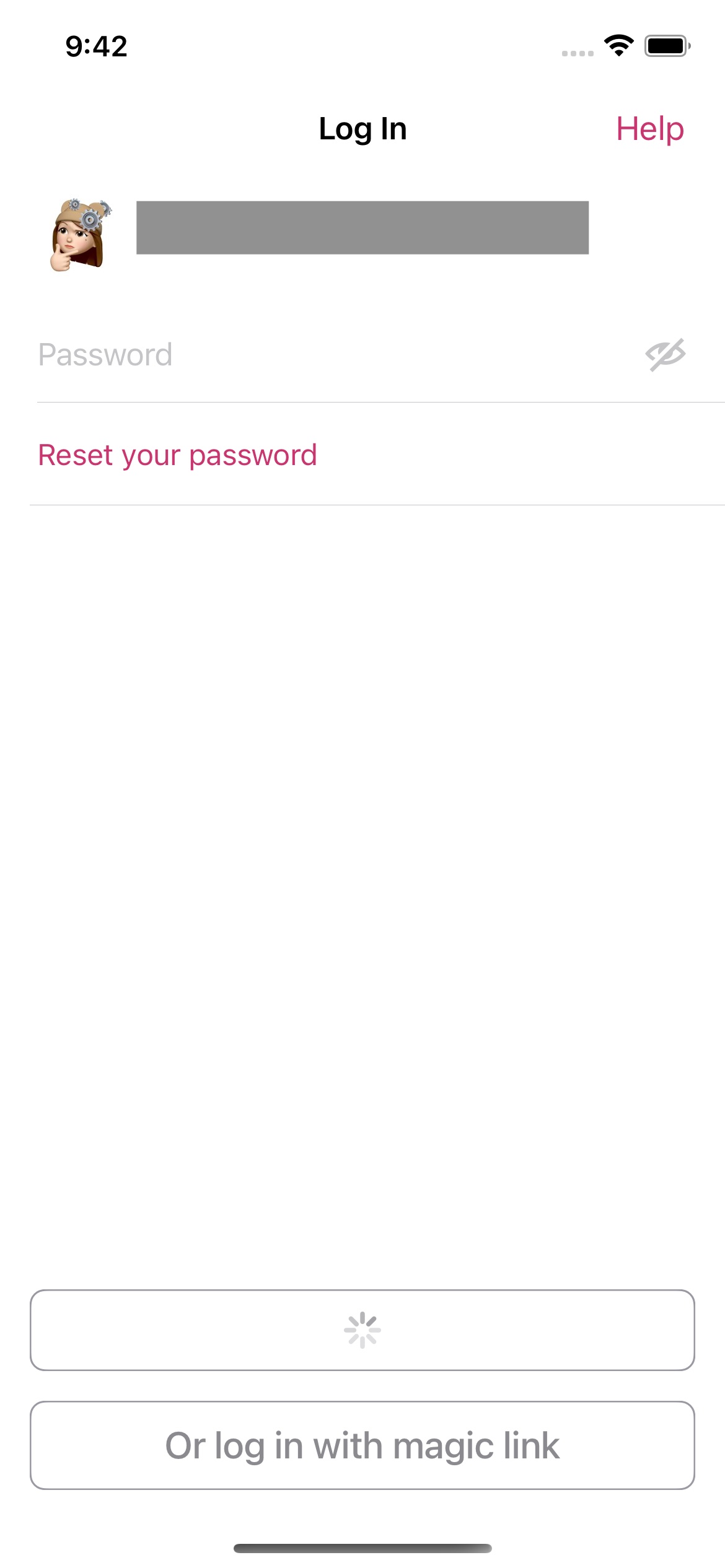
…n requesting a magic link.

Contributor
Author
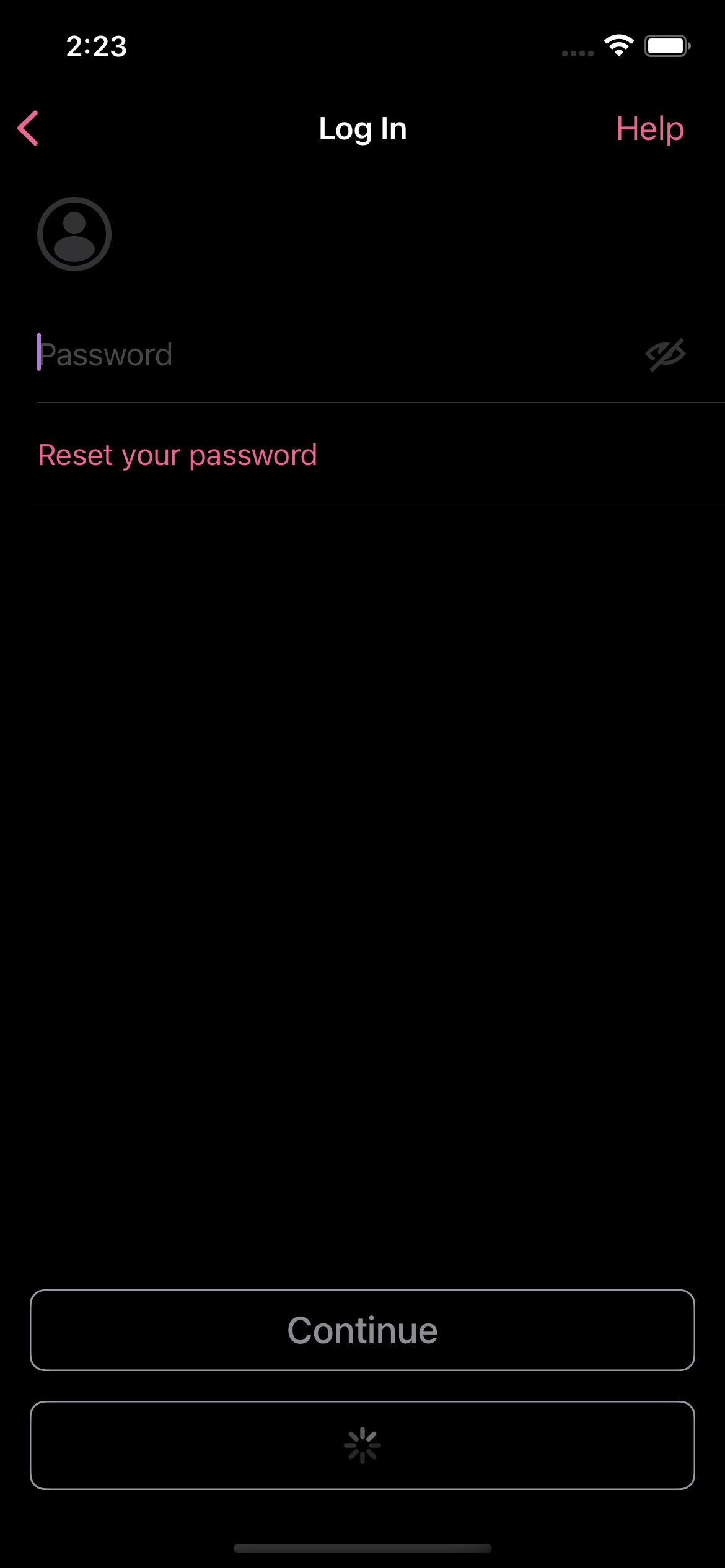
Nice catch on this! I updated the waiting state in
|
Contributor
Author
|
Updated the PR for another look @itsmeichigo! |
itsmeichigo
approved these changes
Aug 16, 2022
Contributor
itsmeichigo
left a comment
itsmeichigo
left a comment
There was a problem hiding this comment.
Thanks for the update!
Sign up for free
to subscribe to this conversation on GitHub.
Already have an account?
Sign in.


Add this suggestion to a batch that can be applied as a single commit.
This suggestion is invalid because no changes were made to the code.
Suggestions cannot be applied while the pull request is closed.
Suggestions cannot be applied while viewing a subset of changes.
Only one suggestion per line can be applied in a batch.
Add this suggestion to a batch that can be applied as a single commit.
Applying suggestions on deleted lines is not supported.
You must change the existing code in this line in order to create a valid suggestion.
Outdated suggestions cannot be applied.
This suggestion has been applied or marked resolved.
Suggestions cannot be applied from pending reviews.
Suggestions cannot be applied on multi-line comments.
Suggestions cannot be applied while the pull request is queued to merge.
Suggestion cannot be applied right now. Please check back later.
Iteration 2 for woocommerce/woocommerce-ios#7437
Description
For Iteration 2 of the Magic Link Emphasis experiment in WCiOS, we want to emphasize the magic link login option more on the password screen by moving the pre-existing table view cell to a new secondary CTA at the bottom (design at hHmVq03kKpvTDzV3uV4wqw-fi-14%3A2092).
The struggles I ran into were mostly on how the existing "Continue" CTA is implemented in the password screen. In a previous screen I worked on, the "Continue" CTA was implemented as a
NUXButtonViewControllerconfigured in the storyboard. However, the password screen uses a different approach by just having aNUXButtonin itsPassword.storyboardat the bottom of the view. Eventually, I implemented the optional secondary CTA under the "Continue" CTA by adding aUIStackViewto the bottom of the view. The "Continue" CTA is now in the stack view along with a new secondaryNUXButtonbelow. This secondary CTA is hidden if the new configurationisWPComMagicLinkShownAsSecondaryActionOnPasswordScreenisfalseto maintain the pre-existing UX.In order to reuse the magic link async request logic better, I also extracted the async logic to a new struct
MagicLinkRequesterwhich is used in bothPasswordCoordinatorandPasswordViewController. It makes the UI updates inPasswordViewControllermore clear, since we're disabling the CTAs when requesting a magic link async and then enabling them afterward. There were also updates on the accessibility elements and the string/accessibility constants.Analytics
The
flowevent property is set tologin_password_magic_link_emphasisinstead oflogin_passwordwhen the configuration is enabled.Testing instructions
Accounts eligible for magic links
🔵 Tracked unified_login_step, properties: [AnyHashable("step"): "start", AnyHashable("flow"): "login_password_magic_link_emphasis", AnyHashable("source"): "default"]Accounts not eligible for magic links (e.g. A8C email)
🔵 Tracked unified_login_step, properties: [AnyHashable("step"): "start", AnyHashable("flow"): "login_password", AnyHashable("source"): "default"]Confidence check when the configuration is disabled
Screenshots