Describe the bug
A Jetpack-site recently connected to a WPCom account older than December 2018 won’t display the option to open the Unsupported Block Editor. The same applies to Atomic sites.
To Reproduce
Using a WPCom account created before December 2018, follow the steps outlined for UBE TC005.
Click to view detailed TC005 steps
TC005
Precondition
For this test, you need a self-hosted site with the Jetpack plugin installed, activated and connected to a WP.com account. Here are the steps for creating this if needed:
- Create a site on https://jurassic.ninja/
- Connect the Jetpack plugin (it comes pre-installed) to a WP.com account
- By default, Gutenberg is the default editor so no action required there
Editing unsupported blocks is enabled on self-hosted sites accessed via Jetpack
- On the site described above, add a post, then add a block that's not yet supported on mobile (e.g. Audio at time of writing) via the site's WP Admin web interface
- Log into the WordPress mobile app using the WP.com account that was used to connect Jetpack to the self-hosted site
- Open the post and expect to see the unsupported block rendered as a placeholder with the text "Unsupported"
- Tap the
(?) icon and expect to see an option to enable Login with WordPress.com.
- Tap on that option, and enable
Loogin with WordPress.com on the screen presented.
- Go back and tap the
(?) icon.
- Expect the option to edit the block in a web browser to be shown
- Tap the edit in a web browser button and expect a web view requesting to
Login with WordPress.com.
- Tap on said option and expect the block to be shown, ready to edit, on a new screen
- Edit the block content (e.g. update its caption)
- Tap the Continue button and expect to be taken back to the block editor
- Publish the post and verify it contains the edits
Expected behavior
The option to "Log in with WordPress.com" is presented, which allows editing the unsupported block via a web view.
Actual behavior
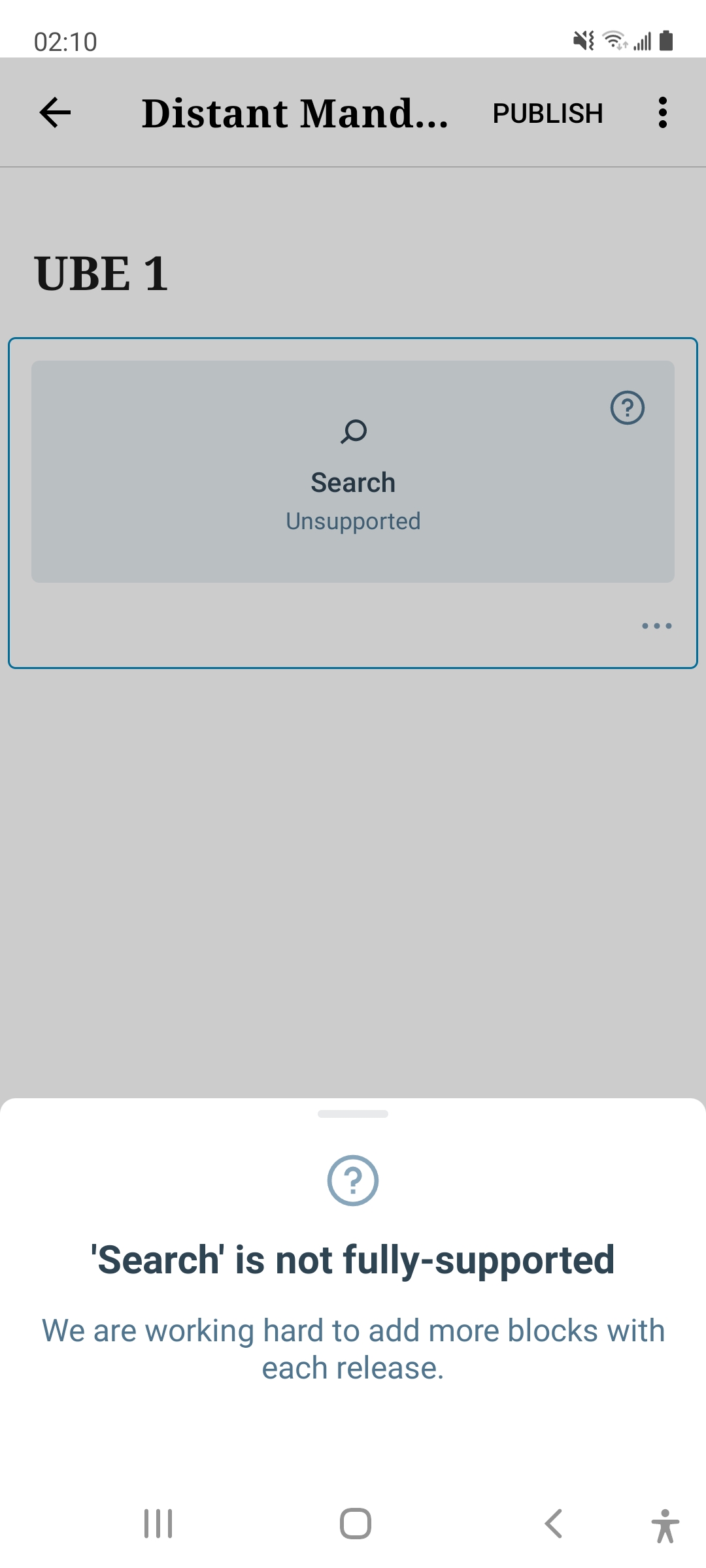
On Android, you are only presented with a notice that the block is unsupported. On iOS, you are provided a message regarding Jetpack security settings, but the "Open Jetpack Securty settings" button appears to not do anything when tapped.
Screenshots
| Android |
iOS |
 |
 |
Smartphone (please complete the following information):
- Device: Samsung Galaxy S20, iPhone SE
- OS: Android 11, iOS 14.4.2
- Version: 17.1
Additional context
Both Android and iOS fail to pass the TC005 test case, but in a different manner.


Describe the bug
A Jetpack-site recently connected to a WPCom account older than December 2018 won’t display the option to open the Unsupported Block Editor. The same applies to Atomic sites.
To Reproduce
Using a WPCom account created before December 2018, follow the steps outlined for UBE TC005.
Click to view detailed TC005 steps
TC005
Precondition
For this test, you need a self-hosted site with the Jetpack plugin installed, activated and connected to a WP.com account. Here are the steps for creating this if needed:
Editing unsupported blocks is enabled on self-hosted sites accessed via Jetpack
(?)icon and expect to see an option to enableLogin with WordPress.com.Loogin with WordPress.comon the screen presented.(?)icon.Login with WordPress.com.Expected behavior
The option to "Log in with WordPress.com" is presented, which allows editing the unsupported block via a web view.
Actual behavior
On Android, you are only presented with a notice that the block is unsupported. On iOS, you are provided a message regarding Jetpack security settings, but the "Open Jetpack Securty settings" button appears to not do anything when tapped.
Screenshots
Smartphone (please complete the following information):
Additional context
Both Android and iOS fail to pass the TC005 test case, but in a different manner.