Repository navigation
Releases: Wox-launcher/Wox
Release list
Wox v2.4.7

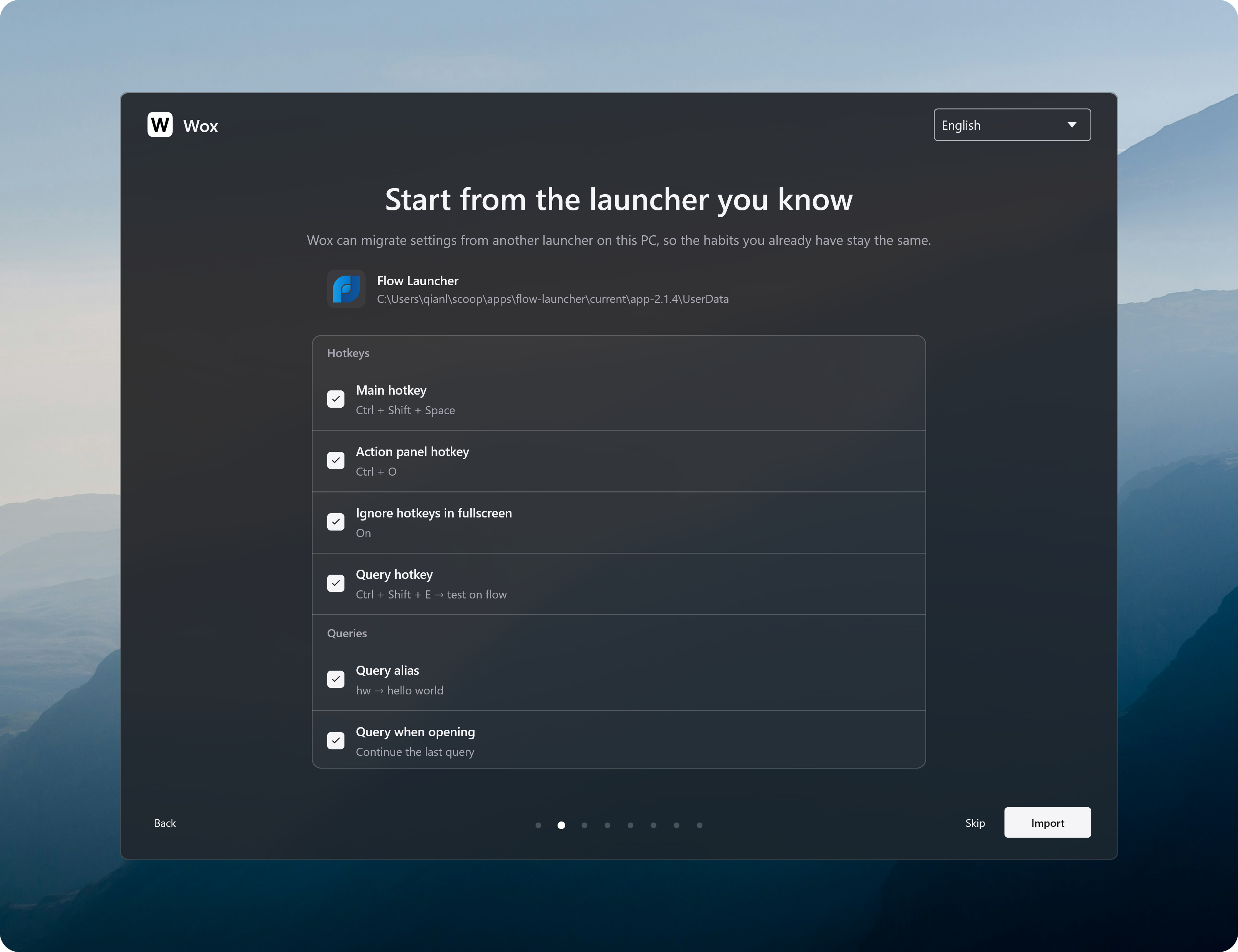
This release brings offline mode, portable settings, and a way to import shortcuts, themes, and plugins from Flow Launcher on Windows.
-
Add
- [
Privacy] Use offline mode to pause Wox's network features and all third-party plugins while keeping local search available. - [
Portable Mode] Create awox-userfolder beside the Wox executable. Wox will use it for your settings the next time it starts, so you can copy Wox and its settings to another location and keep your configuration. - [
Flow Launcher] On Windows, import hotkeys, query aliases, general settings, the current theme, and installed plugins during setup. Keep using familiar shortcuts and plugins.
- [
-
Improve
- [
Screenshot] Select a button or other part of a window under the pointer, and scroll to select a larger enclosing area. Drag the editing toolbar out of the way, paste captures sooner, and keep saved captures in your chosen user data folder. - [
App] Support uninstalling macOS apps by moving them to the Trash. Use less CPU when updating the app list, and show a cleaner app grid with better icons on Windows. - [
File Search] Include files in searches without requiring thefkeyword. - [
Converter] Choose a default display currency, or use your system region, so currency calculations no longer need an explicit target currency. #4619 @mtsgsr - [
Notes] Preview a note, including its images, beside the results and see when it was last updated. - [
Hotkey] Open Settings with Ctrl/Cmd+, and close the current window or embedded web page with Ctrl/Cmd+W. From Notes or AI Chat, the settings shortcut opens that plugin's settings. - [
Query] Restore the selected result when undoing or redoing a query. - [
Data] Create awox-userfolder beside the executable to keep settings, plugins, themes, and other user data with that copy of Wox. - [
Backup] When automatic backups are enabled, back up once a day while Wox is running. Delete old backups from Settings, see backup progress, and avoid starting a second backup while one is running. - [
Cloud Sync] Reduce disk usage by cleaning up old sync history overnight.
- [
-
Fix
- [
Query] Keep pinned results above result groups and limit each pin to the query where it was saved. Keep results visible during a refresh, and show fallback searches without waiting for slow plugins. - [
Clipboard] Fix text and images copied from Wox missing from clipboard history #4620. - [
Plugin] Fix Python plugins interfering with each other when they use the same entry file name #4628. - [
Backup] Fix restoring backups while files are still in use, and keep restored data from being overwritten by older cloud data. Skip unreadable plugin files so they do not stop the entire backup. - [
Notes] Fix typing- [ ]not creating a task. #4618 @lmgarret - [
Settings] Save text fields when focus moves away, apply proxy changes when the proxy is turned off, and restore settings-window dragging on macOS. - [
Theme] Fix themes failing to load when they contain options from a different Wox version. - [
Windows] Fix memory staying in use after closing a web preview and hiding Wox.
- [
-
Store
- Plugin
- Wox.Plugin.Manasikāra Continuous focus and deep focus, three Pomodoro variants, meditation and countdown timers with configurable singing-bowl chimes and activity prompts. #4621 @Archetype444
- Nbnhhsh Look up the meanings of Chinese pinyin abbreviations. #4624 @dragonish
- PowerToys Allows the user to launch some PowerToys from Wox. #4626 @dragonish
- QRCode Generate a QR Code / Screenshot to scan and recognize the QR Code. #4630 @dragonish
- Plugin
Wox v2.4.6
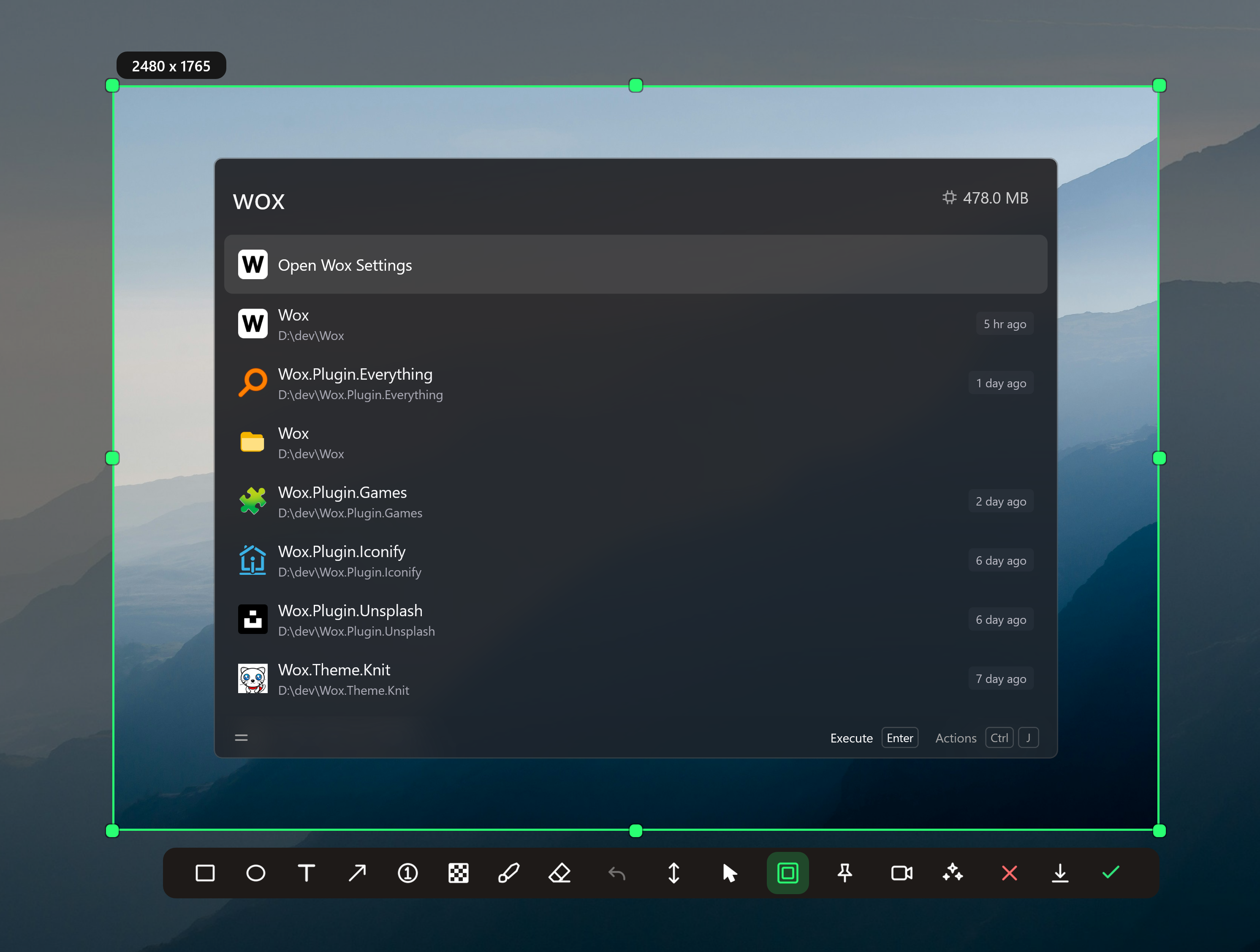
This version mainly enhances the screenshot plugin, Folder plugin, and other bug fixes. We also fine-tuned the built-in theme styles of Wox. You can now also use Ctrl/Cmd + P to temporarily hide/show the preview panel.
-
Improve
- [
Screenshot] Capture a window or a free region, draw and write on it, and save a PNG or a short GIF, WebP, or MP4. Press Space to put the wallpaper behind the selection, and edit the capture again from history or the clipboard. - [
Folder] A folder listing starts with.., and Enter goes up. Shift+Enter browses a folder, or the folder that contains a file, inside Wox. - [
Clipboard] Show a copied link's title and image after you copy it again. On Hyprland, X11, and Plasma, copied text can show which app it came from. Favorites stay out of the normal list unless Show favorite by default is on, andcb favranks them by use #4592. - [
Converter] Support 156 currencies, and tell Mbps apart from MBps. - [
Calculator] Accept digit separators in numbers, such as1,000or1_000. - [
Preview] Open a closed preview with Ctrl/Cmd+P, and show source files as colored code. - [
Launcher] Apply the interface size to chat, settings, and other windows #4586. Choose which screen the launcher opens on #4597. The toolbar keeps the main action. - [
Hotkey] Use the Windows key by itself as the launcher hotkey, and keep the Start menu closed #4595. - [
Theme] Blur the launcher background where the desktop supports it, and adjust how frosted the toolbar looks. - [
Cloud Sync] Show Free or Pro on the sync status, how many changes are waiting, and the size of past syncs. - [
AI Chat] Select and copy an answer across paragraphs, lists, and code. - [
Plugin] Mask password fields, and let you keep a plugin's cache when uninstalling it. - [
Feedback] Restart with only built-in plugins to troubleshoot. A warning stays up until you start normally and bring the others back.
- [
-
Fix
- [
Query] Fix a search with no results keeping the spinner when a disabled plugin was still included #4615. Trim blank lines from the start and end of a pasted query. - [
AI Chat] Fix a custom chat keyword being ignored when opening chat from a selection, a file, or history #4611. - [
App] Fix the same Windows program appearing more than once as a shortcut and an executable #4599. - [
Screenshot] Fix a pinned capture dropping behind other windows. - [
Launcher] Fix the start page closing after you remove an item, and recent results not returning after you clear a query opened from a hotkey or a link. - [
Notes] Fix a heading changing type when lines are inserted in preview, and a note image changing height after it scrolls away. - [
Color] Fix a searched color not being saved to history. - [
Hotkey] Fix Windows key shortcuts that Wox could not take over, while Win+L still locks the PC #4604. On GNOME, leftover shortcuts no longer swallow keys after Wox registers them. - [
Onboarding] Fix first-run setup on macOS skipping the permission steps #4603. - [
Plugin] Fix plugin actions that did nothing after a plugin reconnected #4588. Fix plugin files extracting into the wrong folders on Windows, and the start page opening a plugin with*instead of its keyword. - [
Icon] Fix some app icons, such as Code - OSS, showing as solid black.
- [
-
Store
- Plugin
- Stock Look up A-share, Hong Kong, and US quotes. @qianlifeng
- Stopwatch Stopwatch with laps, live in the launcher @lmgarret
- Weather Current weather and the next few days from wttr.in. @qianlifeng
- Word Count Count words and text statistics from a query or selection @qianlifeng
- Games Search installed games from Steam, Epic, GOG, Ubisoft Connect, EA, Battle.net, Xbox, and itch.io. @Wox-launcher
- IMDB Search TMDB movies and TV, with posters and ratings @qianlifeng
- Clash Verge Show the local Clash Verge core and switch proxy nodes. @qianlifeng
- Plugin
Wox v2.4.5
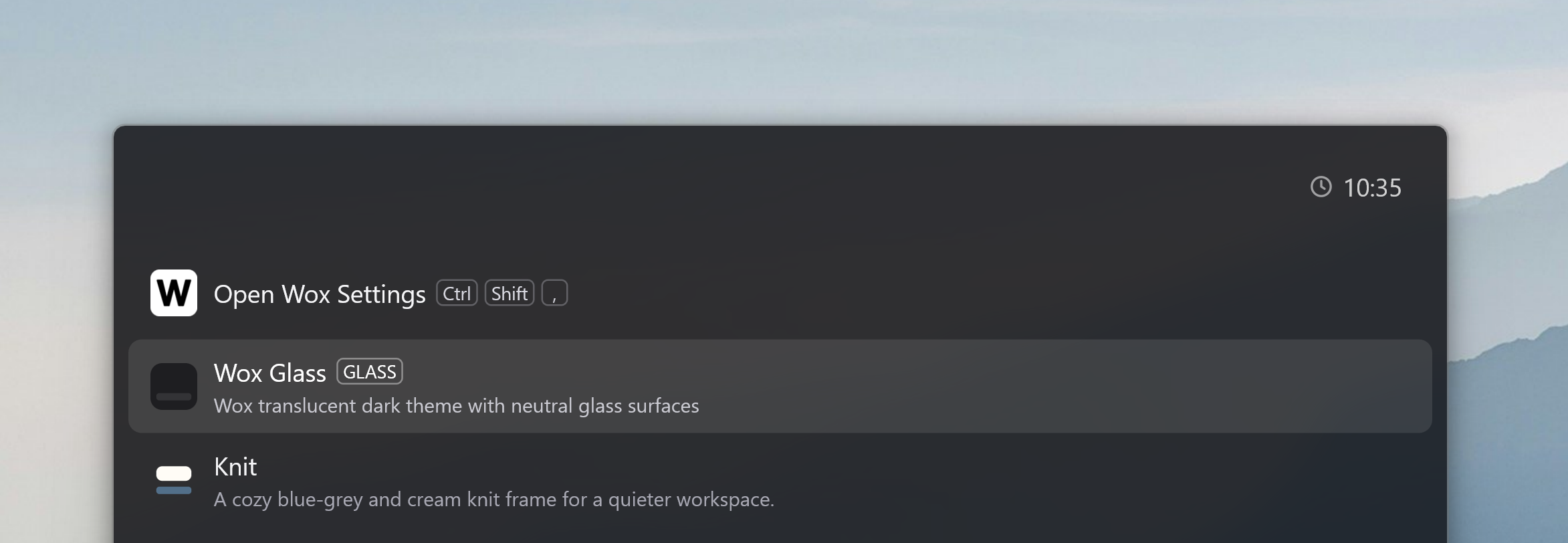
This release lets you set a global hotkey or a search alias on any result.
-
Improve
- [
Theme] Add the.wox-themetheme format. - [
Web Search] Open a search result inside the launcher with Ctrl/Cmd+Enter #4574. - [
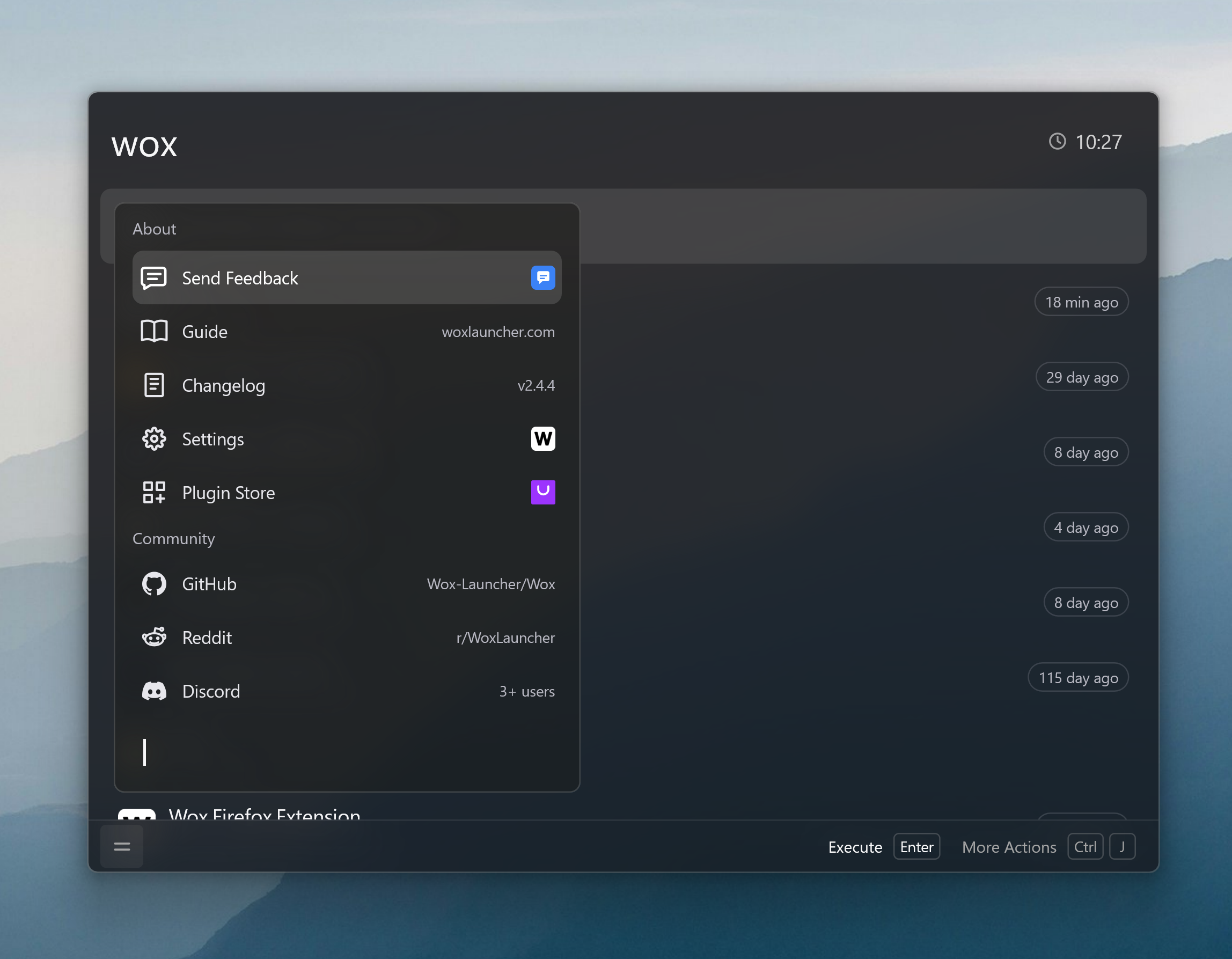
Launcher] Open the About menu from the toolbar or Ctrl/Cmd+Shift+K.
- [
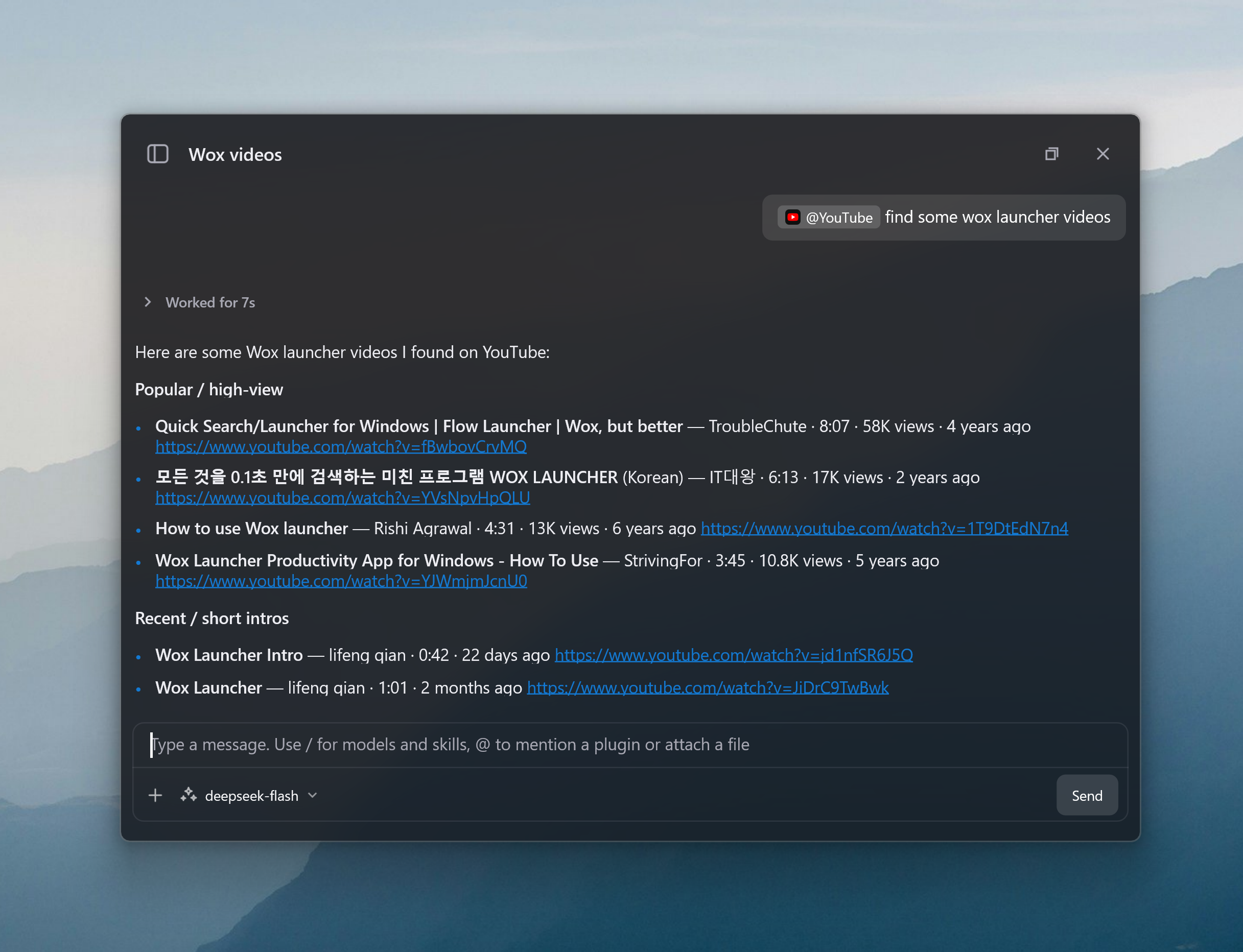
AI Chat] Mention a plugin in the conversation with @.
- [
Shell] Open the current command in the system terminal with Ctrl/Cmd+T. - [
Hotkey] Ignore launcher hotkeys in fullscreen #4573, and register global shortcuts on COSMIC #4576. - [
Folder] Preview a folder's contents, and copy its path or name. - [
Screenshot] Send a capture to AI Chat so you can quickly ask about or summarize the image. - [
Clipboard] Filter favorites withcb fav. - [
Settings] Give hotkeys their own settings page. Show a plugin's description, settings, and keywords on one page. - [
App] Copy an app's name. Use less memory after Wox hides. - [
Preview] Make HTML previews follow the launcher colors. - [
Confetti] Play confetti from another app withwox://confetti.
- [
-
Fix
- [
Shell] Fix command output that could not be selected or copied #4581. - [
App] Fix an.exeignore rule hiding shortcuts #4580. - [
Launcher] Fix a dropped file being replaced by the recent list, and wrong placement with mixed display scaling #4572. - [
Query] Fixwox://links opening an empty launcher. - [
Clipboard] Fix favorites missing from the start page. - [
Settings] Fix misplaced errors, clipped dropdown labels, and blank plugin paths. - [
Hotkey] Fix held shortcuts, Caps Lock query hotkeys, and accidental keys while recording. - [
Selection] Fix reading the selection while the shortcut is still held. - [
Screenshot] Fix Chinese, Japanese, and Korean text in saved screenshots turning into boxes. - [
Cloud Sync] Fix payment links opening the wrong page. - [
Preview] Fix icons whose links have no.svgending. - [
Attention] Fix the unread count missing its icon. - [
Linux] Fix the first-run theme list stuck loading.
- [
-
Store
- Plugin
- Stremio Search Fast local library search & catalog lookup for Stremio @NubPlayz
- JSON Formatter Format, minify, and validate JSON from the query, selection, or a file @qianlifeng
- Random Data Generator Generate random numbers, UUIDs, passwords, emails, names, colors, and more. Add a count, e.g. random number 10 @qianlifeng
- YouTube Search YouTube videos and open them in the browser @qianlifeng
- Theme
- Knit A cozy blue-grey and cream knit frame for a quieter workspace. @qianlifeng
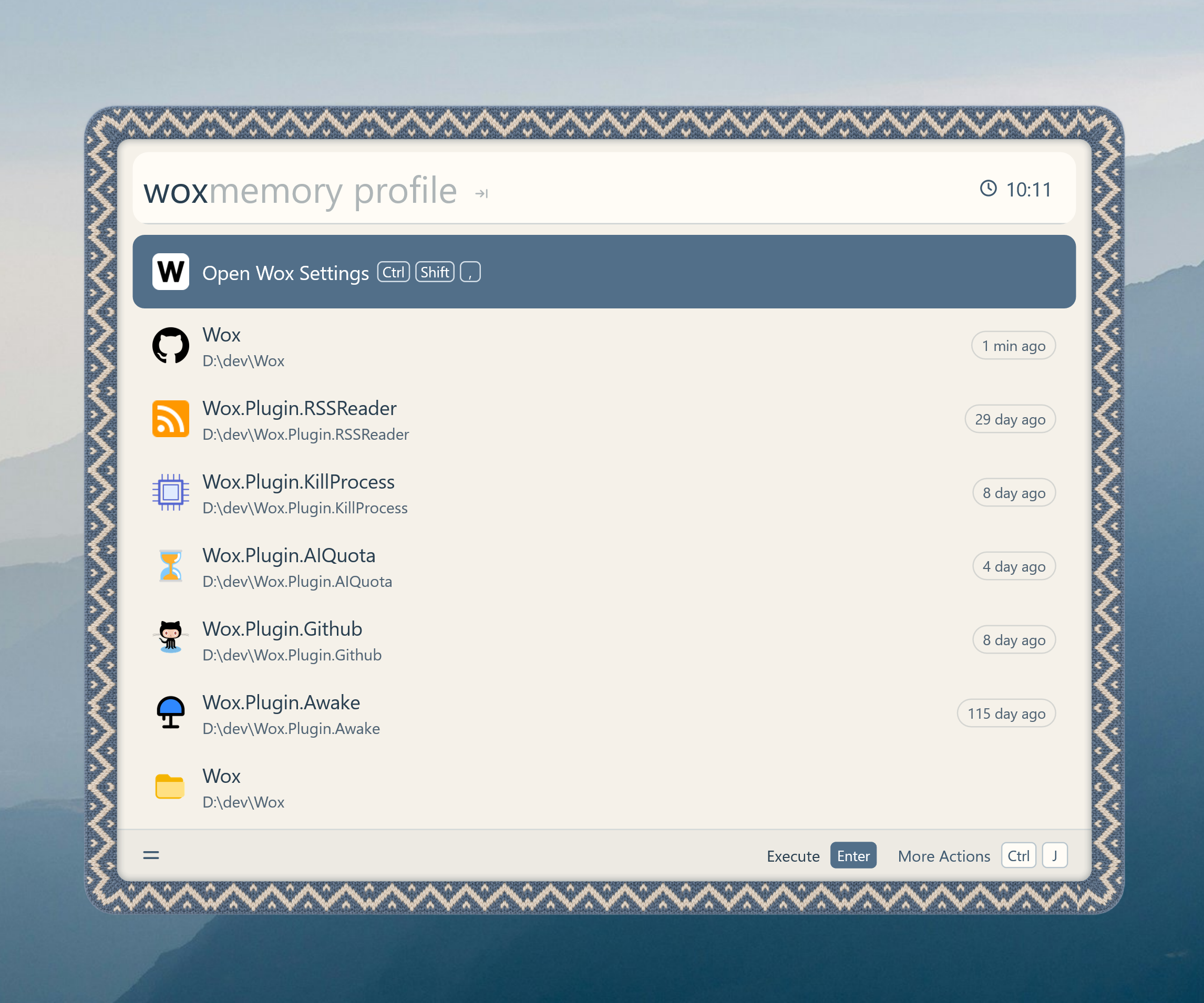
- Knit A cozy blue-grey and cream knit frame for a quieter workspace. @qianlifeng
- Plugin
Wox v2.4.4
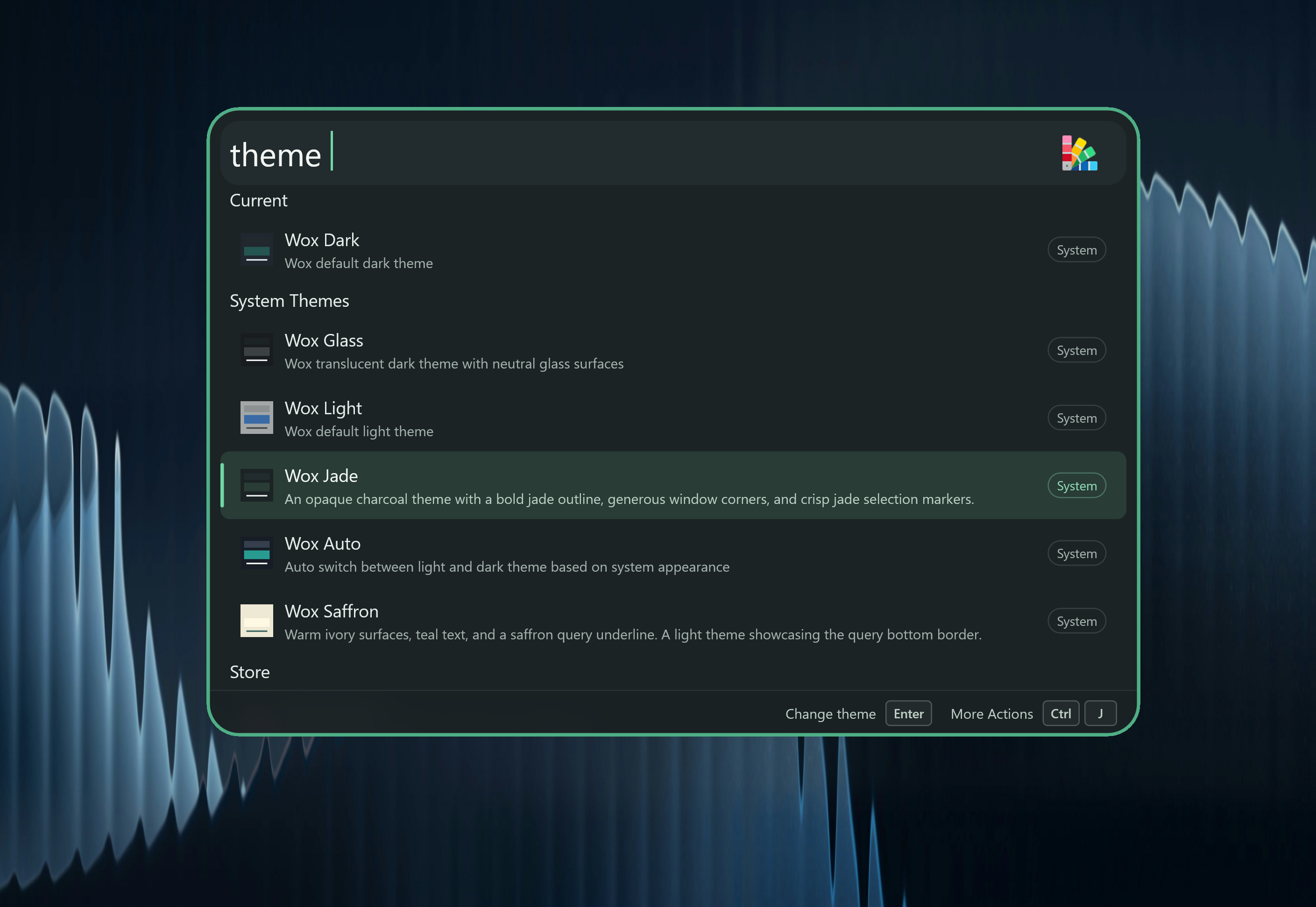
This release brings a new Jade system theme, and uses Liquid Glass on macOS 26. Settings keep their own look, so themes no longer change the Settings window.
-
Improve
- [
Theme] Support the Jade theme, use Liquid Glass on macOS 26+, and make theme previews match the live launcher. Themes can also customize window corners, toolbar colors, and frosted panels. - [
Settings] Keep Settings and first-run setup on their own look so your launcher theme does not change them, and let plugin catalog filters use one dropdown at a time - [
Query] Suggest command completions you can accept with Tab, undo a query change with Ctrl/Cmd+Z, and hide extra command hints in File Search, Clipboard, and Feedback - [
Clipboard] Paste history one item at a time withcb paste, favorite and rename images, show website icons on copied links, and open the folder that contains a copied file See video - [
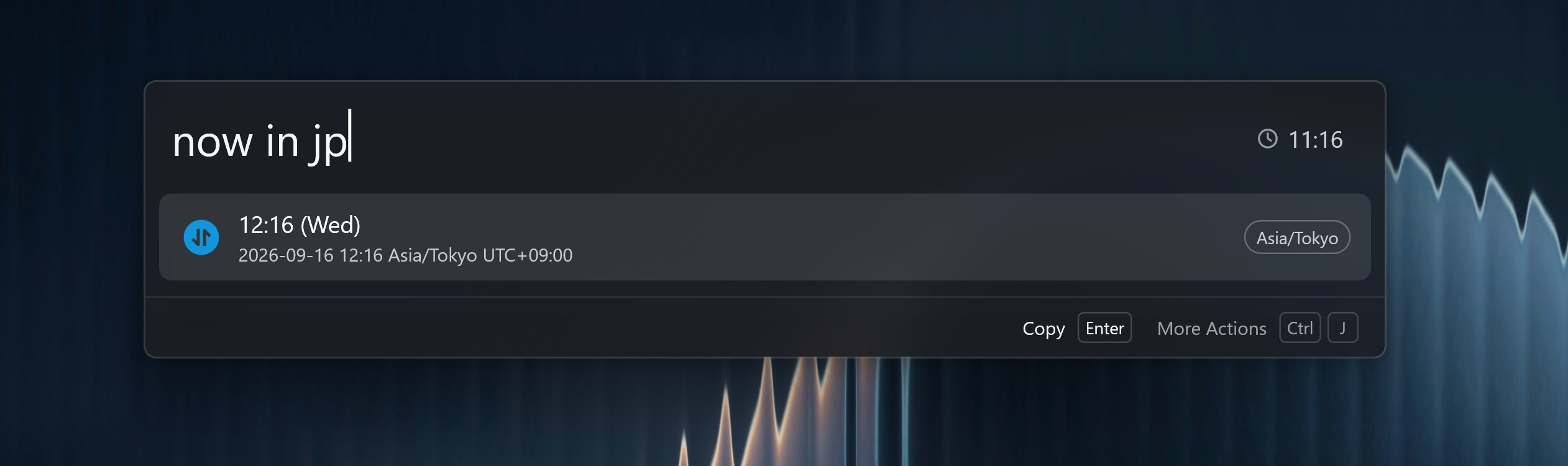
Converter] Understand more everyday calculator phrases, decode pasted Base64 or encode text, answernow/now intime questions, and handle playback speed, rounding, and lap times more reliably
- [
AI] Support SiliconFlow as a chat provider - [
AI Chat] Paste or drop files and images into a conversation #4566, open model and skill lists faster, close a popped-out chat window with Escape, and make streaming replies feel smoother - [
File Search] Match filenames that contain every word you type #4560, and read text inside PDFs more reliably #4564 - [
App] Find Windows Store and Apps Folder apps, and pick up newly installed apps #4565 - [
Web Search] Open a search in a private or incognito window - [
Plugin] Install a plugin by opening a.woxfile, find Node.js and Python installed by mise without restarting Wox #4569, keep the launcher open after dragging a file out of a result, and show Attention unread counts again with a shortcut to that plugin's settings - [
Notes] Keep your place when switching between preview and Markdown, paste images and text more reliably, and show a character count - [
Launcher] Jump between result groups with Ctrl (Option on macOS) plus Up/Down, keep the toolbar visible over the list, use a star for Favorites and a pin only for ranking, and show the best action-list matches first - [
Hotkey] Let Windows record Win+Space as a Wox hotkey - [
Browser Bookmark] Search bookmarks withb, and match titles and URLs more loosely in that command - [
Folder] Open the parent folder from a folder result - [
Selection] Read selected text and files more reliably, including from Wox's own windows #4561 #4558 - [
Font] Show installed Windows fonts in font pickers #4554 - [
Updater] Show Chinese release notes in the update preview, and play confetti after a successful update
- [
-
Fix
- [
File Search] Fix newly added folders not showing up in search - [
IME] Fix English input on Windows when using Chinese IMEs such as WeChat IME - [
UI] Fix the cursor not blinking on transparent Windows windows, and blurred panels hiding the result list - [
Clipboard] Fix paste actions showing a long window title instead of the app name - [
AI] Fix being unable to select AI answers - [
Media Player] Fix a long wait when opening Media Player on Windows - [
Attention] Fix the unread badge disappearing while you type - [
Screenshot] Fix recording shortcuts showing as separate keys instead of one shortcut
- [
-
Store
- Plugin
- Lock Keybord Lock the keyboard so you can wipe it without triggering shortcuts @qianlifeng
- Droppy A stash box for files. Drop files in, then drag them out later. @qianlifeng
- Theme
- Omarchy Omarchy's default Walker menu: charcoal card, cream outline, full-width gray selection, and muted teal active icons. @qianlifeng
- Ocean Glass Blue-gray content panel, native-material rim, and warm yellow accents inspired by the supplied launcher screenshot. @qianlifeng
- Wox Saffron Warm ivory surfaces, teal text, and a saffron query underline. A light theme showcasing the query bottom border. @qianlifeng
- Plugin
Wox v2.4.3
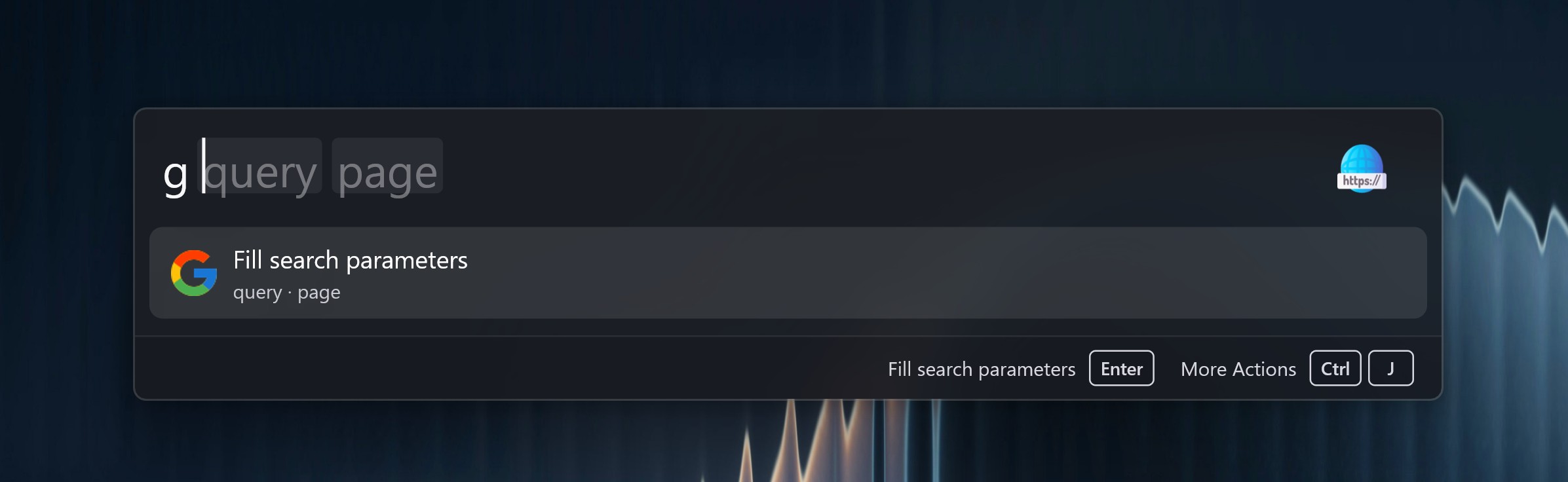
This release adds query hints so Web Search and other commands can collect multiple named inputs with Tab instead of a single free-text box.
-
Add
- [
Query] Add query hints for command templates so users can fill multi-part commands with argument chips, ghost placeholders, and Tab completion. Web Search templates can collect multiple named inputs, including selected text and clipboard text captured before the launcher takes focus. - [
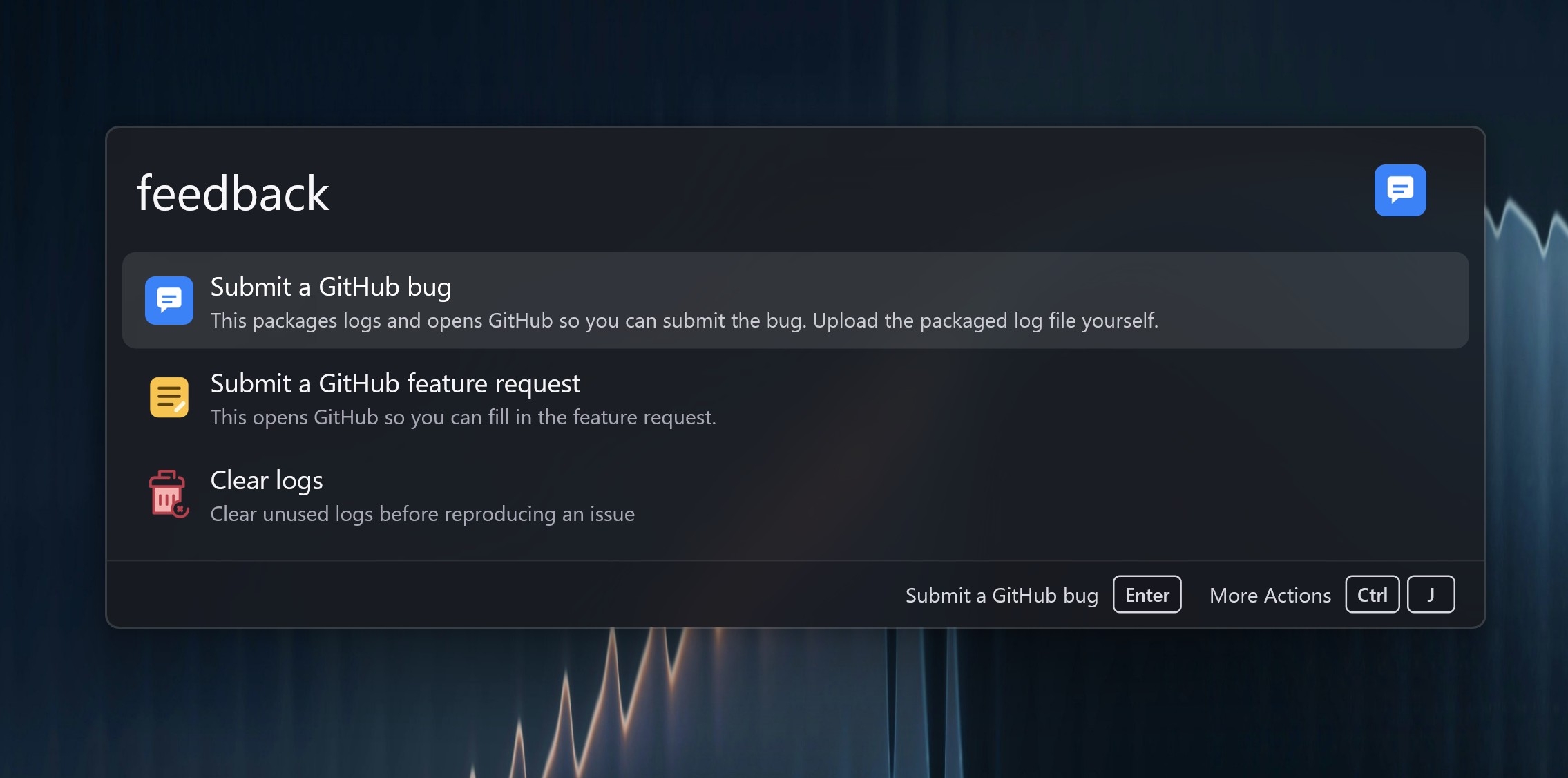
Feedback] Add a built-in Feedback plugin to export diagnostics, review crash reports, clear logs before a reproduction, and open GitHub issues or feature requests.
- [
-
Improve
- [
AI] Group the provider dropdown into API and Installed CLI, use brand icons for local CLI providers, and allow searching the list - [
AI Chat] Support popping a conversation into a dedicated window that keeps the unsent draft after the launcher hides, attach selected text, files, and images without mixing them into instructions, edit{wox:...}placeholders as tokens #4543, and grow the composer from one to five wrapped lines - [
File Search] Show OS recent files for an empty File Search query, using Windows Jump Lists, macOS Spotlight last-used dates, and Linux recently-used.xbel - [
Quick Jump] Rename File Explorer Search to Quick Jump (jump), keep saved paths per OS, skip ignored applications, navigate Wox's own Windows pickers, and inject 32-bit window hooks so 32-bit hosts such as Foxmail and Office work #4511 - [
App] Support hide-from-search with live wildcard or selected-app ignore rules and a match preview #4537, and support Japanese (ja_JP) - [
Clipboard] Support pasting clipboard images and emoji into the active window #4538 - [
Plugin] Support query refinements and static HTML previews, runtime trigger-keyword registration, and a WPM action that copies an AI prompt for creating a plugin - [
Launcher] Support resetting a result's usage-based ranking from the action panel, group system actions, and validate required fields in query-requirement forms - [
Hotkey] Improve macOS hotkey recording with an Accessibility permission prompt and a local fallback when global recording is unavailable #4548 - [
Preview] Defer large text, Office, and PDF previews behind a details-first gate so rapid selection does not start heavy reads - [
Browser] Improve browser window identification so tab results stay scoped to the active browser #4542 - [
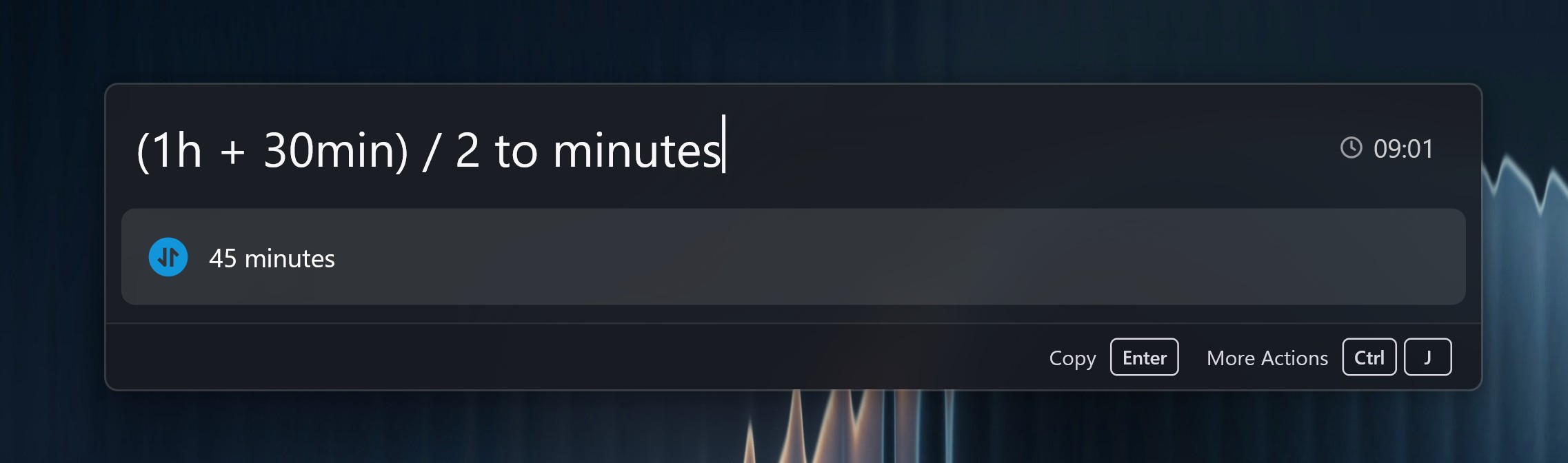
Converter] Expand unit, currency, date, and percentage queries into typed expressions so nested conversions, tips, workdays, and timezone sentences compose in one query, with copy actions for formatted, raw, and question-answer results
- [
Query] Support saving the current query as a shortcut from the action panel, and add a Query Test button in settings for query hotkeys, shortcuts, and tray queries - [
Folder] Support Windows environment variables such as%LOCALAPPDATA%in folder paths - [
Notes] Support reordering checklist tasks by dragging the trailing handle
- [
-
Fix
- [
App] Fix Linux apps whose icons sit directly in XDG data icon dirs showing the default icon - [
Quick Jump] Fix Windows Move Items folder choosers and cut hung window-hook waits that delayed dialog navigation #4511 - [
UI] Fix hidden WebView renderers being destroyed on Windows memory trim, and clip native file previews under overlays so they match rounded corners - [
Launcher] Fix caret placement on long query text - [
AI Chat] Fix conversations resetting about every 30 seconds when App directory scans refreshed the query #4551, and keep fullscreen chat after hide/show
- [
-
Store
Wox v2.4.2
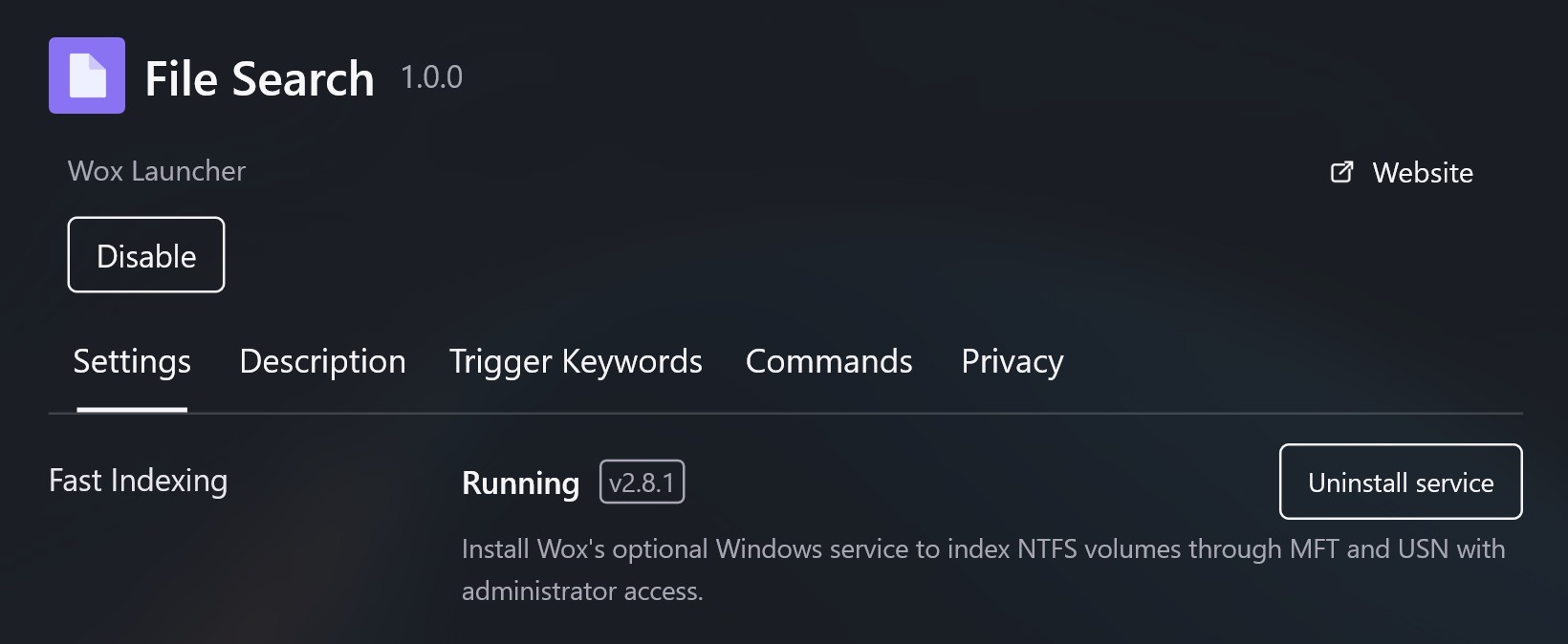
This release speeds up File Search on Windows with optional Fast Indexing through an NTFS service, so large volumes stay current without a full crawl.
-
Improve
- [
File Search] Support optional Fast Indexing on Windows by installing a service that indexes NTFS volumes through MFT and USN, let content-search directories be configured independently of filename-search roots, group file results in global queries, and filter results to content matches - [
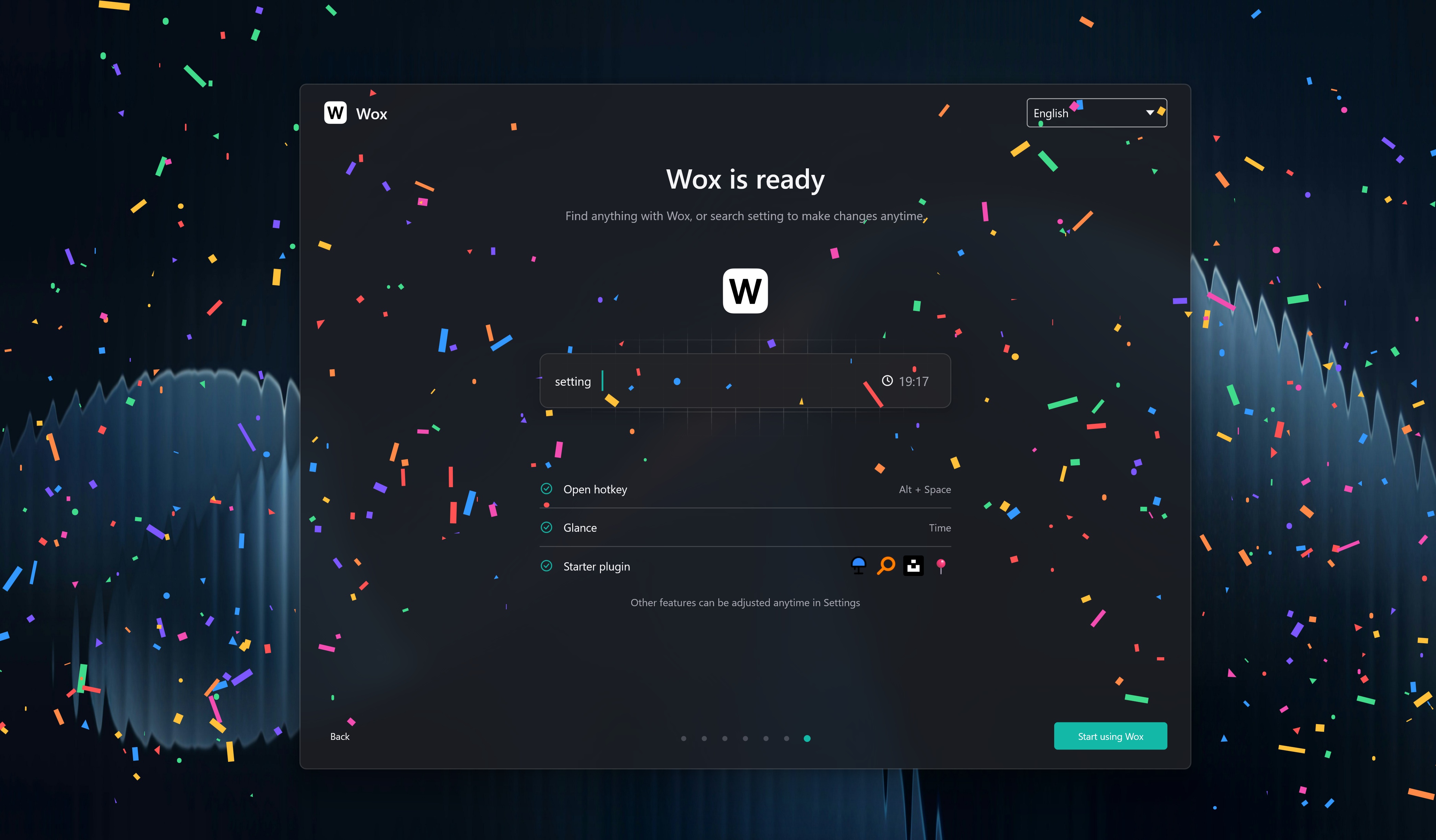
Confetti] Show a fullscreen confetti overlay from the Confetti command, tryconfettiquery
- [
AI Chat] Support configuring MCP servers from settings with a server table, JSON import for full mcpServers documents, OAuth, and per-server tools #4529 - [
Wox Memory] Add built-in memory diagnostics to inspect Wox process composition with Go heap, native, and per-process breakdowns plus a live Glance - [
Clipboard] Support searching clipboard images by their OCR text #4525, and improve macOS handling for remote file URLs #4532 - [
Folder] Support fuzzy matching for child names and complete parent-directory paths while typing - [
Shell] Show a running indicator on active commands in history - [
Launcher] Improve action-panel search with aliases so localized actions stay findable by English names and extra terms - [
Explorer] Prioritize matches in the current directory during type-to-search #4527 - [
Indicator] Support matching plugins by description as well as name - [
Settings] Support opening links from plugin setting help text - [
Screenshot] Lower the default screenshot history retention from 30 to 15 days - [
UI] Support animated GIF images in results and previews without flattening animation - [
App] Support Korean (ko_KR) language and reconcile Windows app directories when indexed paths are missing - [
Plugin] Surface plugin initialization failures, add store plugin health checks, and let users refresh Python and Node.js runtimes from settings
- [
-
Fix
- [
Notes] Fix new notes not being pinned by default - [
Explorer] Fix the type-to-search dialog hint closing too early during focus handoff - [
Launcher] Constrain launcher height to the display work area #4527 - [
Clipboard] Fix Wox's own clipboard writes being recorded as new history entries - [
Linux] Fix X11 clipboard reads hanging by timing out clipboard commands - [
App] Release GPU and database caches after Wox hides and improve native memory accounting in diagnostics - [
UI] Fix scrollbar overlay visibility in scroll views and incorrect list updates when result lists shrink
- [
-
Store
- Plugin
- need Store and quickly retrieve local key-value notes @zzedbot
- Nextcloud Passwords Search, inspect, copy, and update passwords stored in Nextcloud Passwords @zzedbot
- Timestamp Convert between Unix timestamps and datetime strings @qianlifeng
- Scoop Search and manage Windows apps with Scoop @qianlifeng
- Video Downloader Download videos and audio from 1000+ sites with yt-dlp @qianlifeng
- Hacker News Browse Hacker News stories and discussions @qianlifeng
- Speedtest Test internet speed over HTTP download, upload, and ping @qianlifeng
- Sound Switch Switch audio input and output devices quickly @qianlifeng
- Gif Search Search animated GIFs from GIPHY and The Finer Gifs Club @qianlifeng
- Plugin
Wox v2.4.1
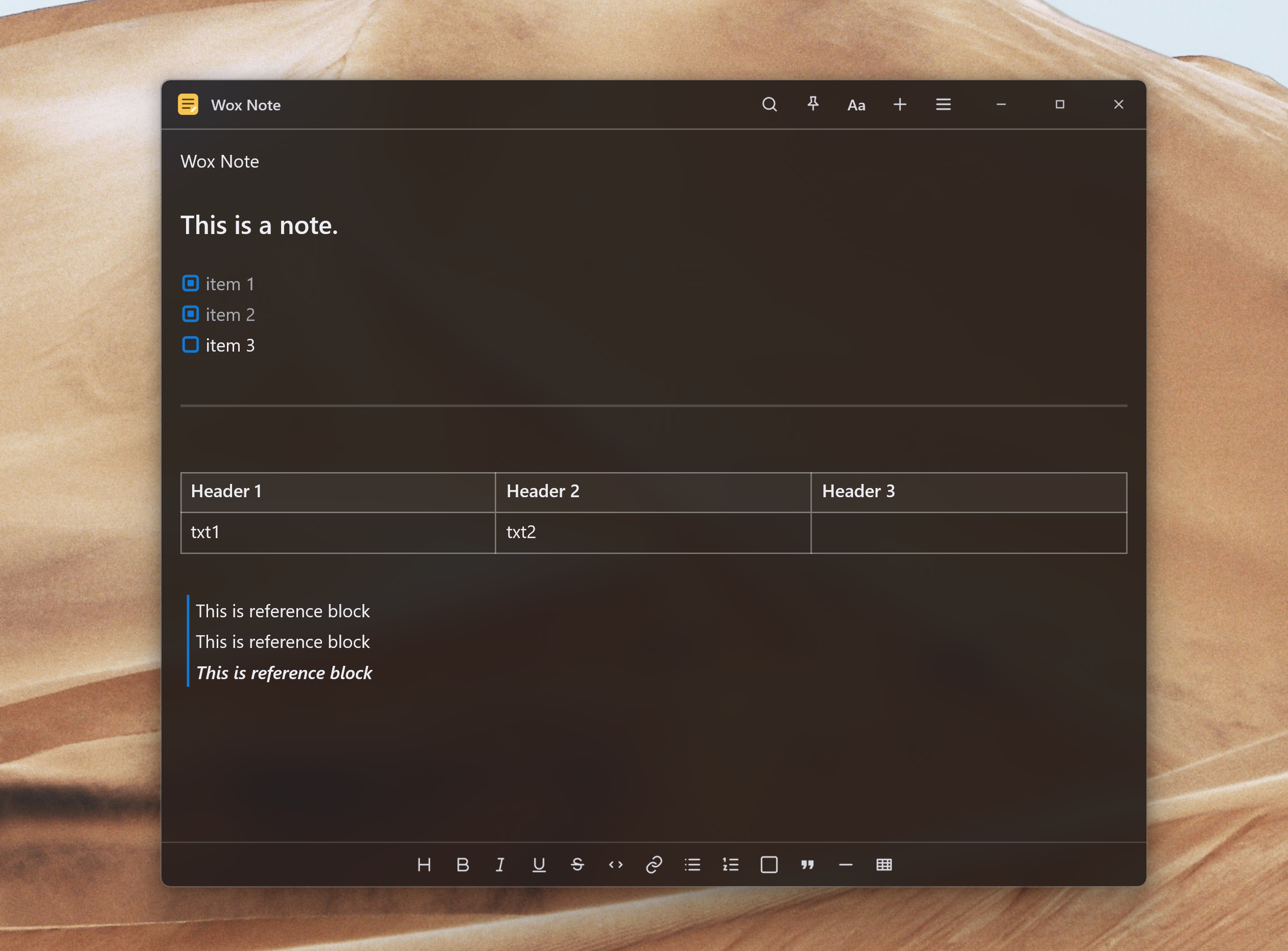
This release adds built-in floating Notes so you can capture text, tables, and images in dedicated windows, search and pin them from the launcher, and save selections from Clipboard, Screenshot, and other plugins.
-
Add
- [
Notes] Add built-in floating notes for quick capture without leaving your workflow: create and search notes from the launcher, edit rich text with tables and image attachments in dedicated windows, pin notes (including across macOS Spaces), restore recent notes, export Markdown, text, or HTML, sync note text with Cloud Sync while keeping images on the device, and save text, files, or images to Notes from Clipboard, Explorer, File Search, Screenshot, Selection, and Shell.
- [
-
Improve
- [
Launcher] Support running visible results with Alt (Windows/Linux) or Command (macOS) plus 1–9, keep toolbar shortcuts visible beside long plugin messages, and show tooltips on result tails #4513 - [
App] Support uninstalling Windows apps, including UWP packages, from launcher results - [
Glance] Enable Glance by default so live information such as the current time appears beside the query box - [
Onboarding] Move first-run setup into an independent window that stays available when the launcher hides, let users apply a query hotkey, starter plugin, and theme before starting Wox, and complete the macOS permission flow more reliably - [
File Search] Support absolute folder paths in ignore patterns and show index size, entry counts, and last index duration in settings #4518 - [
Screenshot] Improve the editor with typed pixel width and height (click the size chip or press S), lock-ratio and swap, a more readable color inspector that copies the selected color on macOS, and JPEG export that keeps native pixels - [
Shell] Support default and per-command working directories (home, last used, or custom) with a directory picker - [
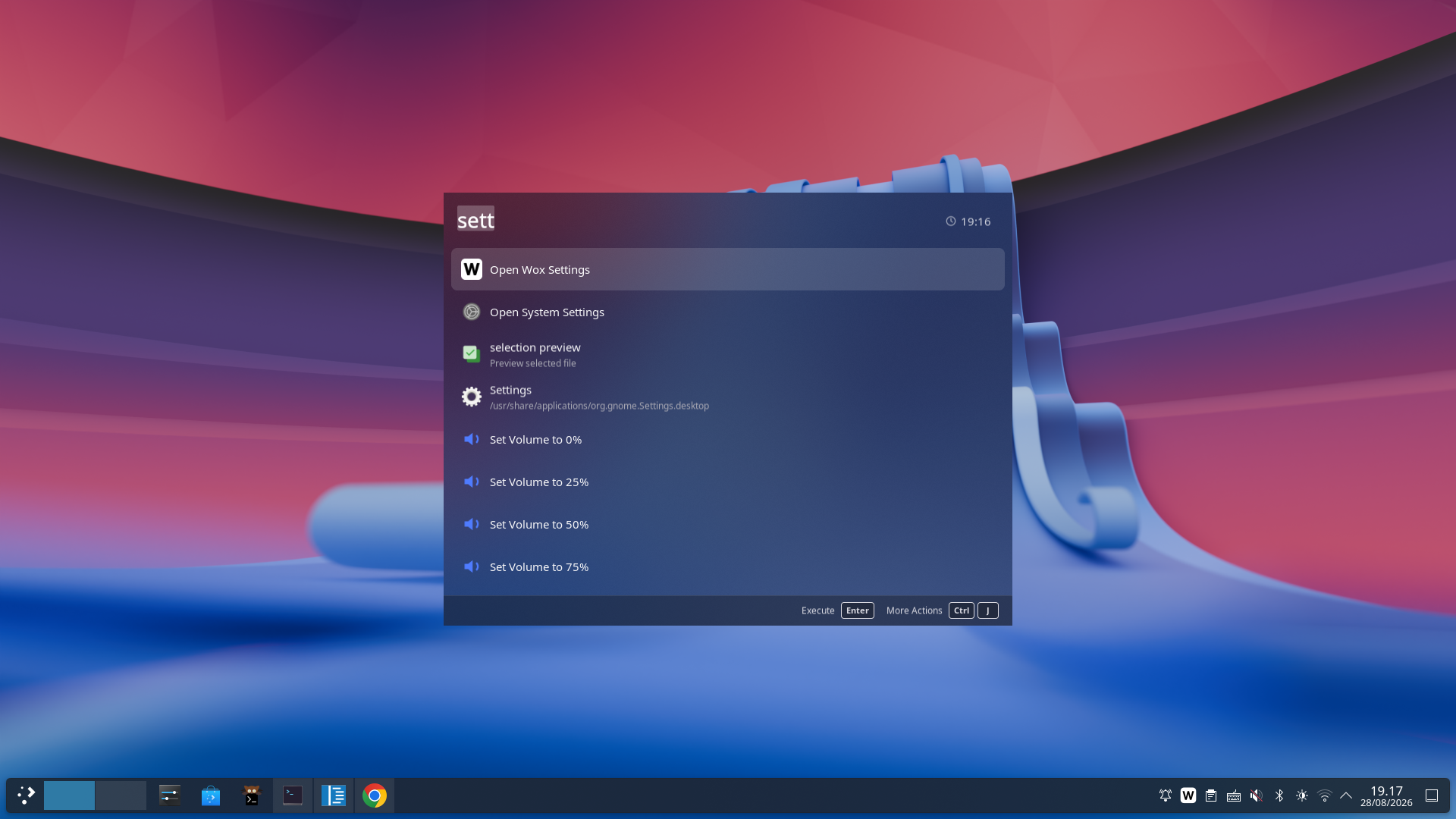
Linux] Support compositor background blur viaext-background-effect-v1, Hyprland-specific dark and light theme variants, overlay HUDs above the launcher, and layer-shell window dragging
- [
Theme] Unify window material across Windows acrylic, macOS vibrancy, and Linux blur, and keep overlay chrome readable over native backdrop - [
Preview] Improve preview-tag scrolling, image zoom and pan, and auto-link issue references in update-preview Markdown - [
Hotkey] Surface main hotkey registration failures in settings and onboarding - [
Updater] Clean up stale Windows update backup files - [
Plugin] Time out hung plugin downloads
- [
-
Fix
- [
Timer] Fix stale timer overlays remaining after a timer is deleted - [
Preview] Fix deferred image, WebView, and file previews showing placeholder text instead of a loading indicator - [
Settings] Fix Switch input method defaulting to on for new installs - [
Linux] Fix a GTK crash when hiding the launcher
- [
Wox v2.4.0
This stable release replaces the Flutter UI with an embedded native UI, cutting typical memory use roughly in half, and adds offline Dictation, file-content search, countdown timers, and Private Mode while rolling up the stability and cross-platform improvements from the v2.4.0 betas.
-
Add
- [
UI] Replace the Flutter UI with an embedded native UI that owns windows, focus, widgets, and GPU rendering in-process, removing the separate Flutter process, cutting typical memory use roughly in half to about 150 MB in daily use, and keeping launcher and settings workflows aligned across Windows, macOS, and Linux. - [
Dictation] Add local voice-to-text dictation with downloadable offline models, configurable microphones and model loading, press, double-press, and hold hotkeys, live status overlays, audio ducking, searchable history with audio playback that preserves original and AI-refined transcripts, and custom actions that can refine speech with AI, type into the active window, show an overlay, or start AI Chat. - [
File Search] Add optional file-content indexing and search so users can find supported text, PDF, and Office files by words inside them, choose indexed extensions, track indexing progress, use quoted phrases, benefit from faster parallel indexing and more reliable index reconciliation, and open theme-aware previews with clear large-file limits. - [
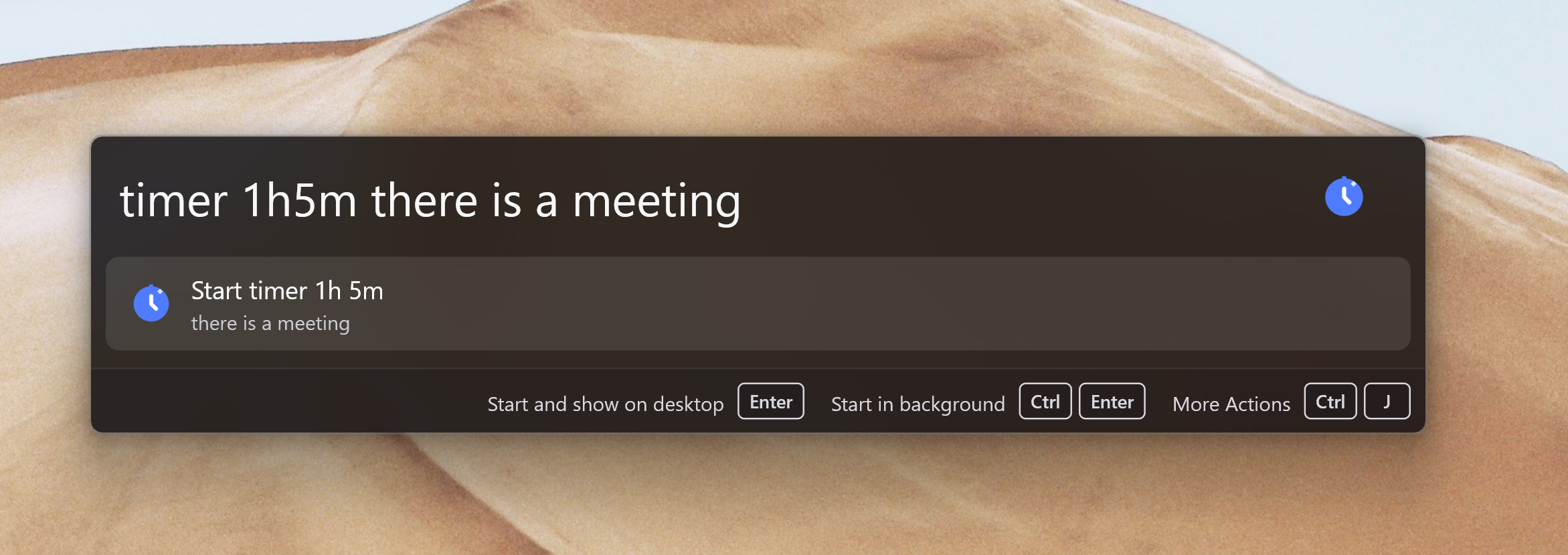
Timer] Add built-in countdown timers with pause/resume, optional notes, accessible desktop overlays, and persistence across restarts so users can start timers liketimer 5mortimer 1h meetingfrom the launcher. #4495 - [
Privacy] Add Private Mode for temporary use on shared computers: when enabled, Wox clears local data after exit while preserving non-sensitive settings such as language and hotkeys.
- [
-
Improve
- [
AI Chat] Improve AI Chat with reusable local and remote skills, built-in tools, inline model and skill selection, configurable tool usage, cancellable streaming, summarized conversation history, and a fallback search action. - [
OCR] Support downloadable offline PaddleOCR models alongside system OCR, with per-feature model selection for Screenshot and Clipboard. - [
Screenshot] Improve capture, annotation, and recording with cursor inclusion, numbered markers, shadowed pinned overlays, display-scaled editor chrome, clearer scrolling-capture borders, and more consistent recording controls across platforms. - [
Preview] Improve native file and WebView previews with draggable title-bar controls, user-agent presets, URL validation, corner radius, mouse-button navigation, Markdown, scrollable metadata, and clearer window chrome. - [
Launcher] Improve query editing with multiline input, clipboard actions, context menus, secondary-tap actions, stable result layouts while typing, and a loading indicator for slow queries. - [
Query] Add scoped queries that pin results to specific plugins and show scope icons, and automatically record successful display-only queries such as Calculator and Converter results in query history. - [
Hotkey] Improve hotkey recording and registration with left/right-specific modifiers, multi-key hold shortcuts, F-keys, more reliable press, double-press, hold, and Caps Lock combo handling, clearer registration fallback messaging, and additional recorder tip positions #4496 - [
Media Player] Improve now-playing results with artwork, a dedicated preview, live progress, playback controls, an action to open the full Media Player view, and Linux MPRIS support. - [
Explorer] Improve type-to-search with indexed results beyond the current folder, faster in-place navigation and item selection in Windows open/save dialogs, Cmd+G hints on macOS, and Quick Switch between Explorer or Finder and open/save dialogs #4511 - [
Overlay] Improve movable overlays with draggable title bars, sticky host-window tracking, and clearer close-button and focus behavior. - [
Onboarding] Expand first-run onboarding with main hotkey, selection hotkey, platform-specific tray setup, interactive demos, and a guided macOS permission flow. - [
Window Manager] Improve workspace restoration with more reliable display matching across resolution changes and faster placement of newly launched apps. - [
Cloud Sync] Improve setup guidance after sign-in and make per-item synchronization progress clearer. - [
Converter] Improve time and duration results with localized weekdays and units, 24-hour formatting, more reliable date and timezone calculations, and confirmation before fetching crypto prices #4480 - [
AI] Support Ollama Cloud with its default endpoint and improve compatibility with OpenAI-compatible relays #4473 - [
Indicator] Let plugin results open the corresponding plugin settings directly. - [
Theme] Improve AI-generated themes with more reliable JSON extraction and clearer preview guidance. - [
Settings] Improve settings control sizing, hover feedback, disabled table states, dialog actions, and form layout consistency across settings pages #4503 - [
Clipboard] Let users exclude applications from clipboard history, and improve text and image clipboard handling across Linux Wayland and X11 environments. - [
Shell] Support running shell commands as administrator with UAC elevation on Windows. - [
App] Support running Windows apps as administrator from launcher results #4498 - [
Diagnostic] Capture crash incidents for bug reports with more reliable Windows crash artifacts. - [
Plugin] Improve plugin-host reliability with a watchdog that recovers unhealthy host processes. - [
Linux] Improve Hyprland and GTK rendering, pointer and scroll capture, per-pixel alpha and pointer passthrough, in-window tooltips, settings chrome alignment, and package distribution with.deband.rpmbuilds. - [
Windows] Improve CJK text rendering, Task Manager Apps grouping, backdrop and dark-appearance sync, and DPI transition stability. - [
macOS] Improve hidden-window memory release and keep management windows available across Spaces.
- [
-
Fix
- [
Calculator] Fix floating-point display artifacts by preserving exact arithmetic in expressions #4497 - [
Input] Fix IME mode being reset when opening the launcher #4493 - [
Updater] Fix Windows updates when the downloaded executable and Wox installation are on different drives #4471 - [
Launcher] Fix preview panel sizing and query state when switching launch modes #4474 - [
Settings] Fix memory accumulation after closing the settings window on macOS, plugin-list navigation scrolling to the wrong position, and settings rendering on Hyprland. - [
Linux] Fix startup crashes by initializing Xlib thread support before GTK, Hyprland hotkey and clipboard handling, X11 window visibility #4505, and query cursor movement during accessibility updates. - [
Windows] Fix GPU renderer recovery after display device removal and release renderer resources after Wox remains hidden for an extended period #4502 - [
Explorer] Fix type-to-search function-key handling and file-dialog window detection on Windows #4504 - [
Bookmark] Fix Chromium bookmark loading #4501 - [
Cloud Sync] Fix update checks blocking restore flows. - [
Plugin] Fix disabled system plugins appearing in results, toolbar messages without an explicit icon, plugin-host recovery, and trash deletion reliability. - [
Overlay] Fix text overlay sizing. - [
Emoji] Fix AI-assisted emoji matching with models that enable thinking by default. - [
URL] Fix URL history entries with missing favicons.
- [
Wox v2.4.0-beta.3
This beta stabilizes the native UI introduced in beta.2, fixing settings rendering, control interaction, overlays, previews, and display recovery issues that surfaced after the Flutter UI replacement.
-
Improve
- [
Settings] Improve settings control sizing, hover feedback, disabled table states, dialog actions, and form layout consistency across settings pages. #4503 - [
Preview] Improve AI Chat preview with draggable title-bar controls and clearer window chrome. - [
Launcher] Improve query editing so plugin result layout stays stable while the query text changes. - [
Overlay] Improve movable overlays with draggable title bars and sticky host-window tracking so overlays stay aligned during window moves. - [
Screenshot] Improve screenshot editor UI scaling, scrolling-capture borders, and screen-recording controls. - [
Hotkey] Improve main hotkey registration with clearer fallback messaging when a shortcut cannot be registered. - [
Onboarding] Expand first-run onboarding with main hotkey, selection hotkey, and platform-specific tray setup steps. - [
Query] Improve launcher query routing with scoped queries that pin results to specific plugins and show scope icons in the query UI. - [
Shell] Support running shell commands as administrator with UAC elevation on Windows. - [
Linux] Add.deband.rpmpackage builds with updated installation documentation.
- [
-
Fix
- [
Settings] Fix settings page rendering on Hyprland. - [
Windows] Fix GPU renderer recovery after display device removal #4502 - [
Linux] Fix Hyprland hotkey registration and clipboard handling. - [
Explorer] Fix type-to-search function-key handling and file-dialog window detection on Windows #4504 - [
Bookmark] Fix Chromium bookmark loading #4501 - [
Plugin] Fix plugin-host recovery and trash deletion reliability.
- [
Wox v2.4.0-beta.2
This beta replaces the Flutter UI with an embedded native UI for a single-process launcher and settings experience, cutting typical memory use roughly in half to about 150 MB in daily use, and adds countdown timers plus Private Mode for temporary sessions.
-
Add
- [
UI] Replace the Flutter UI with an embedded native UI that owns windows, focus, widgets, and GPU rendering in-process, removing the separate Flutter process, cutting typical memory use roughly in half to about 150 MB in daily use, and keeping launcher and settings workflows aligned across Windows, macOS, and Linux. - [
Timer] Add built-in countdown timers with pause/resume, optional notes, desktop overlays, and persistence across restarts so users can start timers liketimer 5mortimer 1h meetingfrom the launcher. #4495 - [
Privacy] Add Private Mode for temporary use on shared computers: when enabled, Wox clears local data after exit while preserving non-sensitive settings such as language and hotkeys.
- [
-
Improve
- [
OCR] Support downloadable offline PaddleOCR models alongside system OCR, with per-feature model selection for Screenshot and Clipboard. - [
Screenshot] Improve capture and annotation with cursor inclusion, numbered markers, and shadowed pinned overlays across platforms. - [
Preview] Improve native file previews, WebView previews with title-bar controls, user-agent presets, URL validation, corner radius, and mouse-button navigation, plus Markdown and scrollable metadata. - [
Dictation] Improve history previews with audio playback controls. - [
Launcher] Improve query editing with multiline input, clipboard actions, context menus, secondary-tap actions, and a loading indicator for slow queries. - [
Query] Automatically record successful display-only queries, such as Calculator and Converter results, into query history. - [
Hotkey] Support F-keys when registering hotkeys and add middle-left/right recorder tip positions #4496 - [
App] Support running Windows apps as administrator from launcher results #4498 - [
Converter] Prompt before fetching crypto prices so users can confirm the network request #4480 - [
Diagnostic] Capture crash incidents for bug reports with more reliable Windows crash artifacts. - [
Plugin] Improve plugin-host reliability with a watchdog that recovers unhealthy host processes. - [
Linux] Improve Hyprland layer-shell launcher rendering, pointer and scroll capture, in-window tooltips, and Cloud Sync/settings chrome alignment. - [
Windows] Improve CJK text rendering, Task Manager Apps grouping, backdrop and dark-appearance sync, and DPI transition stability. - [
macOS] Improve hidden-window memory release and keep management windows available across Spaces.
- [
-
Fix
- [
Calculator] Fix floating-point display artifacts by preserving exact arithmetic in expressions #4497 - [
Input] Fix IME mode being reset when opening the launcher #4493 - [
Linux] Fix startup crashes by initializing Xlib thread support before GTK #4481 - [
Launcher] Fix preview panel sizing and query state when switching launch modes #4474 - [
Settings] Fix memory accumulation after closing the settings window on macOS - [
Cloud Sync] Fix update checks blocking restore flows - [
Plugin] Fix disabled system plugins still appearing in results
- [