Wordpress Plugin
Contributors: awbauer, clrux, mgburns, bgannonBU
Tags: slideshow, images, boston university, bu
Requires at least: 3.5
Tested up to: 4.2.2
Stable tag: 2.3
License: GPLv2 or later
License URI: http://www.gnu.org/licenses/gpl-2.0.html
BU Slideshow is a plugin for creating and managing image-based slideshows. It is designed to be simple enough for any site admin to use, and powerful enough to meet the needs of designers. The plugin has many optional functions that make it flexible enough for a variety of uses: slideshows, photo rotations, feature card decks in the sidebar, etc. View full documentation on BU.edu
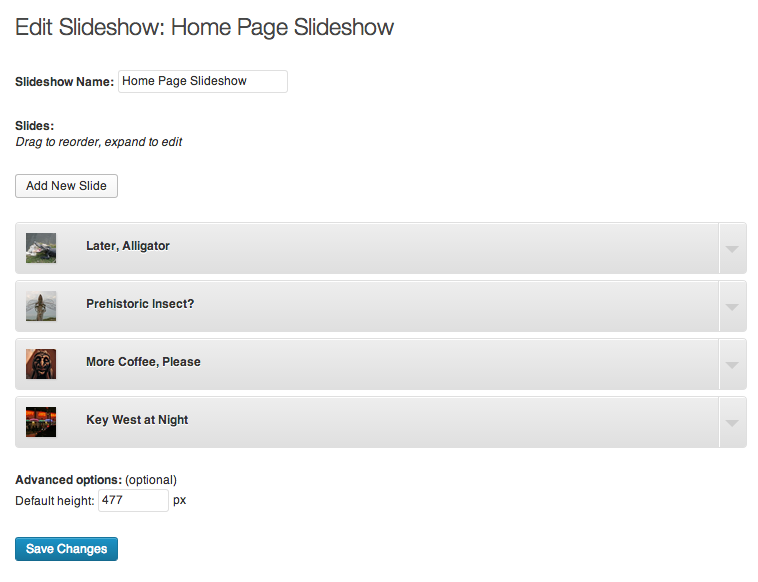
- Drag-and-drop re-ordering of slides
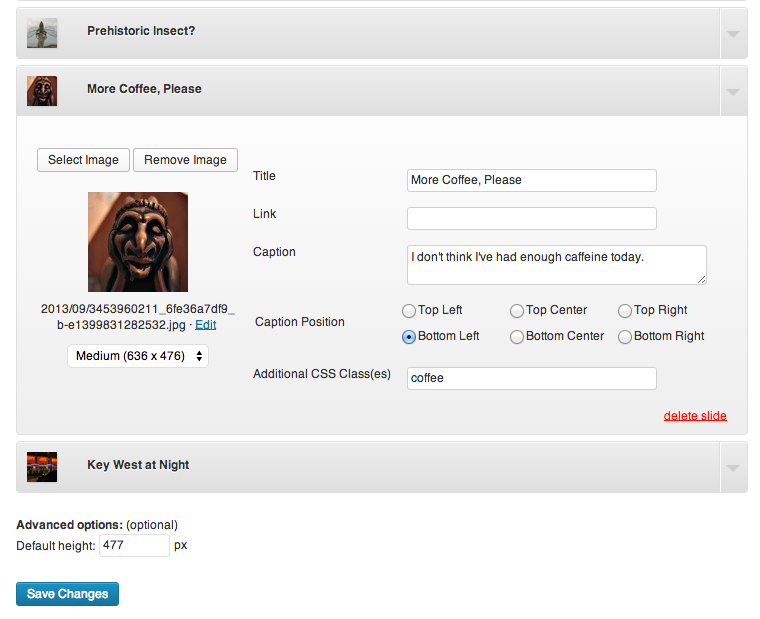
- Optional titles and captions on a per-slide basis
- Set links on a per-slide basis
- Six locations for caption positioning, also on a per-slide basis
- Supports custom templates for slides, including custom slide fields
- Supports unique CSS classes on a per-slide basis for advanced styling options
- Integrated with WordPress Media Library for image upload/selection, size options, and image cropping/editing

- Fix PHP notice
- Migrating slideshows to custom post type
- Support for custom slide templates, including custom fields
- Cleaning up slide image select in WP 4.0
- Set caption position as dropdown, instead of radio buttons. Also adds
bu_slideshow_caption_positionsfilter.
- Resolves an issue where slideshows may not update correctly on save/delete.
- Adding Grunt
- Updating "Insert Slideshow" modal z-index for WP4.0
- Admin-side fix for inconsistent behavior after updating slide order
- Improved “Add Slideshow” flow (3 screens -> 1). Now similar flow to creating new posts/pages. ** Abstracted “edit slideshow” form to a separate template file
- Added option to set default height (Avoids “jump” while calculating height on page load)
- Added option to set transition delay
- Added option to choose caption position
- Added loading indicator
- Added option to set show alignment
- Added shortcode option “shuffle”
- Added option to update image size (full/large/medium/etc) used in slide
- Removed old back compatibility with WP < 3.3
- Minor UI tweaks ** On slideshow edit screen, expand edit container for first slide by default (previously: all collapsed) ** Hide navigation elements until slideshow is fully loaded ** Image details / “edit” link on slideshow admin page