VSCode 远程开发
目前个人开发还是公司开发,都越来越集中到了远程开发中,vscode目前也开始官方支持远程开发,并且释出了对应的插件,所以来简单的使用一下
安装插件
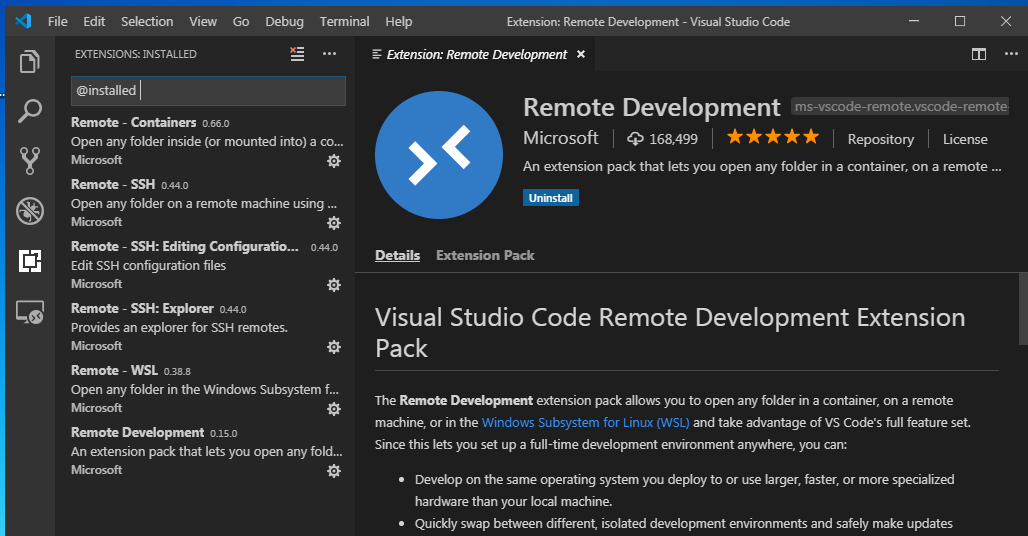
remote-ssh
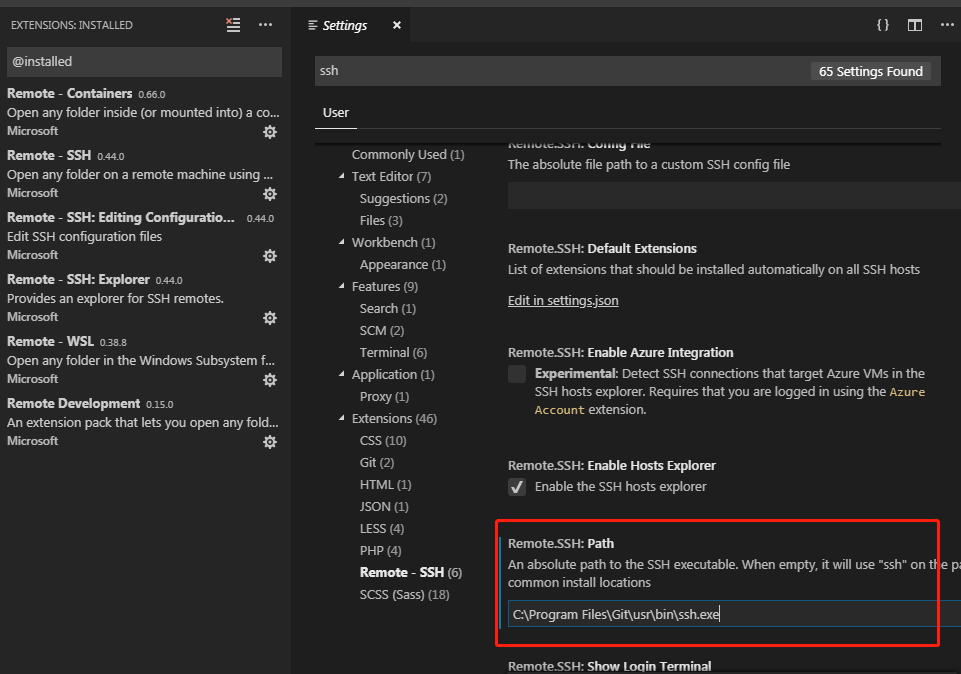
这个推荐使用git for windows的ssh,别的也不是不可以,只是这个配置和使用起来没有那么恶心
整个配置在win7虚拟机中完成
设置ssh位置
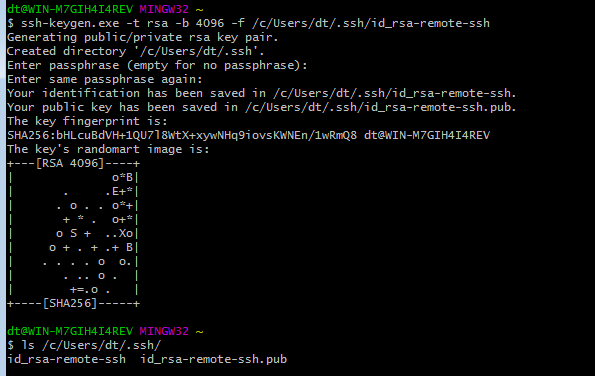
生成密钥
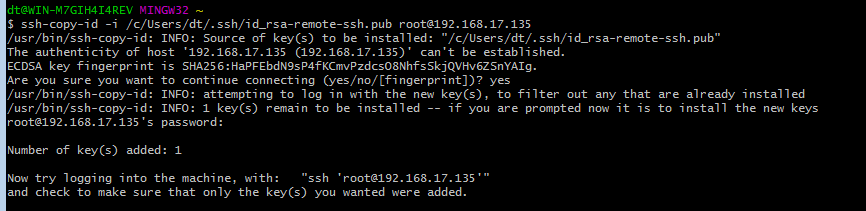
将公钥发送到远程机器
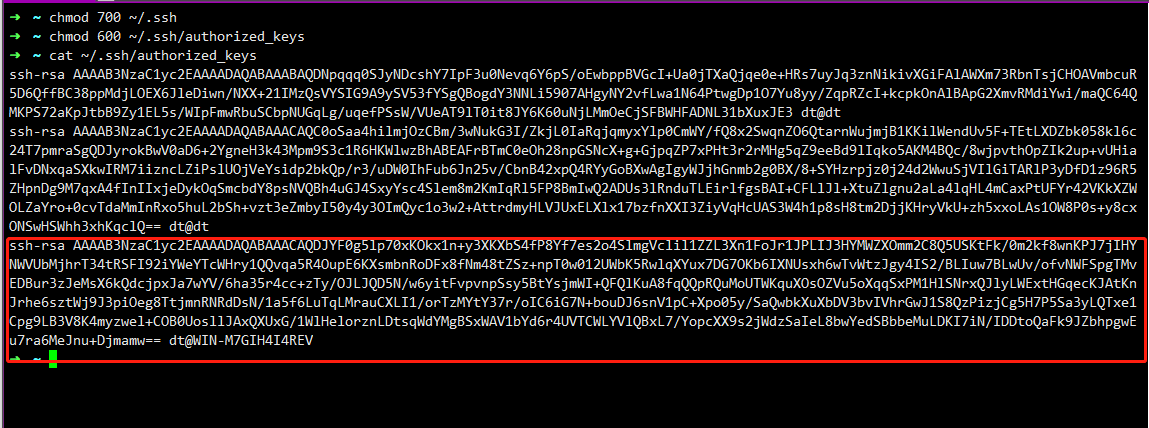
查看,并更改权限
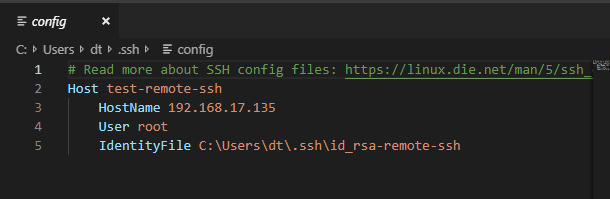
配置文件
连接测试
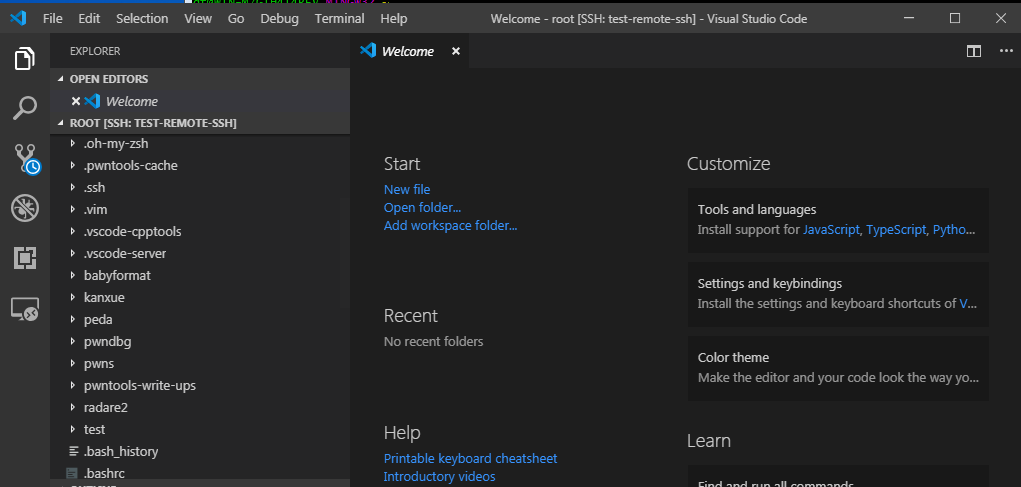
可以发现,成功连接
gdb调试测试
配置launch.json
{
    // Use IntelliSense to learn about possible attributes.
    // Hover to view descriptions of existing attributes.
    // For more information, visit: https://go.microsoft.com/fwlink/?linkid=830387
    "version": "0.2.0",
    "configurations": [
        {
            "name": "gdb debug test",
            "type": "cppdbg",
            "request": "launch",
            "program": "${workspaceFolder}/test",
            "args": [],
            "stopAtEntry": false,
            "cwd": "${workspaceFolder}",
            "environment": [],
            "externalConsole": false,
            "MIMode": "gdb",
            "setupCommands": [
                {
                    "description": "Enable pretty-printing for gdb",
                    "text": "-enable-pretty-printing",
                    "ignoreFailures": true
                }
            ],
            "preLaunchTask": "Compile"
        }
    ]
}配置tasks.json
{
    // See https://go.microsoft.com/fwlink/?LinkId=733558
    // for the documentation about the tasks.json format
    "version": "2.0.0",
    "tasks": [
        {
            "label": "Compile",
            "type": "shell",
            "command": [
                "g++ -g test.cc -o test"
            ],
            "options": {
                "cwd": "${workspaceRoot}/"
            },
            "problemMatcher": []
        },
    ]
}
调试测试
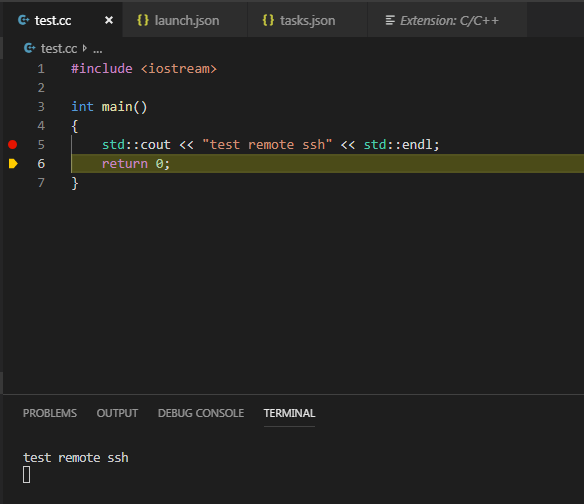
实现远程调试
remote-wsl
wsl远程开发基本不需要配置
直接ctl+p
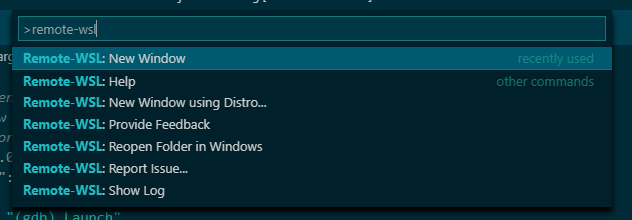
打开新窗口就会直接连接,之后选择打开的文件夹即可,如果需要调试的话,可以参考remote-ssh的配置
官方的这几个插件真心好用

VSCode 远程开发
目前个人开发还是公司开发,都越来越集中到了远程开发中,
vscode目前也开始官方支持远程开发,并且释出了对应的插件,所以来简单的使用一下安装插件
remote-ssh
这个推荐使用
git for windows的ssh,别的也不是不可以,只是这个配置和使用起来没有那么恶心设置
ssh位置生成密钥
将公钥发送到远程机器
查看,并更改权限
配置文件
连接测试
可以发现,成功连接
gdb调试测试
配置
launch.json{ // Use IntelliSense to learn about possible attributes. // Hover to view descriptions of existing attributes. // For more information, visit: https://go.microsoft.com/fwlink/?linkid=830387 "version": "0.2.0", "configurations": [ { "name": "gdb debug test", "type": "cppdbg", "request": "launch", "program": "${workspaceFolder}/test", "args": [], "stopAtEntry": false, "cwd": "${workspaceFolder}", "environment": [], "externalConsole": false, "MIMode": "gdb", "setupCommands": [ { "description": "Enable pretty-printing for gdb", "text": "-enable-pretty-printing", "ignoreFailures": true } ], "preLaunchTask": "Compile" } ] }配置
tasks.json{ // See https://go.microsoft.com/fwlink/?LinkId=733558 // for the documentation about the tasks.json format "version": "2.0.0", "tasks": [ { "label": "Compile", "type": "shell", "command": [ "g++ -g test.cc -o test" ], "options": { "cwd": "${workspaceRoot}/" }, "problemMatcher": [] }, ] }调试测试
实现远程调试
remote-wsl
wsl远程开发基本不需要配置直接
ctl+p打开新窗口就会直接连接,之后选择打开的文件夹即可,如果需要调试的话,可以参考
remote-ssh的配置官方的这几个插件真心好用