A simple Twitter client that supports viewing a Twitter timeline and composing a new tweet.
Week 4
-
User can switch between Timeline and Mention views using tabs.
-
User can view their home timeline tweets.
-
User can view the recent mentions of their username.
-
User can scroll to bottom of either of these lists and new tweets will load ("infinite scroll")
-
Optional: Implement tabs in a gingerbread-compatible approach
-
User can navigate to view their own profile
-
User can see picture, tagline, # of followers, # of following, and tweets on their profile.
-
User can click on the profile image in any tweet to see another user's profile.
-
User can see picture, tagline, # of followers, # of following, and tweets of clicked user.
-
Profile view should include that user's timeline
-
Optional: User can view following / followers list through the profile
-
Advanced: Robust error handling, check if internet is available, handle error cases, network failures
-
Advanced: When a network request is sent, user sees an indeterminate progress indicator
-
Advanced: Improve the user interface and theme the app to feel twitter branded
-
Advanced: User can "reply" to any tweet on their home timeline
-
The user that wrote the original tweet is automatically "@" replied in compose
-
Advanced: User can click on a tweet to be taken to a "detail view" of that tweet
-
Advanced: User can take favorite (and unfavorite) or reweet actions on a tweet
-
Advanced: User can search for tweets matching a particular query and see results
-
Bonus: User can view their direct messages (or send new ones)
Note
- Have a bug in reply, working on it, it used to work.
- Have a bug in format # of tweets, working on it.
Walkthrough of all user stories:
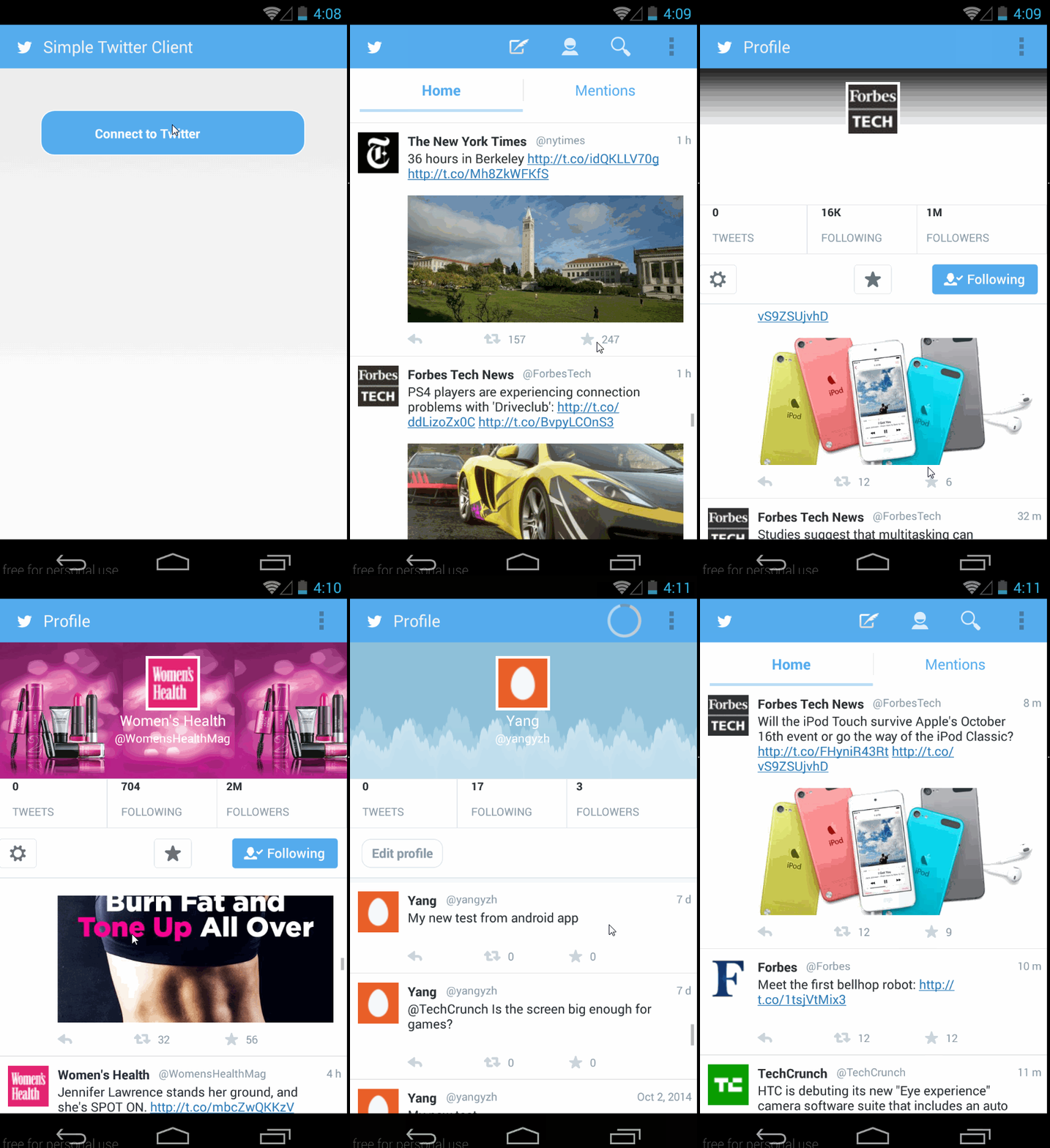
=====================
Week 3
Time spent: About 3 hours everyday since last Friday, ~20 hours spent in total.
Completed user stories:
-
Required: User can sign in to Twitter using OAuth login
-
Required: User can view the tweets from their home timeline
-
Required: User should be displayed the username, name, and body for each tweet
-
Required: User should be displayed the relative timestamp for each tweet "8m", "7h"
-
Required: User can view more tweets as they scroll with infinite pagination
-
Required: Optional: Links in tweets are clickable and will launch the web browser (see autolink)
-
Required: User can compose a new tweet
-
Required: User can click a “Compose” icon in the Action Bar on the top right
-
Required: User can then enter a new tweet and post this to twitter
-
Required: User is taken back to home timeline with new tweet visible in timeline
-
Required: Optional: User can see a counter with total number of characters left for tweet
-
Advanced: User can refresh tweets timeline by pulling down to refresh (i.e pull-to-refresh)
-
Advanced: User can select "reply" from detail view to respond to a tweet
-
Advanced: Improve the user interface and theme the app to feel "twitter branded"
Work-in-progresse:
- Advanced: User can open the twitter app offline and see last loaded tweets
- Tweets are persisted into sqlite and can be displayed from the local DB
- Advanced: User can tap a tweet to display a "detailed" view of that tweet
- Bonus: User can see embedded image media within the tweet detail view
Not started:
- Bonus: Compose activity is replaced with a modal overlay
Walkthrough of all user stories: