


This is the official repository for our CHI 2024 paper:
Find the Bot!: Gamifying Facial Emotion Recognition for Both Human Training and Machine Learning Data Collection (To appear)
@inproceedings{yang2024findbot,
title={Find the Bot!: Gamifying Facial Emotion Recognition for Both Human Training and Machine Learning Data Collection},
author={Yang, Yeonsun and Shin, Ahyeon and Kim, Nayoung and Woo, Huidam and Chung, John Joon Young and Song, Jean Y.},
booktitle={Proceedings of the ACM/SIGCHI Conference on Human Factors in Computing Systems},
year={2024},
note={Conditionally accepted}
}
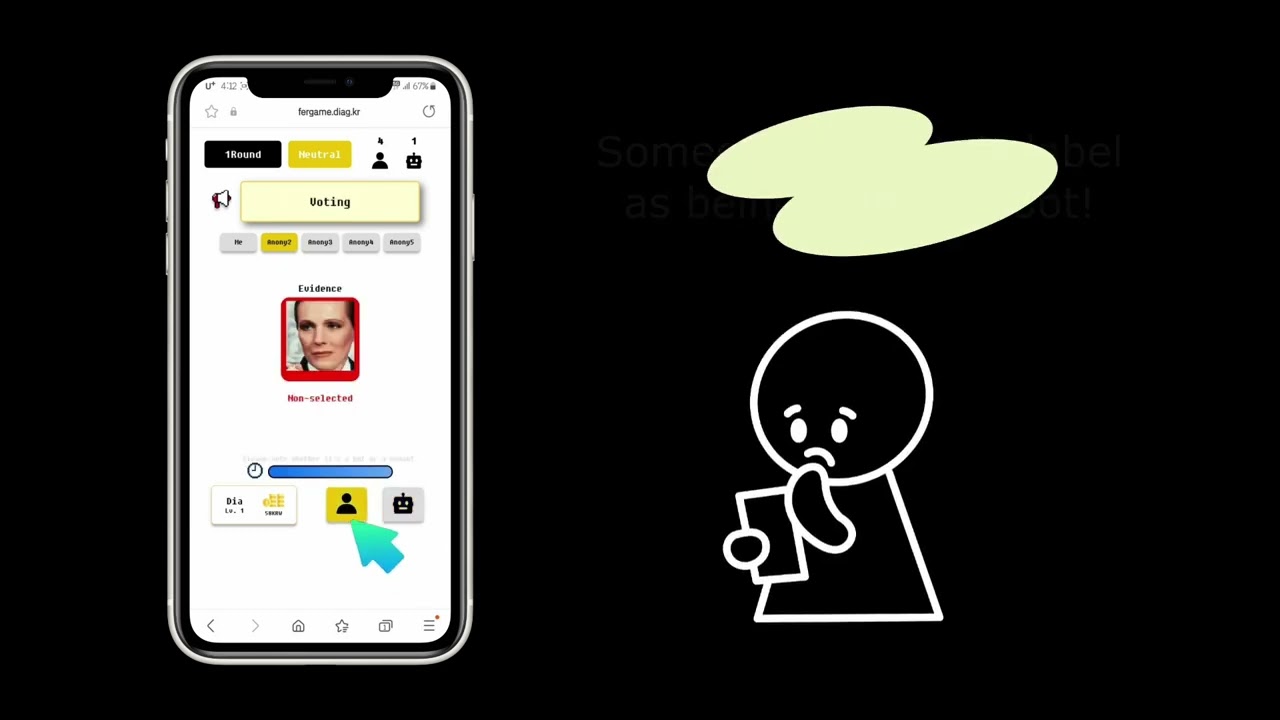
🔼 Click the thumbnail for a demo video on YouTube!
The environment we have set up for Find the Bot!, a web-based multiplayer game, is as follows:
python == 3.6.8
Django == 3.2.16
channels == 3.0.4
cntk == 2.7
# Caution: If you have completed the installation of CNTK 2.7, please upgrade it to the 'gpu version'!

$pip install --upgrade --no-deps cntk-gpu
Ensure you adhere to the specified versions of Python, Django and other Python libraries, as they have interdependencies that are crucial for the setup. A detailed list of dependencies in our virtual environment for running the code is included in requirements.txt.
First, you need to prepare facial expression images for use in the game. In our paper, we utilized the AffectNet dataset; however, due to licensing issues, we are unable to upload the actual images to the repository. If you have a specific set of facial expression images you wish to use, that would be a suitable option.
Second, you need to modify the \static\sampling_300.csv file to match the images you have. We have uploaded a sample csv file that we used. The format of the CSV file is as belows:
| image file name | emotion label |
|---|---|
| img_12 | 0 |
| img_40 | 2 |
| ... | ... |
In each game round, 4 players and the bot are assigned four images from the list in the \static\sampling_300.csv file. emotion label in the csv file is provided as a hint for the players. Default emotions and their label codes are as follows:
| emotion | label |
|---|---|
| Neutral | 0 |
| Happy | 1 |
| Sad | 2 |
| Surprise | 3 |
| Fear | 4 |
| Disgust | 5 |
| Anger | 6 |
| Contempt | 7 |
Third, you need to place the actual images in the \static\images\sampling and \static\images\sampling_bot. The original image files should be located in the \static\images\sampling folder, while preprocessed versions for the DCNN model (the bot 🤖) belong in the \static\images\sampling_bot folder. To be input into the model, facial expression images must adhere to the following format:
1. 48 x 48 PNG files
2. Grayscale image
3. 24-bit depth
We implemented a model Entries in Django to ensure that each image appears as evenly as possible, in accordance with our DB storage policy, despite the images being assigned randomly. Thus, you only need to create the Entries objects once at the beginning by running the \game\create_objects.py file.
python create_objects.py
By default, all images are displayed up to three times. If you wish to increase the display chances, please modify the code in \game\models.py and \game\consumers.py.
- Server-side:
Once all the initial setup is complete, you can run the game in a local environment by executing
\manage.py.
python manage.py runserver
- Client-side (Player): Access the follwing URL through your local web brower.
http://localhost:8000/game/
- Client-side (Admin): Access the following URL if you need to manage user registration, game channel access status, etc.
http://localhost:8000/admin/
If you want to release the game online and allow external users to access and play it througth the game's URL on their own devices, please modify only the following section in the /static/channels.js after completing your web server setup.
// Server:
let socket = new WebSocket('wss://[your web server address]' + room_number+ '/' +username+ '/' +teamid );
// Local:
//let socket = new WebSocket('ws://127.0.0.1:8000/ws/game/' + room_number+ '/' +username+ '/' +teamid );If the setup on the web server is complete as you did with the local version, run the code on the web server.
python manage.py runserver
Then, anyone can access the web-based game Find the Bot! through the web URL.
config
├── asgi.py            # ASGI configuration for asynchronous web app
├── routing.py         # defining WebSocket routing configurations
├── settings.py        # settings for the Django project
├── urls.py            # maps URLs to Django apps
└── wsgi.py            # WSGI configuration

game
├── migrations         # migration files for DB schema changes
├── admin.py           # configuring the Django admin interface
├── consumers.py       # handling Websocket connections
├── models.py          # defining the data models
├── create_objects.py  # declaration of Entries model objects
├── routing.py         # managing Websocket routes for consumer connections
├── urls.py            # maps URLs to Django views
├── views.py           # logic and control flow for handling requests
└── _util.py           # files for running pretrained DCNN model (the bot)

static
├── css                # css files for styling and animations
├── images             # image files used in the game
├── js                 # JavaScript files for client-side functionality
├── bot.model          # a pretrained DCNN model for the bot
└── sampling_300.csv   # a CSV file for sampling facial expression images in the game

templates
├── index.html         # login page
├── info.html          # user profile page
├── tutorial.html      # tutorial page
├── channels.html      # joining game channels page
├── game.html          # main game playing page
└── ending.html        # end of game page
Code derived and rehashed from:
- DCNN model for facial emotion recognition (the bot)
- In-the-wild facial emotion recognition image datasets (AffectNet, FER+)
🧀Special thanks to arter97 for assistance with server setup and development contributions.
If you have any questions or would like to hear more about this project, please feel free to shoot us an eamil at: diddustjs98@dgist.ac.kr or ahyeon@dgist.ac.kr !

