Remote control for any computer in your local network.
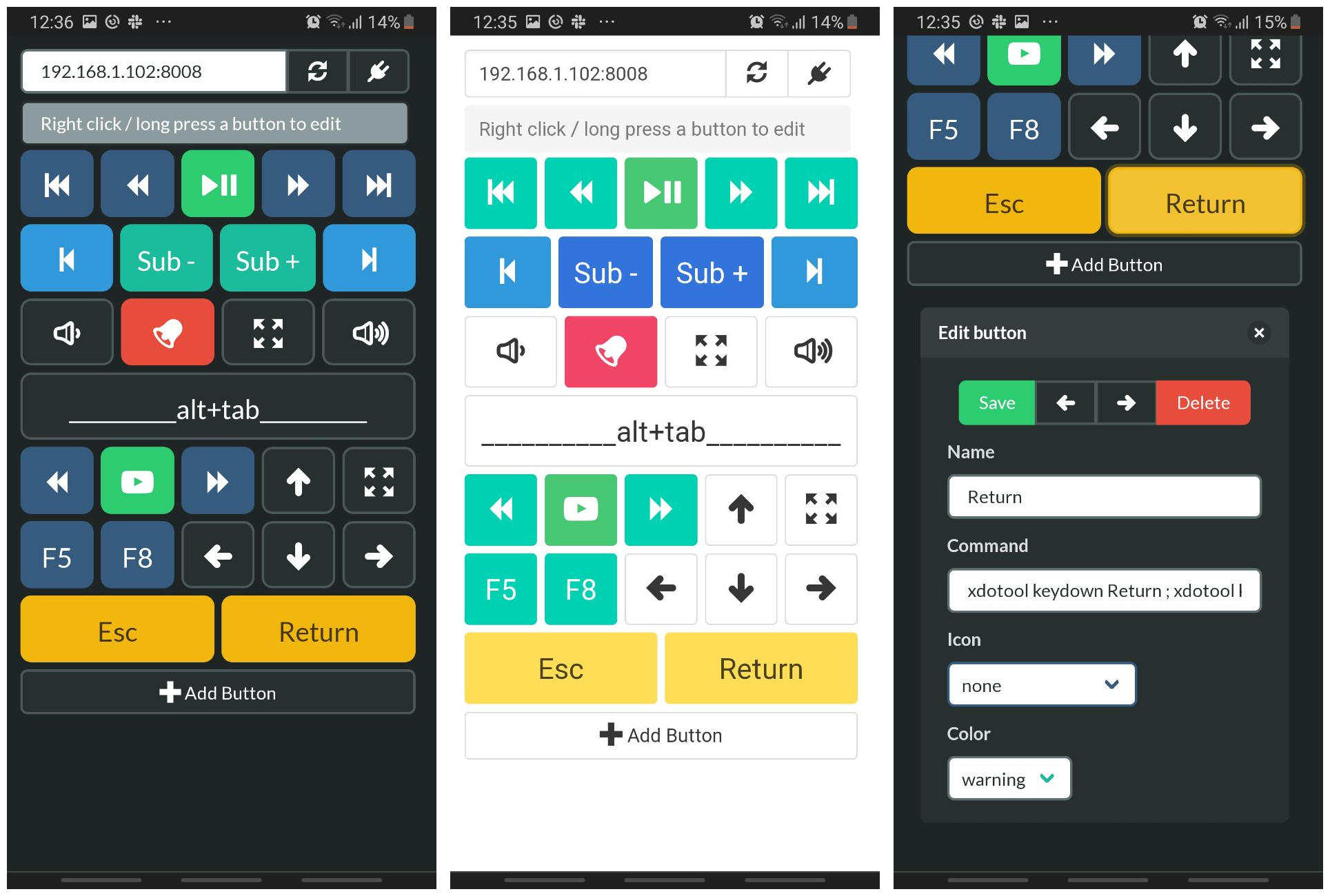
Zapete is part of the Mobilohm suite of libre mobile apps.
Download the latest Debian package from the releases page.
Install and run it on the target machine
git clone https://github.com/yphil-dev/zapete.git
cd zapete
npm install
npm startScan the QRcode or point any browser to the displayed address, and tap "connect". Create buttons to send commands, run scripts, use your imagination.
- At startup, Zapete opens in your desktop's browser ; You can use this instance to edit uyour buttons, they will update/refresh on the phone.
- Your buttons are saved to
~/.config/zapete/buttons.jsonso you can sync / version control the file. - Select "No icon" to display the name of the button instead
- Touchpad: Use the touchpad area for mouse control - tap to click, drag to move the cursor
If you find one of the MobilOhm apps helpful and would like to support its development, consider making a contribution through Ko-fi or Liberapay.
Your support helps keep this app free, open source, and ad-free.