






A Vue.js 2.0 UI Toolkit for Web.
Element will stay with Vue 2.x
For Vue 3.0, we recommend using Element Plus(Element Plus is a community develop project)
For MiniProgram development, we recommend using MorJS
|- build webpack相关的打包配置文件
|- examples Element 官网页面
|- assets 官网需要的一些静态资源,例如: 字体、样式、图片
|- components 官网的公共组件, 例如: headr、foot
|- demo-style 公共组件样式,在其中的index.scss中导入所有样式
|- docs/zh-CN 各个组件的文档
|- dom class的增删改查
|- extension
|- i18n
|- pages 官网的页面
|- play
|- app.vue
|- bus.js
|- color.js
|- entry.js
|- icon.json
|- index.tpl
|- nav.config.json
|- play.js
|- route.config.js 路由配置
|- util.js
|- versions.json
|- packages 组件源码
|- src
|- index.js 所有组件注册的入口文件, 该文件由脚本build/bin/build-entry.js生成
|- test 测试文件, 使用 karma 框架
|- types 类型声明文件
|- components.json 表明了组件的文件路径,方便webpack打包时获取组件的文件路径
|- .gitattributes 允许我们指定由git使用的文件和路径的属性
|- .npmignore 上传npm的配置文件
|- FAQ.md 常见的组件库问题
|- Makefile 是一个适用于c/c++的工具,make环境下,输入make命令将会执行makefile文件中的某个目标命令
- Homepage and documentation
- awesome-element
- FAQ
- Vue.js 3.0 migration
- Customize theme
- Preview and generate theme online
- Element for React
- Element for Angular
- Atom helper
- Visual Studio Code helper
- Starter kit
- Design resources
- Gitter
npm install element-ui -Simport Vue from 'vue'
import Element from 'element-ui'
Vue.use(Element)
// or
import {
Select,
Button
// ...
} from 'element-ui'
Vue.component(Select.name, Select)
Vue.component(Button.name, Button)For more information, please refer to Quick Start in our documentation.
Modern browsers and Internet Explorer 10+.
Skip this part if you just want to use Element.
For those who are interested in contributing to Element, please refer to our contributing guide (中文 | English | Español | Français) to see how to run this project.
Detailed changes for each release are documented in the release notes.
We have collected some frequently asked questions. Before reporting an issue, please search if the FAQ has the answer to your problem.
Please make sure to read the contributing guide (中文 | English | Español | Français) before making a pull request.
English documentation is brought to you by SwiftGG Translation Team:
Spanish documentation is made possible by these community developers:
- adavie1
- carmencitaqiu
- coderdiaz
- fedegar33
- Gonzalo2310
- lesterbx
- ProgramerGuy
- SantiagoGdaR
- sigfriedCub1990
- thechosenjuan
French documentation is made possible by these community developers:
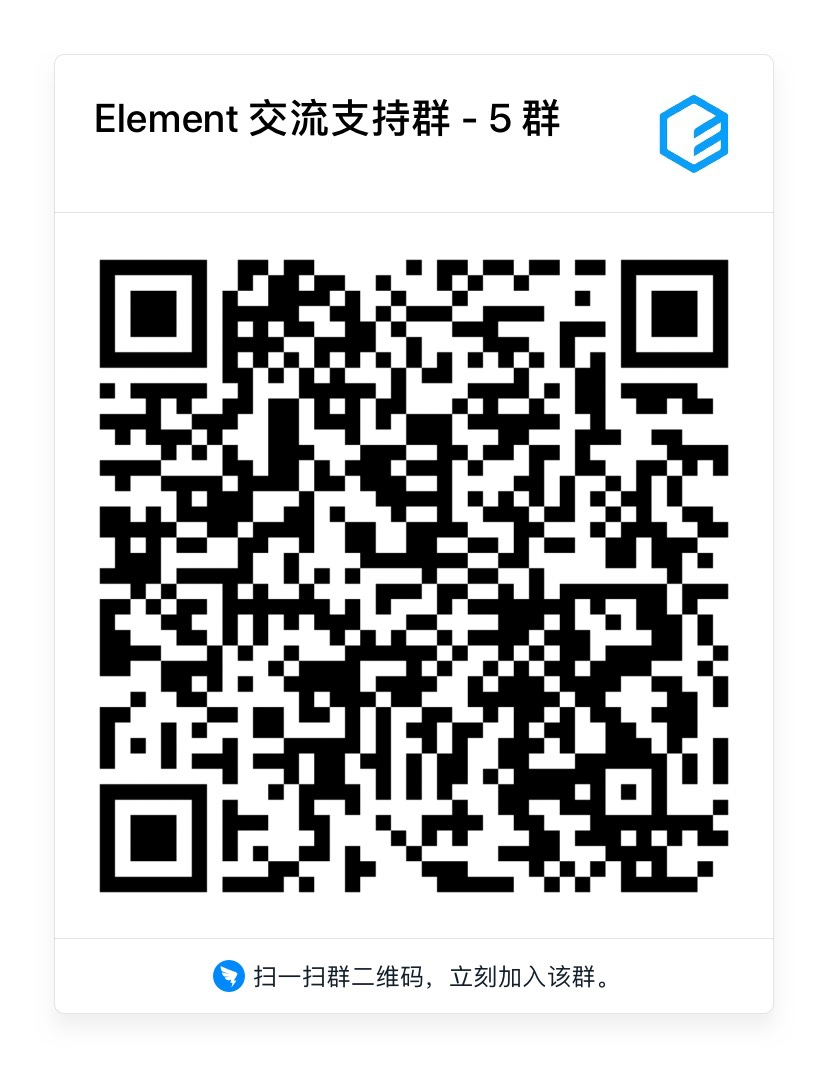
Scan the QR code using Dingtalk App to join in discussion group :