Repository navigation
Installation
This page is for Windows. On a Steam Deck or another Linux PC, follow Steam Deck instead: same files, plus one Steam launch option. The macOS version of Coromon isn't supported.
-
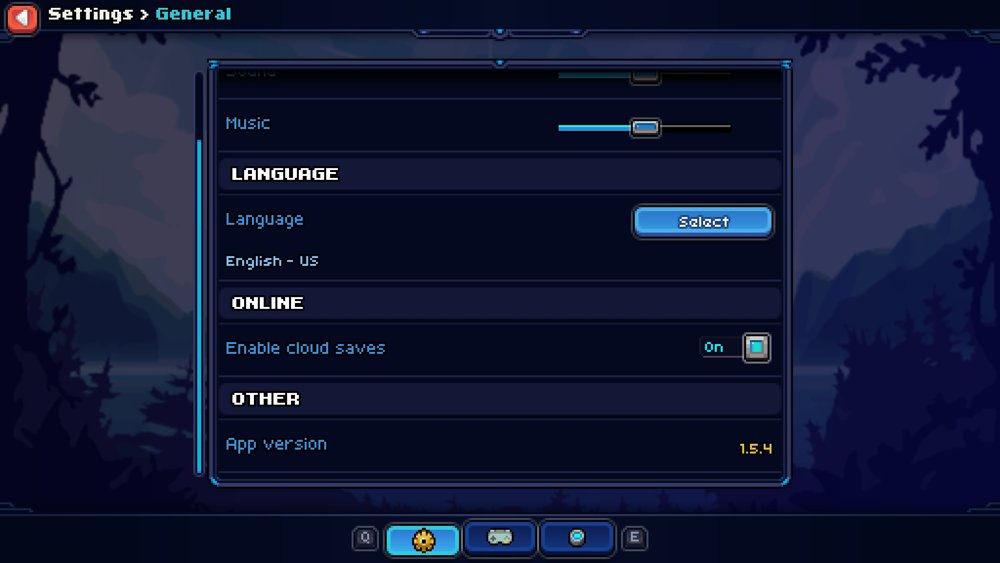
Check your game version. In Coromon, open Settings → General and scroll to App version at the bottom. The latest release supports v1.5.4. On other versions some mods may not work.
-
Find your game folder, the one with
coromon.exein it.- Steam: right-click Coromon → Manage → Browse local files
(usually
C:\Program Files (x86)\Steam\steamapps\common\Coromon). - GOG: usually
C:\GOG Games\Coromon.
- Steam: right-click Coromon → Manage → Browse local files
(usually
-
Download the zip from the latest release and unzip everything into the game folder. It should then look roughly like this (some files left out):
📂 Coromon ├── coromon.exe ├── CoronaLabs.Corona.Native.dll ├── iphlpapi.dll <- chalchiu ├── lua.dll ├── mods <- the mods ├── optional <- extra mods you can copy into mods (e.g. debug) ├── ... -
Start the game. You should see:
- a
chalchiu.logfile in the game folder (chalchiu.previous.loghas the session before), - the chalchiu version and the number of loaded mods in the window title,
- the Loaded Mods list on startup (you can turn this off in Mod Info's settings).
- a
Back up your saves before using mods, and see the warning in the README about reporting issues.
When a new release is out, Mod Info shows a message on the title screen and an Update available! row in the mod list, with a Download button that opens the release page (you can turn this off in Mod Info's settings).
Unzip the new release over the old files and replace them when asked. Your mod settings
(mods/<mod>/settings.lua) are not in the zip, so they are kept. If the changelog says a mod was
removed, delete its folder from mods.
-
One mod: delete its folder from
mods. -
Everything: delete
iphlpapi.dll,mods,optional,chalchiu.logandchalchiu.previous.logfrom the game folder. Withoutiphlpapi.dllthe game runs unmodded.
-
Nothing changes when the game starts (no
chalchiu.log, no version in the window title):iphlpapi.dllis not next tocoromon.exe. Check that you unzipped into the right folder, not into a subfolder. -
A mod doesn't show up or doesn't work: open
chalchiu.log. A mod that fails to load is skipped and the error is written there, the other mods still load. -
Something behaves oddly:
chalchiu.logrecords what you do with the mods: which popups you open and close (and how), which buttons you press, setting changes and saves, hotkeys, and the messages mods show. It starts fresh every time the game starts; the session before is inchalchiu.previous.log. If you restarted the game after the problem, attach that one too. -
The game crashes: the log ends with the module and offset of the crash. Please
open an issue with your game version and
chalchiu.log.