Note: This is not a beginner friendly Go repository.
Final preview of what it looks like at the end.
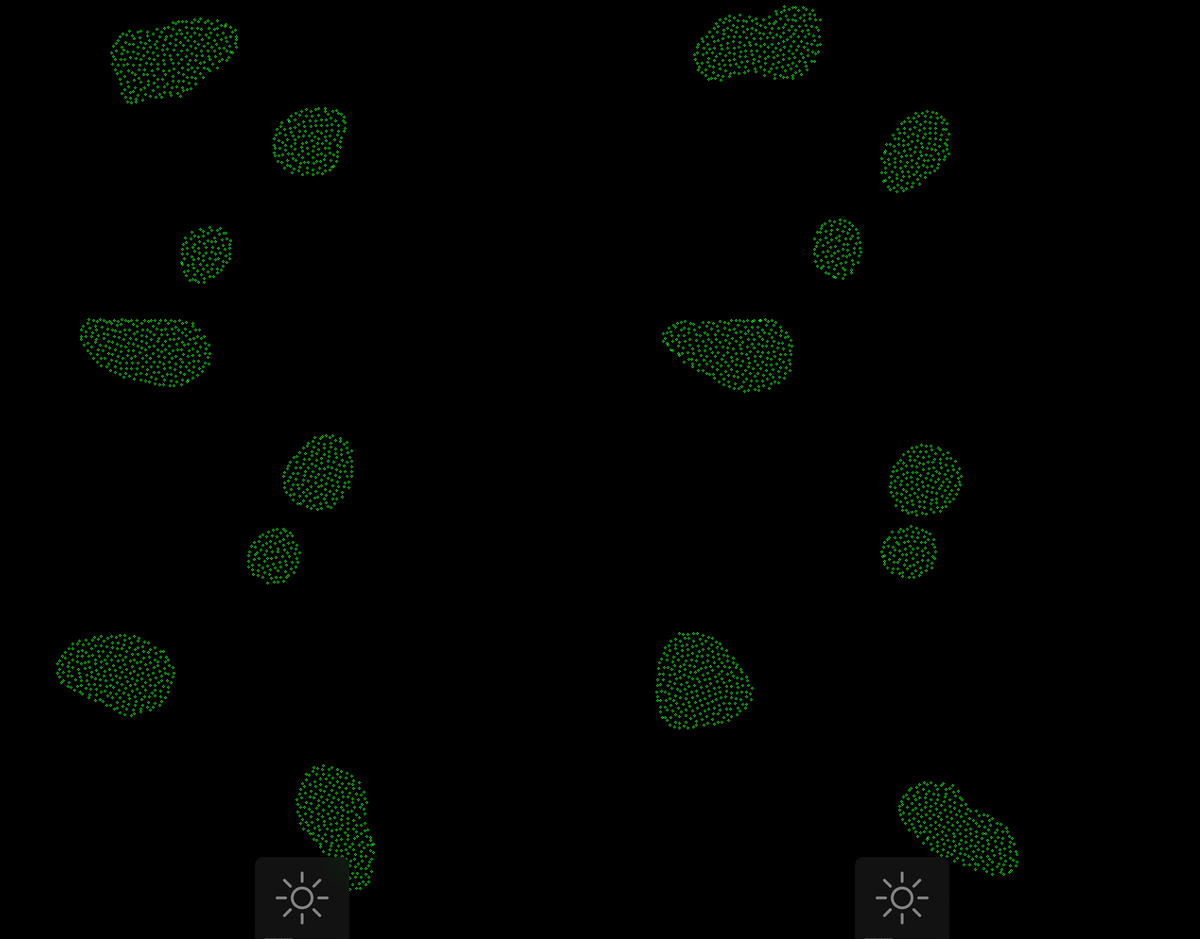
This 2D simulation tried to mimic flocking behaviour of large group of birds flying.
Concept of Boids are in the introducture lecture of A-Life(Artificial Life) classes
Graphics Library used - EBITEN.
So what this seemingly green dots on a random terminal screen, all about?
First of all, those random green dots are BOIDs (Android Birds).
This project is an attempt to learn multi-threading in golang. A thread is a tool or abstraction that allows us to perform parallel computation. (remember your OS lectures?)
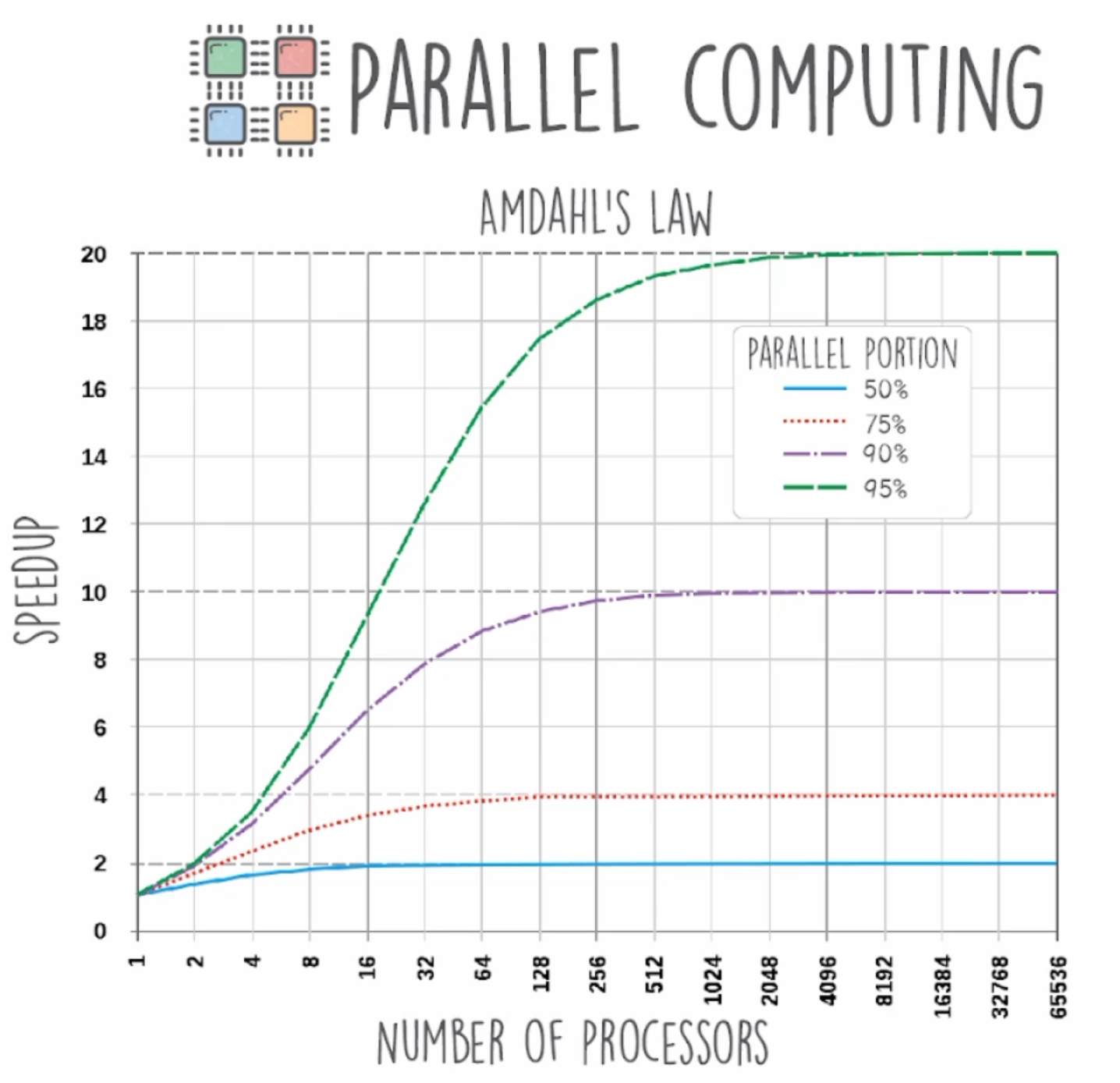
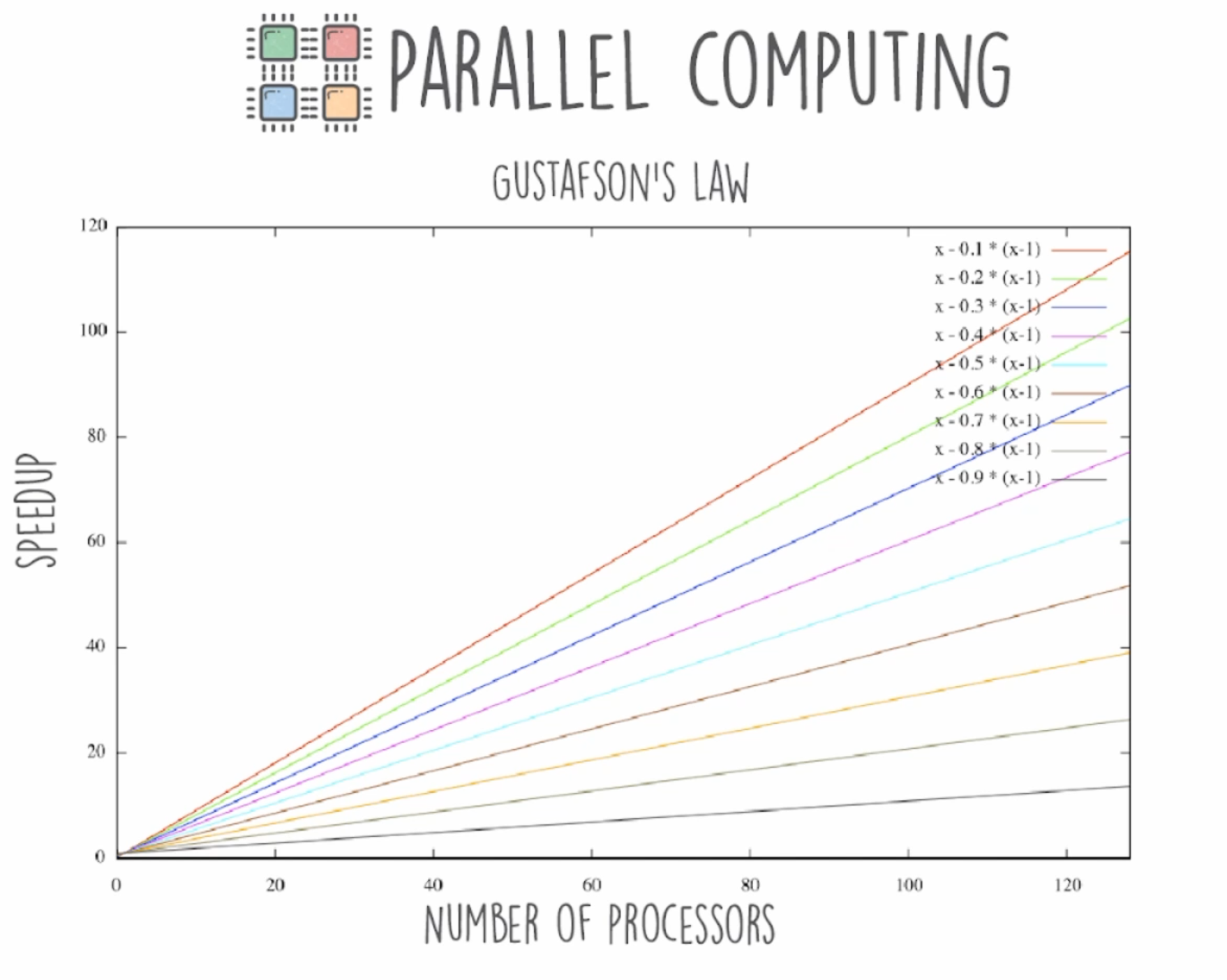
There are some theorems we will be using to this program, indirectly.
- Amdahl's Law (you cannot keep on speeding up a work/process (only 1) to infinity by simply enough workers/processors at it, it reaches to a finite limit.)
- Gustafson's Law (same as Amdahl's law but here you have more than 1 work/processes to do at a time)
Some terminology:-
- Processes - You start 2 instances(windows) of notepad.exe, they both are separate processes. They are not sharing resources. One does not affect the other. Isolated. They are a bit heavy on resources relatively. E.g - fork()
Go focuses more on threads and green threads.
- Threads(Kernel Level Thread) - A thread is the solution to downsides of a process. Threads share memory b/w them, unlike processes. Faster to create. Threads are not isolated.
- Green Thread(User Level Threads) - Efficient version of thread. It tries to reduce the time in context switching of threads when an interruption happens and new process/thread from ready queue enters into processing stage. OS picks a new thread from ready queue when the interruption occurs. Reduces context switch overhead. Helpful when there are a lot of processes on ready queue.
User level thread runs inside kernel level thread. But a green thread has some disadvantages. Hence, Go uses a mixture of Green threads running under normal threads. Go reshuffles green threads as and when required, according to priority of task.
Hence, our BOIDs are actually threads, implemented by goroutines.
One boid = One thread.
Each Boid has an velocity vector, position vector and Id.
There are 2 types of Inter-Process Communication(IPC) that can happen between processes.
- Message Passing
- Shared Memory
We define a viewRadius of a Boid (eyes of the boid) to observe which all other boids are in sight.
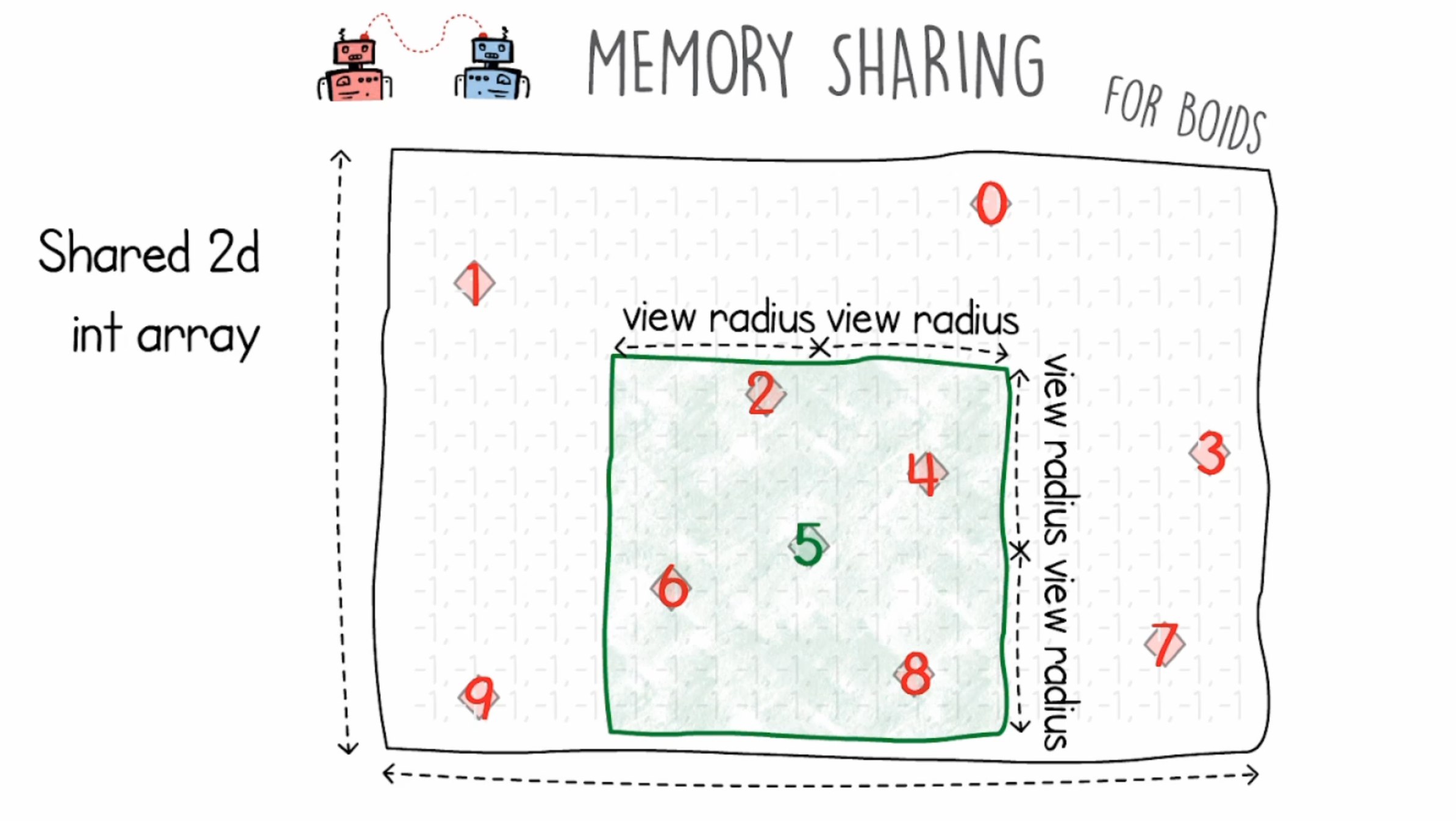
3 properties of boids that we will define using memory sharing.
- Alignment - Align boids which come under the viewRadius
- Cohesion - keep them in a group
- Separation - do not let them merge together into a single boid.
Every boid is aware of position and velocity of other boids, using 2D array initialized to -1 (means no boid in that 2D frame), when a boid is found, we replace -1 with boidId.
Boids in the viewRadius will adapt to one another's velocity and move in a group. (Alignment)
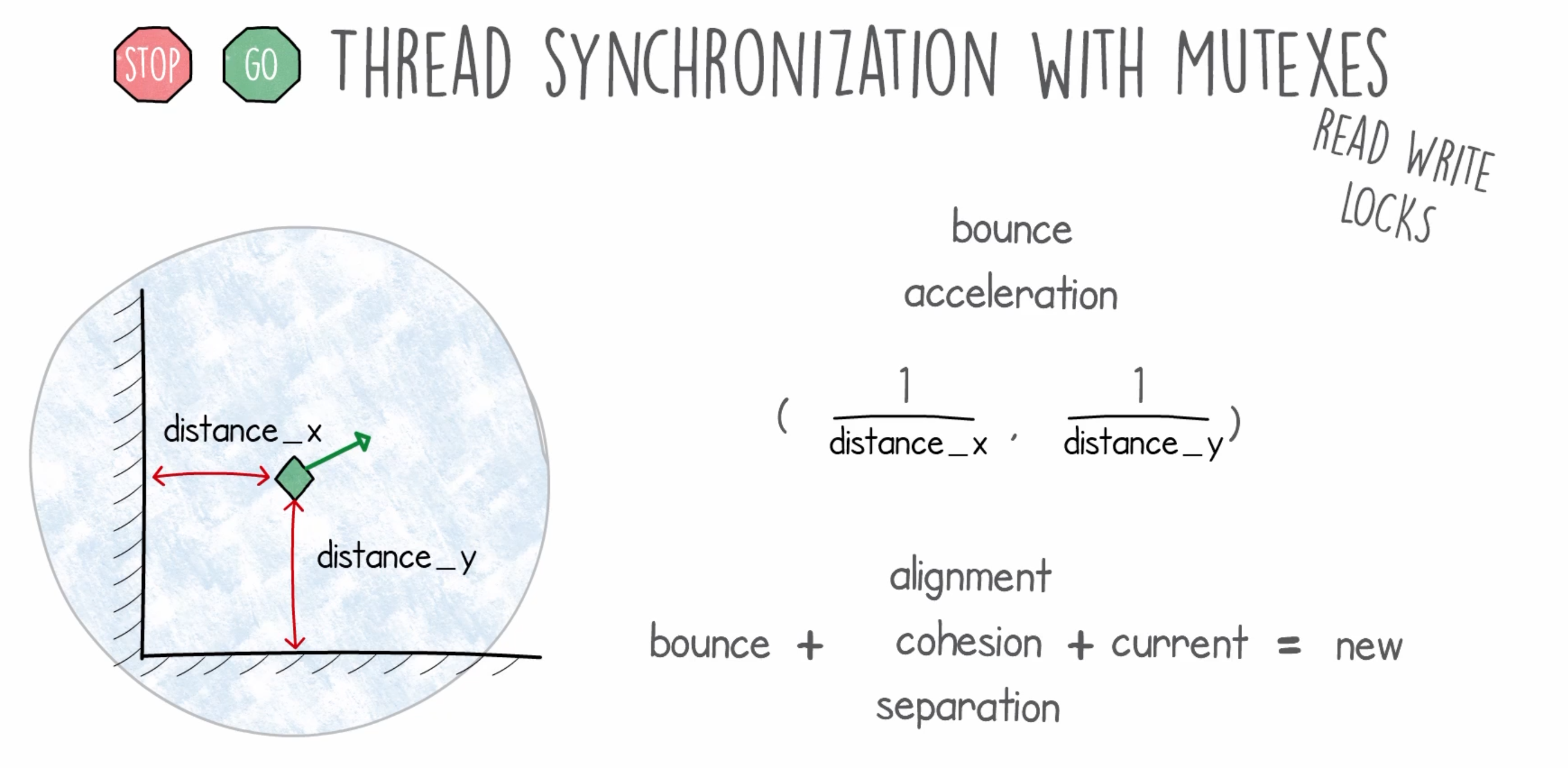
Now we need a proper thread syncronozation (using mutexes) so that race condition do not occur. That is, boids shold not update their position when we scan them, else they might be counted twice, or not at all.
// defined as a variable
lock = sync.Mutex{}

// lock the process when it starts
lock.Lock()

// code //

// unlock it at end to be used by other processes
lock.Unlock()
But this normal lock and unlock system is not efficient, so we use readers and writers lock system.
Then we introduce a bounce mechanism that mimics real life birds when they see a wall and slows down and changes the direction.
This is fairly simple codebase with 3 .go files inside the ./boids directory where the simulation lives.
The sync dir is just an example code to demonstrate race condition.
- Clone this repository or download it as a zip file and unzip it.
- Open the folder in your editor OR cd to the root project folder using terminal.
cd boids/go run *.goORgo run .- That's all, a terminal or exe window should popup with the simulation.