In this assignment, you'll use the GIPHY API to make a dynamic web page that populates with gifs of your choice. To finish this task, you must call the GIPHY API and use JavaScript and jQuery to change the HTML of your site.
Enter a term into the search box. As you enter terms into the search box, buttons will appear above with the term entered and gifs related to that term will appear below with ratings. If you are not sure of a term to search then feel free to select one of the already populated buttons on the page.
Here's the link to try it out: https://zwarnerdun.github.io/GifTastic/
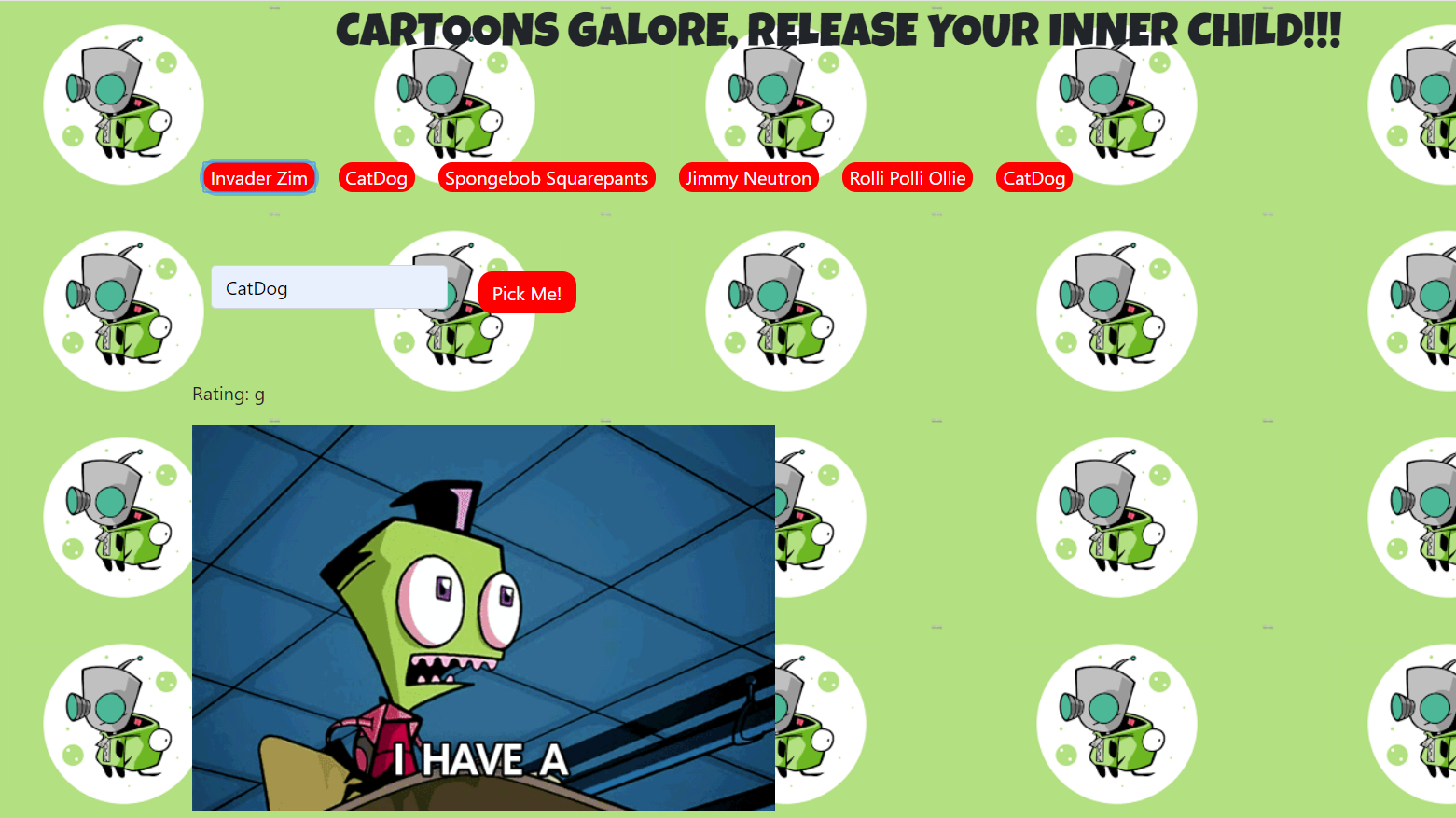
Problem: For this project the problems I faced were separating my buttons and getting my giphys to upload.
Solution: My solution was pretty easy for the separation for the buttons which was to add a margin to separate them in the buttons class. As for my giphys rendering, I had to correctly store my queryurl and type in the correct api key. My api key was missing a couple characters causing my code to not work.
Technical approach: For my buttons, in my css documents, it was under the class .btn-primary which I included the margin at 10px. For my javascript, I stored my queryurl in a variable, var queryURL = "https://api.giphy.com/v1/gifs/search?api_key=O2e7KLJzpXXSL0tiQ3C6ZkfVxfUFagBA&q="+ cartoon + "&limit=10&offset=&rating=G&lang=en", making sure the local variable which is cartoon is in between my search for the type of cartoons to be displayed.
- HTML5
- CSS
- JQuery
- Javascript
- Giphy API