Repository navigation

OMP Presence v7 is the current Windows download. It is a portable EXE, not an installer.
Download the Windows EXE · View the source · Read how v1 became v7
What is new in v7?
The Home screen shows the OMP and Discord connections, your activity preview, and extension status. The gear opens a separate Settings screen. You can choose an OMP, Black, or White theme, set a username, and pick a local profile picture. The picture does not change your Discord account avatar. Start with OMP is an optional setting that starts the portable app when OMP opens. It is off by default.
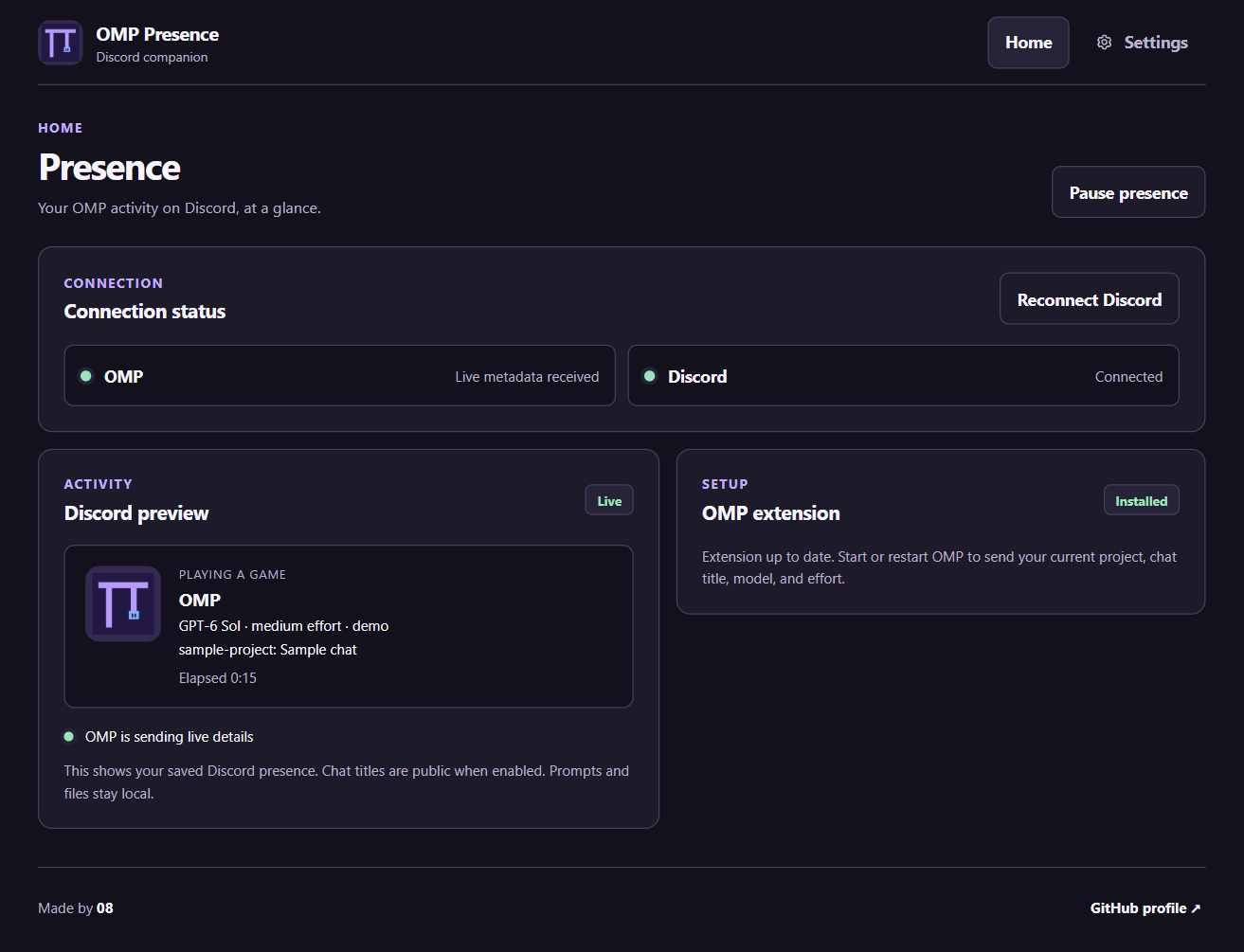
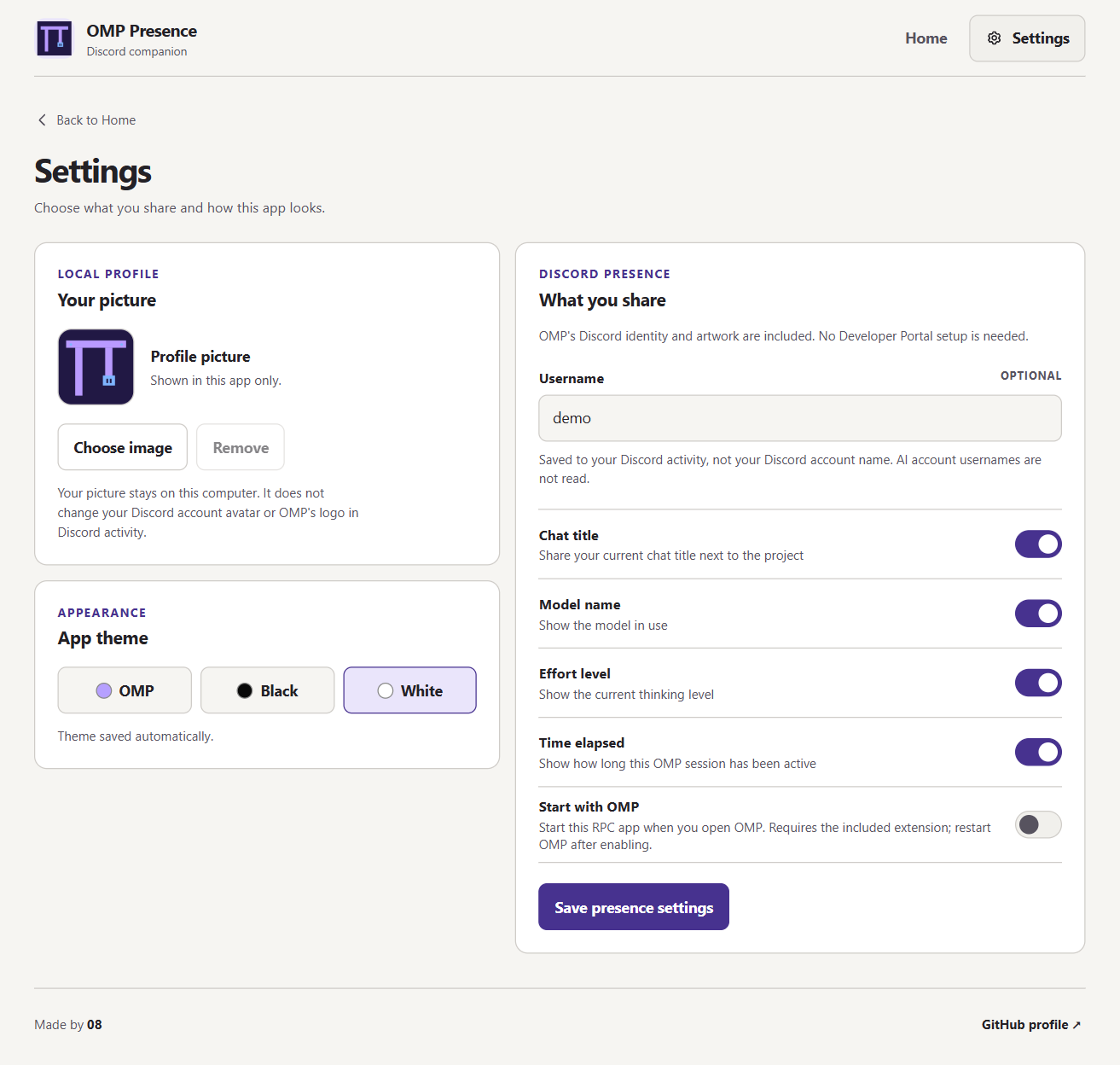
From the beta to v7
V1 beta shared the model and effort but needed a Discord application ID. V2 bundled that public ID. V3 cleaned up the extension setup screen. V4 detected OMP even without live extension data. V5 added the project, optional chat title, and username. V6 tried a larger dashboard with three themes. V7 makes the live activity easier to see and puts choices in Settings. The version history includes more detail and screenshots. Earlier versions were local EXEs, not earlier commits in this repository.
Install on Windows
- Quit any older OMP Presence copy from the system tray. Closing its window only hides it.
- Download and open
OMP-Presence-v7-Windows.exe. Keep Discord desktop open and signed in. - If Home asks for the OMP extension, install it and restart OMP.
- Open Settings to choose what Discord shows. Click Save presence settings.
- If you turn on Start with OMP, save the change and restart OMP. This option does not start the app when Windows starts.
macOS and Linux support is coming soon. There are no macOS or Linux downloads in this release. The current app targets Windows only.
The source archives below contain the v7 source. The EXE is the Windows download. Screenshots use sample data, not a real chat or account.