Repository navigation
psp5 v1.5.0 – themes

Which file do I download?
Not sure which ARK you have? Press SELECT in the XMB: ARK's menu shows ARK 4.x or ARK 5.x.
| Your PSP | Download this |
|---|---|
| PSP-1000, 2000 or 3000 with ARK-5 | psp5-v1.5.0-ARK5.zip |
| PSP-1000, 2000 or 3000 with ARK-4 | psp5-v1.5.0-ARK4.zip |
| PSP Go with ARK-5 | psp5-v1.5.0-PSPGo-ARK5.zip |
| PSP Go with ARK-4 | psp5-v1.5.0-PSPGo-ARK4.zip |
New in 1.5.0: themes
psp5 now has a Theme tab in the settings (△ → Theme). Highlight a theme to preview it, press ✕ to use it.
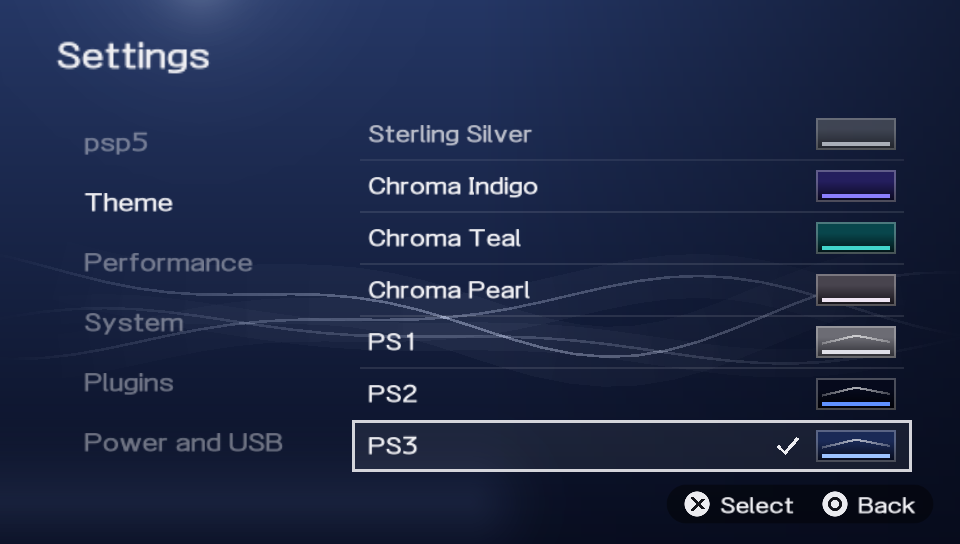
- PS5 console colours: PS5 (the look you know), Midnight Black, Cosmic Red, Nova Pink, Starlight Blue, Galactic Purple, Volcanic Red, Cobalt Blue, Sterling Silver, Chroma Indigo, Chroma Teal and Chroma Pearl.
- Classic consoles, like the PS5's own Appearance setting:
- PS1: grey, with the four button symbols.
- PS2: dark, with glowing blue towers and orbs.
- PS3: the XMB wave.
- PS4: blue waves and rising particles.
All of them move, and all of them are drawn by psp5 itself.
- Game art in the background can be turned off, so you always see your theme.
- The theme also colours the settings, the USB screen, the loading screen, cards that are still loading, the switches and the music progress bar.
| PS3 | PS4 |
|---|---|
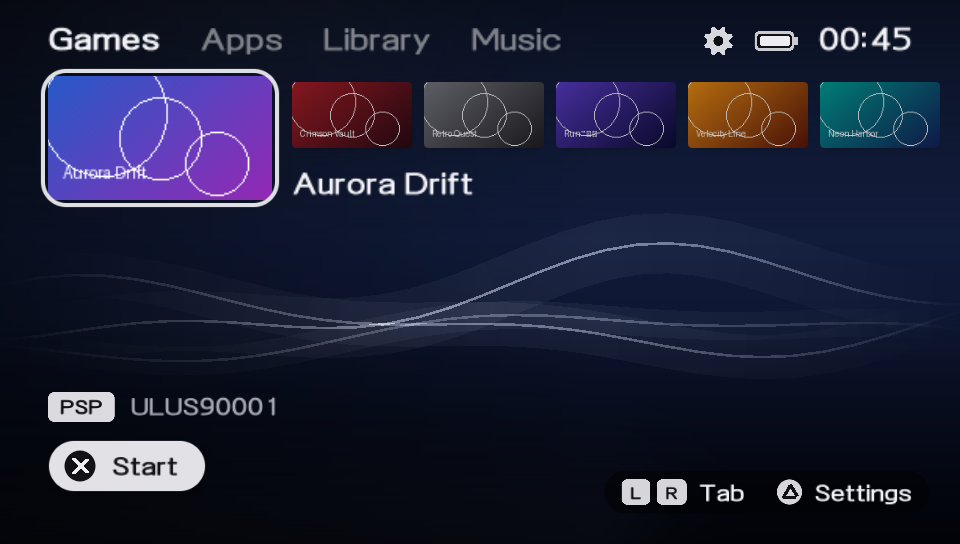 |
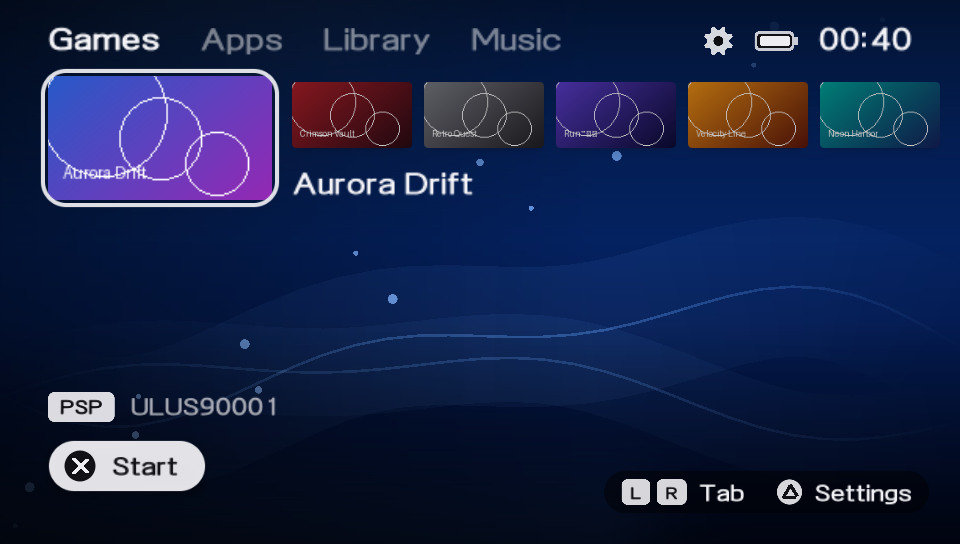 |
Also in 1.5.0
- Smoother menus. The settings, tabs and backgrounds do less work each frame, so there's more time left for the animations.
- Fixed: a game's background could stay missing if you moved away and came straight back while it was loading.
- Fixed: a damaged ISO file can no longer make psp5 read outside its memory while it looks for the game's pictures.
Install or update
Unzip the file for your PSP and copy the PSP folder over the old one: to the memory stick on a PSP-1000/2000/3000, or to the internal storage on a PSP Go. Your settings and covers stay. If you use psp5 as ARK's launcher, also copy ARK_LAUNCHER/VBOOT.PBP into PSP/SAVEDATA/ARK_01234/ again. The full guide is in INSTALL.md.
If your PSP gets stuck
Hold SELECT while turning on the PSP. ARK then skips its settings and starts the normal XMB.