
Movie Recommendation System
A movie suggestion from the server-based system has made discovering a good movie much easier these days. Movie recommendations assist cinephiles and movie fans by proposing top-tier films to watch without wasting time searching through large databases. To solve this problem, I propose a content-based model that will use Python-based Machine Learning algorithms to analyse large datasets and generate a movie recommendation.
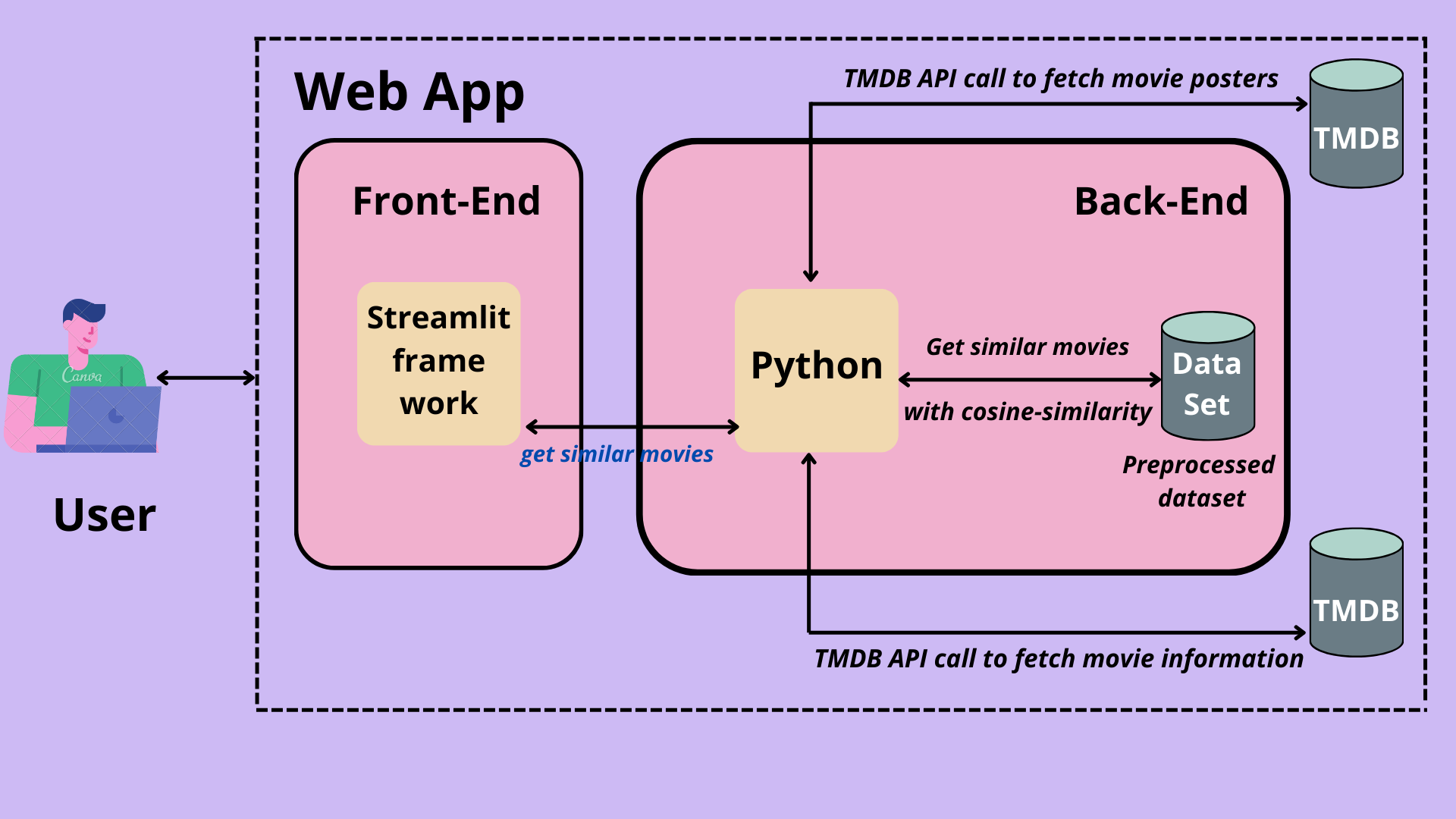
Movie Matrix is a web application which recommends similar movies to a movie the user likes.
Link for video demo: Link
Link for the website: https://movie-matrix.herokuapp.com/
- Features
- Architecture
- About the dataset
- Tech stack
- Install dependencies
- To get API Key
- To run the project
- Approach
- Screenshots of webapp
- Webapp deployment
- Acknowledgment
- Connect with me
- A
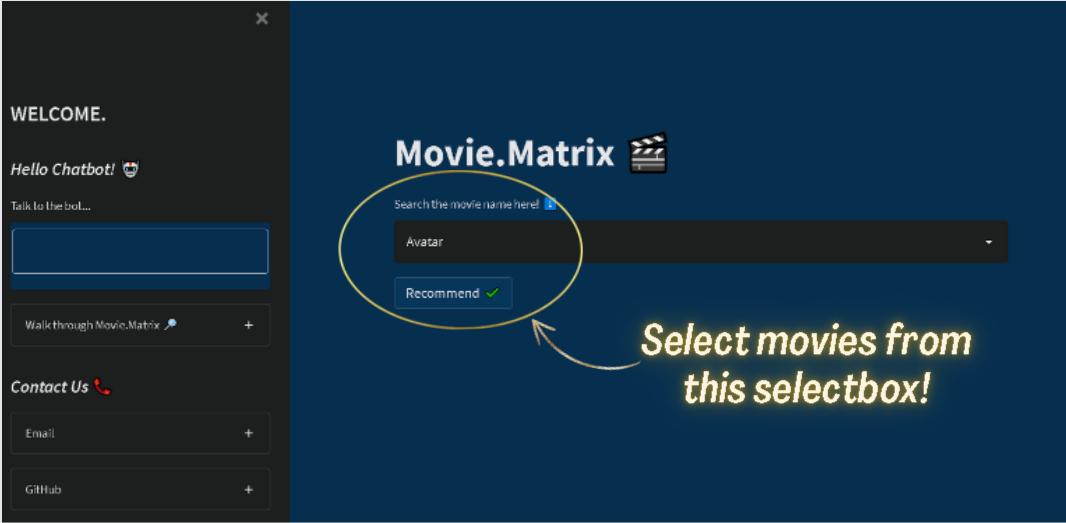
selectboxfor selecting movies. Around 5000 movie options are available. Grid layoutto show 8 similar movies recommended for a given movie.- Option of
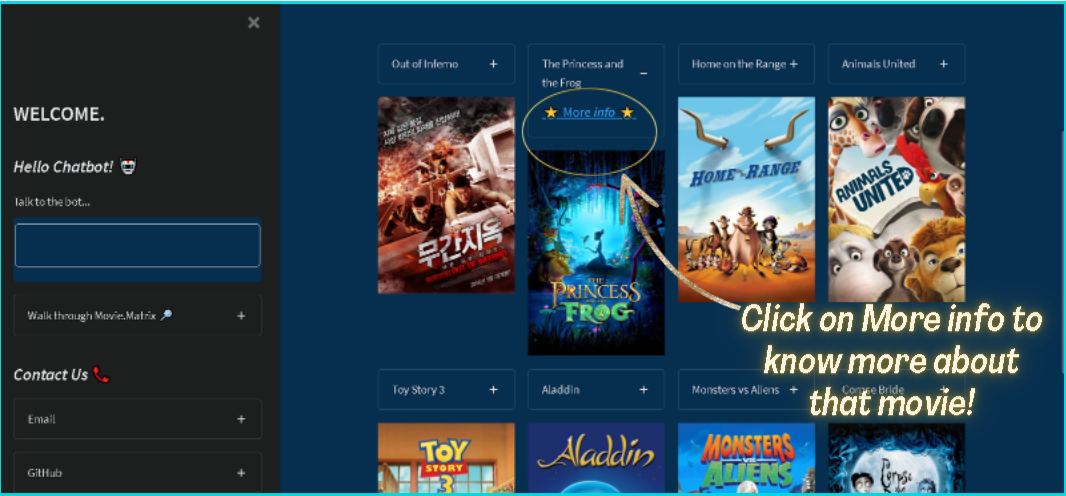
enlarging a movie poster. - To know more about the recommended movie one can click the
More infooption and it gets directed to the tmdb movie website for movie details. Error handlingis done if the recommendations for the selected movie are not fetched and it also reduces vulnerability of the web app.- A
Sidebar navigationpresent consists of a chatbot, contact us and feedback form. Page iconandPage titleto display the uniqueness of this web app.Explore sectionin the web app helps the user to navigate through the web app.- An interactive
Chatbotwhich can answer queries of a user related to movie details, recommendations and other stuff. - A
Contact Ussection to get engaged with the users. - Valuable suggestions are appreciated by the users and they can submit them through
Feedback formspresent inside the web app. - The web app is also
Optimized for mobile view.
- TMDB ~5000 movie dataset TMDB 5000 movie dataset.
- The data contained following files:
tmdb_5000_credits.csv
tmdb_5000_movies.csv
Recommender system:
- Anaconda 2022.05
- Jupyter Notebook 6.4.8
- Pandas
- Pickle
- Scikit-learn
- ntlk
Web App:
- Python 3.10.4
- PyCharm 2022.1.1
- Streamlit 1.9.0
- PyTorch-Transformers 1.11.0
Install dependencies for web app using PyCharm terminal in windows OS:
- Copy the require.txt file in the movie-recommender-system folder.
- Open the PyCharm terminal and run:
  pip install require.txt
  pip install torch
- Create an account in TMDB Website.
- Click on the API link from the left-hand sidebar in your account settings.
- Fill in the details to apply for the API key.
- You will see the API key in your API sidebar once your request is approved.
- Clone the repository into your local machine.
- Install all the dependencies for the web app. (Refer to the install dependencies section).
- Unzip the similarity.pkl file present in the recommendation-system folder and movie-recommender-system folder.
- Get your API key. (Refer to the To get API key section).
- Then replace api_key in line 30 of recommendation system/movie-recommender-system (open in PyCharm or any other IDE).
- Run the following command :
streamlit run app.py - Go to http://localhost:8501 on your browser.
The problem was divided into several steps:
Dataset Collection:
Dataset was collected from TMDB 5000 movie dataset from the Kaggle website.
Data Wrangling:
Null values and duplicate entries were dropped from the dataset.
Data Preprocessing:
   Created a new data frame by removing unnecessary columns and made tags for a particular movie by
   concatenating columns.
Model building:
   Implemented Content-based filtering (Recommendation algorithm). Movies were transformed into vectors.
   Cosine Similarity function from the Scikit-learn module of python was used to give similarity scores.
   Similarity scores were given to all movies when compared with a particular movie. The greater the
   similarity score, the more chance for its recommendation.
For more on Cosine Similarity Here.
Web App:
  Built a web app in PyCharm by importing the Streamlit module. Connected the data frame with the web app
  using pickle library functions.Fetched posters of the movie and movie details through TMDB API. Implemented a chatbot
  using PyTorch-Transformers.
For implementing a chat-bot Here.
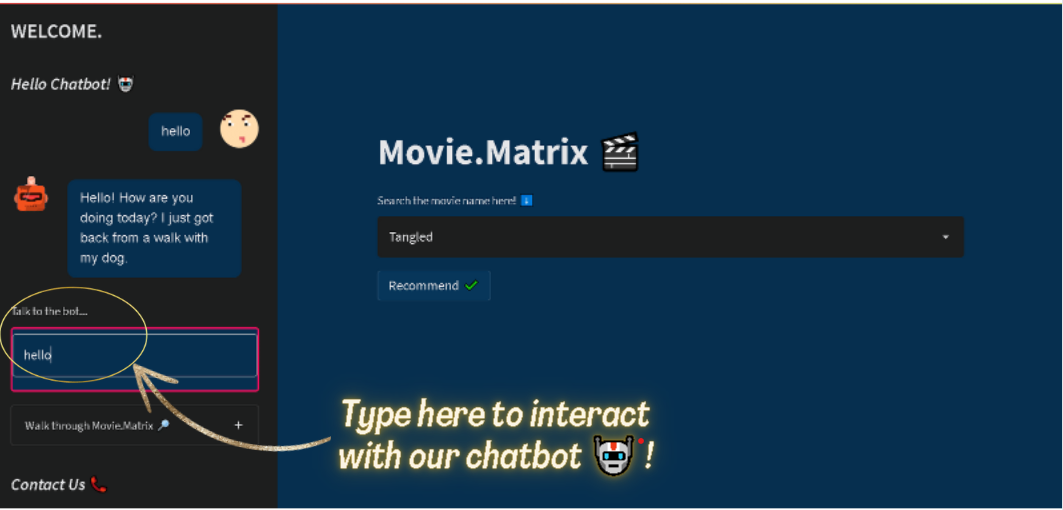
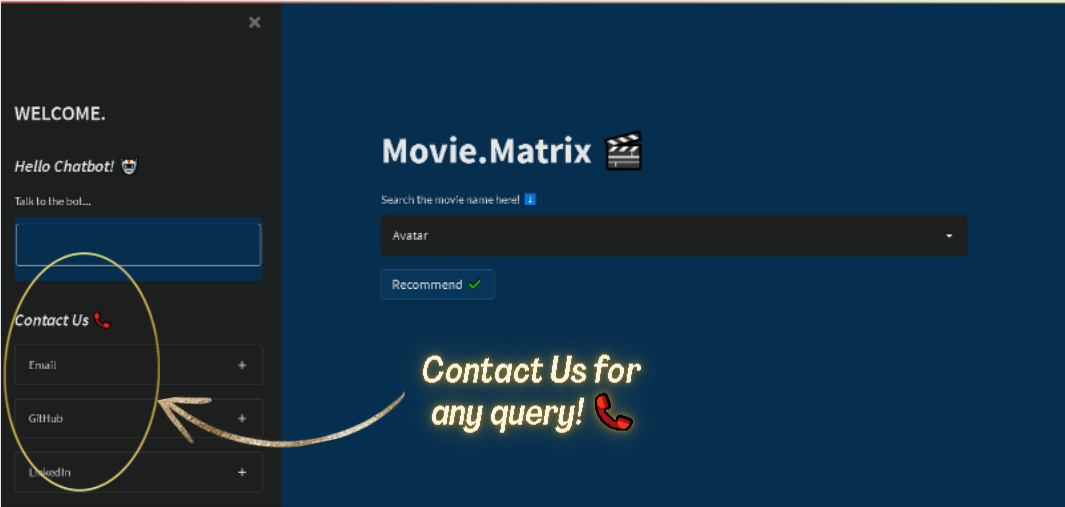
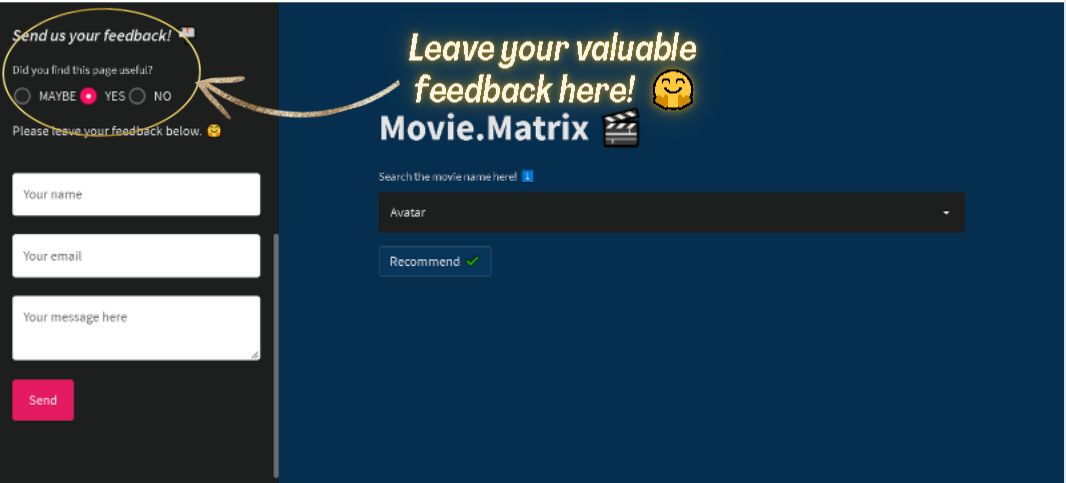
Link to Movie.matrix web app: https://movie-matrix.herokuapp.com/
Steps to deploy in the Heroku server :
- Create an account in Heroku.
- Create a new app and give it a name.
- Download and install the Heroku CLI.
- Run the following the commands in your IDE:
$ heroku login
$ cd my-project/
$ git init
$ heroku git:remote -a movie.matrix
$ git add .
$ git commit -am "initial deployment"
$ git push heroku master
Note:
Unable to deploy chatbot feature in Heroku app due to its slug size (larger than the maximum limit).
For adding the chatbot feature add the following lines in the requirements.txt file before deploying to the Heroku server.
streamlit_chat
torch
transformers
Drop by and say hello