Free, open-source, 100% local observability for AI coding agents.


TokenAnalytics tracks token usage, LLM costs, tool calls, session traces, and reasoning steps across all your AI coding agents — in one unified local dashboard. No signup. No cloud. Your data never leaves your machine.
The easiest way to run TokenAnalytics — a real, self-contained Mac app. Everything it needs (Python, Node, the dashboard) is bundled inside, so there is nothing else to install. It opens in its own window, picks a free port automatically, and works fully offline.
- Open the downloaded TokenAnalytics.dmg and drag TokenAnalytics into Applications.
- The first time you open it, macOS will say it can't verify the developer (the app is free and not yet notarized by Apple). To open it that one time: right-click (Control-click) the app → Open → Open. On macOS 15+ where that doesn't show an Open button: open it once, then go to System Settings → Privacy & Security, scroll to "TokenAnalytics was blocked", and click Open Anyway.
- That's it — every launch after the first is a normal double-click.
Apple Silicon (M1–M4). Prefer the command-line version, or on Intel/Linux/Windows? Use Quick start below.
TokenAnalytics auto-detects sessions from agents that write structured traces to disk:
| Agent | Auto-detected |
|---|---|
| Claude Code | ✅ |
| Codex CLI | ✅ |
| Cursor | ✅ |
| GitHub Copilot | ✅ |
| Gemini CLI | ✅ |
| OpenCode | ✅ |
| Qwen | ✅ |
| Vibe | ✅ |
| Antigravity | ✅ |
| Grok Build | ✅ |
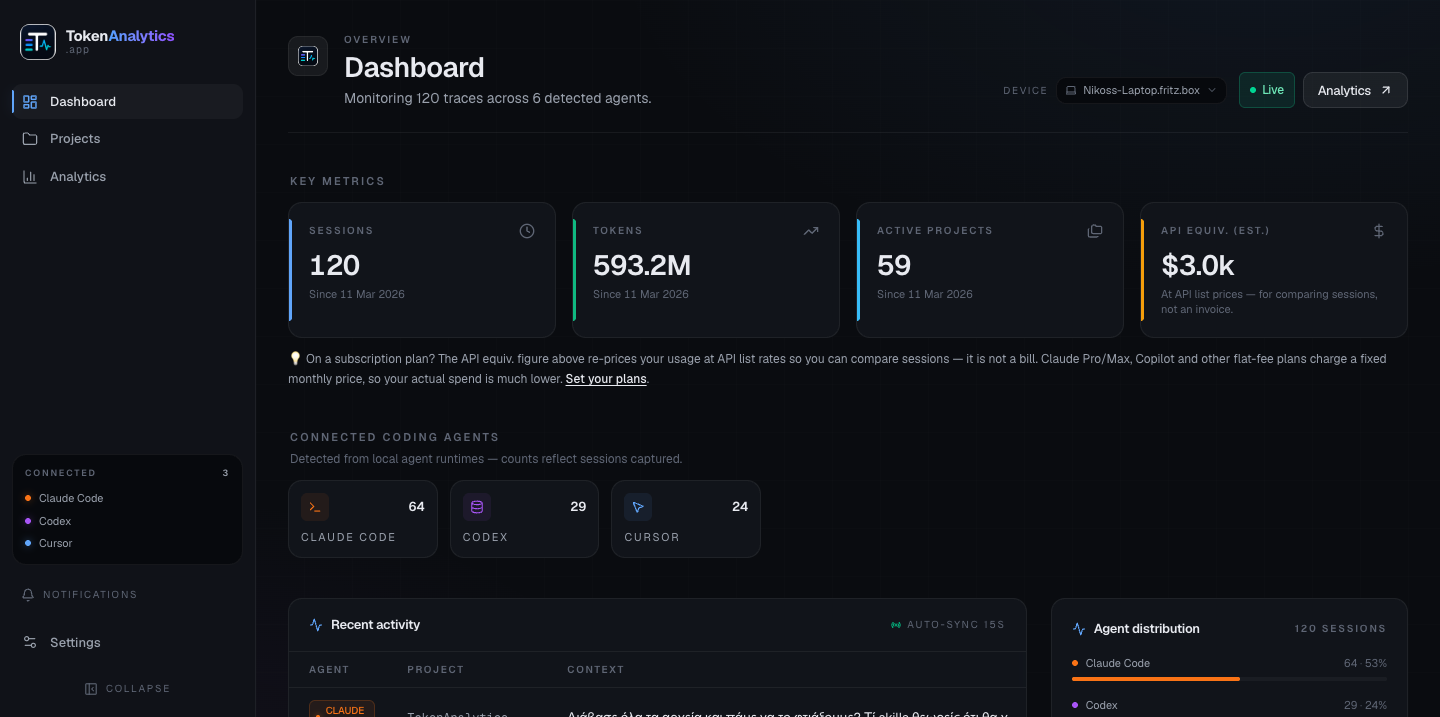
Dashboard — live token counts, cost estimates, and per-agent session summaries at a glance.
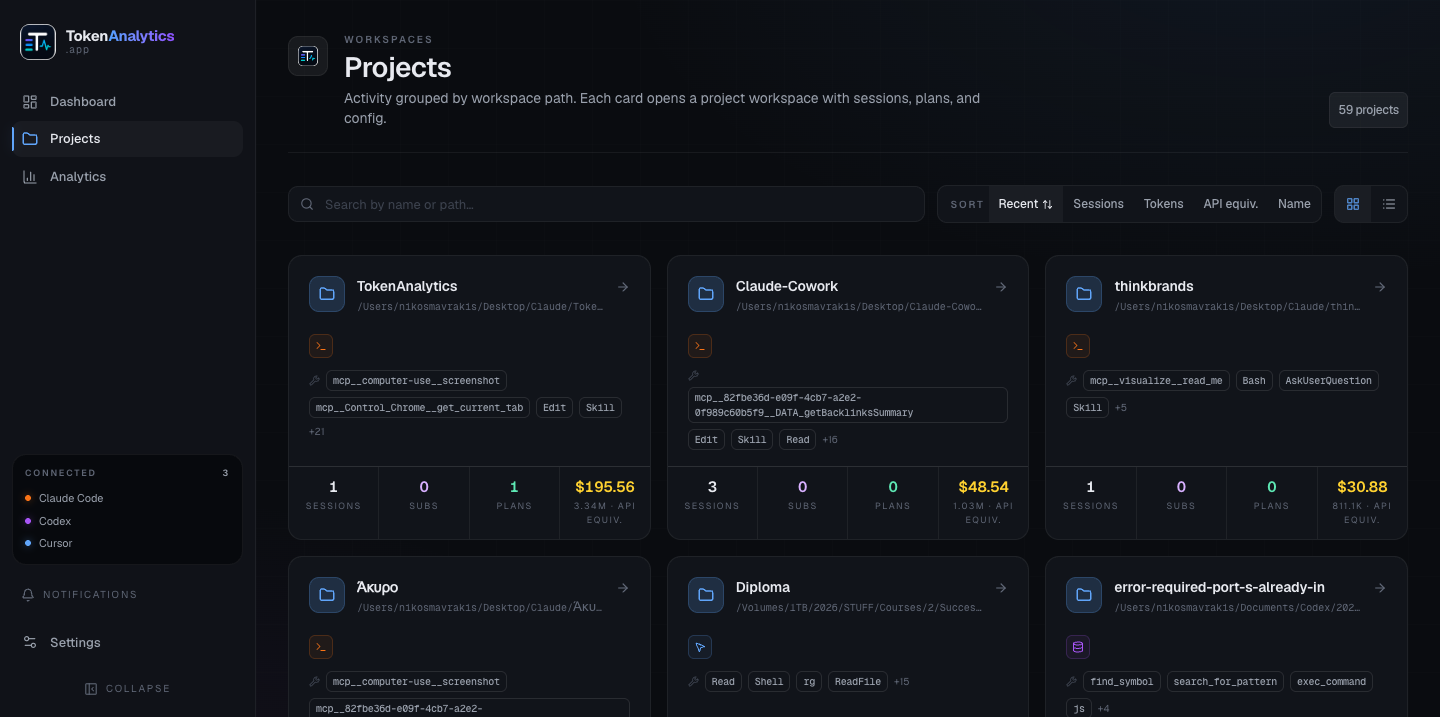
Projects — sessions grouped by workspace path. Each card shows sessions, token spend, and recent tool calls.
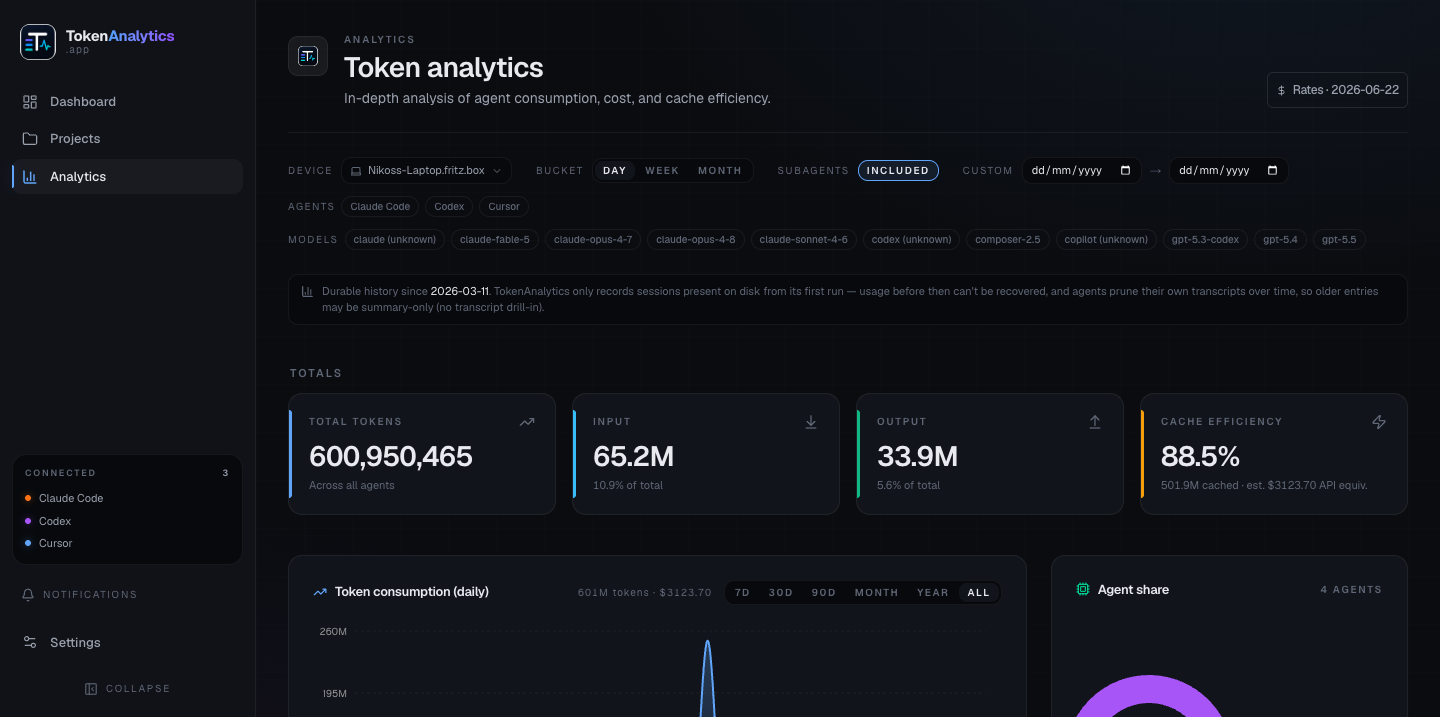
Analytics — daily token consumption charts, model breakdown, cache efficiency, and cost trends over time. Click any day bar to drill into per-project detail.
Settings — billing plan configuration, AI summarizer backend, data retention, and multi-device sync over your local network.
macOS / Linux
curl -fsSL https://raw.githubusercontent.com/2netgr/tokenanalytics/main/install.sh | bashWindows (PowerShell)
irm https://raw.githubusercontent.com/2netgr/tokenanalytics/main/install.ps1 | iexThen open http://localhost:3000 in your browser.
git clone https://github.com/2netgr/tokenanalytics
cd tokenanalytics
node bin/cli.js
Pass --api-port or --host for custom port / remote access:
node bin/cli.js --api-port 9000
node bin/cli.js --host 0.0.0.0 # enables token-gated remote accessTokenAnalytics reads the session files your agents already write locally — no agents are modified and no code is injected. The backend indexes sessions in real time; the frontend polls for updates every 15 seconds.
Cost figures are API list-price equivalents so you can compare sessions across subscription and pay-per-token plans. They are not invoices.
By default, the server binds to loopback only (127.0.0.1). Passing --host 0.0.0.0 (or the TT_HOST env var) enables remote access and automatically generates a bearer token printed once at startup. Every non-loopback request must include Authorization: Bearer <token>. Override the token with --auth-token, or disable auth on a trusted private network with --insecure-no-auth.
TokenAnalytics can generate natural-language summaries of session traces using a local or remote LLM. Configure the backend in Settings → AI trace summaries. Supported backends:
- Ollama (local, free)
- Claude (Anthropic API)
- OpenAI / any OpenAI-compatible endpoint
- Codex CLI (local)
Summaries are optional — all other features work without them.
Keep sessions in sync across machines over your LAN or tailnet. One device acts as hub; others connect as secondaries. Nothing leaves your network. Configure under Settings → Multi-device sync.
MIT — © 2025 Nikos Mavrakis / 2net