
What's new in v1.3
- Added the window in 20 languages: Simplified and Traditional Chinese, Spanish, Brazilian Portuguese, German, French, Japanese, Russian, Korean, Italian, Polish, Turkish, Arabic, Indonesian, Vietnamese, Ukrainian, Thai, Czech, Hungarian and Dutch. The app opens in Windows' display language, and Settings > Window > Language chooses another. The log, saved results and exported files stay in English.
- Added Intel GPU support for the GPU metrics with Vship's Vulkan build, which runs on any GPU with a Vulkan driver. Settings > GPU metrics > GPU backend chooses the build: Auto (the default) uses CUDA on NVIDIA, HIP on AMD and Vulkan on other GPUs. On Vulkan, SSIMULACRA2 is calculated on the CPU, because Vship 5.1.1's Vulkan build scores it too high (up to 17 points at 4K).
- Updated the GPU metrics to Vship 5.1's API and color handling. Videos tagged BT.2020 SDR, SMPTE 170M (NTSC/DVD), Display P3, ICtCp or YCgCo, and monochrome and alpha videos, are now scored on the GPU instead of falling back to the CPU, and CVVDP no longer fails on them. RGB videos without a transfer tag are now read as sRGB, as Vship's own FFVship does, and their saved GPU scores are recalculated.
- Added a setting to calculate SSIMULACRA2, Butteraugli and CVVDP together in one pass per video (Settings > GPU metrics, off by default). It's better GPU utilization for faster metrics calculations, and it decodes each video once instead of once per metric, but needs much more GPU memory.
- Each metric's score now appears and is saved as soon as it is done, instead of when the whole video is finished. Stopping a run or closing the app loses at most the metric in progress.
- Fixed test frames stamped slightly earlier than the source's being compared with the previous source frame, which gave clusters of near-zero VMAF NEG and XPSNR scores. Each test frame is now compared with the source frame nearest in time. Saved scores of affected videos are kept until they are recalculated.
- Hovering a red Failed cell now says why that metric failed.
- Added a session log under Settings > Storage > Log files, with Export log... (the log files as one .zip) and Copy log (the latest run) buttons.
- The app now checks GitHub for a newer release when it starts, and says so only if there is one. Turn it off in Settings > Window.
- Windows no longer goes to sleep while metrics are being calculated. The screen can still turn off.
- Included various small bug fixes and reliability improvements.
Known issues
- With Vship's Vulkan build (Intel GPUs, or GPU backend set to Vulkan), Butteraugli and CVVDP are wrong for videos tagged with SMPTE 170M or 240M primaries (NTSC/DVD), and Butteraugli is about 2.5% off for videos tagged BT.470BG and for untagged SD videos. CUDA and HIP are not affected.
- 4:1:0 (yuv410p) videos cannot be scored on the GPU: SSIMULACRA2 and Butteraugli fall back to the CPU, and CVVDP is not calculated.
VideoMetricsLab is a Windows desktop app for measuring and comparing video encode quality.
Highlights
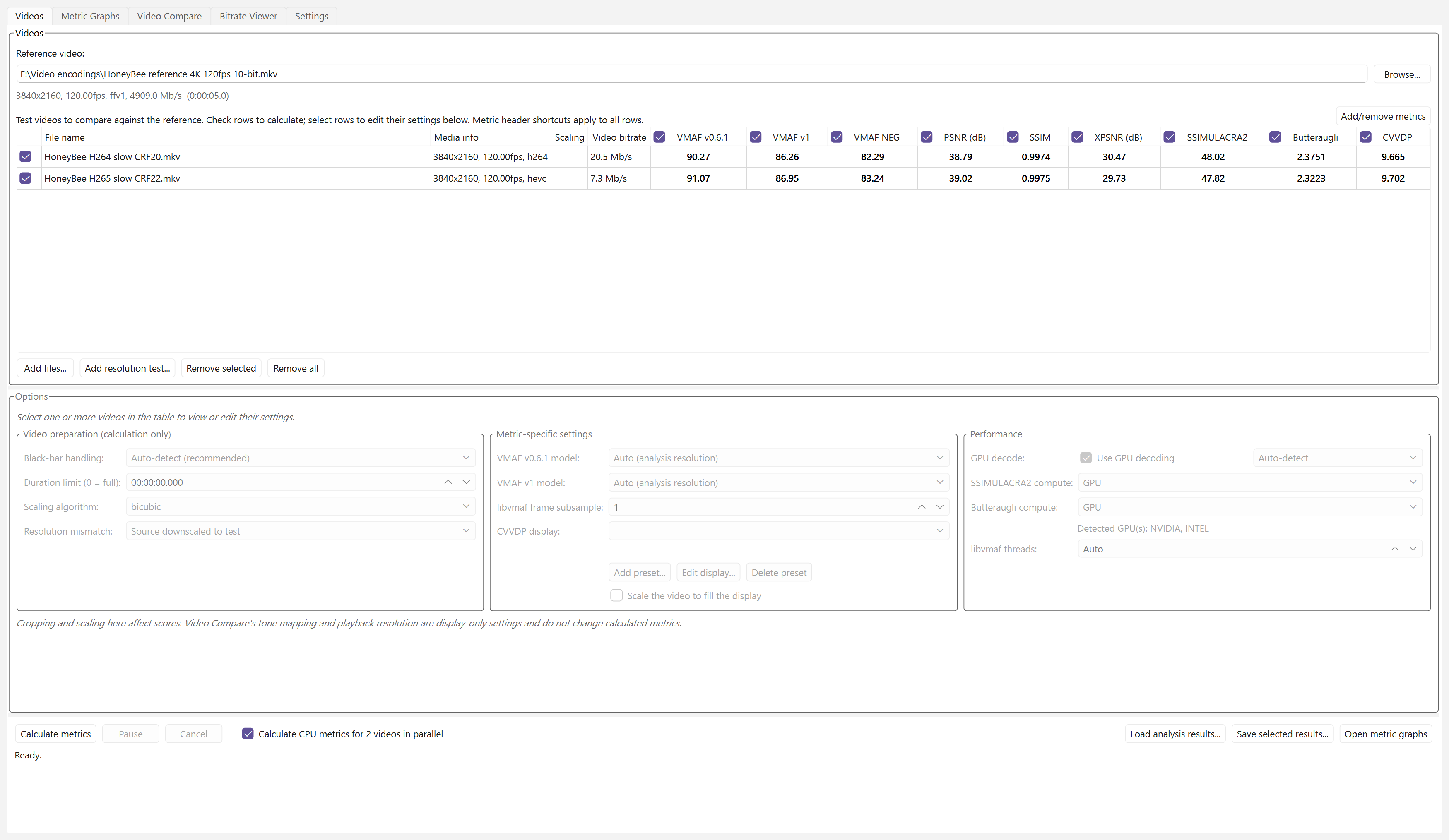
- Calculate VMAF v0.6.1, VMAF v1, VMAF NEG, PSNR, SSIM, XPSNR, SSIMULACRA2, Butteraugli, and ColorVideo VDP for multiple test videos.
- Vship integration for GPU acceleration for ColorVideo VDP, SSIMULACRA2, and Butteraugli, on NVIDIA (CUDA), AMD (HIP) and any other GPU with a Vulkan driver.
- The window in 21 languages, opening in Windows' display language.
- libjxl integration for CPU fallback for SSIMULACRA2 and Butteraugli (no CPU support for ColorVideo VDP).
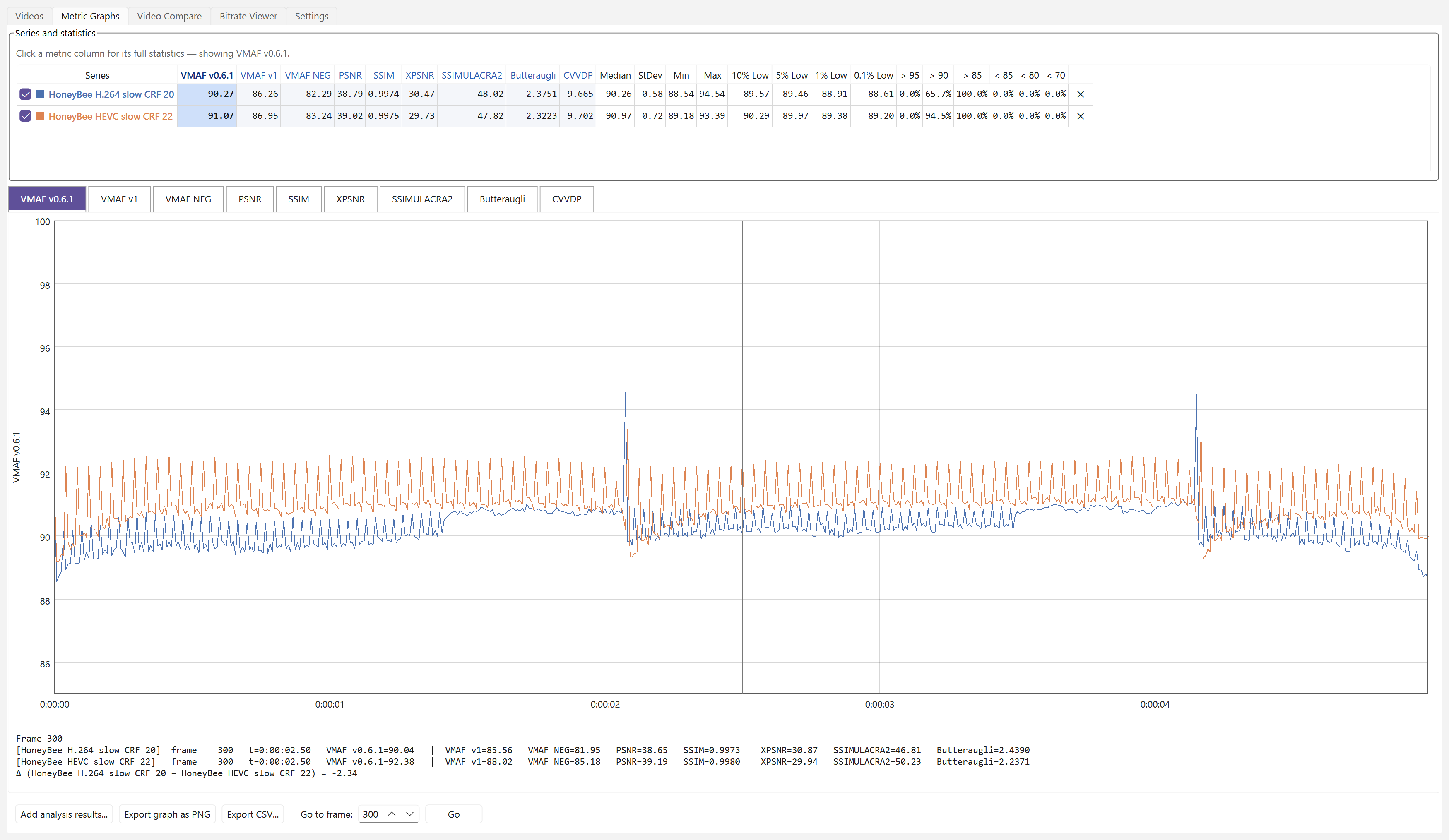
- Compare metric curves, statistics, and per-frame scores (per second for ColorVideo VDP).
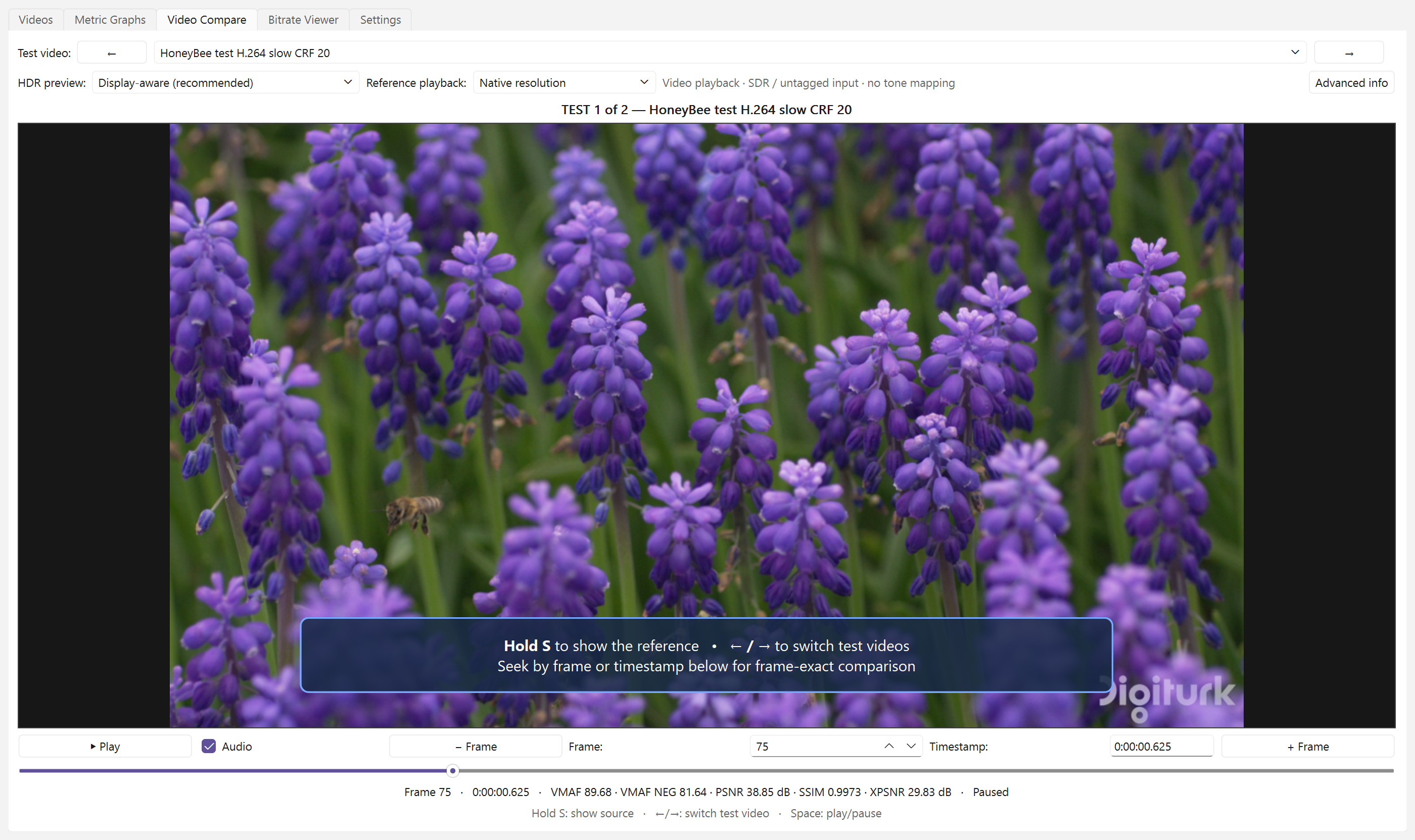
- Switch instantly between source and test videos during playback, hold S to show the source, or inspect exact frames.
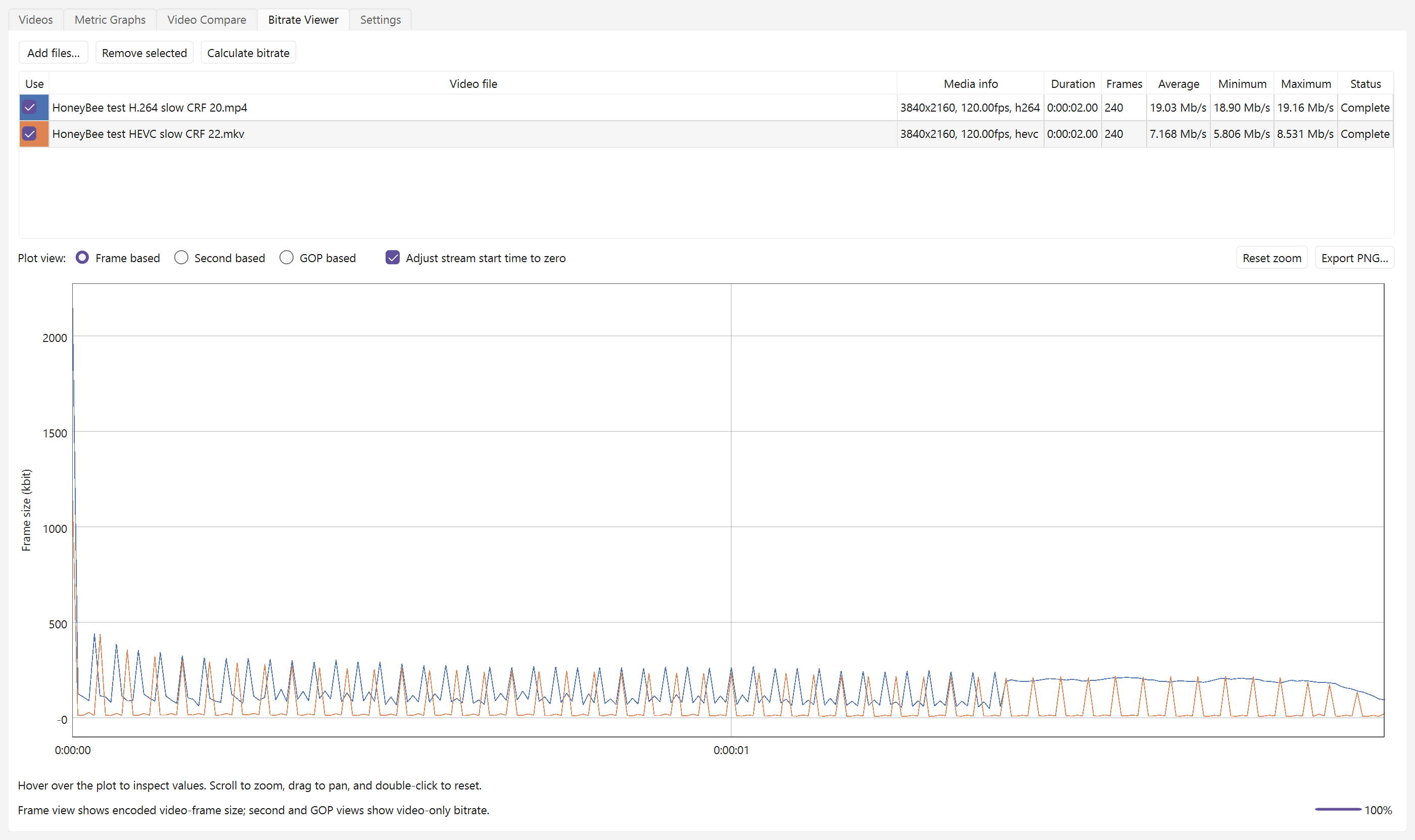
- Inspect bitrate independently by frame, second, or GOP.
- Detect black bars and handle resolution mismatches automatically.
- Use GPU decoding with independent software fallback per input.
- Calculate two test videos in parallel on many-core CPUs.
- Auto-save completed results and auto-load matching results when videos are loaded again.
Screenshots
Videos
Metric graphs
Video Compare
Bitrate Viewer
Requirements
- Windows 10 or Windows 11
- FFmpeg 9 or newer with
ffmpeg,ffprobe, andlibvmaf - FFmpeg is not bundled. VideoMetricsLab prompts for its location when it is not available on
PATH.
Extract the ZIP and run VideoMetricsLab.exe. The executable is not code-signed, so Windows SmartScreen may require More info → Run anyway on first launch.
Verification
The packaged build passed its FFmpeg 9.0.1, GStreamer 1.28.6, Qt 6.11.2, GPU-decoder, D3D11 HDR tone-map, Vship 5.1.1 (CUDA), SSIMULACRA2, and Butteraugli self-tests, from the extracted ZIP.