Spreadsheet Scenario Testing
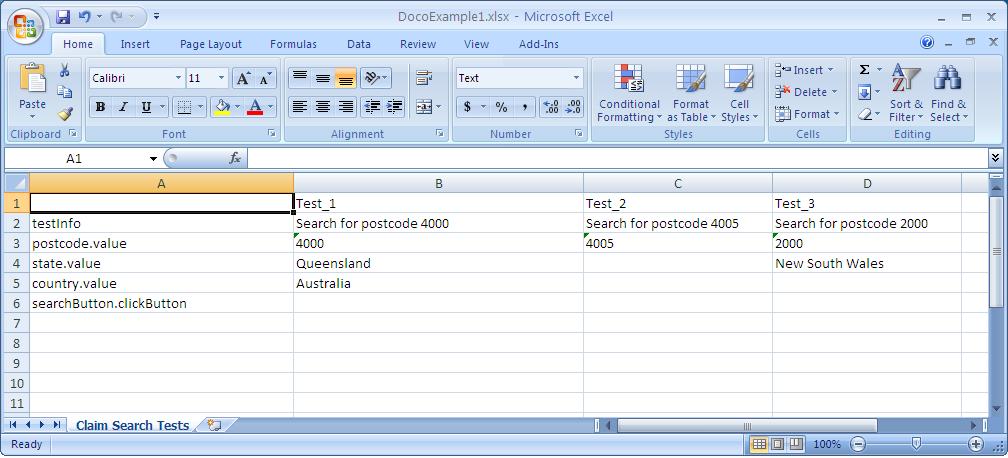
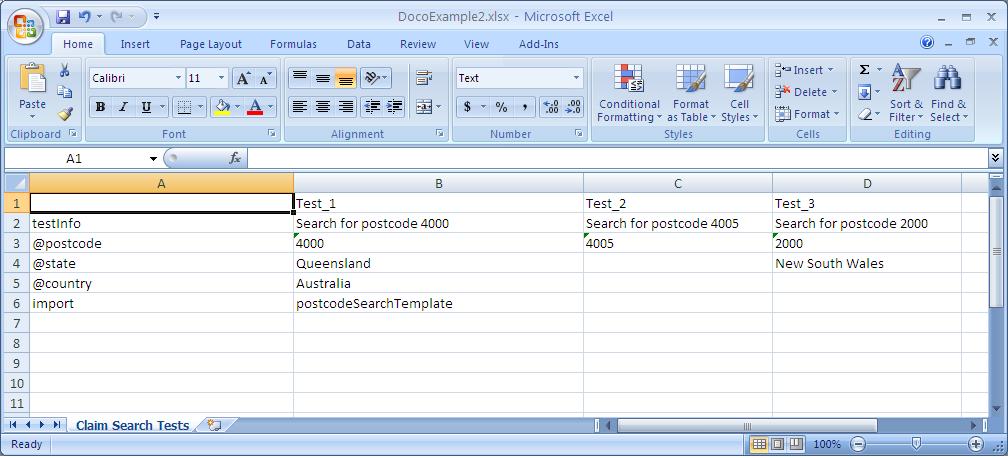
Madcow provides an intuitive method for providing multiple data sets to a single Madcow test scenario using spreadsheets.
Here are some notes about using Spreadsheets to execute tests with Madcow
- the first column in a spreadsheet defines the madcow test operations such as setting data parameters and importing templates.
- the second and all subsequent columns each become a seperate Madcow test with its own data set.
- the first row for all tests defines the test name, this must not contain spaces or special characters.
- after the first test (second column within the spreadsheet) only data that differs for subsequent tests needs to be defined, if not defined then this simply defaults to using the data values specified for the first test.
- Madcow will accept all cell formats in spreadsheets, and will even evaluate formulas!