Beacon
English | 中文
Beacon is a floating panel that lives above your macOS menu bar, inspired by the iPhone Dynamic Island. It provides real-time status and authorization controls for your AI coding tools.
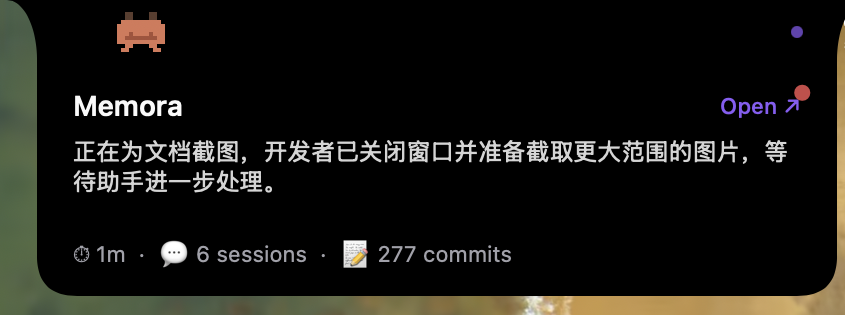
A pixel crab mascot sits in the notch area with a pulse indicator. Visible at all times when a coding app is in the foreground.

Shows the current project name, AI-generated summary, and a link to open the project in Memora. The crab walks from its collapsed position to the left edge with a leg animation. Since v0.4.1, clicking the empty area collapses the panel so you can see what's behind it.
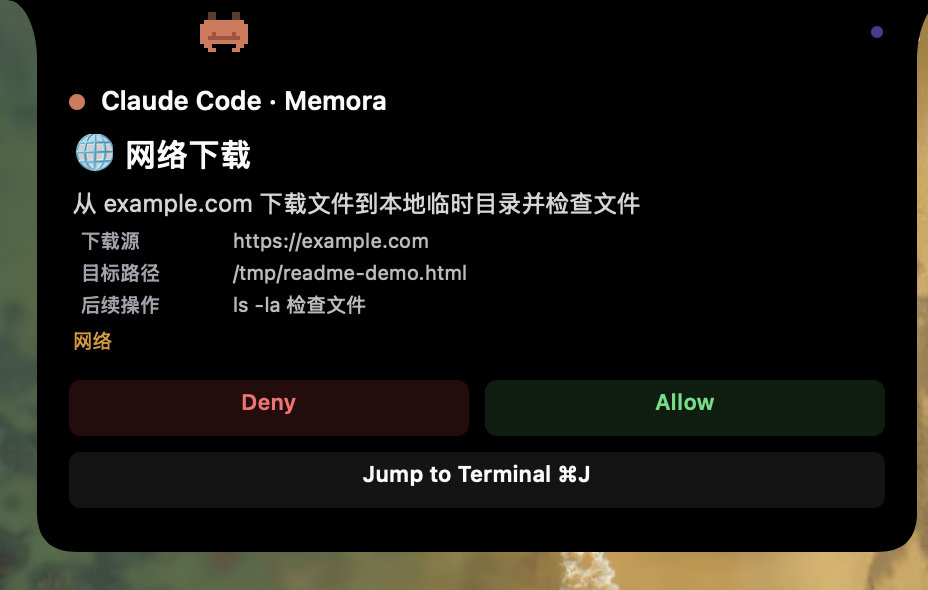
When your AI tool needs permission to run a command or edit a file, Beacon shows the request details with Allow/Deny buttons.
-
Hook integration — The
memora-hookPreToolUse handler writes a request file and immediately returns"ask"(non-blocking) - Dual-channel prompt — Both Beacon and the terminal show the authorization prompt simultaneously
-
Keystroke forwarding — Clicking Allow/Deny in Beacon sends the corresponding keystroke (
Enter/Esc/Shift+Tab) directly to the target terminal process viaCGEvent.postToPid(), without switching window focus - Auto-dismiss — PostToolUse hook writes a resolved timestamp; Beacon polls every 2 seconds and dismisses when it detects the tool has completed
Button count is configurable per source and tool:
| Source | Tool | Buttons |
|---|---|---|
| Claude Code | Edit, Write | 3 (Allow / Allow All / Deny) |
| Claude Code | Bash | 2 (Allow / Deny) |
| Other tools | Any | 2 (Allow / Deny) |
- Shape: Concave bezier arcs (15px wide x 30px tall) create a "growing from screen edge" effect
-
Level:
NSPanelatstatusBar + 1— always above the menu bar -
Background: Pure black
NSView(notNSVisualEffectView, which cannot achieve pure black) -
Coordinate system: Paths drawn in visual coords (y=0 at top), then flipped to CG coords via
CGAffineTransform