Continue V2
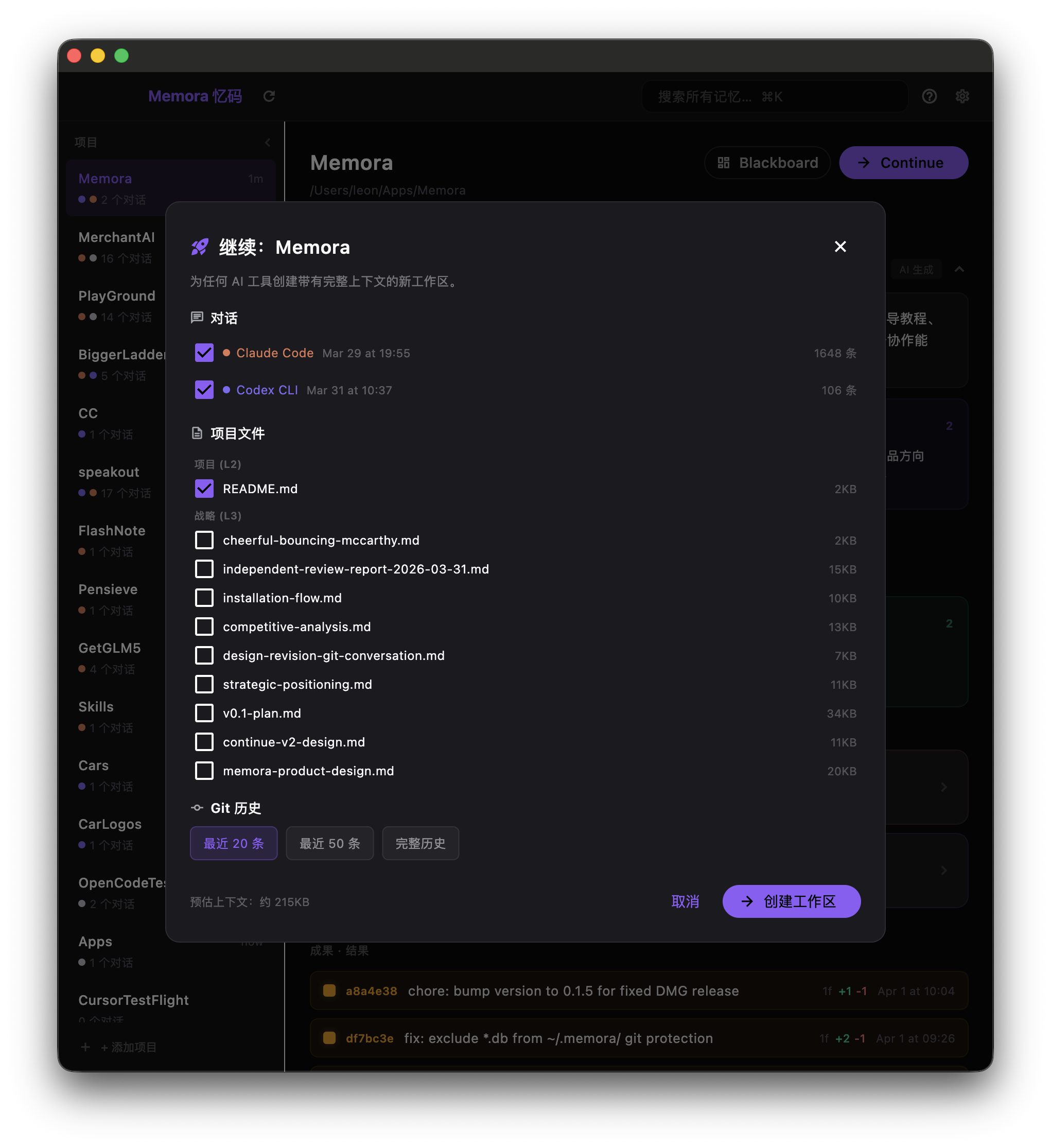
Continue V2 is Memora's core differentiating feature. It aggregates conversations, git history, and project files from multiple AI tools and sessions into a new workspace directory — ready to use with any AI coding tool.
This is what no single AI tool can do on its own: cross-tool, cross-session, cross-time context restoration.
Click Continue on any project to open the wizard. Choose what to include:
- Conversations: Select which sessions to include (from any tool)
- Project Files: CLAUDE.md, AGENTS.md, design docs, etc. (grouped by knowledge layer)
- Git History: Recent 20, 50, or full commit history
- Blackboard: AI-generated project analysis
- Target directory: Where to create the workspace
An estimated context file size updates as you select/deselect items.
Memora performs:
-
git cloneof your codebase to the target directory - Generates
MEMORA_CONTEXT.mdwith all selected content:- Project status (Blackboard summary)
- Git commit history
- Full conversation transcripts (cleaned, formatted)
- Project file snapshots
- Appends a reference to
CLAUDE.md/AGENTS.mdso AI tools auto-read the context - Registers the new directory as a Memora project
Open the workspace with any AI coding tool. The tool reads MEMORA_CONTEXT.md and has your full project context — conversations, decisions, and code history.
# Memora Context: {project name}

> Generated by Memora at {timestamp}
> Source: {N sessions, M commits, K files}

## 1. Project Status
{Blackboard summary}

## 2. Git History (Recent Outcomes)
- `abc1234` fix: resolve auth middleware issue
- `def5678` feat: add user dashboard
...

## 3. Conversations
### Claude Code · Mar 31 15:24
**YOU** (15:24)
Help me refactor the auth module...

**AI** (15:25)
I'll start by reviewing the current implementation...
...

## 4. Project Files Snapshot
### CLAUDE.md
{content}

## 5. Metadata- Raw conversations, no compression: AI tools have large context windows. Let them read the full conversation rather than a lossy summary.
- User controls scope: You choose what to include. Not everything is dumped.
-
Standard Markdown:
MEMORA_CONTEXT.mdworks with any tool. No Memora dependency. -
Cleaned content: Internal tags (
<system-reminder>,<local-command-stdout>, etc.) are stripped.