Repository navigation
Daily Use
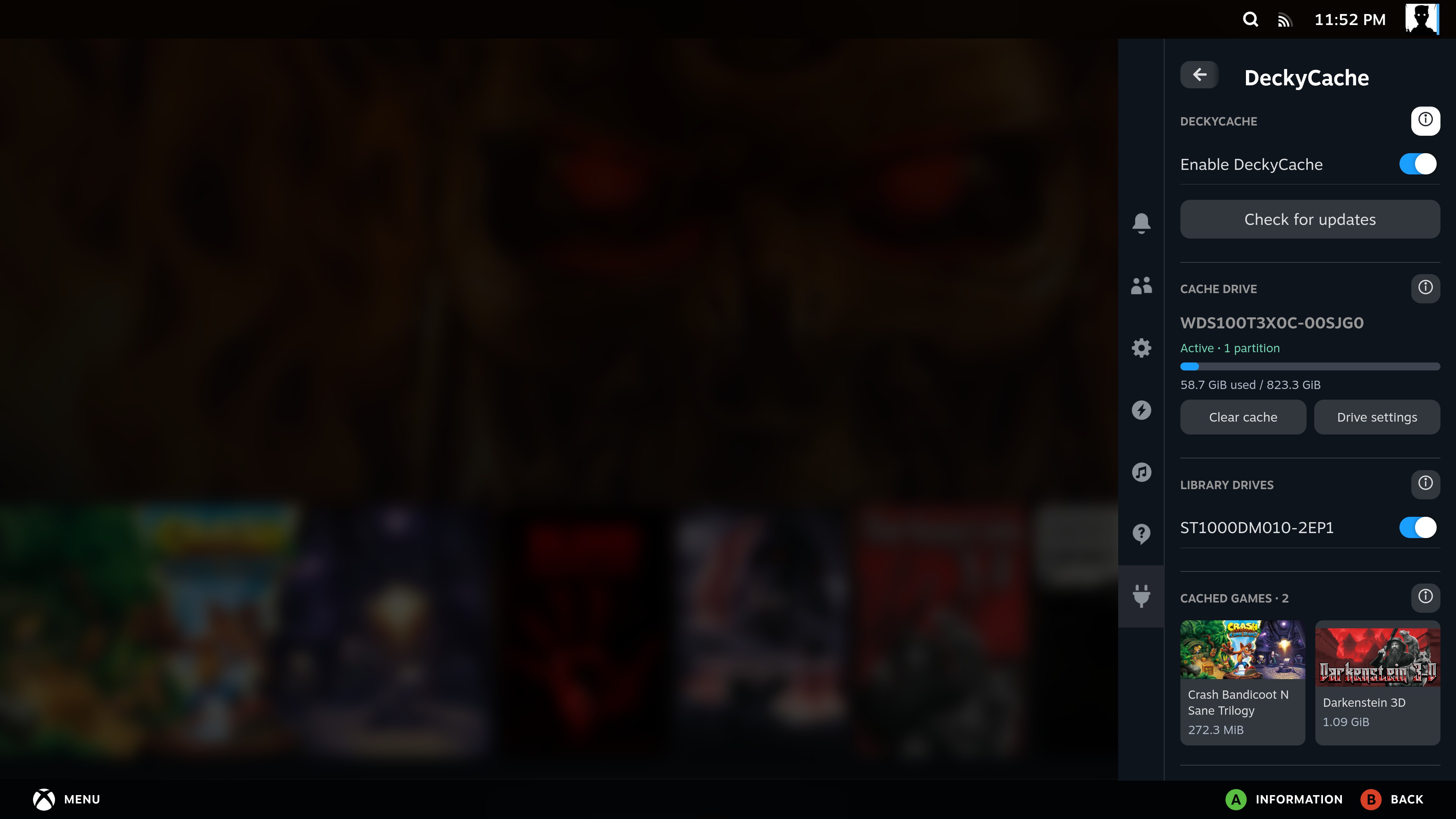
- Enable DeckyCache: turn caching on or temporarily bypass it.
- Check for updates: find a compatible GitHub release and open Decky's installer.
- Cache drive: selected SSD/NVMe, active partition count and occupied cache space.
- Library drives: one on/off switch per eligible partition.
- Cache scope: use the entire selected drives or choose specific folders on them.
- Cached games: Steam and non-Steam shortcut names, existing Steam artwork and attributed cache sizes.
- Other cached data: always the last tile, showing occupied cache outside the displayed game entries.
- Information buttons: details without filling the main panel with text.
You normally leave the selected library drives enabled and launch games as usual.
Under Cache scope, choose Entire selected drives or Selected folders. Add a Steam library with the shortcut button, or choose Add folder... for another Steam, DRM-free or ROM folder. You can select multiple folders on enabled drives. Select a folder row to remove it from the selection.
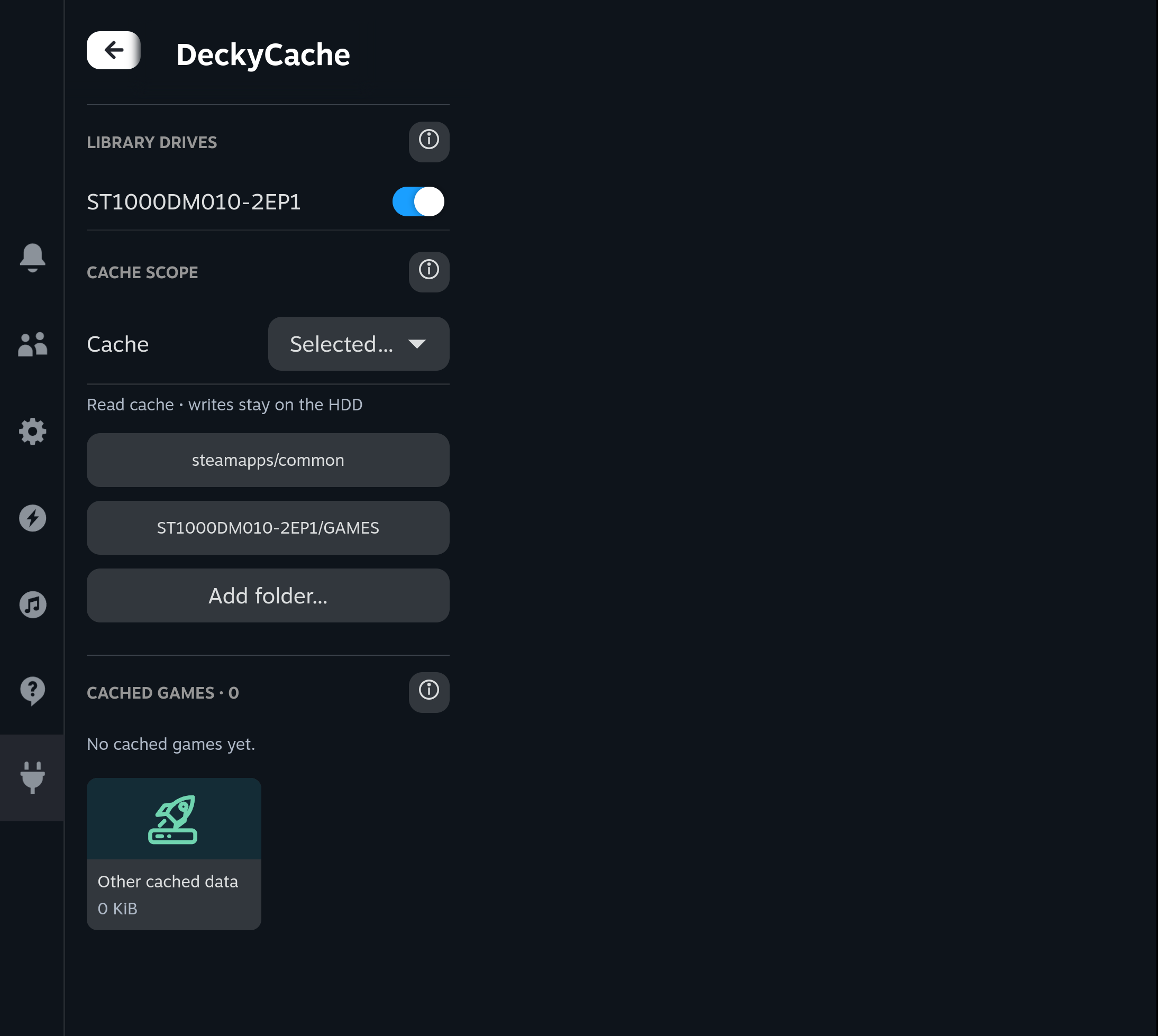
Writes during copying, installation and Steam updates do not allocate new cache blocks. Reads for copying, unpacking or verification can fill cache within the chosen scope. Folder mode is not a gameplay-only filter; unidentifiable reads bypass cache in this mode. Changing scope keeps existing cached data and does not remount a library.
Close games and finish Steam downloads, then turn Enable DeckyCache off. Reads use the original HDD. Your library selection, cache drive and still-valid cached blocks are kept, including their entries in Cached games. Turn it back on to use those blocks again.
Steam writes still pass through Open CAS and invalidate affected cached blocks, so later reads cannot reuse data changed by an update. OFF uses passthrough mode; it does not detach the SSD. Follow Uninstalling before disconnecting or repurposing a cache drive.
For plugin updates, follow Updating the plugin.
The main list shows installation folders with at least 16 MiB of attributed cache data. Smaller nonzero entries are grouped under Small fragments. Expand it to see them. This is a display threshold; it does not delete or disable small cached entries.
Steam games and non-Steam shortcuts pointing directly to games on a selected drive are detected automatically. Artwork already set in Steam is reused. No extra game list or artwork setup is required. A shortcut that launches an external launcher instead of the game executable may not appear.
Select a game tile for details. Games that share one installation folder are grouped together.
A background Steam read can add a game that you have not launched. The size is partial attribution, not the installation size, a full-game copy or an exact inventory of current game files. In whole-drive mode, unclassified reads can populate cache and are included in the drive's total. Folder mode does not admit unclassified reads. The final Other cached data tile includes blocks outside the current game list, including earlier cached data and selected-folder fallback classes. Its size excludes all listed games, including collapsed small fragments. How it works explains the limits.
Choose Clear cache, then confirm.
This removes cached copies for all selected active library partitions. It keeps the games on the HDD, the prepared NVMe filesystem and your drive selection. It does not format the SSD or unmount libraries. New eligible reads may refill the cache immediately, so it may not stay at zero.
There is no per-game clear operation in this release.
Update games normally in Steam. DeckyCache uses write-around: writes go to the original HDD through Open CAS, which keeps cached data coherent. There is one original installation, not an independently updated SSD copy.
Wait for downloads and updates to finish before changing cache drives, changing library selection or uninstalling the plugin.
Use the normal Steam restart or shutdown controls. A clean shutdown saves the state needed to reuse cached blocks at the next start. A forced power-off, incompatible saved state or writes to the HDD outside the cache can cause a cold cache rebuild.
Cache may serve few reads when Linux already has those files in RAM. That is expected.