Repository navigation
Usage
- /Start: This command will register the current chat with Epic Scraper
- /Stop: This command will de-register the current chat
- /Resend: This command will resend the currently known free games
- /Settings: This command allows you to change the ESB settings for the current chat.

-
Send Silently: This setting allows you to choose whether messages from ESB should be sent with or without sound.

-
Send Updates: This setting allows you to choose whether you want to receive a message when a new version of ESB is released.

The Send updates feature is currently unavailable, but at least you can set your preferences for when it does.
If the server is password protected, ESB will prompt for the password when trying to registering a chat.
ESB will prompt for a password and use the next message as the password, it doesn't matter who the message comes from.
If an incorrect password is provided ESB will prompt again

After 3 failed attempts, ESB will end the registration process.

Once the correct password is entered, The chat is registered with the server and the currently knows free games are sent to the chat.
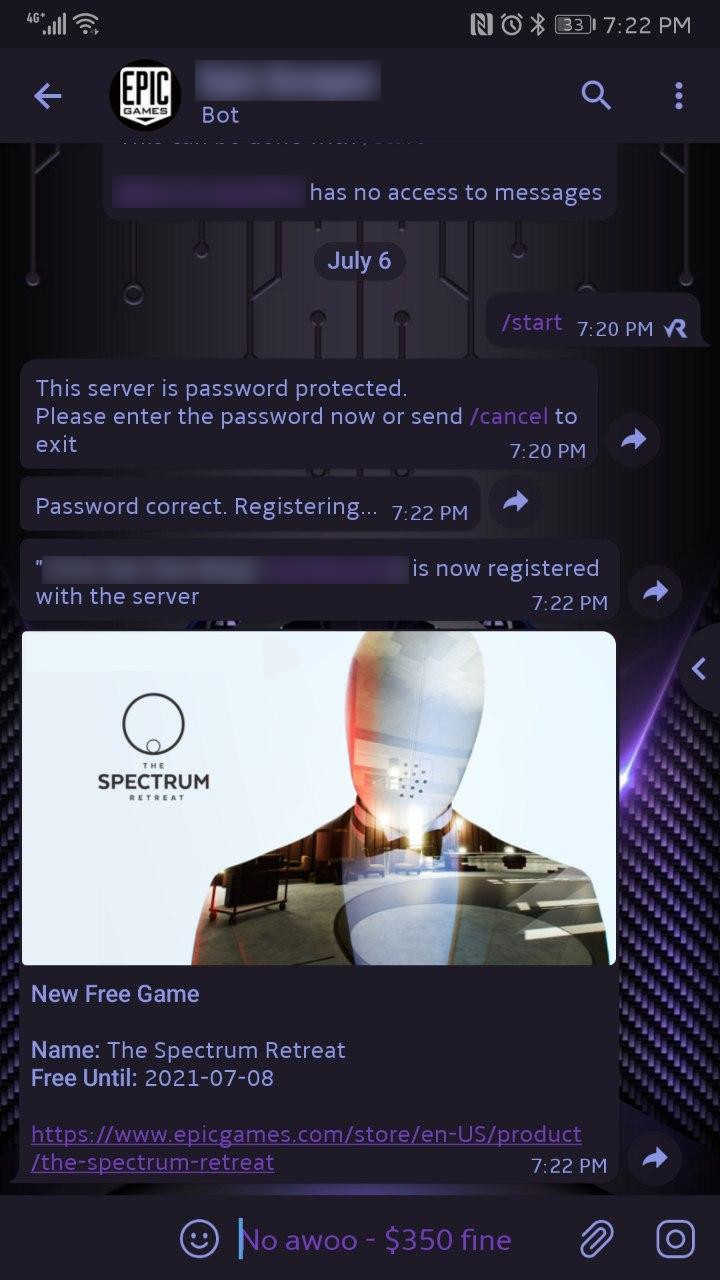
Search Telegram for the bot you registered, enter the chat and run the /start command.
Add the Telegram bot you registered as a member of the group.
Make the bot an admin of the group
Epic Scraper can't read any of the messages in a group on it's own, it can listen for a message after it posts one. This is used when registering a chat with ESB on a passsword protected server - See the Passwords section above.
In order to do this the bot will need to be added as an admin to the group.
For Non password protected servers, this can be left out.
If your server does have a password, you can remove this after you've registered the group.
Send the start command to the bot, in a group this would look like
/start@ExampleBot