
If filtering doesn’t work as expected or something in your setup is missing, you shouldn’t have to guess what went wrong.
In this release, we’ve added configuration checks and improved diagnostics. The app can now warn you about settings or system conditions that may prevent it from working properly — and suggest what to do next.
Configuration checks
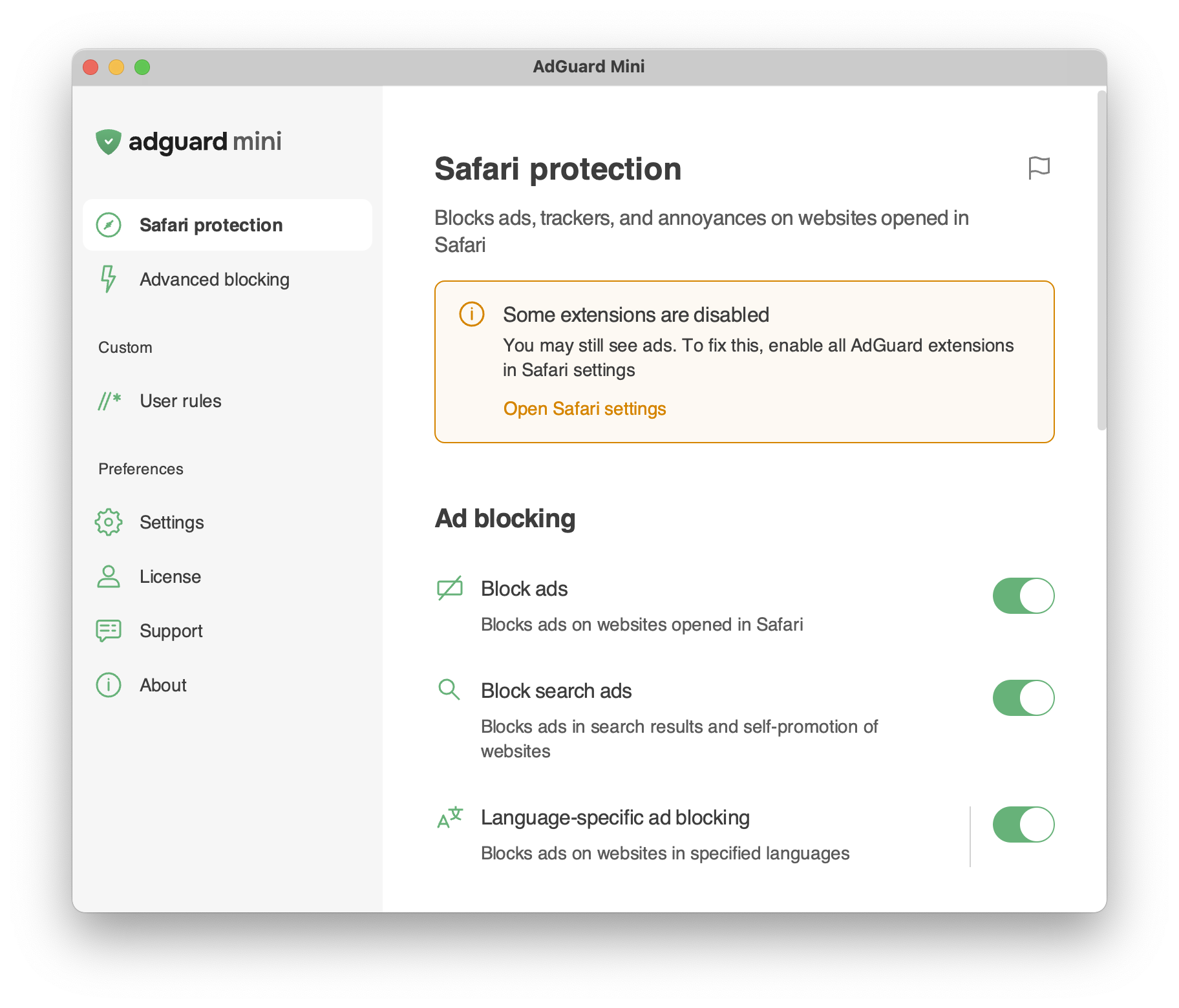
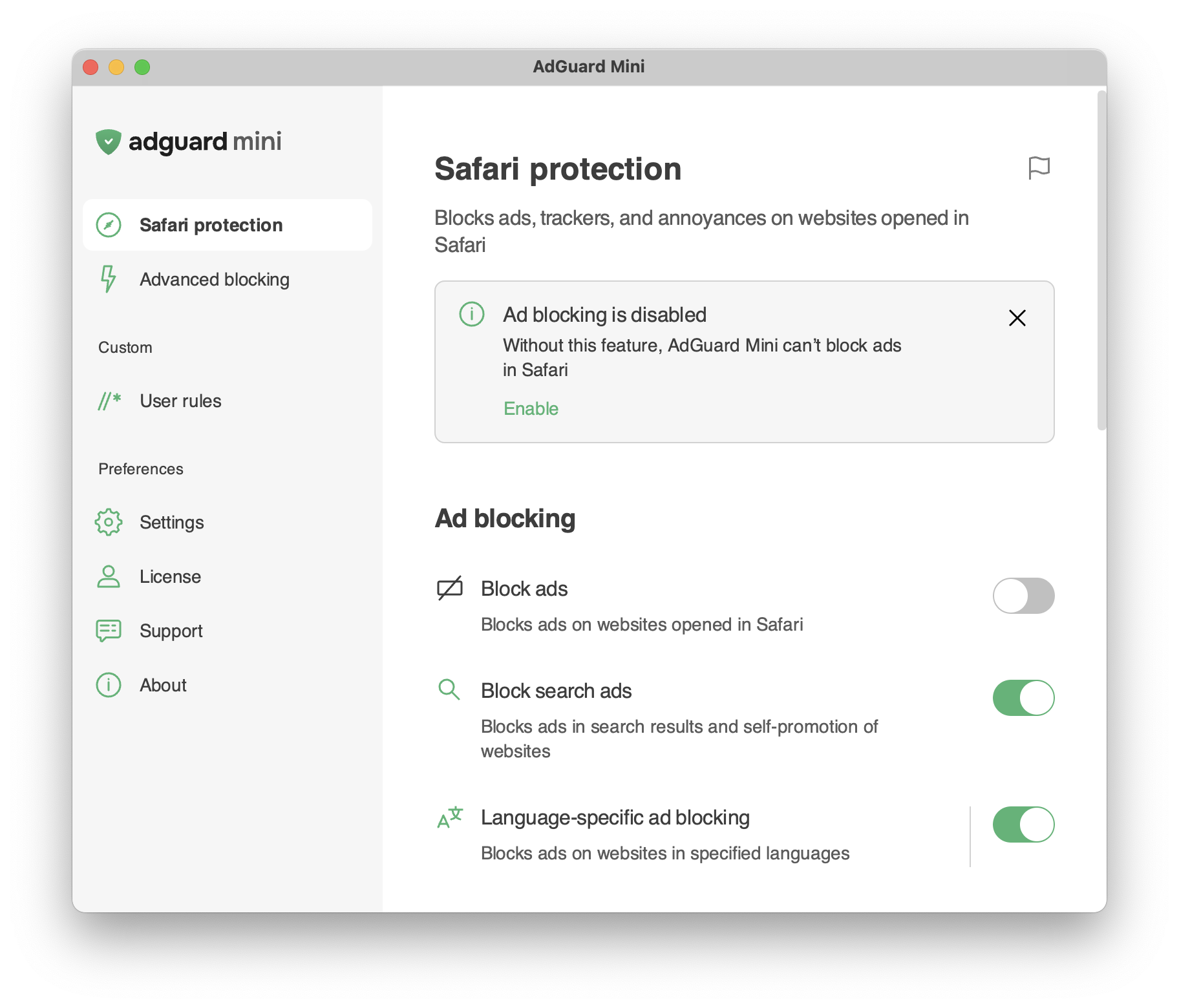
AdGuard Mini now checks your setup and alerts you if something may interfere with filtering or app stability. These alerts appear in both the Safari popup and the tray menu, so you can notice them without opening settings.
There are two types of alerts: critical and standard.
Critical alerts are highlighted in orange. They point to issues that may prevent AdGuard Mini from working properly, such as missing permissions or disabled system settings. To fix the issue, click the action button in the alert and follow the instructions.
Standard alerts are grey. They point to less urgent issues that don’t necessarily prevent the app from working, but may affect the protection level. You can close these alerts, but we recommend following the suggested steps to keep AdGuard Mini working at its best.
Other changes
Some users reported high CPU or memory usage, especially on older Macs, including models with Intel processors. Others ran into filtering problems after system migration or configuration changes. The new diagnostics help the app detect these cases faster and make troubleshooting easier for both users and our support team.
Changelog
Fixes
- Extreme overheating on tracker-heavy websites #1200
- The filter update notification appears again after checking for updates #1193
- Excessive background wake-ups #1192
- Rule editor doesn’t save its window position and size #1159
Sciter (UI engine)
- Updated Sciter to v6.0.3.18