Little games for your Supernote — generated fresh, played on paper.
A plugin that turns your Supernote e‑ink tablet into a pocket arcade of calm, paper‑friendly games. Pure black & white, finger‑first, no animation, no network — everything is generated and played right on the device.
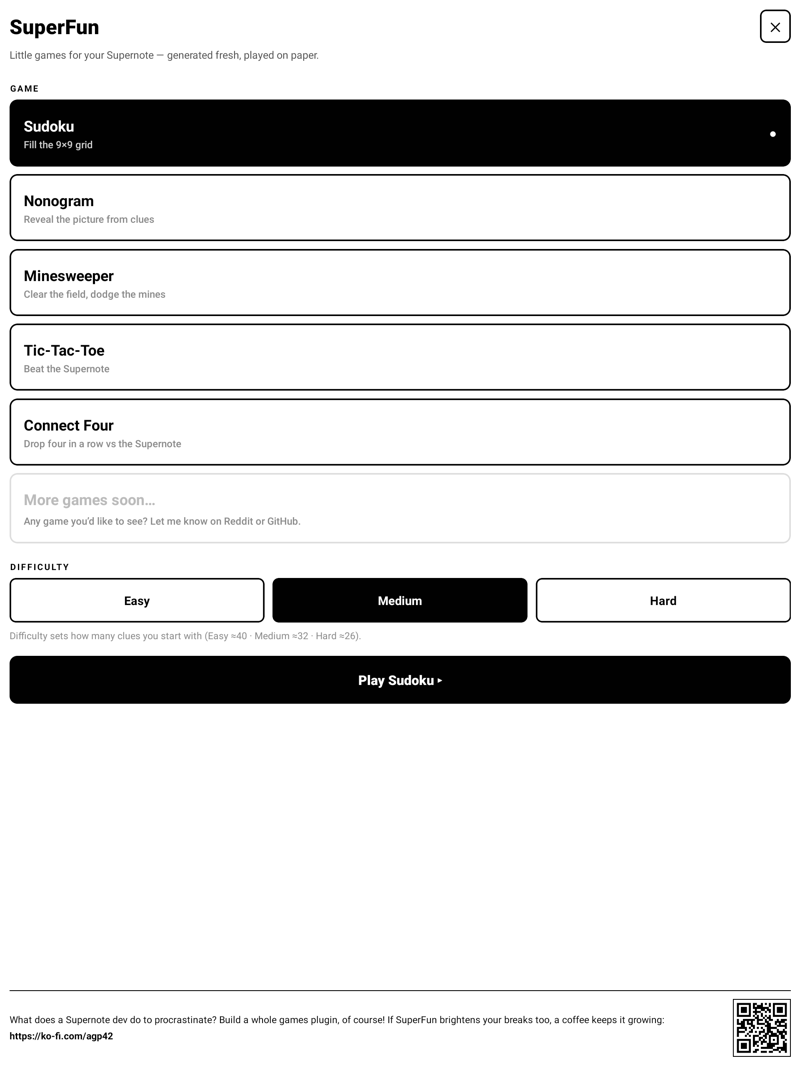
| Game | Type | What it does |
|---|---|---|
| Sudoku | Solo puzzle | Unique‑solution grids generated on device. Two‑list input (Answer / Notes), handwritten entries, Check & Give‑a‑hint, and savable grids. |
| Nonogram (Picross) | Solo puzzle | Reveal the picture from row/column clues. Fill / Mark modes, Check, Hint and Solution, and savable grids. |
| Minesweeper | Solo puzzle | Classic sweep with a guaranteed‑safe first tap. Dig / Flag modes, three sizes. |
| Tic‑Tac‑Toe | vs the Supernote | You’re O and move first; the Supernote plays X with a minimax AI. Hard is unbeatable. Running scoreboard. |
| Connect Four | vs the Supernote | Drop four in a row against an alpha‑beta AI. Running scoreboard. |
Every game ships with an in‑app “Rules” card (with a small worked example), so there’s nothing to memorise.
- Made on device — Sudoku grids (guaranteed unique solution) and Minesweeper boards are generated fresh each time, effectively endless. Nonograms are a set of hand‑drawn pixel‑art pictures, each verified to be uniquely solvable from its clues — so the picture you reveal is really the one you were meant to find.
- Real opponents — the duel games use a proper game‑tree search (minimax / alpha‑beta). Easy plays loose, Hard plays sharp.
- Persistent saves — Sudoku & Nonogram grids can be saved and resumed after
closing the plugin, stored as JSON in
MyStyle/Plugins/SuperFun/. Each save is tagged with a grid fingerprint and a timestamp; re‑saving the same grid updates its own entry. - Three difficulty levels for every game.
- Built for e‑ink — high‑contrast B/W, large tap targets, no animation, and a layout where the board never jumps around while you play.
- Handwriting‑style entries — your answers render in a handwritten face, clearly distinct from the printed clues.
| Home | Sudoku | Nonogram |
|---|---|---|
 |
 |
 |
| Minesweeper | Tic‑Tac‑Toe | Connect Four |
|---|---|---|
 |
 |
 |
| Big end‑of‑game message | In‑app rules, with a worked example |
|---|---|
 |
 |
- Copy
superfun-<version>.snplgto theMyStyle/folder on your Supernote (USB, oradb push … /storage/emulated/0/MyStyle/). - On the device: Settings → Apps → Plugins → Add Plugin → SuperFun.
- Open it from the plugin toolbar inside a note or document.
Updating? Uninstall the old SuperFun first, then add the new one — it ships native code, so a clean reinstall is the reliable path.
Requires Node ≥ 18, JDK ≥ 19 and the Android SDK (Platform 35, Build‑Tools 35.0.0).
npm install
# point these at a JDK 19+ and the Android SDK (Platform 35, Build-Tools 35.0.0)
export JAVA_HOME=/path/to/jdk
export ANDROID_HOME=/path/to/android-sdk
./buildPlugin.sh          # → build/outputs/superfun.snplg
buildPlugin.sh bundles the JS, compiles the native module and packages the
.snplg. (./bump-and-build.sh does the same but auto-increments the version and
names the file superfun-<version>.snplg.)
- React Native 0.79.2 on the Supernote PluginHost runtime, via
sn-plugin-lib. - Game engines are dependency‑free JavaScript modules in
src/—sudoku.js,nonogram.js,minesweeper.js,tictactoe.js,connect4.js— usable and testable outside the app. - A tiny native Kotlin module (
FileStore) provideswriteText/readTextso saves can persist to disk (the SDK exposes no generic file‑write from JS).
SuperFun is free. If it earns a spot in your breaks, you can drop a coffee in the jar: ko‑fi.com/agp42 ☕
MIT — see LICENSE.