A learning adventure for myself from which may come out a fast-paced multiplayer game where interesting geometrical shapes fight each other to dominate the world of maths.
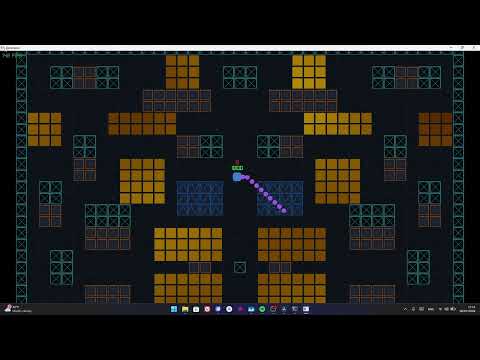
This project wouldn't be possible without these incredible open-source libraries:
- Raylib — Handling our lightweight, high-performance 2D graphics rendering pipeline.
- ENet — Powering our low-latency UDP network layer with reliable/unreliable packet management.
- Head over to Releases and download the Server and Client executables.
- Download the maps folder and put it in the same directory as the executables, your local directory should look like this:
├── Client.exe ├── Server.exe └── maps/ └── [map files] - Run the
Server.exefirst to start up the authoritative simulation framework. - Run
Client.exeto join the game. For multiple players run multiple instances of theClient.exe. - It's play time now.
Keyboard
| Action | Control |
|---|---|
| Movement | W A S D |
| Aiming | ← ↑ → ↓ (Arrow Keys) |
| Shooting | E |
Controller (PlayStation controller support not tested)
| Action | Control |
|---|---|
| Movement | Left Joystick |
| Aiming | Right Joystick |
| Shooting | Right Trigger (RT/R2) |
The Server
- Built in C++, uses ENet for communication with the client over the UDP protocol for minimum latency;
- Implemented Fog Of War by calculating the distance between the players and sending each custom dynamically sized packets to save bandwidth and prevent cheating;
- The server processes the input for every player, runs the collision simulation and updates the players/projectiles position and health at a fixed tick rate, being the only source of truth;
- After each match it resets itself, getting ready for a new match;
The Client
- Built in C++, uses Raylib for rendering the UI and the game match itself;
- Uses interpolation to smooth out the position updates received from the server and render them at the specified frame rate;
- Loads the saved settings or data stored in the local file;
- Sends the inputs of the player to the server for processing;
I used Gemini during the development of this project for:
- Brainstorming: Discussing different architecture designs and client-server communication options.
- Learning: Asking AI about what specific Raylib or ENet functions are used for so I could more easily find what I was looking for.
- Debugging: Finding logic or syntax errors in the code. All core game loops, game mechanics, physics simulation, ENet network event handling, game state serialization, and Raylib rendering implementations were manually written and debugged by me.