Simple movie review app for real movie fans
Live demo here
- General Info
- Technologies and Tools Used
- Features
- Screenshots
- Project Status
- To do/ Improvement Ideas
- Acknowledgements
- Setup and install
It was my first serious project made by me, without any tutorials and guides. In a nutshell it's movie review system with some CRUD operations, with auth system and UI with handling every important operation from API.
- Frontend: Angular JS (and Typescript) - version 14
- Backend (API): ASP .NET - version 7.0
- Containers: Docker desktop - version 4.20
- Database: PostgreSQL
- Styles: Bootstrap 5 + Bootswatch theme
- Image Cloud: Cloudinary
- ORM (Object-Relational Mapping): Entity framework 7.0
- API Testing: Postman
- Version Control - Git
- Package manager - NuGet and npm
- Host: Render.com
- Login and register form with validation (API and client side)
- Jwt Token with claims
- Roles (Admin and User)
- Admin dashboard with Movies CRUD
- Paging, sorting and filtering
- Searchbar
- Image Upload
- Adding and Deleting Comments
- Adding and Editing Ratings
- Adding and Removing Movies To/From list
- "My Interactions" panel with user Comments, Ratings and Movie List
- Ranking movies - From best average Ratings to worst
- Guards - client side security system preventing unwanted behaviors
- Interceptor - client side system to sending auth token
- Loading screen
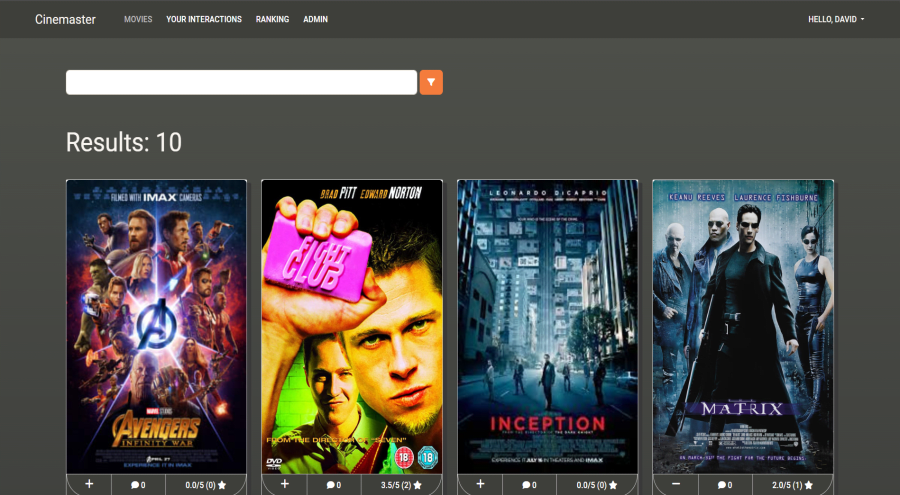
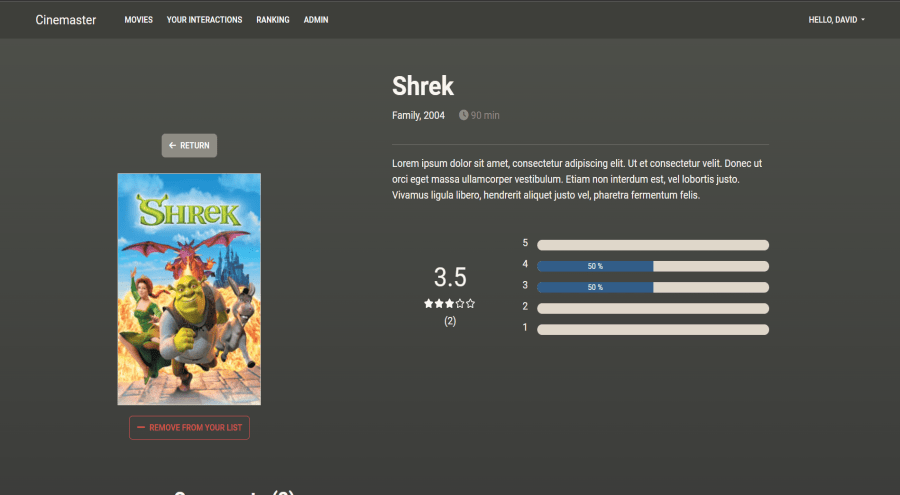
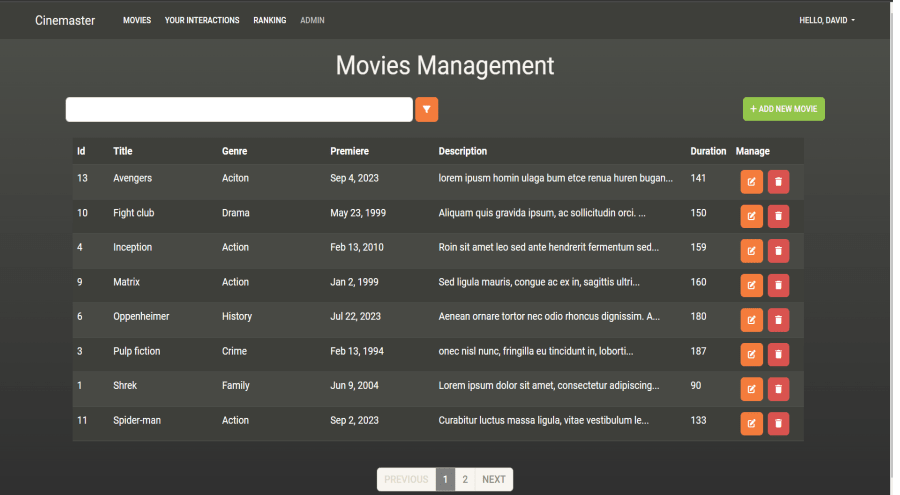
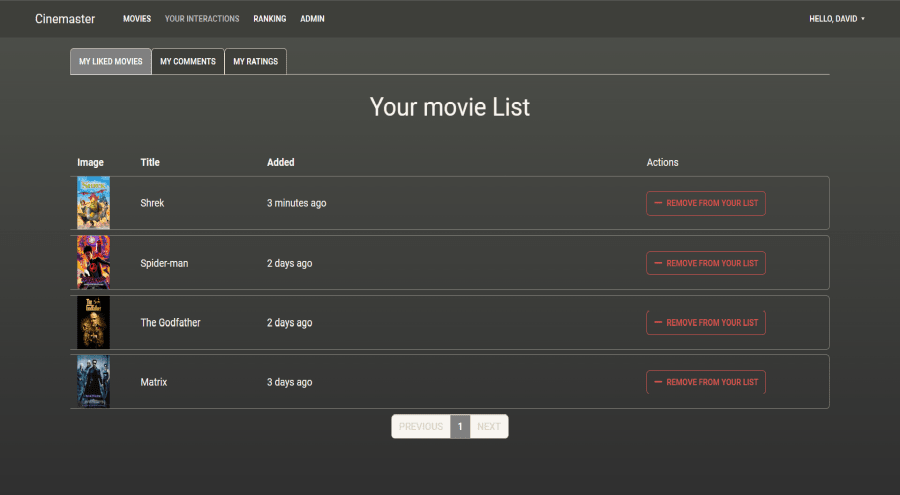
The project is finished, but there is a possibility that it will be improved in terms of optimization and better caching system
- Better caching system
- Query optimization
- Client side optimization
- More option for filtering and sorting
- Editing Comment feature
- Poster Photos was taken from imdb.com
Soon Docker desktop instalation
- Make sure you have docker dektop installed
- Pull the Docker postgreSQL image
docker pull postgres
- Run the docker container
docker run --name postgres -e POSTGRES_PASSWORD=postgrespw -d -p 5432:5432 postgres
- Pull Docker image project
docker pull ashennone/cinemaster:latest
- Run docker image
docker run --rm -it -p 8080:80 ashennone/cinemaster
when it ends enter in your browser:
http://localhost:8080/
- Admin account login and password (only works for development version)
login: rebecca
password: Passw0rd!
Note
If you don't have docker desktop and you want to test it, you can clone my repo, but you need to have own postgres local server, update env variables in appsettings.developement.json, make cloudinary account and update cloudinary variables, so I don't recommend it but if you did it, next you can type in project directory:
dotnet run
and open in your browser
https://localhost:5001/
Password there is the same like docker image