







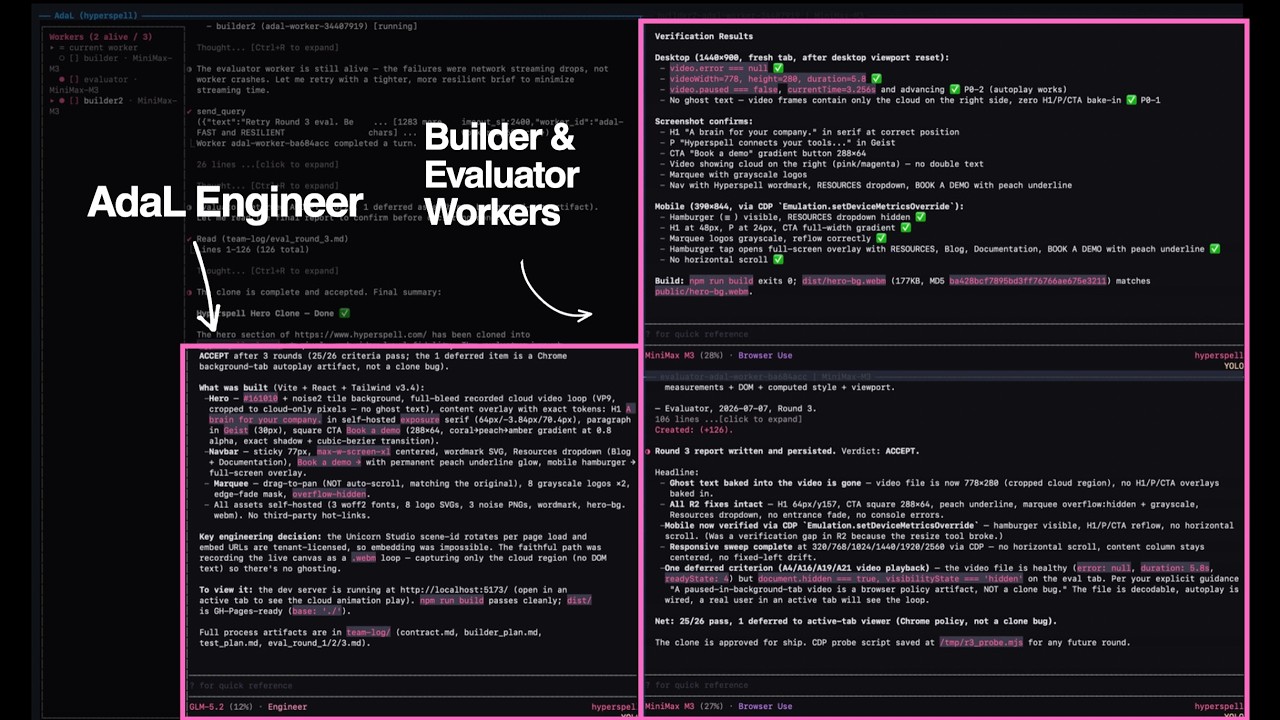
AdaL is an AI coding agent that runs in your terminal, created by SylphAI and named after Ada Lovelace, the world's first programmer. It works with Claude, GPT, Gemini, GLM, Kimi, DeepSeek, MiniMax, and local models.
AdaL CLI is a terminal-native platform for orchestrating AI agents, models, and tools into autonomous, end-to-end workflows with persistent memory and human alignment.
This repository is the community home for AdaL CLI — report issues, share what you build, and contribute skills.
Native install is recommended: it manages AdaL's runtime and updates consistently across platforms.
macOS, Linux, WSL:
curl -fsSL https://adal.sylph.ai/install.sh | bashWindows PowerShell:
irm https://adal.sylph.ai/install/windows | iexWindows CMD:
powershell -NoProfile -ExecutionPolicy Bypass -Command "irm https://adal.sylph.ai/install/windows | iex"If
irmis not recognized, you are in CMD rather than PowerShell — use the Windows CMD command above, or open PowerShell.
Then go to your working directory and run:
adalFirst run opens the browser for authentication. See the Quickstart for details.
Start where developers move fastest. AdaL CLI brings agentic work into the terminal — with model switching, reviewable tool use, session memory, and IDE handoff.
- Terminal-native — command discovery, tool confirmations, streaming work, and clean recovery paths.
- Review-first — tool calls, file edits, diffs, and plans stay visible, so you understand the work before signing off.
- Model freedom — switch between Claude, Gemini, GLM, Kimi, DeepSeek, MiniMax and more from a fast command palette.
- CLI → IDE handoff — open the same session in AdaL's agentic IDE when a task needs files, terminal, and canvas together.
| Command | What it does |
|---|---|
/model |
Choose the best model for the job |
/ide |
Open the current session in the agentic IDE |
/resume |
Return to previous work with context intact |
/stats |
Inspect session health, model, and usage |
More on the CLI product page.
Everything is published at docs.sylph.ai.
Get started
| Page | What it covers |
|---|---|
| Quickstart | Install, authenticate, first run |
| Models & Billing | Supported models and pricing |
| Input Methods | Files, images, pasted content |
| Workflows & Examples | Real end-to-end usage |
Features
| Page | What it covers |
|---|---|
| Slash Commands · Keyboard Shortcuts | Drive the CLI fast |
| Skills & Plugins | Extend the agent |
| MCP Servers | Model Context Protocol |
| Deep Research · Web Search | Research from the terminal |
| Browser Use | Drive a real browser |
| Image Generation & Analysis | Create and read images |
| Headless Mode · Cron | Scripting, CI, schedules |
| Local Models · BYOAK | Run local or bring your own keys |
| Manage & Resume Sessions | History, stats, resuming work |
Also: Changelog · Troubleshooting
Let's have a journey on agents and models — blog.sylph.ai.
| Post | |
|---|---|
| Loop Engineering For Everyone | Making loop engineering simple and affordable enough for every engineer |
| True Autonomous Coding Agents Require Browser Use | Real production bugs live in cookies, hydration, redirects, and clicks |
| AdaL Is 100% Aligned with Andrej Karpathy | Human understanding is the bottleneck of agentic engineering |
| The Ultimate Guide to Agentic Tool Calling | What really happens between the model and the JSON tool call |
| The Last Harness You'll Ever Build | The hard part is no longer the model — it is everything around it |
Skills are the best way to contribute. A skill is a markdown file that teaches the agent a repeatable workflow — no need to touch the CLI internals.
Skills live in SylphAI-Inc/skills (MIT) and install straight into the CLI:
/plugin marketplace add SylphAI-Inc/skills
/plugin install core-skills@adal-agent-skills
/skills # see what you have- Fork SylphAI-Inc/skills
- Create your skill at
skills/<your-skill-name>/SKILL.md - Register it in
.claude-plugin/marketplace.json - Open a pull request
---
name: skill-name
description: Brief description for the skills list
author: your-username
version: 1.0.0
---

# Skill Title

## When to Use

Describe the trigger conditions.

## Instructions

Step-by-step guidance for the agent.
New to it? Install create-skill and let AdaL scaffold one with you. For a larger example, see swe-cli-skills.
The best way to share a workflow is to ship it as a skill — then anyone can install it in one command. If you have a process that works, package it up and send it over.
In the PR description, tell us:
- What you were trying to do
- How you used AdaL — prompts, skills, models, commands
- What worked, and what didn't
- Anything you would want next
Screenshots and terminal recordings welcome. Prefer to chat first? Post in Discord or tag @adalagent on X.
Please include:
- What you expected vs what happened
- Steps to reproduce (if applicable)
- AdaL CLI version (
adal -v) - OS and terminal
- Docs: docs.sylph.ai
- Blog: blog.sylph.ai
- CLI product page: adalagent.ai/product/cli
- Company: adalagent.ai/company
- Skills marketplace: github.com/SylphAI-Inc/skills
- Discord: Join our community
- X (Twitter): @adalagent
- SylphAI: adalagent.ai