Repository navigation
Getting started
Quantum Chess runs on Nextcloud 32 to 35. A Nextcloud administrator installs it once for everybody:
- Open Apps → Games, find Quantum Chess and click Download and enable.
- Or on the command line:
occ app:install quantumchess.
Updates arrive through Nextcloud's normal app updates. Other ways to install, and the settings for administrators, are on Administration.
Open Quantum Chess from the Nextcloud app menu. The navigation on the left has:
| Item | What you find there |
|---|---|
| Home | Start a new game, your running games, invitations and open challenges |
| Chess variants | The catalogue of the twenty-one variants (Chess variants) |
| Trainer | Eleven lessons and eleven puzzles (Trainer and review) |
| Rules | The rules with live mini-boards |
| Statistics | Your results, ratings and the leaderboard |
| Your move · Invitations · Waiting for opponent · On this device | Your games, sorted by what they need from you |
| Settings (at the bottom) | Your own options (Settings) |
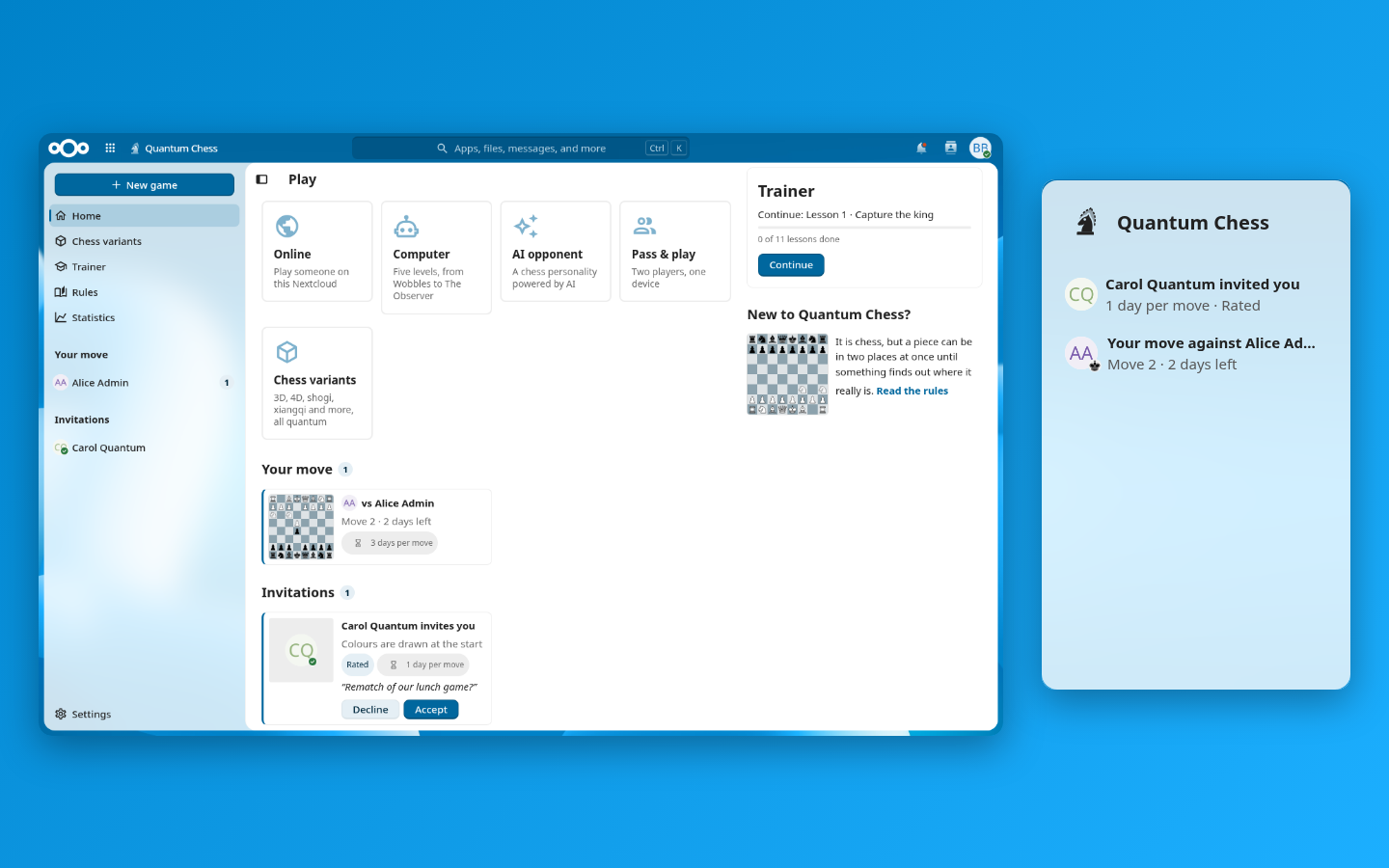
Quantum Chess also adds a widget to your Nextcloud Dashboard with the games where it is your move.
New to Quantum Chess? Click Start the trainer on the Home page. Eleven short interactive lessons teach the essentials in about ten minutes. If you know the rules of ordinary chess, you already know most of the game: the quantum part adds four ideas, explained in How to play.
On Home, choose an opponent:
| Tile | Opponent |
|---|---|
| Online | Someone on your Nextcloud (Playing online) |
| Computer | The built-in computer player, five levels from Wobbles to The Observer |
| AI opponent | A chess personality powered by AI, if your administrator set one up |
| Pass & play | Two players on one device |
| Chess variants | 3D, 4D, shogi, xiangqi and more, all quantum |
To move, click a piece and then its target square. To use a quantum move, choose Split, Merge or Measure as the move type first. Before a move that needs a roll, the game shows the odds; confirm with Play and roll.
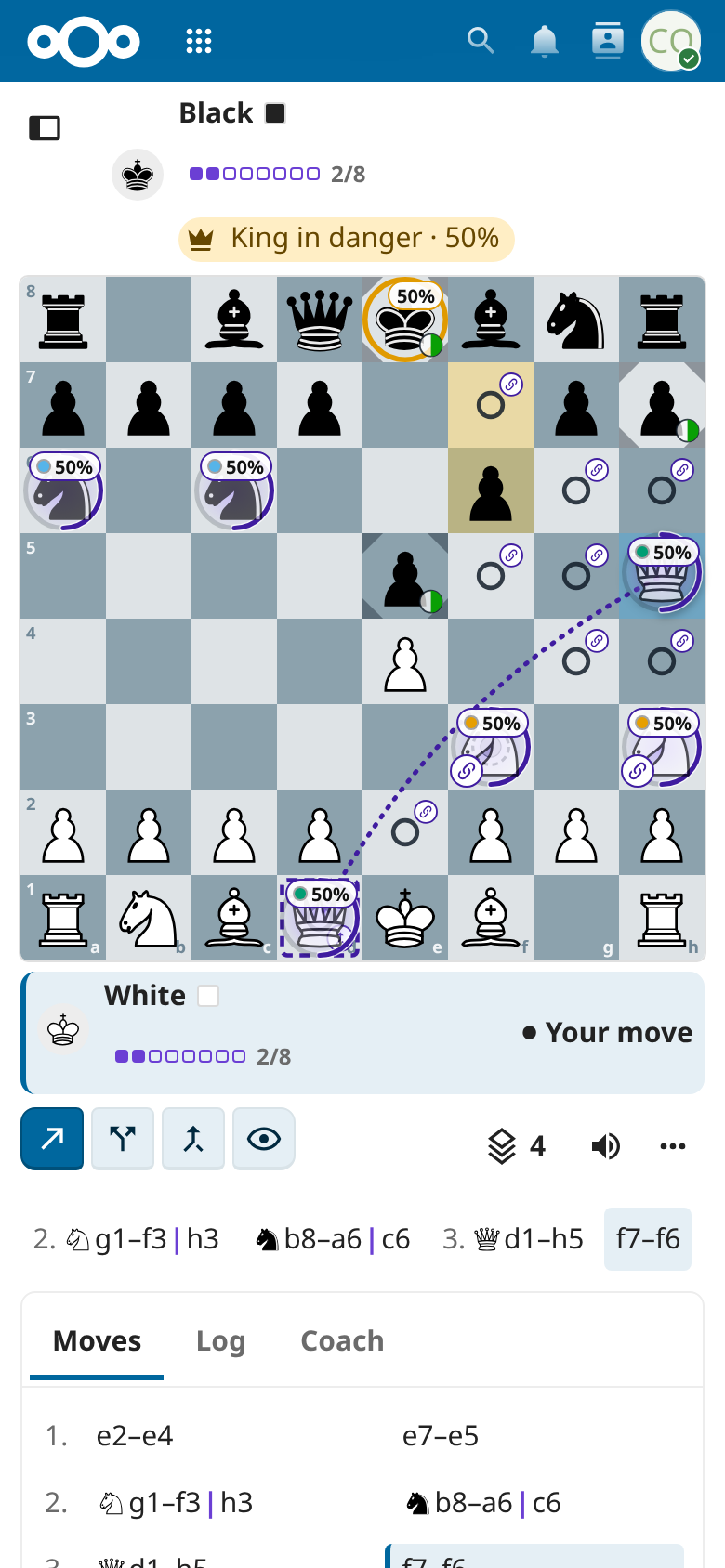
Quantum Chess works on phones, tablets and desktops, in the light, dark and high-contrast themes of Nextcloud, with keyboard and screen-reader support. It speaks English, Dutch, German and French, following your Nextcloud language.