
Play with or without a gamepad
What's new
-
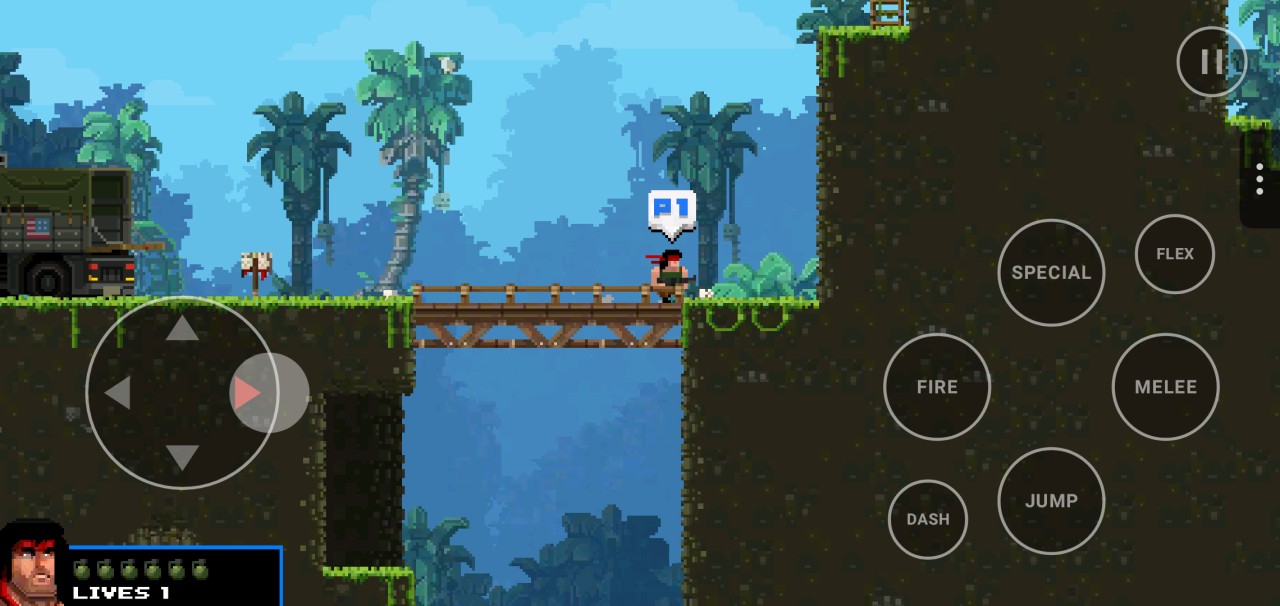
On-screen controls (#27): a floating stick or D-pad, plus Fire, Jump, Special, Melee, Dash, Flex and Pause. They support multitouch, let a finger slide between buttons, and vibrate on press. They work in menus too: the stick moves the selection, Fire confirms and Pause goes back.
-
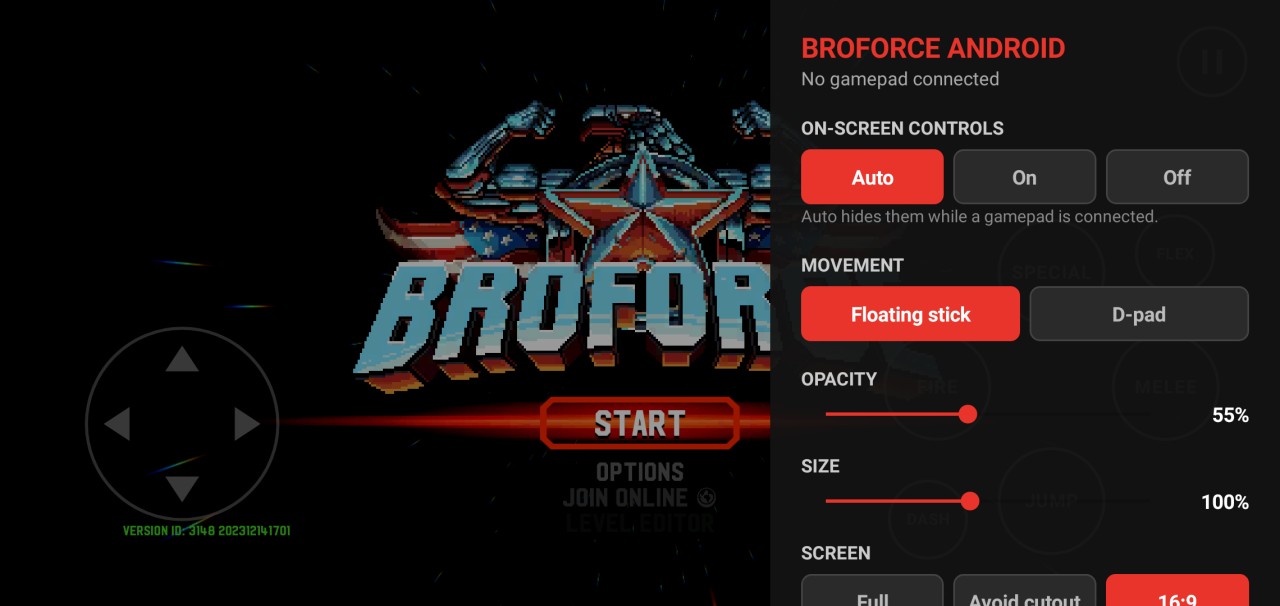
Quick settings (#28): drag or tap the ⋮ tab on the right edge.
- On-screen controls: Auto (hidden while a gamepad is connected), On or Off
- Floating stick or D-pad
- Opacity and size
- Screen: full (under the camera cutout), avoid cutout, or the original 16:9
- Vibration
Settings are saved on the phone.
The overlay is a native Android layer that sends the game's own keyboard keys, so the game itself is unchanged. Details: docs/touch-controls.md.
Tested on a Galaxy S23 (Android 16).
Important
No APK is attached. Build your own from your own Steam copy with ./scripts/build-all.ps1; see the README. Don't share the APK you build.
Next (→ v0.4.0)
Unofficial fan project, not affiliated with or endorsed by Free Lives or Devolver Digital.