Repository navigation
Releases: BkashJEE/hermes-agent-dock
Release list
Hermes Agent Dock v0.4.0

Hermes Agent Dock v0.4.0
Multi-agent operations cockpit: native Hermes Desktop floating dock for direct profile chat, concurrent profile jobs, lifecycle-tracked Kanban assignment, and safe subagent controls.
Highlights
- Direct specialist-profile chat without leaving the active orchestrator
- Concurrent profile jobs with cancellation
- Opt-in Kanban assignment (Assign task)
- Safe subagent lifecycle controls
Install
git clone --branch v0.4.0 --depth 1 https://github.com/BkashJEE/hermes-agent-dock.git
cd hermes-agent-dock
python install.py
Notes
- Verified on Windows 10 + Hermes Desktop
- macOS / Linux: installer is platform-aware; direct release QA still pending
- Community project — not an official Nous Research release
Hermes Agent Dock v0.2.1
Hermes Agent Dock v0.2.1
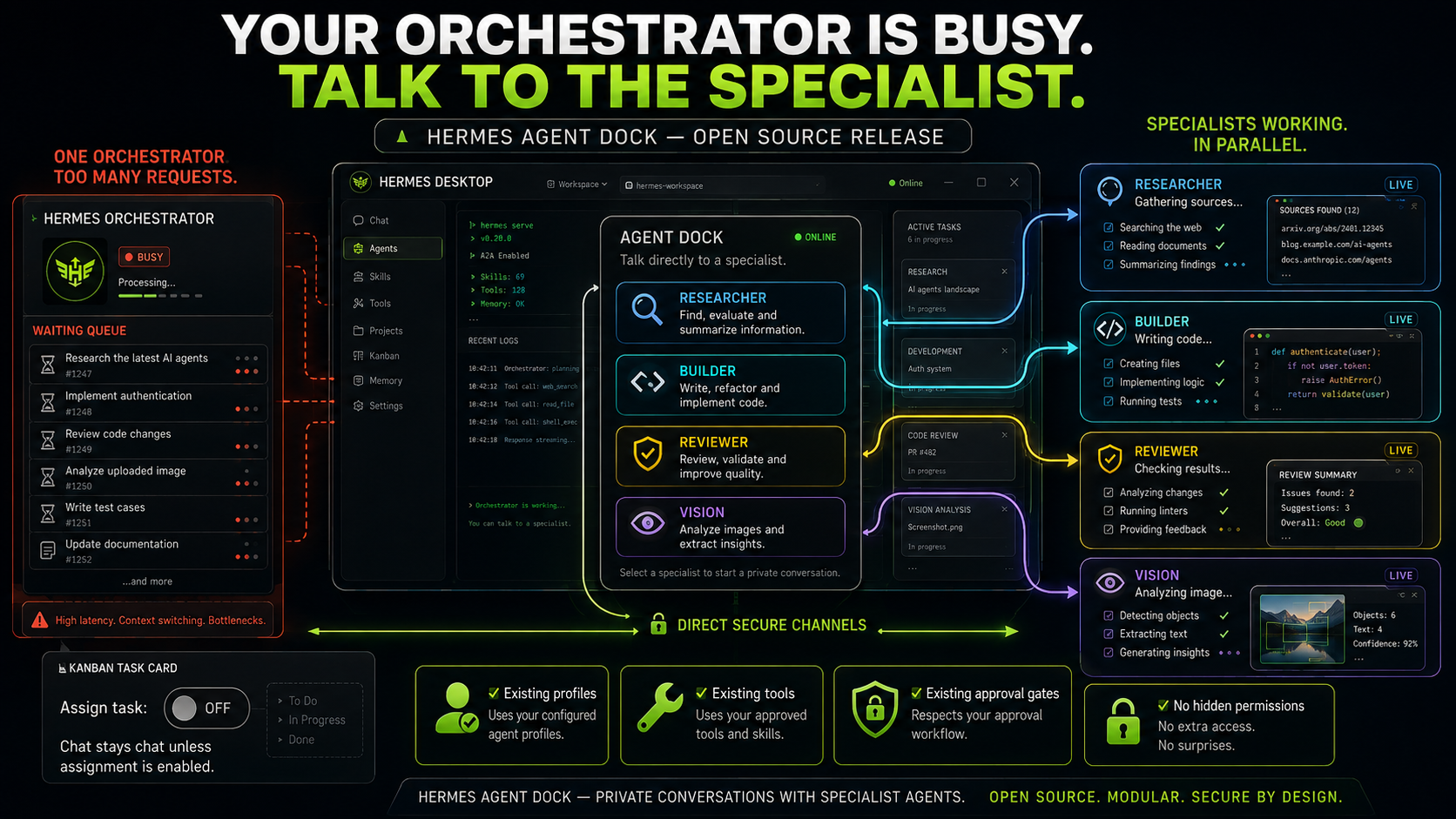
A focused onboarding, privacy, and visual-consistency patch for Hermes Agent Dock.
What changed
- Added the supplied dark Agent Dock workflow illustration as clearly labeled conceptual artwork.
- Added privacy-sanitized real floating and docked product views.
- Expanded onboarding, five-minute setup, first-conversation guidance, full installation instructions, troubleshooting, privacy boundaries, architecture, and source verification.
- Replaced the former multicolor working indicator with one consistent cyan solving orb while preserving motion, reduced-motion behavior, visibility pause, cleanup, DPR limits, sizing, and accessibility.
- Fixed rapid reinstall backup classification for custom Hermes homes nested below a
desktop-pluginsancestor. - Prevented Kanban assignment and settlement errors from exposing private local filesystem paths.
Illustrated installation guide
1. Download and enter the release
Download the v0.2.1 source archive from this release and open a terminal in the extracted hermes-agent-dock folder.
2. Install locally
python install.pyThe installer copies only the reviewed Agent Dock frontend and backend files into the selected Hermes home, preserves an existing installation in a timestamped backup, enables the plugin, and verifies the inventory row.
3. Verify Hermes sees it
hermes plugins list --plain --no-bundledExpected inventory row:
enabled user 0.2.1 hermes-agent-dock
4. Reload Hermes Desktop and open Agent Dock
Use Command Palette → Reload desktop plugins, or restart Hermes Desktop. Open Agent Dock from the floating pet action where supported, the status bar, or the command palette.
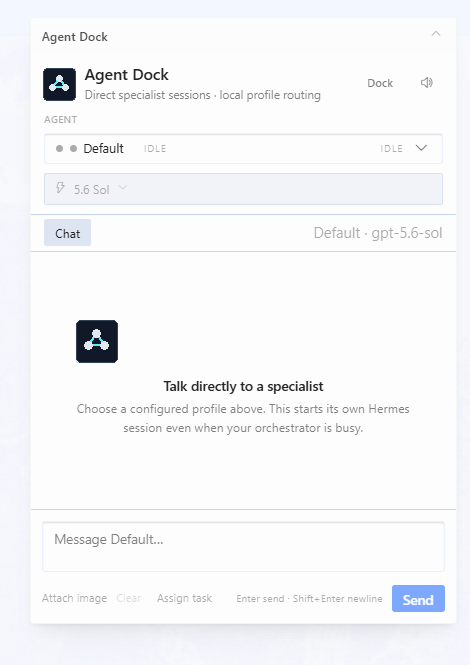
Choose a configured profile and model, then start a direct conversation. Ordinary chat does not create a Kanban task; only the explicit Assign task control does.
5. Choose floating or docked placement
Use Dock to move Agent Dock into the bottom workspace and Undock to restore the floating card. The selected mode persists in plugin-scoped storage.
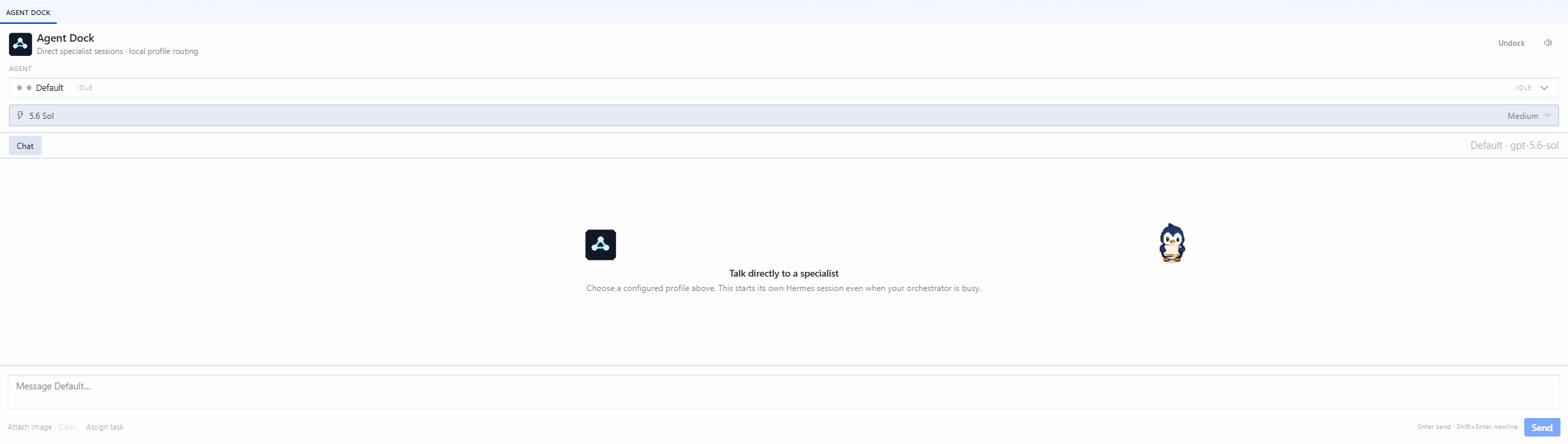
For custom/isolated Hermes homes, uninstall/rollback instructions, privacy details, and troubleshooting, read the tagged README.
Verification
- Python: 51 passed
- Node: 26 passed
- Total: 77 passed, 0 failed
- Python compilation: passed
- JavaScript syntax: passed
- JSON and version parity: passed
- Installer rollback and rapid reinstall probes: passed
- Installed manifest:
0.2.1 - Installed runtime parity: 5/5 files
- Staged local secret-pattern scan: 0 findings
- GitHub secret scanning and push protection: enabled; 0 open secret alerts before publication
Important boundary
Agent Dock preserves channel-scoped live transcripts. In v0.2.1, matching profile names may share profile configuration and durable profile memory, but they do not provide automatic Telegram ↔ Agent Dock conversation resumption. Cross-channel continuity remains future work and is not claimed by this release.
The hero image is conceptual. Its task IDs, counts, code snippets, metrics, and live states are illustrative—not benchmarks or captured production evidence. The two interface images are sanitized real product screenshots.
Hermes Agent Dock v0.2.0
Hermes Agent Dock v0.2.0
Hermes-native direct specialist sessions inside Hermes Desktop.
Highlights
- Opens as a movable native floating card by default.
- Dock moves Agent Dock into the bottom workspace with layout reflow; Undock returns it to floating mode.
- Persists open state, floating/docked mode, and host-owned floating position.
- Supports concurrent profile-scoped agent jobs, cancellation, idempotent retries, and isolated per-profile conversations.
- Adds provider-scoped model selection and Low/Medium/High reasoning effort.
- Adds bounded image attachments with temporary-file cleanup.
- Keeps Kanban creation behind the explicit Assign task action.
- Uses a compact, theme-aware six-color 20 px Rubik/solving working indicator adapted from
thinking-orbs0.2.0. - Registers the public compatibility contribution
pet.actionswhile retaining status-bar and command-palette launchers. - Documents a bounded copy-paste workflow for another Hermes agent to install and verify the exact release without reading or modifying private profile content.
Install
git clone https://github.com/BkashJEE/hermes-agent-dock.git
cd hermes-agent-dock
python install.py
Restart Hermes Desktop once after installation.
Verification
- Python: 48/48
- Node: 26/26
- Total: 74/74
- Python compilation, JavaScript syntax, JSON validation, and diff checks passed.
- Repeat install, backup, source/install hash parity, cache exclusion, reversible uninstall, and injected-failure rollback passed.
- GitHub secret scanning and push protection are enabled; zero open secret alerts were observed before release.
Compatibility limitation
Normal packaged Hermes v0.20.0 does not yet host the separate public pet.actions area. On that build, open Agent Dock through the status-bar button or Command Palette → Toggle Agent Dock. Pet-click activation requires a Hermes host that includes the pet-action core extension.
Native floating panes currently provide movement, collapse, viewport clamping, and position persistence, but not arbitrary resize.