SwitchNOW 1.0.0 - First Public Release

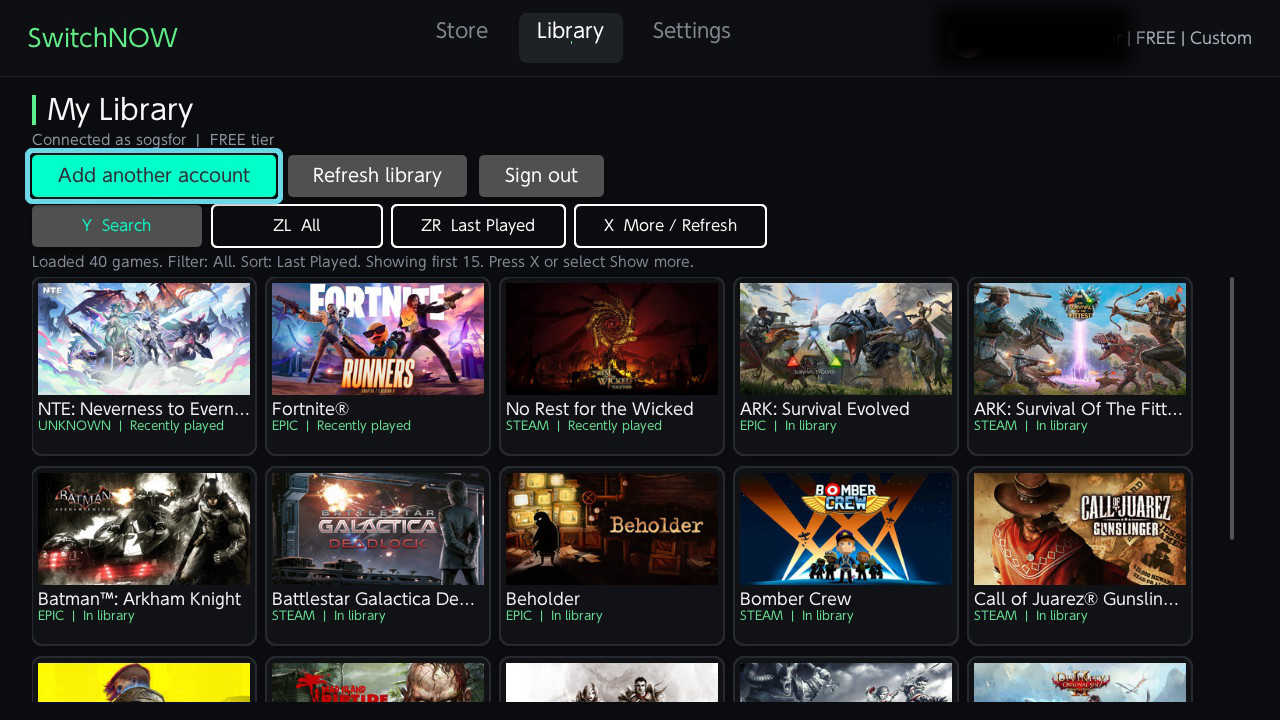
SwitchNOW 1.0.0
The first public release of SwitchNOW, a native GeForce NOW homebrew client for Nintendo Switch.
Highlights
- Native controller-first interface designed for Nintendo Switch and Homebrew Menu.
- GeForce NOW catalog, owned library, game covers, search, sorting and store selection.
- Persistent multi-account sign-in with optional encrypted local credential storage and automatic renewal.
- H.264 streaming at 720p with Tegra X1 NVDEC hardware decoding and software fallback.
- Low-latency WebRTC transport, synchronized Opus audio and configurable stream quality.
- Xbox and Switch ABXY layouts, analog sticks, triggers, touch mouse input and an in-stream keyboard.
- Dynamic launch and queue screen with visible session progress.
- Interface languages: English, Simplified Chinese, Spanish, Russian, Italian, French, Polish and Ukrainian.
- Optional diagnostics and detailed stream, audio, input, authentication and UI logs.
Installation
- Download SwitchNOW-1.0.0.zip.
- Extract the
switchfolder to the root of the SD card. - Start Homebrew Menu in application mode by holding
Rwhile opening an installed game. - Launch SwitchNOW.
The standalone SwitchNOW-1.0.0.nro is also provided for manual installation to sdmc:/switch/SwitchNOW/.
Controls
A: confirm/select.B: back/close.L/R: switch launcher tabs.Y: search on catalog and library screens.X: context action, show more games or save settings.-+Y: open the in-stream keyboard.- Touch screen: move the remote cursor and perform a left click at the touched position.
- Controller mapping can be switched between Xbox-style and Nintendo-style ABXY layouts in Settings.
Requirements
- Nintendo Switch capable of running Homebrew Menu in application mode.
- Working internet connection and a valid NVIDIA GeForce NOW account.
- Games and membership availability depend on the selected GeForce NOW region and account tier.
Downloads
SwitchNOW-1.0.0.zip: recommended SD-card-ready package.SwitchNOW-1.0.0.nro: standalone application binary.SHA256SUMS.txt: integrity hashes for both downloads.
See the README for the complete feature list, settings, controls, build instructions and upstream acknowledgements.