








Mozaiks is an open-source AI app factory for building, running, and iterating on AI-native software products.
It brings together three things that usually live in separate tools:
- Mozaiks Studio for creating apps, continuing builds, and managing them.
- AI workflow orchestration powered by AG2 for planning, tool use, human review, and generation.
- Generated app files with modules, pages, workflows, config, and brand assets that Mozaiks validates before making active.
The goal is not to generate a throwaway demo. Mozaiks stages production-shaped artifacts, validates them against strict contracts, and keeps runtime concerns separate from builder workflows.
Every Mozaiks app begins with one Genesis Build: the first complete journey from product intent to a staged, validated app. It establishes the app's first canonical artifact lineage.
Every later change is a Refinement Run. Mozaiks starts from the app's current artifacts and history, determines what the request affects, and re-enters only the parts of the build needed to stage a safe new version for review. A small copy fix and a major product rethink are both Refinement Runs; their scope and route are different, but neither discards the app's lineage.
Internally, the Refinement Engine classifies and routes Refinement Runs. Genesis Build and Refinement Run are the product-facing lifecycle terms.
Five steps from a checkout to your first app in Studio.
- Python 3.11+
- Node.js 18+
- A reachable MongoDB database for workspace state
Docker Desktop is not required; use MongoDB Atlas, a local MongoDB install, or Docker only if that is how you prefer to run MongoDB.
Mozaiks is not published as a public PyPI package yet. Install it from a local checkout in editable mode:
python -m pip install -e ".[dev]"Studio stores workspace state in MongoDB, so configure it before opening Studio:
# Local MongoDB
$env:MONGO_URI="mongodb://localhost:27017/mozaiks"

# Or MongoDB Atlas
$env:MONGO_URI="<your MongoDB connection string>"Builds call an LLM, but you do not need to begin with a paid provider. The default example uses Google Gemini because the Gemini API offers a free tier (current pricing and limits):
$env:GEMINI_API_KEY="your-key-here"Mozaiks is not tied to Gemini. OpenAI and Anthropic work too — set
OPENAI_API_KEY or ANTHROPIC_API_KEY instead and select the provider in
Studio or via --provider. Each provider sets its own pricing and usage
limits.
python -m mozaiks quickstart --dir .\mozaiks-workspaceThis creates .\mozaiks-workspace and starts the local Studio.
.\mozaiks-workspace is the local workspace folder Mozaiks uses for generated
output, config, and launch scripts. It is not the app itself. The app is
created later from inside Studio.
Open http://localhost:3000/apps and click Create App, then describe what you
want to build. The workflow walks you through the build steps and stages the
generated artifacts for review. In-progress builds stay in Apps, so you can
always pick up where you left off.
After promotion, describe any later change to start a Refinement Run against the app you already have. See Genesis Builds and Refinement Runs for examples ranging from a typo fix to a major product rethink.
If setup fails, check three things first: use python -m mozaiks if the
mozaiks command is unavailable, make sure MONGO_URI points to a reachable
MongoDB instance, and set an LLM API key before running builds.
| Guide | What it covers |
|---|---|
| Use Studio | The workspace and app-dashboard pages |
| Genesis Builds and Refinement Runs | Create the first version, then make safe changes without starting over |
| Add a Workflow | Extend an app with a custom AI workflow |
| Add a Module | Add a self-contained backend capability |
| Add a Page | Add new pages and routes to your app workspace |
| Config Files | Find the right file to edit |
| Integrations | Connect shared services once and let apps declare what they need |
| App Shell & Branding | Themes, navigation, logos, and shell behavior |
| Self-Hosting | Run Mozaiks on your own server |
Want to contribute? See the Contributing guide.
Generation is the visible part. What makes the generated output worth keeping is the runtime underneath it, which is the same runtime whether an app was generated or hand-written.
The pattern almost every SaaS rebuilds by hand. In Mozaiks it is a runtime primitive: a module action names a capability, and the executor checks it before dispatch.
# modules/reports/module.yaml
actions:
  - id: export_report
    description: Export the current report as CSV
    handler_method: export_report
    entitlement_gate: reports.export    # checked before the handler runs
app/config/subscriptions.yaml declares which plans grant reports.export.
Apps with no subscriptions get NoOpEntitlementAdapter and are entirely
unaffected. Enforcement fails closed: an adapter that errors denies rather than
grants.
Infrastructure sits behind protocols the runtime declares and never implements for you:
| Port | Contract | Ships with |
|---|---|---|
EntitlementPort |
is this capability granted for this scope? | no-op + config-driven adapters |
ArtifactStore |
read/write named artifact blobs | local filesystem + S3 |
AppBackendPort |
runtime to backend request/emit/health | generic HTTP adapter |
SandboxPort |
isolated execution sessions | Docker adapter |
SslProviderPort |
certificate provisioning | protocol only |
Swap any of them for your own without forking the runtime.
Every canonical YAML shape - modules, actions, events, reactions, pages, workflows, data contracts - is backed by a strict typed model and validated before it becomes active. A contract that cannot be generated repeatably and validated deterministically is not treated as a contract.
The workflow queue uses leases with fencing tokens, bounded retry, and dead-lettering, so a worker dying mid-run does not strand or duplicate work. Module dispatch requires an explicit authority object rather than trusting the caller. Tenant isolation goes through one canonical scope filter instead of each query hand-rolling its own.
Generated apps are provider-neutral and self-hostable: a Dockerfile, a compose file, an env manifest, and staged data-contract migrations. Nothing requires BlocUnited's hosted platform to run.
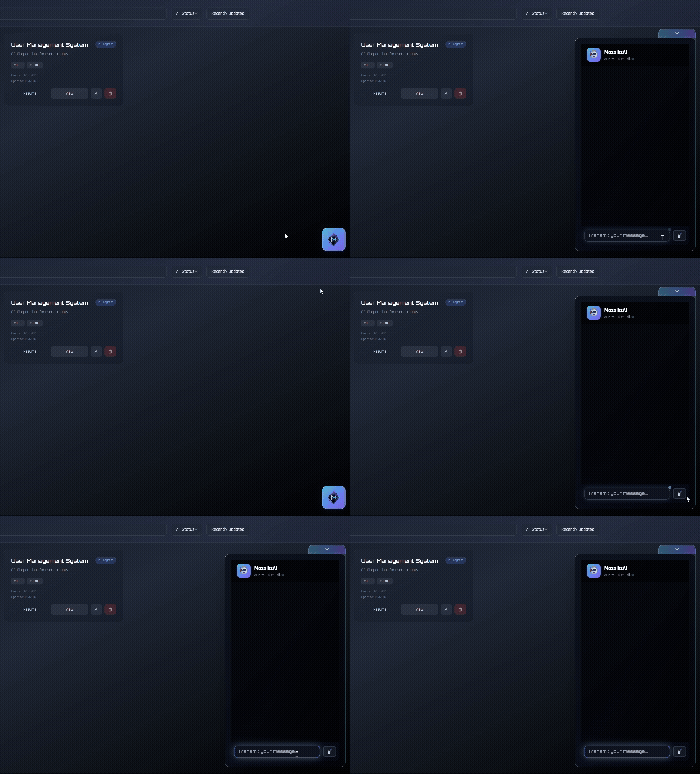
Drop a floating assistant anywhere in your app — click the button to expand/collapse the chat interface
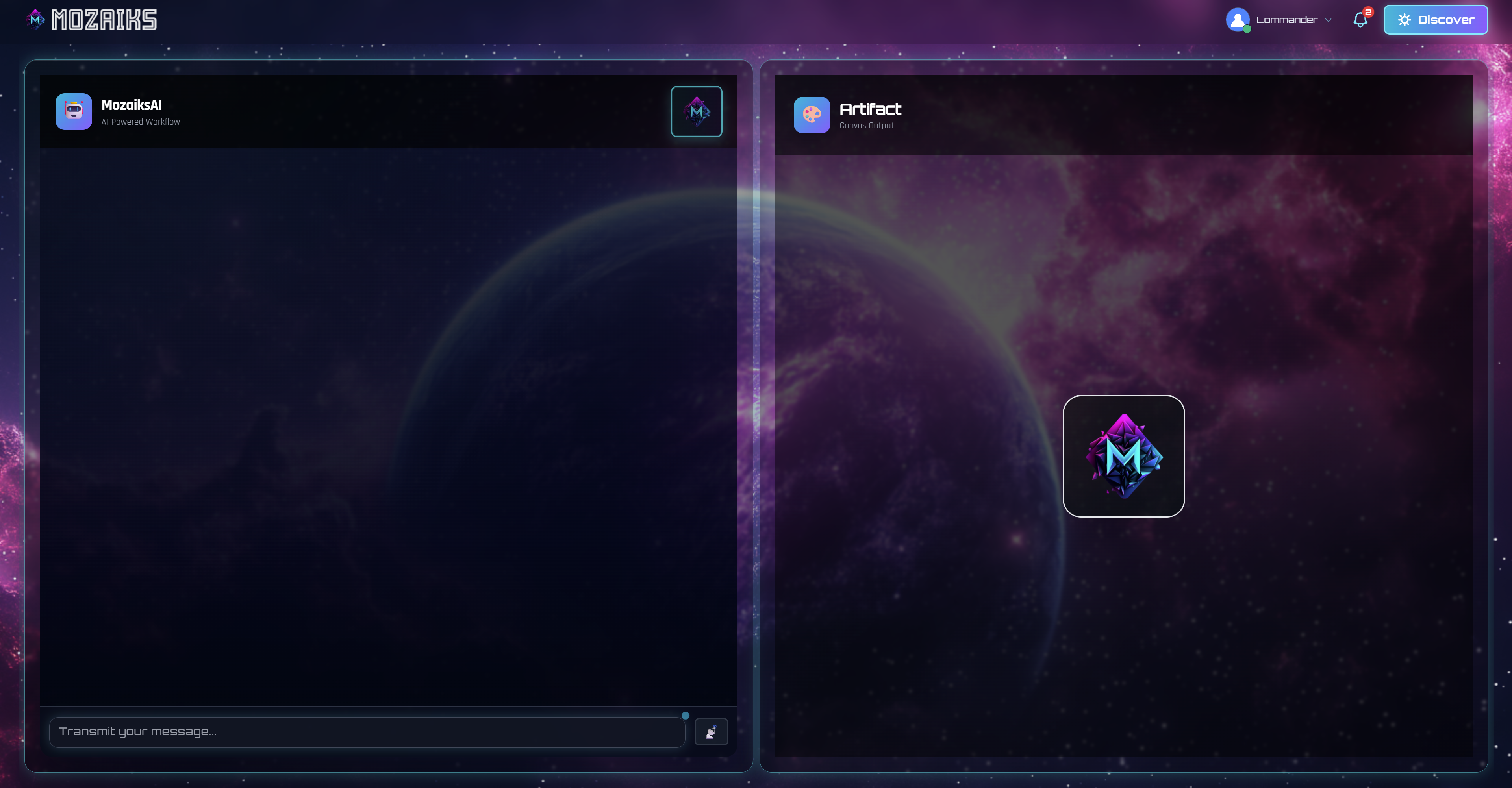
| Workflow Mode | Ask Mode |
|---|---|
 |
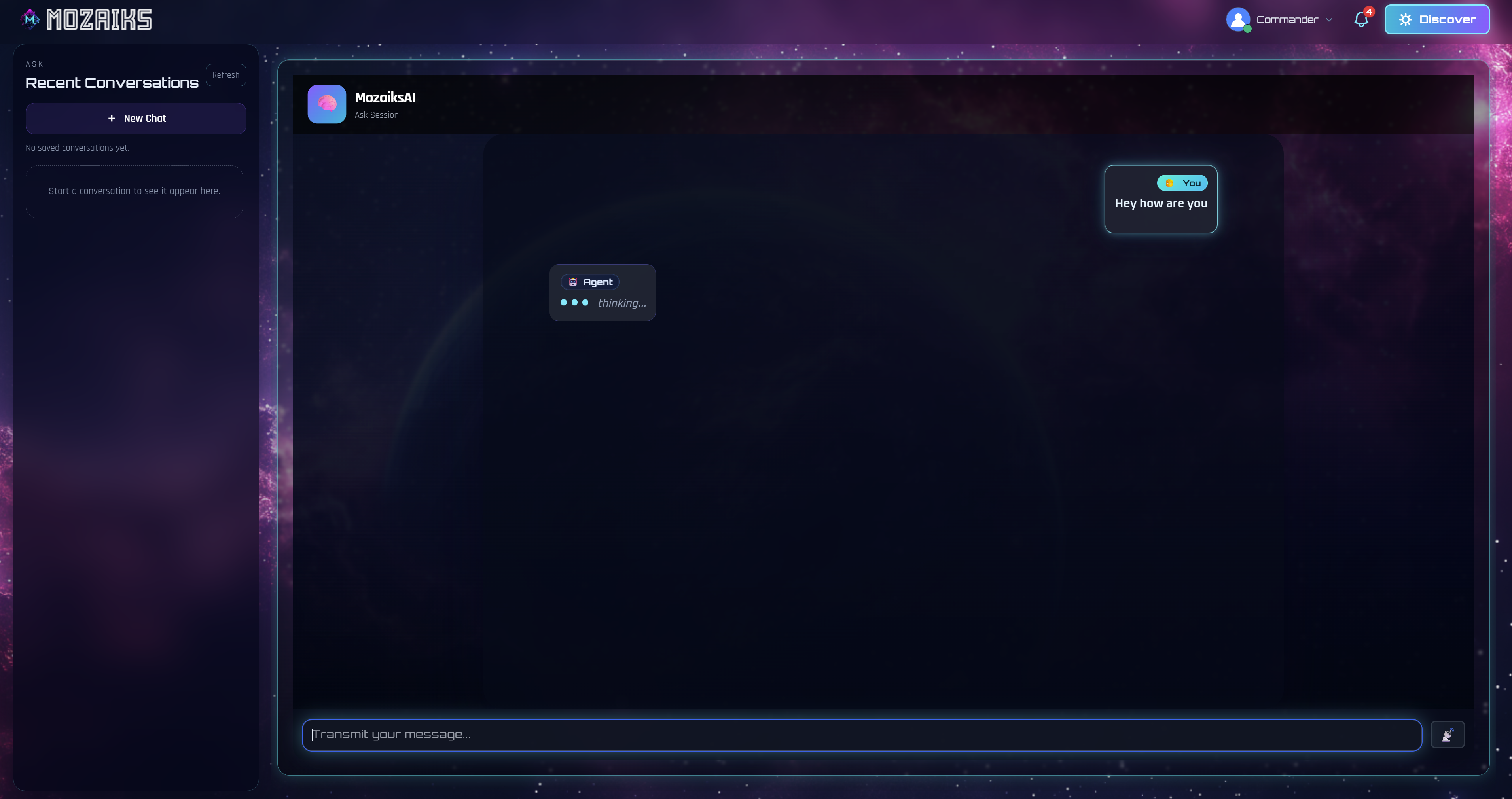 |
| Chat + Artifact split view | Full chat with history sidebar |
- Architecture Overview — System design and component model
- Getting Started — Full setup guide
- Releasing — Release hold and future publish workflow
- Workflow Routing Transitions — Flagship orchestration capability and runtime semantics
- Workflow Authoring Contracts — Canonical strict YAML contract
- Contributing — Development workflow
Build the docs locally with pip install -r requirements-docs.txt and ./scripts/build-docs.ps1.
Fork, branch, install development dependencies with pip install -e ".[dev]",
make a focused change, run the relevant tests, and open a pull request.
Documentation, most tests, and many CLI changes don't need MongoDB, Node.js,
or an LLM API key. See CONTRIBUTING.md for the full path.
Looking for a first issue? Start with good first issue — comment on one to claim it before you start, so two people do not build the same fix.
Using an AI coding agent? Welcome — read the AI Policy first. It is short, and it applies to maintainers and their agents on the same terms.
Questions, or want to talk through an approach before writing code? Join us on Discord.
Everyone who reports bugs, writes docs, reviews code, or ships fixes belongs on this wall.
This project follows the Code of Conduct.
MIT. See LICENSE.