BitPurfect 1.0

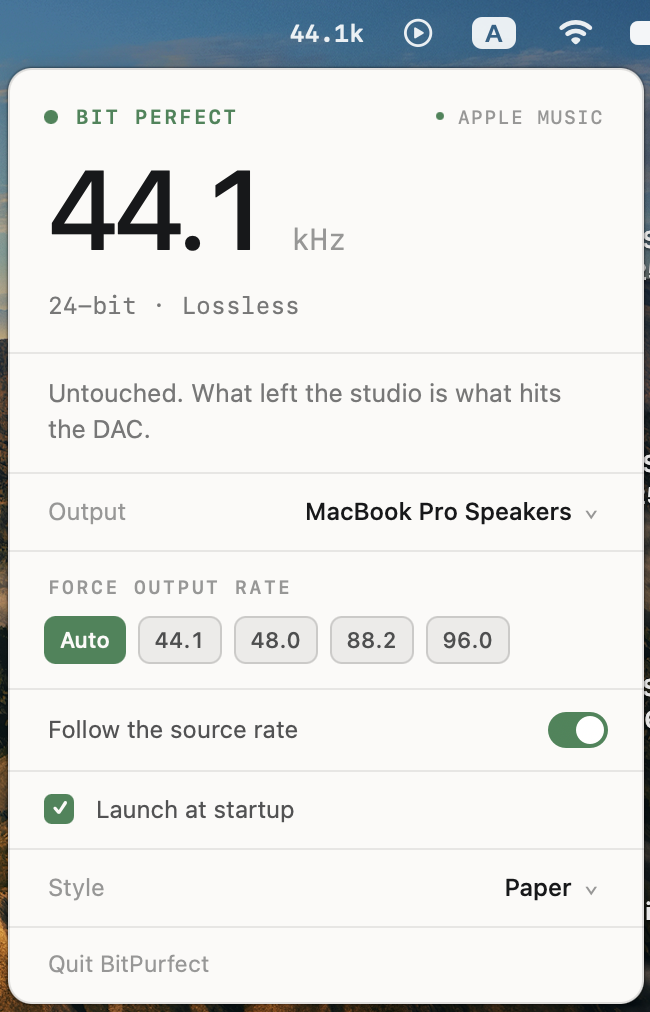
Keeps your DAC on the same sample rate as whatever Apple Music is playing — and stops it clicking between tracks.
Anti-pop, for sensitive IEMs
If you use efficient IEMs on an outboard DAC, you know the click when the music pauses or a track ends. That's the DAC powering its output stage back up after going idle — the relay closing, charge pumps spinning up — and the more sensitive your IEMs, the more of it you hear.
BitPurfect holds a silent stream open so the DAC never falls asleep. While music plays it writes exact digital zeros, so a bit-perfect path stays bit perfect; only when idle does it write dither at roughly -120 dBFS, for DACs that listen for digital silence rather than an idle USB stream. Wired external DACs only — the built-in jack, Bluetooth and AirPlay are skipped.
It cannot remove the click some DACs make when re-locking to a new sample rate; that's inherent to following the source. If yours does that and you'd rather have silence than bit-perfect playback, pin a rate with Force output rate.
Also in this release
- Follows the source rate: 44.1 / 48 / 88.2 / 96 / 176.4 / 192 kHz and beyond
- Picks an integer ratio when it can't match exactly — 176.4 kHz on a 96 kHz-max DAC goes to 88.2 kHz (clean 2:1), not the numerically closer 96 kHz
- Puts the rate back if Audio MIDI Setup or another app changes it
- Says plainly when playback isn't bit perfect, and why
- Four themes, including Liquid Glass on macOS 26+
- Launch at login
Install
macOS will block this on first launch: it's signed with an anonymous (ad-hoc) signature and not notarized.
- Drag BitPurfect to Applications and double-click it. macOS refuses.
- Open System Settings → Privacy & Security, scroll to the message about BitPurfect, click Open Anyway, confirm.
Recent macOS removed the right-click → Open shortcut, so that's the only route. From a terminal instead:
xattr -d com.apple.quarantine /Applications/BitPurfect.app
Nothing leaves your machine — no network access, no analytics, no accounts.
Requirements
- Apple Silicon Mac. arm64 only; a universal build needs full Xcode (see the README for why)
- Apple Music with Lossless enabled (Settings → Playback → Audio Quality)
- No admin account needed
Known limitations
- Verified on macOS 27.0 only. Detection reads a Core Audio log line whose wording Apple could change in any release. Nothing below 27 has been tested.
- Lossy streams report no rate at all — only the lossless decoder logs one — and the panel says so rather than guessing.