Releases: CAOShurong/coldshelf
Release list
ColdShelf v0.1.7

What's Changed
- Fix version-agnostic installation verification by @CAOShurong in #16
Full Changelog: v0.1.6...v0.1.7
Contributors

Assets 11
ColdShelf v0.1.6
What's Changed
- Import and merge ColdShelf catalogs safely by @CAOShurong in #14
Full Changelog: v0.1.5...v0.1.6
Contributors
Assets 11
ColdShelf v0.1.5
What's Changed
- Add reproducible million-entry catalog benchmark by @CAOShurong in #13
Full Changelog: v0.1.4...v0.1.5
Contributors
Assets 11
ColdShelf v0.1.4
What's Changed
- Fix deterministic release timestamps by @CAOShurong in #12
Full Changelog: v0.1.3...v0.1.4
Contributors
Assets 11
ColdShelf v0.1.3
What's Changed
- Make browser launch explicit for server commands by @CAOShurong in #10
- Prepare ColdShelf 0.1.3 by @CAOShurong in #11
Full Changelog: v0.1.2...v0.1.3
Contributors
Assets 11
ColdShelf v0.1.2
What's Changed
- security: make scan path boundary explicit by @CAOShurong in #4
- ui: add accessible copy-path action by @CAOShurong in #8
- docs: prepare v0.1.2 release by @CAOShurong in #9
Full Changelog: v0.1.1...v0.1.2
Contributors
Assets 11
ColdShelf v0.1.1
ColdShelf 0.1.1 is a packaging-integrity maintenance release. Use this build
for the latest verified downloads; application behavior and the catalog format
are unchanged from 0.1.0.
What changed
- The SPDX SBOM now inventories the modules compiled into the packaged Linux
binary instead of describing only the release directory. - Release automation now fails closed unless the inventory contains the Go
standard library, SQLite runtime, and QR-code library. - All six Windows, macOS, and Linux archives were rebuilt from the v0.1.1 tag
with fresh SHA-256 checksums and GitHub build attestations.
The published SBOM contains 12 packages and was independently checked after
download. The Windows AMD64 archive was also downloaded into a fresh directory,
checksum-verified, and exercised through version reporting, demo creation, and
offline search.
For the project overview, screenshots, and quick start, see the
v0.1.0 launch notes
or the README.
ColdShelf v0.1.0
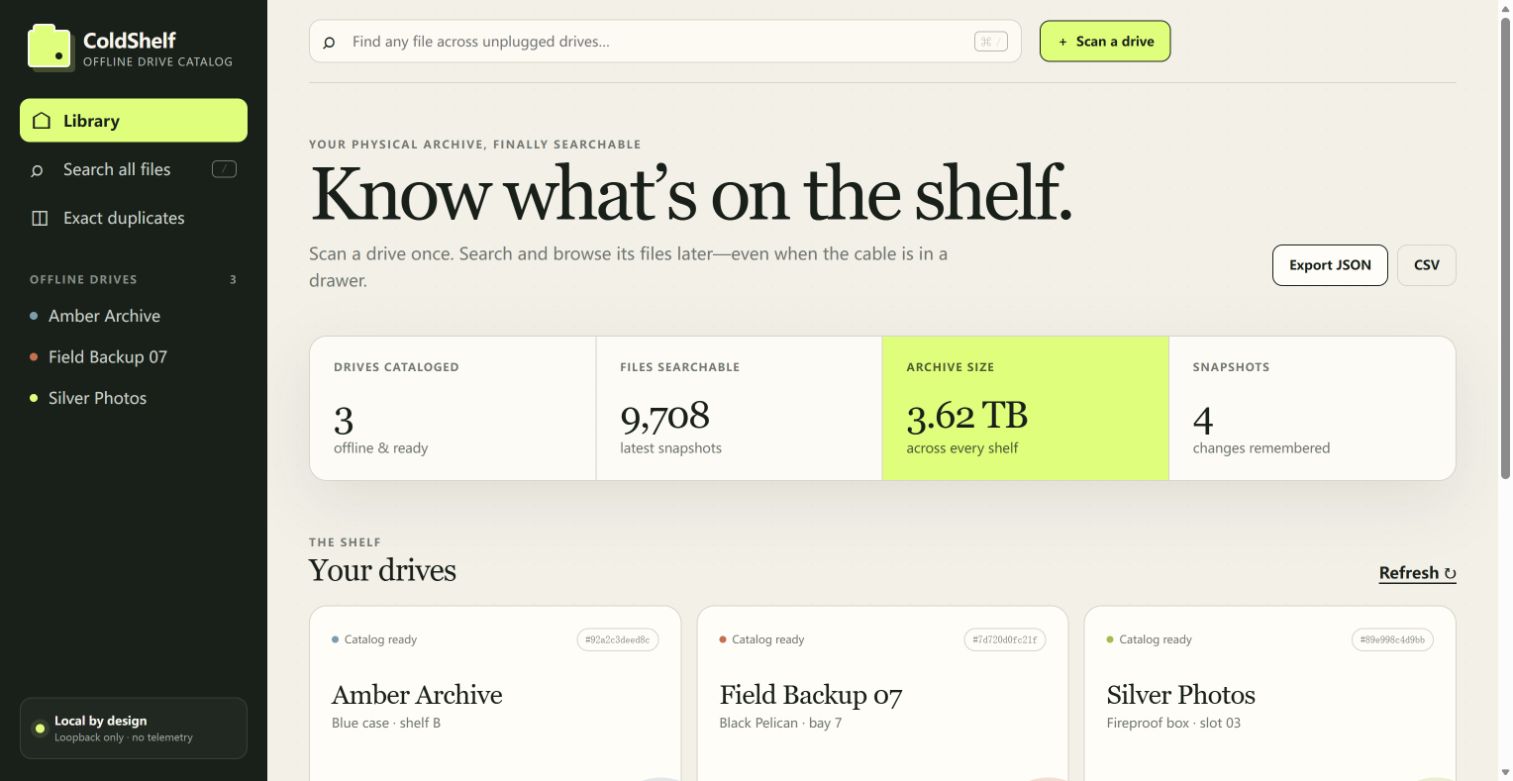
ColdShelf answers a very ordinary, very annoying question: which unplugged drive contains that file? It catalogs drive metadata once, then lets you search and browse the catalog while every drive is back on the shelf.
Highlights
- Scan folders and removable drives read-only; ColdShelf never moves, renames, or deletes source files.
- Search file names and paths offline through an embedded SQLite/FTS5 catalog.
- Browse drive contents, compare snapshots, and see additions, removals, and changes.
- Choose metadata-only, quick fingerprints, or complete SHA-256 hashes. Exact duplicate results require complete hashes.
- Give physical drives stable IDs, shelf/location notes, tags, and printable QR labels.
- Import Everything
.efucatalogs and export JSON or CSV. - Run as one cross-platform binary with an embedded local web interface, bound to loopback by default.
Quick start
coldshelf demo --serveOr catalog a real drive:
coldshelf scan "E:\" --name "Blue Archive" --hash quick
coldshelf serve --open
Downloads
Choose the archive matching Windows, macOS, or Linux and either AMD64 (most Intel/AMD computers) or ARM64. Every archive includes the executable, installation guide, security notes, license, and third-party notices. Verify downloads with SHA256SUMS; GitHub build attestations are also published.
This is the first public release. Feedback from people managing offline drives, photo/video archives, field backups, and cold storage is especially useful.