Repository navigation
Home
https://trello.com/b/2kscbv2A/team-3-vr-escape-room
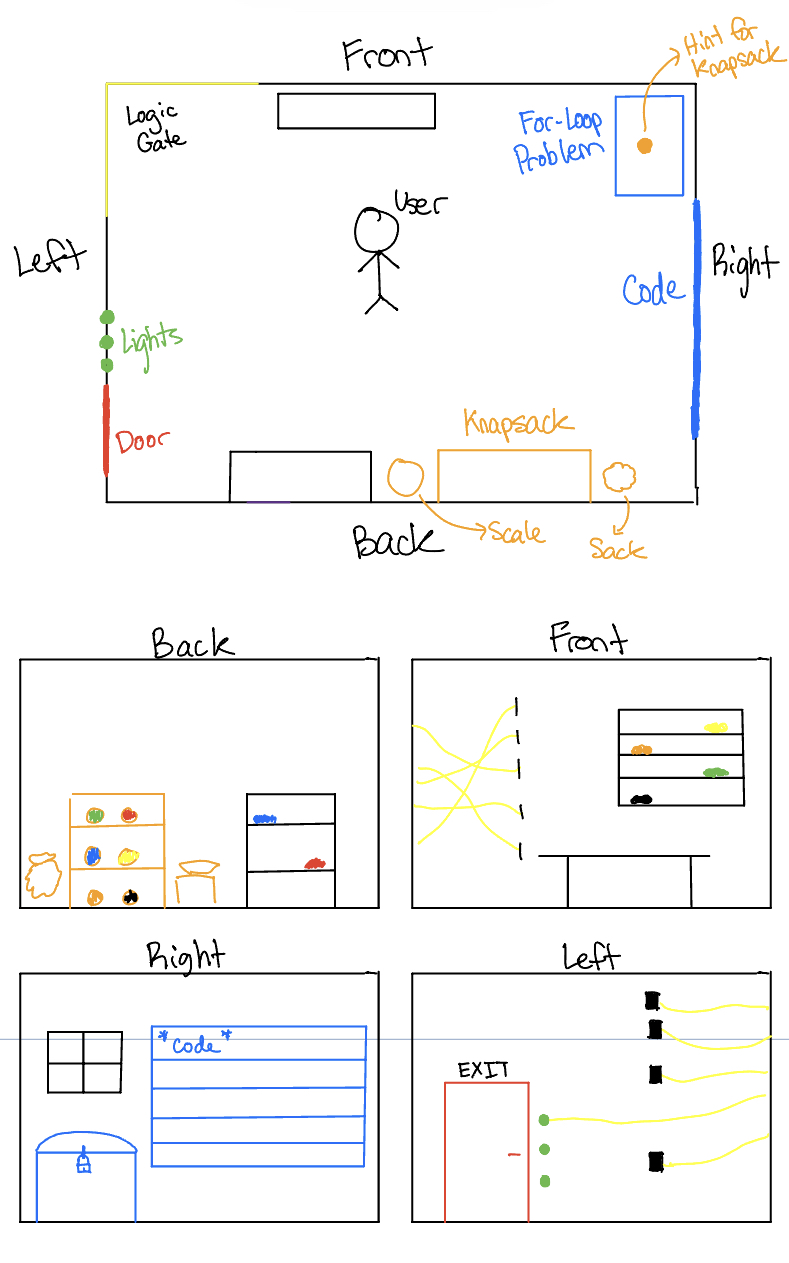
In our project, we are using Villanova’s CAVE Automatic Virtual Environment (CAVE) with the help of Dr. Klassner and Andrew Grace. We are using these tools to create a unique application that users can turn on and experience in a quick and easy way. The application that we plan to create is a 3-dimensional game-like application that allows its users to traverse around a room to solve puzzles with the goal of escaping. In this project, we are using Vizard 7, a Python-based engine that allows us to create an immersive and interactable environment for the user to experience.
- Download Vizard 7 https://www.worldviz.com/releases/vizard-7
- Download the files from the GitHub
- Run EscapeRoom.py
- Try to escape
10 story points per week
| Test | Passing or Failing |
|---|---|
| Collision of an object that is picked up and an object in the scene | Passing we just allow the user to pick up multiple objects at once |
| Knapsack problem | Passing |
| Logic gate problem | Passing |
| For loop problem | Passing |
| Door opening after all problems are solved | Passing |
| Ability to keep objects in the room | Passing |
| Interaction ball changes colors when it is able to pick up an object | Failing |
| Movement in the room | Passing |
| Ability to pick up objects | Passing |
| Gravity on objects | Passing |
We had seven students and one faculty member volunteer twenty minutes of their time t0 alpha test our application in the CAVE. During this time they were able to interact with the current release of our project while we were there to guiding them along so that we can test and gather feedback about our project. The feedback we gathered is listed below:
- Controls are not very intuitive regarding the ball and the joystick movement
- Crashes very easily when the objects collide when items are put inside other items and lag
- Instructions aren’t very clear and it was hard for people to find where to put the code blocks - make the slots on the wall more prominent
- Can’t click on the boxes to show weights and values – addressed by adding posters to the wall
- Need to add reset buttons or stop things from falling through the wall or have objects teleport back into the room if they fall out of it
- Look into getting sharper less blurry textures on objects in the room
- Add collisions to the chest in the back right corner
- I don’t think people would be able to find where the colored knapsack cubes are supposed to go for the solution if there was no pink cube sitting on the table initially (which there won't be) so maybe putting the poster with the weights and values or just the values and floating the weights above the textures.
- Have the dot change color when you are able to pick up an object
- Stop the dot from going through the floor and walls