Building on Linux
The procedure to build under Linux is:
-
Download and unzip the VMMenu files
-
Download the iniparser files from https://github.com/ndevilla/iniparser
-
For the ZVG build, download the Linux ZVG SDK files from https://github.com/ChadsArcade/zvg-linux
-
Copy the dictionary and iniparser .h and .c files into the VMMenu/iniparser directory
-
Copy the ZVG files from the inc and shared folders into the VMMenu/Linux/zvg directory
The Linux menu is built against SDL2, you will need the SDL Lib2-dev and mixer files:
sudo apt install libsdl2-dev
sudo apt install libsdl2-mixer-2.0-0 libsdl2-mixer-dev
For the ZVG build, run:
make target=linux clean
make target=linux
For the USB-DVG build, run:
make target=linuxdvgThis will create the vmmenu file in the current directory
Optionally you can install upx and use the compile.sh script in the VMMenu/Linux directory to compile and compress the resulting vmmenu file.
This works even on a Raspberry Pi... you won't be able to hook up a ZVG board to a Pi... but you can develop and test the code and simulate how it will look on a vector monitor. The screen output will be rendered to the computer monitor if a vector board is not detected.
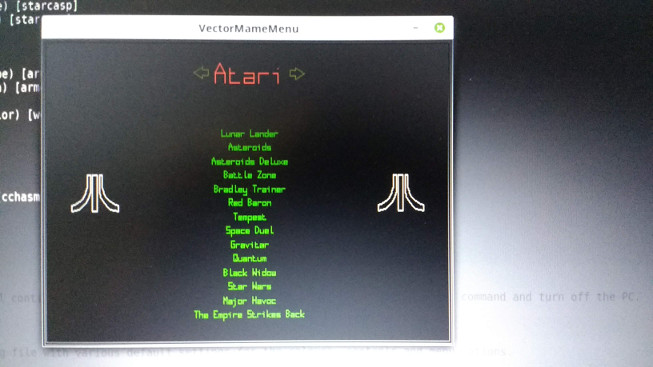
The menu will run under console mode, but if you want to see the graphical output on the computer screen you may need to recompile SDL. I found this to be necessary on a Raspberry Pi 4, as the bundled SDL is compiled without framebuffer support.
By default, SDL2 for the Pi does not have KMS DRM enabled, I had to remove SDL2 and compile from source, using: Check you have the necessary pre-reqs:
sudo apt install libdrm-dev libgbm-dev
Then run:
./configure --enable-video-kmsdrm --disable-video-opengl
make -j4 && sudo make install
This builds SDL2 with framebuffer support.
You also need to run raspi-config, and under the advanced/video option ensure that the KMS driver is selected.
ZVG Port variable:
Linux doesn't support parallel port DMA so requires a different environment variable to DOS:
ZVGPORT=P{port} M{monitor type}
Port is usually 378 - check your BIOS.
Monitor type is made up of a combination of 5 bits:
0x01 flip the display in the X direction
0x02 flip the display in the Y direction
0x04 if set, handle the spot killer
0x08 if set, mix colors down to B&W
0x10 if set, no overscanning is allowed (1024x768 max clip)
e.g. M4 = standard colour monitor with spot killer, M12=standard B&W monitor with spot killer
e.g. export ZVGPORT="P378 M4"
For keyboard LED support (often used to flash the start buttons) you will need to run the menu as root. Optionally, run:
sudo make target=linux install
which will set the suid bit and change the owner of the file.