Home

Welcome to the repository of CMJF Supermarket's Inventory System. This project is written in Java using the Swing GUI Framework. This project is initialized and accomplished as our final project in Computer Programming 2 (COMP3).
CMJF Supermarket is a mid-sized supermarket that consists of several branch managers (Administrators), deliverymen (Background Staff), and cashier employees (Sales).
The diagram below illustrates the overall structure of the system:
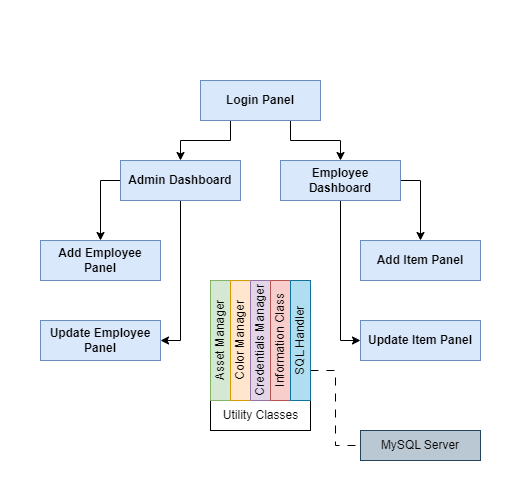
The program uses only one JFrame instance (called main_frame) and is composed of several JPanels to be set as the active content pane of the main_frame instance. The hierarchy of the JPanels are as follows:
- Login
- Admin Dashboard
- Add Employee Panel
- Update Employee Panel
- Employee Dashboard
- Add Item Panel
- Update Item Panel
- Admin Dashboard
These panels use “utility classes” that helps the developers write less code. The utility classes present in the system are enumerated below:
- Asset Manager
- Color Manager
- Credentials Manager
- Information Class
- SQL Handler
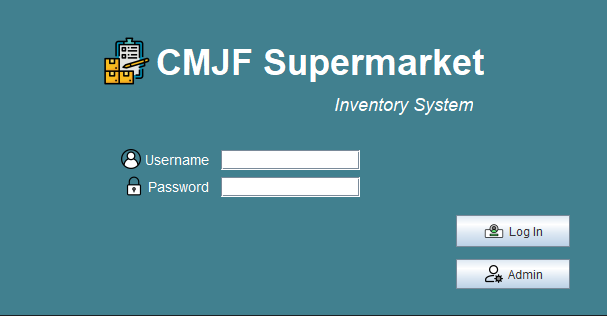
- Filename:
LoginPanel.java
This panel is the first panel that is exposed to the end-user when the program is executed. The panel provides two input fields for the username and password, and two buttons for employee and administrator login. All employees can access only the employee dashboard which allows them to add and modify item stocks, price and general information, while administrators are allowed to access the administrator dashboard. The said dashboard allows the user to add new user accounts and update user information.
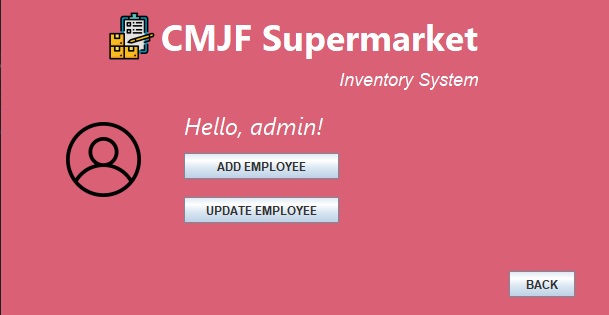
- Filename:
DashboardAdmin.java
This panel acts as the landing page of the administrator dashboard. It consists of a simple greeting message with the template Hello, <first name>!, together with the user's profile picture (if set). In this panel, three buttons are available which will redirect the program to their respective panels: Add, update, and back.
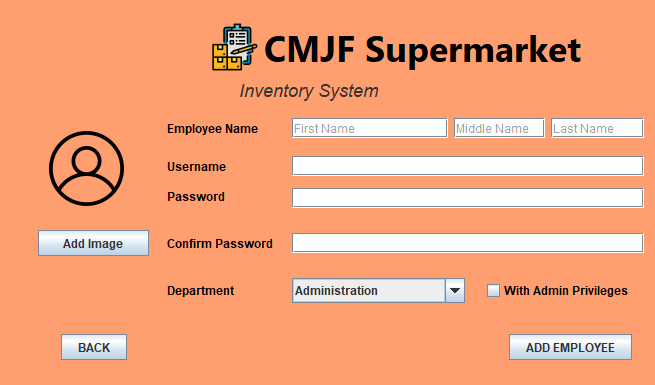
- Filename:
EmployeeAdd.java
This panel allows the administrator to add a new user account. The full name is divided into three atomic attributes, namely first, middle (optional), and last name. The username must be 3 or more characters in length, and the password must be 8 or more characters in length as a security policy. The user is also asked to re-enter the password into a second password field to ensure the correctness of the input. The available departments in the ComboBox is retrieved from the Departments table of the database, and the administrator also has the power to make the new user an admin.
- Filename:
EmployeeUpdate.java
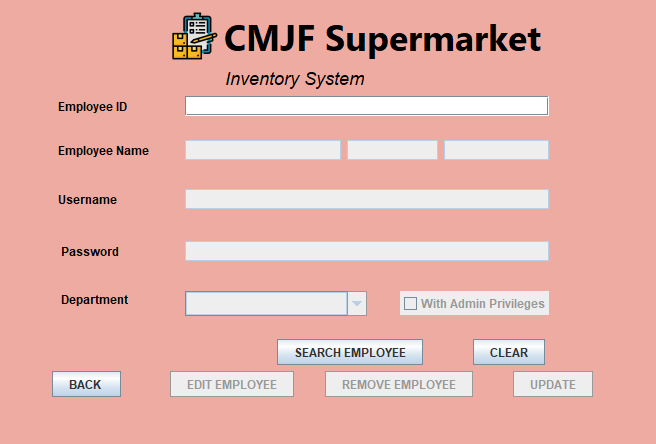
This panel allows the administrator to update information of existing user accounts. It essentially has the same functionality as the add employee panel, with the addition of a search bar to search for user accounts by employee ID.
- Filename:
ItemDashboard.java
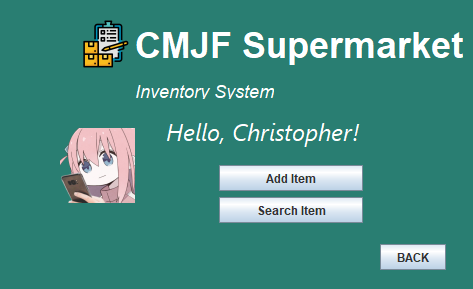
This panel-- like the Admin Dashboard, acts as the landing page of the employee dashboard. It consists of a simple greeting message with the template Hello, <first name>!, together with the user's profile picture (if set). In this panel, three buttons are available which will redirect the program to their respective panels: Add, search (and update), and back.
- Filename:
ItemAdd.java
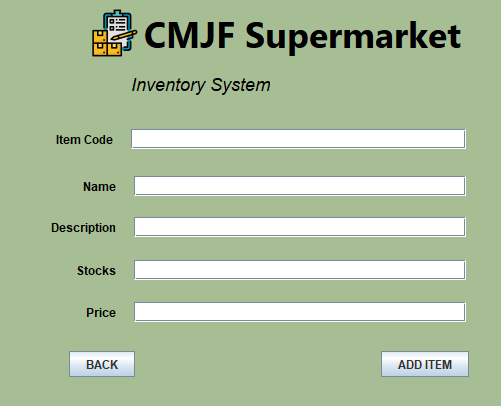
This panel allows the user to add a new item to the database. The item code can be any combinations of alphanumeric character up to 20 characters in length.
- Filename:
ItemUpdate.java
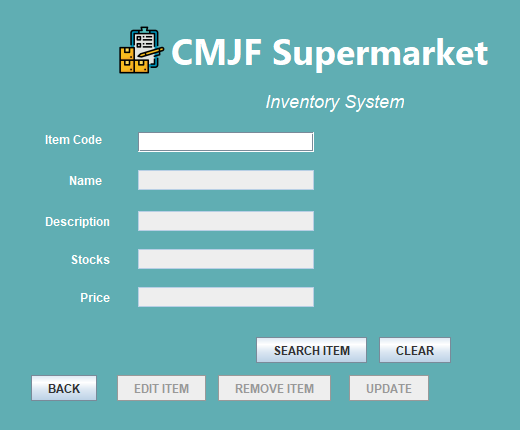
This panel allows the employees to update information of existing items in the database. It essentially has the same functionality as the add item panel.
- Filename:
AssetManager.java
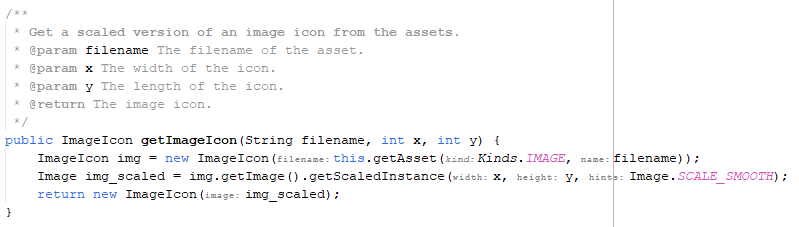
The asset manager utility class handles all I/O operations of assets, such as images and fonts. This helper class is made to make it easier to maintain the code (i.e., when you move the assets/ folder to another path.)
- Filename:
ColorManager.java
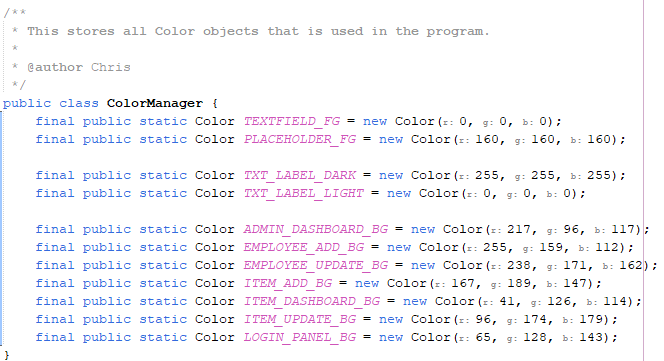
As the name implies, the Color Manager utility class handles all color applications in the program. This is used so that there is only a few lines changed when we want to change the colors of specific sections of the program. (i.e., change all labels to a different color)
- Filename:
CredentialsManager.java
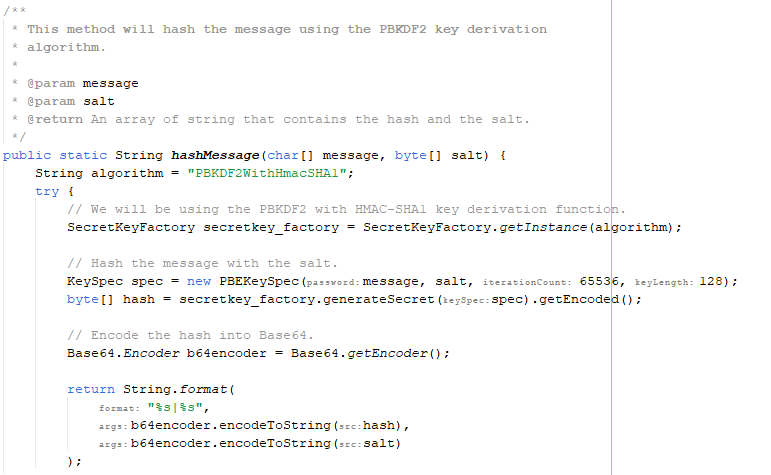
This utility class is one of the most complex classes in the program. This class handles all logins, providing helper methods to convert JPasswordField character arrays into Strings, and its most complex feature, the hashing algorithm.
Storing the password in plaintext as shows in the image below is not a good practice. Database administrators have access to the database servers, and can access this information and are able to impersonate the users.

However, our program uses the PBKDF2 key derivation algorithm with HMAC-SHA1 hashing algorithm encoded in Base64 to store checksums of the passwords. We don't have to store the users' passwords anymore, and we also fixed the "maximum password character" limit that exist in databases that store passwords in plaintext.
The image below shows the same database records shown above, but this time is using the Credentials Manager utility class.

- Filename:
Info.java
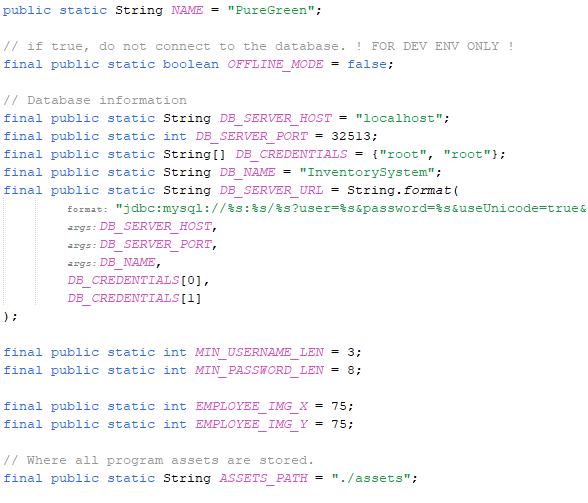
This utility class stores general information about the program and the database server.
- Filename:
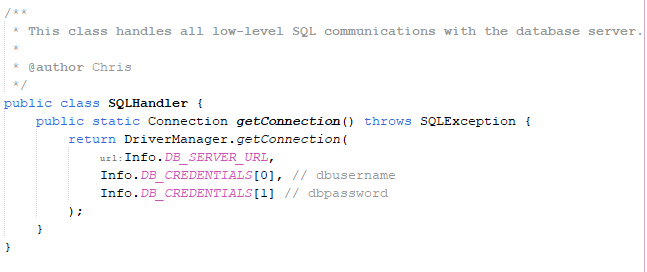
SQLHandler.java
This utility class reduces the code written by providing a helper method to create an SQL connection to the database server.