Auto-Wall is a powerful tool for processing battle maps for virtual tabletop games. It automatically detects walls and obstacles in your maps and converts them into VTT-compatible wall data.
Watch the video:
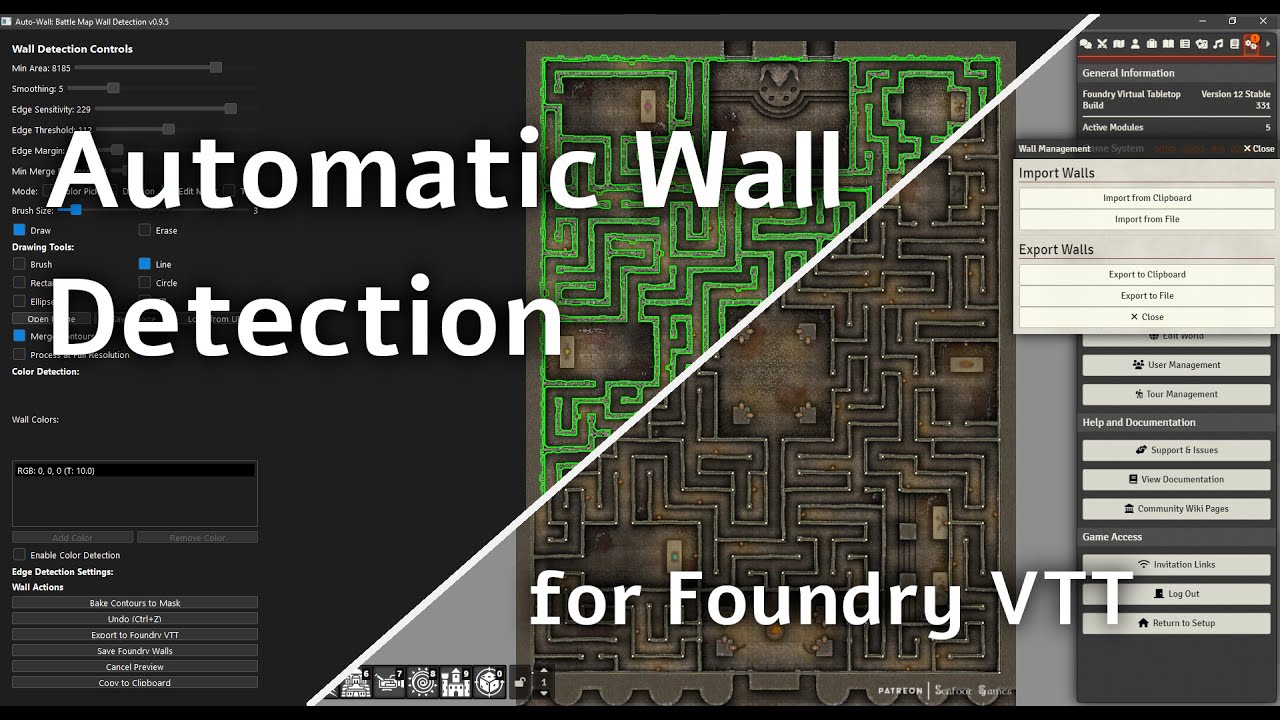


- Edge Detection: Automatically finds walls using edge detection algorithms
- Color-Based Detection: Extract walls based on specific colors
- Adjustable Detection Parameters: Fine-tune detection sensitivity and results
- High-Resolution Processing: Option to process at full resolution for more accurate results
- Interactive Deletion: Click to remove unwanted walls
- Color Picking: Extract colors directly from the map for better detection
- Mask Editing: Draw or erase walls manually with various drawing tools
- Wall Thinning: Automatically reduce wall thickness for cleaner results
- Contour Merging: Connect and simplify wall segments
- Companion Foundry Module: Install the Auto Wall Companion module for import/export of walls and map image
- Direct JSON Export: Create wall data compatible with Foundry VTT
- Optimization Options: Control wall segment length and density
- Grid Snapping: Option to snap walls to grid intersections
- Preview System: See how walls will look before exporting
- Download the latest release from autowallvtt.com or the Releases page
- Run
Auto-Wall.exe
-
Clone the repository:
git clone https://github.com/ThreeHats/auto-wall.git -
Install dependencies:
cd auto-wall pip install -r requirements.txt -
Run the application:
python auto_wall.py
- Open an image: Click "Open Image" or "Load from URL" to import your battle map
- Pick detection mode:
- For maps with clear lines, use edge detection (default)
- For maps with with distinct colors for the walls or background, enable "Color Detection" and select colors
- Fine-tune results: Use the sliders to adjust detection sensitivity
- Clean up walls: Switch to "Deletion" mode and select on unwanted walls
- Bake the mask: Click "Bake Contours to Mask", and use the drawing tools to make any final adjustments
- Export to Foundry: Click "Export to Foundry VTT" to generate wall data
Best for maps with clear wall lines:
- Edge Sensitivity & Edge Threshold: Controls edge detection precision - higher sensitivity finds more edges, higher threshold filters out noise
- Min Area: Filter out small artifacts
- Smoothing: Reduce noise (higher values = more smoothing)
- Edge Margin: Exclude detection near image edges
Best for maps with distinct colors for the walls or background:
- Enable "Color Detection"
- Add colors by:
- Clicking "Add Color" and selecting from color picker
- Using "Color Pick" mode to select colors directly from the image
- Adjust threshold for each color to control matching sensitivity
- Click on walls to remove them
- Drag to select and delete multiple walls
Edit the "baked" mask layer:
- Draw/Erase: Toggle between adding and removing walls
- Brush Size: Control the size of your editing tool
- Tools: Choose between brush, line, rectangle, circle, ellipse, or fill tool
Reduces wall thickness:
- Select thick walls to thin them
- Adjust target width and iteration count for desired results
-
Click "Export to Foundry VTT"
-
Configure export settings:
- Simplification Tolerance: Controls how much wall details are simplified (0 = full detail)
- Maximum Wall Segment Length: Limits how long each wall segment can be
- Maximum Number of Generation Points: Caps the total number of generated points for performance
- Point Merge Distance: Connects nearby wall endpoints to fix gaps and lessen the number of walls
- Angle Tolerance: Determines when walls at different angles should merge
- Maximum Straight Gap to Connect: Maximum distance to bridge between straight nearby walls
- Grid Snapping: Optional alignment to a grid for precise positioning
-
Preview the results
-
Save or copy the wall data to clipboard
To create an executable:
- Ensure PyInstaller is installed:
pip install pyinstaller - Run the build script:
build.bat - Find the executable in the
distfolder
Contributions are welcome! Please feel free to:
- Report bugs and request features using the issue tracker
- Submit pull requests with fixes and improvements
- Suggest new detection algorithms or optimizations
Auto-Wall is licensed under the MIT License. See LICENSE for details.
- Uses OpenCV for image processing
- Uses scikit-learn for color clustering
- Uses PyQt6 for the user interface
Made with ❤️ for the TTRPG community