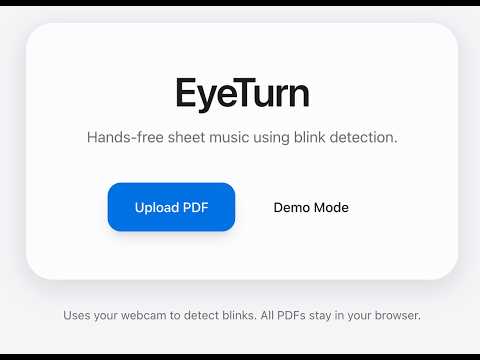
Hands-free sheet music using blink detection MADE WITH CURSOR!.
EyeTurn is a local-first web app that lets musicians upload PDF sheet music and turn pages by BLINKING (NO HANDS) in counted patterns detected via webcam.
npm installGenerate static assets (demo PDF + WebGazer bundle):
node scripts/create-demo-pdf.mjs
node scripts/copy-webgazer.mjs
These also run automatically on npm install.
npm run devOpen http://localhost:3000 in Chrome or Edge.
- Click Upload PDF or Demo Mode
- Allow webcam access when prompted
- Complete blink calibration (open eyes, then blink 3 times fast like turning a page)
- Repeat your learned 3-blink rhythm to go next, or blink 5–6 times to go back
- Use keyboard shortcuts anytime as a fallback
EyeTurn does not use a trained blink classifier. It follows the standard real-time approach:
-
MediaPipe Face Mesh (via WebGazer) detects 468 facial landmarks from your webcam
-
Eye Aspect Ratio (EAR) is computed from six landmarks per eye:
EAR = (||p2−p6|| + ||p3−p5||) / (2 × ||p1−p4||) -
A blink is counted when EAR drops below your threshold, then rises back above it
Calibration learns your personal open EAR, closed EAR, and the threshold between them.
EyeTurn uses WebGazer.js to run MediaPipe Face Mesh in the browser:
- Accesses your webcam locally
- Tracks 468 MediaPipe face landmarks locally
- No video or face data is sent to any server
WebGazer must run on localhost or HTTPS. This MVP is designed for http://localhost:3000.
Before blink detection works, you must calibrate:
- Step 1 — Open eyes: MediaPipe samples your open-eye EAR for ~2 seconds
- Step 2 — Teach turn-page rhythm: Blink 3 times quickly — the same fast burst you'd use to turn a page. EyeTurn records blink count, spacing, and total duration as your personal pattern.
Tap Recalibrate blinks in Settings anytime to re-teach your rhythm.
| Action | How it works |
|---|---|
| Next page | Matches your calibrated 3-blink pattern (count + timing) |
| Previous page | 5–6 blinks (configurable min/max in Settings) |
After your last blink, a short pause (~350ms) confirms the gesture. Rapid blinks in succession are supported.
Adjust blink counts, confirm delay, and cooldown in Settings.
| Key | Action |
|---|---|
→ |
Next page |
← |
Previous page |
Space |
Toggle blink tracking / open calibration |
Esc |
Exit fullscreen |
Keyboard navigation always works, even if blink tracking fails.
Open the gear icon in the viewer toolbar:
- Blinks for next / previous page
- Blink confirm delay & cooldown
- Webcam preview toggle
- Blink tracking on/off
- Recalibrate blinks
- Dark mode
- Debug overlay (EAR, threshold, blink count)
- Accuracy: Webcam blink detection is approximate — not medical-grade. False positives/negatives vary by person and lighting.
- Lighting: Bright, even front lighting improves detection.
- Head movement: Keep your head relatively still during calibration and practice.
- Browser support: Chrome and Edge are primary targets.
- PDF size: Very large PDFs may use more memory; pages are rendered on demand.
- Next.js 15 (App Router)
- TypeScript
- Tailwind CSS
- PDF.js
- Zustand
- Framer Motion
- WebGazer.js
All processing is client-side. PDFs are stored in IndexedDB; nothing is uploaded to a server.
EyeTurn can be deployed to Vercel as a static/client-side app:
npm run buildOr connect the repo to Vercel:
- Import the Git repository
- Framework preset: Next.js
- Deploy
Important for production:
- WebGazer requires HTTPS (Vercel provides this automatically)
- Users must grant webcam permission on first visit
app/           Next.js routes (home, viewer)
components/    PDFViewer, CalibrationOverlay, BlinkIndicator, etc.
hooks/         useGazeTracker, useBlinkDetector, keyboard shortcuts
lib/           Zustand store, PDF helpers, WebGazer loader
utils/         Blink detection (EAR) helpers
types/         Shared TypeScript types
public/        Demo PDF + WebGazer assets
WebGazer.js is GPL-3.0-or-later. Review licensing implications if you distribute commercially.