You need to set up a Cron Job to run the scheduled checks. You can use Vercel Cron or any other cron service.
The cron job should call the endpoint /api/checker/cron with the header Authorization: Bearer <CRON_SECRET>.
You can generate a random secret for CRON_SECRET using openssl rand -base64 32 or similar.
The Open-Source synthetic monitoring platform.
Learn more »
Discord
·
Website
·
Issues
Pingora is open-source synthetic monitoring platform.
- Synthetic monitoring: Monitor your website and APIs globally and receive notifications when they are down or slow.
If you are interested in our enterprise plan or need special features, please
email us at ping@pingora.dev or book a
call

If you want to help us building the best status page and alerting system, you can check our contributing guidelines
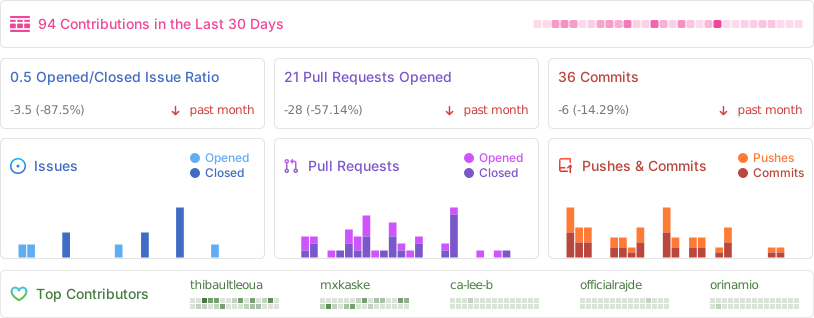
Made with Contrib.rocks

The fastest way to get started for both development and self-hosting:
# 1. Copy environment file
cp .env.docker.example .env.docker

# 2. Start all services
docker compose up -d

# 3. Access the application
open http://localhost:3002  # Dashboard
open http://localhost:3003  # Status Pages
📖 Full guide: DOCKER.md
You can use Devbox and get started with the following commands:
- Install Devbox
curl -fsSL https://get.jetify.com/devbox | bash - Install project dependencies, build and start services
devbox services up
- Clone the repository
git clone https://github.com/pingorahq/pingora.git- Install dependencies
pnpm install- Initialize the development environment
Launch the database in one terminal:
turso dev --db-file pingora-dev.dbIn another terminal, run the following command:
pnpm dx- Launch whatever app you wish to:
pnpm dev:web
pnpm dev:status-page
pnpm dev:dashboard
The above commands whill automatically run the libSQL client on 8080 so you might wanna kill the turso command from step 3.
- See the results:
- open http://localhost:3000 (default port)
Videos to better understand the Pingora codebase:
- Fork this repository.
- Create a new project on Vercel.
- Import your forked repository.
- In the Project Settings > Environment Variables, add the following:
- NEXT_PUBLIC_APP_URL: The URL of your deployed dashboard (e.g., https://dashboard.your-domain.com).
- NEXT_PUBLIC_DOCS_URL: The URL for documentation (optional, defaults to this repo's wiki or similar).
- NEXT_PUBLIC_URL: The URL of your landing page.
- Vercel will automatically detect the multiple apps (monorepo). You can configure the Root Directory if you are deploying a specific app, or let Vercel handle the Turborepo setup.