ForTheGram, a project inspired by Instagram, is a platform that allows users to make posts of images they've taken or found and share with all of their followers!













* Python 3.10
* PostgreSQL 12s
- Clone the project repository
git clone git@github.com:JTannerShaw/forthegram.git
- Install Dependencies
-
Flask:
pipenv install --dev -r dev-requirements.txt && pipenv install -r requirements.txt -
React-App:
cd react-appnpm install
- Create a .env file base on the .env.example given in the root directory
- .env:
FLASK_APP=app
FLASK_ENV=development
SECRET_KEY=<your strong secret key>
DATABASE_URL=postgresql://<username>:<password>@<server>/<database>
S3_BUCKET=<name of your s3 bucket>
S3_KEY=<your s3 user access-key>
S3_SECRET=<your s3 user secret-key>
-
Setup your username and database based on what you setup in your .env
-
Migrate and seed the database by intiating the pipenv shell from the root directory.
pipenv shellflask db upgradeflask seed all -
Start the server from the root directory.
flask run -
Start the frontend from the react-app directory.
cd react-appnpm start
This is where a user lands when first getting to the app. A user cannot access any part of the site until they've successfully logged in or created an account.


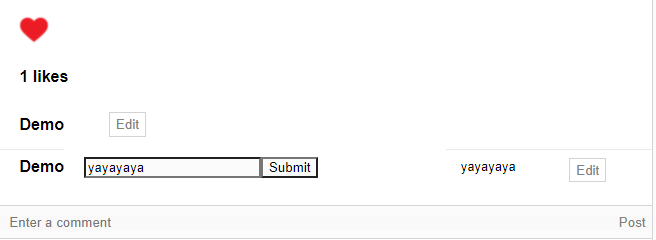
Here is where a user can see and create all of their posts or posts of other users as well as comment and like posts.


Users can click their profile picture in the navbar at the top right of the page to access their profiles or access other users profiles by click their names/icons on posts. Here users can see all the posts of the user whose profile they are at as well as follow or unfollow the user. If a user is on their own profile they gain the ability to edit their Name and Description in their profile.

- Follower/Following displays those users
- Feed only displays posts of users you're following
- Better/More Styling
- Private Messaging
- Block users