Home

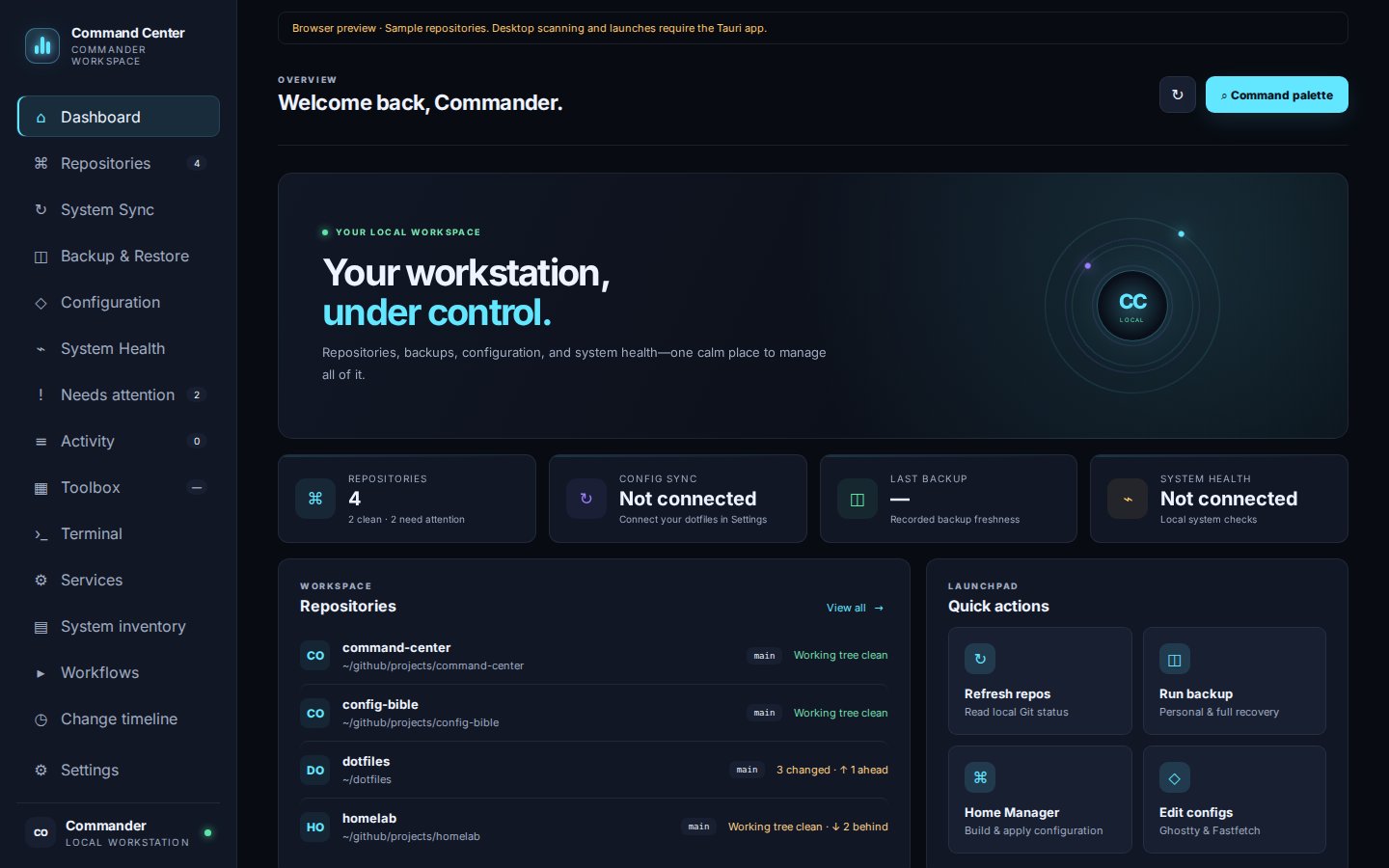
Your Git repositories, the Commander Toolbox installers, dotfiles and Home Manager, backups and restores,
configuration files, services, and system health, in one desktop app.
Runs locally as your normal user · No account · No cloud service · No telemetry
Note
This wiki is written for Command Center 0.7.1. Check your version under Settings → About & updates.
Command Center never runs anything behind your back. Every action that changes your system opens a review first. The review shows the exact command and the folder it runs in, and nothing starts until you confirm. Results are kept in Activity.
Tip
Read How Commands Run once. It explains the review, running jobs side by side, stopping jobs, and what the app does on its own (only read-only checks).
- 📦 Install Command Center and launch it from your application menu.
- 🧙 Follow the setup wizard: choose your repository folders, detect your dotfiles, Home Manager and backup helpers, then check what's installed. See Getting Started.
- 📂 Open Repositories to see every project and its status.
- 🧰 Open Toolbox, pick a tool and choose Review & run.
- ⌨️ Press Ctrl+K anywhere to jump to a page, repository or quick action.
| See repositories, backups, configuration and health at a glance, launch your own quick actions, and see everything that wants your action in one list. | Find all your Git projects, review changes, stage, commit, branch, stash, fetch/pull/push, and run project tasks. |
| Browse and run the 215 Commander Toolbox installers and your own personal tools, and answer their prompts inside the app. | Save multi-step maintenance routines and new-machine setup recipes. |
| Run backups, browse Restic snapshots, find every saved version of a file, restore files, schedule backups, and prove recovery works. | Review dotfiles changes, then build and apply Home Manager. |
| Edit Ghostty and Fastfetch with visual controls, a preview, validation and history. | Check disks, failed services, updates, and installed tools; manage user services. |
| See every command's output and result, and search what changed and when. |
⚙️ Settings |
| 🚚 Moving to a New Machine | Carry your whole setup to another computer with a setup bundle. |
| 🔒 Your Data & Privacy | What's stored, where, and what the app never does on its own. |
| 🛟 Troubleshooting & FAQ | Fixes for common problems. |
| 🐛 Open an issue | Found a bug or have an idea? Let us know. |