


PHP web application that scans a directory for files with specific extensions (e.g., PHP scripts) and performs in-depth analysis to detect potentially malicious code.
It combines token-based pattern matching, statistical anomaly detection (Shannon entropy, Z-scores, residual analysis), and MD5 hash whitelist/blacklisting to help identify suspicious files in a web server environment.
⚠️ Use with caution – this tool can delete files identified as blacklisted. Always review flagged files before taking action.
-
Recursive directory scanning with symlink loop protection
-
Token-based detection – scans PHP tokens for known obfuscation, shell execution, file I/O, and credential-related functions
-
MD5 hash whitelist & blacklist – skip known-good files (e.g., from common frameworks) and auto-delete known-bad files
-
Shannon entropy calculation – detects heavily obfuscated or encoded content
-
Client-side statistical analysis – computes Z-scores (size, tokens, suspicious token count, entropy) and residuals to flag outliers
-
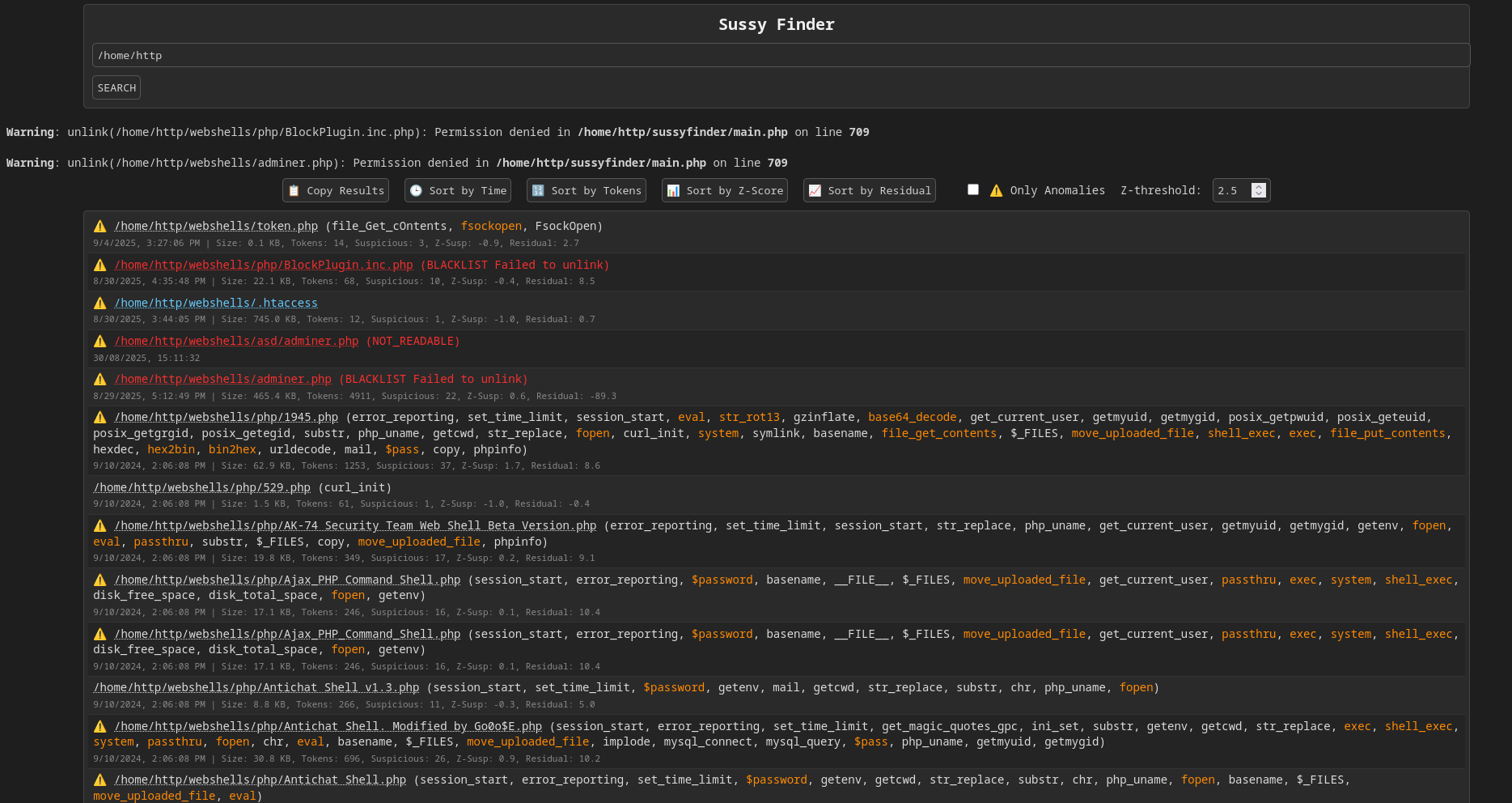
Interactive web interface with:
- Sort by modification time, suspicious token count, Z-score, or residual
- Filter to show only anomalies
- One-click copy of results (with full details)
- Clickable file paths to copy MD5 hash
-
Color-coded output – highlights blacklisted, unreadable, and suspicious files
-
Self-contained – single PHP file, no external dependencies
SussyFinder uses several statistical techniques to identify files whose characteristics differ significantly from the rest of the scanned dataset.
Shannon entropy measures the amount of information or randomness in a dataset. SussyFinder applies it to the characters contained in the extracted suspicious tokens.
The entropy is calculated as:
Where:
-
$H(X)$ = Shannon entropy -
$p(x_i)$ = probability of symbol$x_i$ -
$n$ = number of unique symbols
The probability of each symbol is:
Where:
-
$c_i$ = number of occurrences of symbol$x_i$ -
$N$ = total number of characters
Higher entropy indicates a more diverse and less predictable character distribution, which can be useful for identifying encoded or obfuscated content.
For example:
| Data | Approximate Entropy |
|---|---|
AAAAAA |
|
ABCDEF |
|
| Random/encoded data | Higher |
SussyFinder gives additional weight to small PHP files with high entropy:
and
When both conditions are met, the threat score receives an additional bonus.
The arithmetic mean is used as the baseline for the statistical measurements.
Where:
-
$\mu$ = mean -
$x_i$ = individual observation -
$n$ = number of observations
SussyFinder calculates the mean for:
- File size
- Modification time
- Total token count
- Suspicious token count
- Shannon entropy
The variance measures how far observations are distributed around the mean.
Standard deviation is the square root of variance:
A large standard deviation indicates that the values vary significantly across the scanned files.
SussyFinder uses Z-scores to determine how far a file's characteristics are from the dataset mean.
Where:
-
$x$ = observed value -
$\mu$ = mean -
$\sigma$ = standard deviation
The absolute value can be used to measure how unusual a value is:
A larger
SussyFinder calculates Z-scores for:
- File size
- Modification time
- Total tokens
- Suspicious token count
- Shannon entropy
The default anomaly threshold is:
This threshold can be changed through the Z-threshold control in the web interface.
Residual analysis compares the observed suspicious-token count with the number that would be expected based on the average relationship between suspicious tokens and total tokens.
First, the average suspicious-token ratio is calculated:
Where:
-
$S$ = suspicious token count -
$T$ = total token count -
$r$ = average suspicious-token ratio
For each file, the expected suspicious-token count is:
The residual is then:
Where:
-
$R_i$ = residual -
$S_i$ = observed suspicious-token count -
$E(S_i)$ = expected suspicious-token count
A positive residual indicates that a file contains more suspicious tokens than expected for its total token count.
SussyFinder flags a file when:
This provides a complementary detection method to the Z-score because a file may have a suspiciously high number of tokens relative to its own size or structure even when the absolute suspicious-token count is not extremely large.
SussyFinder also calculates a weighted threat score from matched tokens.
The general model is:
Where:
-
$w_i$ = assigned weight of a matched token -
$n$ = number of matched tokens
Example token weights include:
| Category | Example | Weight |
|---|---|---|
| Critical RCE |
eval, exec, system
|
|
| Obfuscation |
base64_decode, gzinflate
|
|
| Suspicious I/O |
move_uploaded_file, $_FILES
|
|
| Routine operations |
include, fopen, substr
|
Additional multipliers are applied when combinations of suspicious behaviors are present.
If a file contains both a critical execution token and an obfuscation token:
If a file contains both a critical execution token and upload-related functionality:
If the file is located in directories such as:
uploadcachetmpimagesmedia
and the score is already suspicious or entropy is high:
For files smaller than 20 KiB with high entropy:
The final score is rounded to two decimal places.
A file is considered anomalous when one or more statistical or security conditions are satisfied.
Conceptually:
Where:
-
$T$ = configured Z-score threshold -
$\lor$ = logical OR
SussyFinder additionally treats the following as anomalies:
- Blacklisted files
.htaccessfiles- Duplicate files
- Unreadable files
This means the statistical analysis is used alongside deterministic security indicators rather than as the sole detection mechanism.
- PHP 4.3 / 5.x / 7.x / 8.x (with
token_get_allsupport) - Web server (Apache, Nginx, etc.) or PHP built-in server
- Internet access (optional) to fetch whitelist/blacklist from GitHub – can be disabled via constants
-
Place
index.php(or whatever you name it) in a web-accessible directory. -
Access the file through your browser.
-
Enter the absolute or relative path of the directory you wish to scan.
-
Click SEARCH – the tool will recursively scan and analyse all files matching the configured patterns (
.php,.inc,.htaccess, etc.). -
Review the results table – files with anomalies are marked with
⚠️ . -
Use the control bar to sort, filter, or copy the results.
- Blacklisted files are automatically deleted – ensure you trust the blacklist source.
-
Click on any file path to copy its MD5 hash.
- Whitelist – MD5 sums of known-safe files (e.g., from popular frameworks). These files are skipped entirely to speed up scanning.
- Blacklist – MD5 sums of known malware. Files matching these are automatically unlinked (deleted) and flagged in the output.
By default, both lists are fetched from:
https://raw.githubusercontent.com/Cvar1984/sussyfinder/main/whitelist.txthttps://raw.githubusercontent.com/Cvar1984/sussyfinder/main/blacklist.txt
You can disable fetching by setting the constants _WHITELIST_ or _BLACKLIST_ to false in the code.
Note: The provided whitelist is harvested from common frameworks and libraries. It is up to you to trust or modify it. For blacklist contributions, please provide source files when creating a pull request.
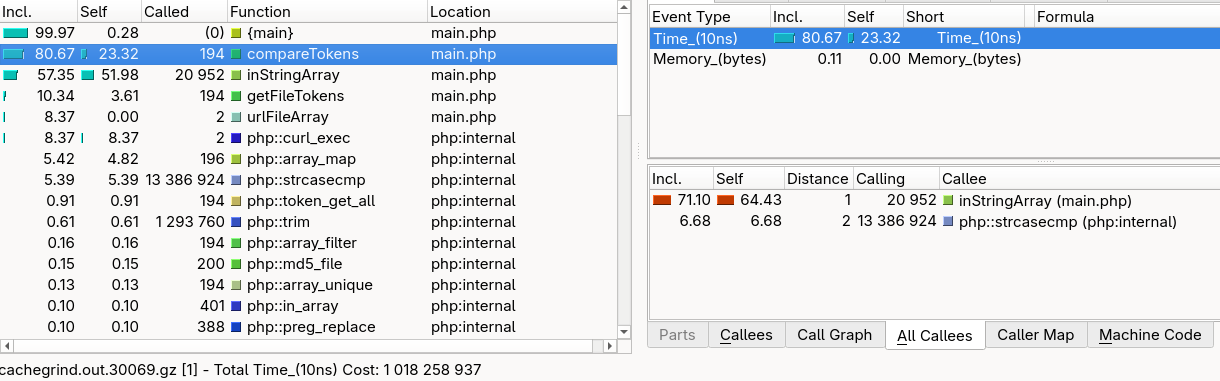
Clone the webshells submodule for testing purposes.
This tool is intended for system administrators and security researchers. It performs aggressive file operations (deletion) and may produce false positives. Always audit flagged files before any automatic action. The author is not responsible for any data loss or damage caused by the use of this software.
Pull requests are welcome! For major changes, please open an issue first to discuss what you would like to change. Please ensure tests are updated appropriately.