Repository navigation
Step 4 Partition, Balance, Ghost
In this tutorial we get to know the other main mesh manipulation algorithms besides adapt (See step 3). Additionally, we will learn more about how we can perform multiple of these algorithms simultaneously on the same mesh.
You find the code to this example in the tutorials/mesh_handle/t8_mesh_step4_partition_balance_ghost.cxx and it creates the executable tutorials/mesh_handle/t8_mesh_step4_partition_balance_ghost.
Let us execute the example with 5 MPI processes with:
mpirun -np 5 ./t8_mesh_step4_partition_balance_ghost
As in the previous steps, we start with a uniform, hybrid mesh. This mesh has an initial refinement level of 3. For adaption, we also keep the same adaption callback and parameters as in the previous step, so we have two adaption spheres with the same radii as before.
For this example, we also implemented a helper method, called print_stats_and_export, that prints the number of local elements on process 0, the number of global and ghost elements of the whole mesh and exports this mesh to vtu files.
For the uniform mesh, we have a perfect load balance. There are 8192 elements in total and process 0 has 1638 local elements.
After adapting the mesh twice, each process changes its local number of elements. After the first adaption, we now have 2165 elements in total, but since on process 0 almost all elements get coarsened, this process now has only 210 elements. Only half of 433. Process 4 on the other hand has 911 local elements. After the second adaption round, our mesh has a total of 5777 elements and our process 0 as only 35 elements. This is called a load imbalance.
You can verify this yourself by running the executable of this tutorial and reading the terminal outputs or by printing the process local number on each process for the adapted mesh (for example using t8_productionf).
Each mesh is distributed among the MPI processes. Partitioning a mesh means to change this distribution in order to maintain a load balance. After we applied partition to a mesh, it will have equal numbers of elements on each process (+ - 1). When we now call partition to reestablish the load balance in our example and commit the mesh, the elements get redistributed and each process has now exactly 1156 (+- 1) local elements.


A mesh fulfills the (face) balance property if (and only if) for each element its (face) neighbors have refinement level at most +1 or -1 in comparison to the element's level. The balance property is often broken after adaptation. The Balance algorithm iterates through the mesh and restores the balance property by refining elements if necessary. Balance will never coarsen any elements and t8code does not balance a mesh by default.
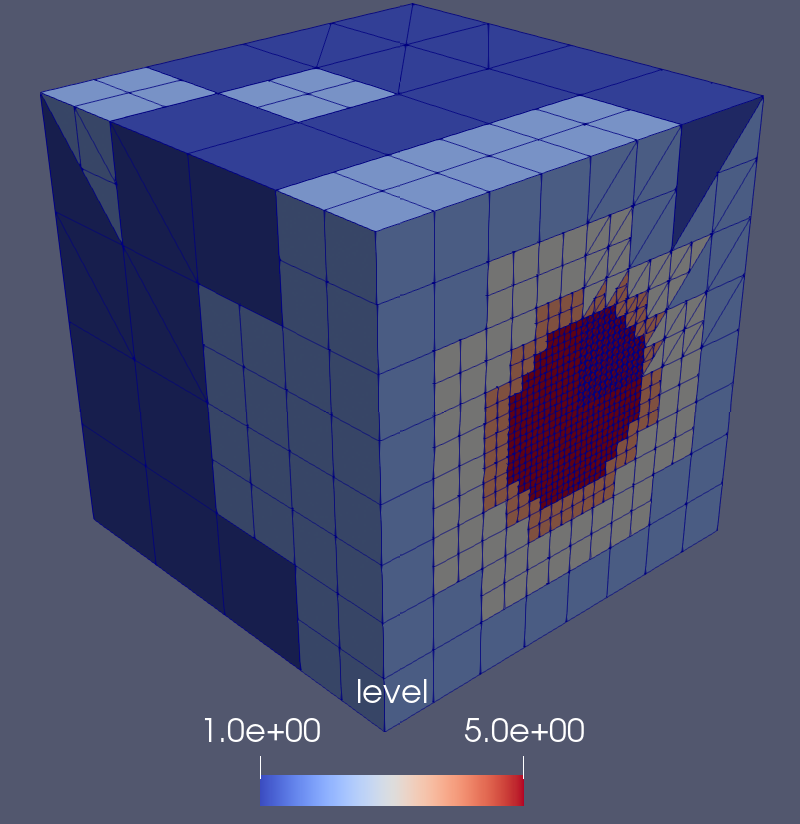
In this example, the initial uniform mesh is balanced since every element has the same refinement level 3. Our adaptation criterion is such that (usually) after one step of adaptation the mesh will still be balanced, since we have level 4 elements in the inner sphere, level 3 elements in the middle and level 2 elements outside. This may not be the case for very small initial refinement levels or with different radius thresholds (why don't you try it out?). Therefore, in this example we will apply the adaptation two times, resulting in level 5 elements in the inner sphere, level 3 elements in the middle and level 1 elements in the outer sphere (and probably some, but not many, level 2 and level 4 elements in between). This mesh will be unbalanced and we will then apply the balance routine to it. Note that balance changes the local number of elements and thus may also change the load balance and require repartitioning. Balance is usually the most expensive of t8code's mesh manipulation algorithms.



Many applications, like numerical solvers, require a layer of ghost elements. This is due to the algorithm needing information about all neighboring elements of an element, which we can’t provide consistently without ghost elements because of all elements being divided between the MPI processes. Ghost elements of a process are those elements that are not local to this process but have a face neighbor element that is. Telling a mesh to create a ghost layer will gather all necessary information and give us access to the ghost elements. t8code does not create a layer of ghost elements by default, thus our initial uniform mesh and the adapted mesh will not have one.

In this picture we see the local elements of process 4 in red and its ghost elements in blue. We actually print the ghost elements in the vtu files and you can look at them. Ghost elements have treeid = -1 in the vtu files. To view the ghosts of a single process (say process 4 as in this picture) you can set a threshold on the MPI rank to view only the elements of process 4 and then set a threshold on treeid to only view those elements with treeid = -1.
In our example, the number of ghost elements gets printed for each substep. Therefore, we can see that in the first three substeps, we have 0 ghost elements. After completing the ghost step, our mesh has a total number of 309 ghost elements.
Usually, there are three steps involved in creating a mesh:
- Initialize and declare the mesh with
auto mesh = t8_mesh_handle::(your desired mesh shape), using the predefined mesh shapes inconstructor_wrappers.hxxor using acmeshas input. - Set all properties that your mesh should have. In this step, all the algorithms above can be used. See the
set_*functions inmesh.hxx. The order in which you call the functions does not change the outcome. Using one of the algorithms here will not change the mesh directly. It will only set the necessary flag. Everything is actually calculated in the next step. - Commit the mesh with
mesh->commit();. In this step the mesh is actually getting changed, by calculating everything, according to the flags set before.
As already said above, the order of the set_* functions does not matter, because they will only set a flag to calculate on commit. The order of calculation in a commit is always the same. We can thus in one step adapt a mesh, balance it, partition it and create a ghost layer with
auto mesh = t8_mesh_handle::handle_hypercube_hybrid_uniform_default<mesh_type> (uniform_level, comm);
mesh_adapt->set_adapt (mesh_type::template mesh_adapt_callback_wrapper<adapt_data> (&adapt_callback<mesh_type>, adapt_params));
mesh->set_partition();
mesh->set_balance();
mesh->set_ghost();
mesh->commit();
No matter in which order you call the functions, the main algorithm are executed in the order:
- Adapt
- Partition
- Balance
- Ghost
In our example we did this separately to have a closer look at the outputs of each individual step.
The functionset_balance()has an additional parameter, called “no_repartition”. By default, this is set tofalse, meaning that after you call this function, there will also be a repartition to maintain a load balance. If you do not want that, you have to callset_balance(true)orset_balance(1)instead.