Repository navigation
prompt.js
Create custom prompt windows that may contain text, buttons, and inputs.
In order to use this script, add the next tag on your HTML document:
<script src="https://darvil82.github.io/DarviLStuff/web/promptTest/prompt.js"></script>Though, downloading the script is recommended since it includes JSDocs that may be helpful.
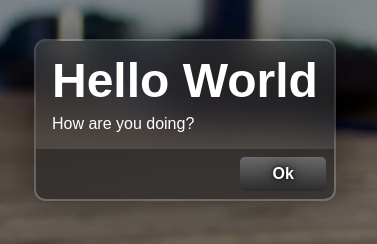
A prompt window that will display a message to the user. Similar to the alert() built-in.
showAlert(title: string, body: string)- {string} title - The title of the prompt
- {string} body - The body of the prompt
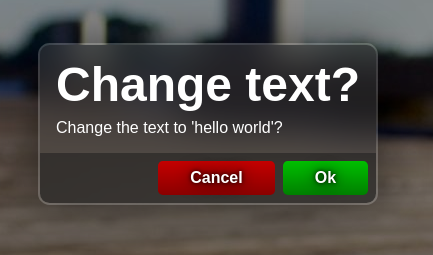
A prompt window that will ask the user to select Ok or Cancel. Similar to the confirm() built-in.
showConfirm(title: string, body: string, okCallback: () => void, cancelCallback?: () => void)- {string} title - The title of the prompt
- {string} body - The body of the prompt
- {function} okCallback - The function to call when the user presses the OK button
- {string} cancelCallback - The function to call when the user presses the Cancel button
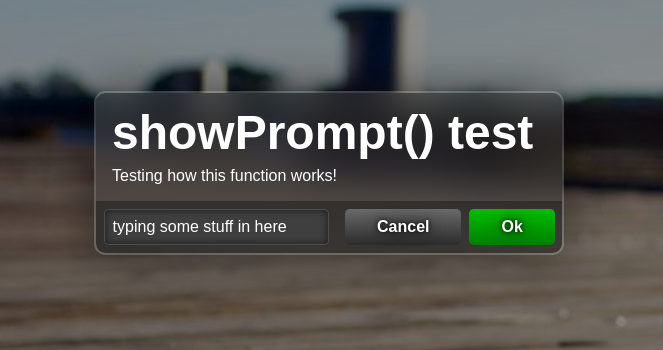
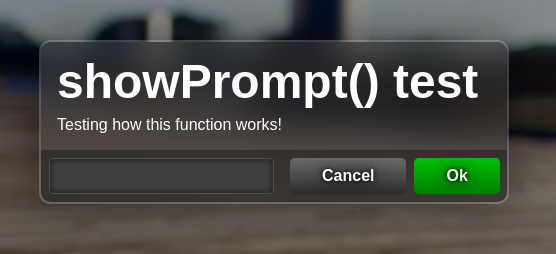
A prompt window that will ask the user to input a value. Similar to the prompt() built-in.
showPrompt(title: string, body: string, callback: (value: string) => void, defaultValue?: string)- {string} title - The title of the prompt
- {string} body - The body of the prompt
- {function} callback - The function to call with the value of the input when the user presses the OK button
- {string} defaultValue - The default value of the input
In order to create a new prompt, create a new instance of Prompt.
A prompt window that may have some properties like text and items
Prompt.constructor(title: string, body: string, itemsArray?: PromptItem[], isVertical?: boolean)- title - The title of the prompt window
- body - The body of the prompt window
- itemsArray - The array of items to add to the prompt window
- isVertical - Whether the items should be displayed vertically or horizontally
- show() - Generate the prompt window with all the elements, and show it.
- Prompt.display() - Shows the prompt window with the elements already added
- Prompt.hide() - Hides the prompt window
- Prompt.isShown - Return the state of the window
The array of items must contain Prompt Item objects, which are explained below.
A prompt button that can be pressed by the user. When the user presses it, the callback supplied will be called.
PromptButton.constructor(text: string, colorsArray?: string[], callback?: () => void, width?: string, closePromptOnPress: boolean = true)- text - The text to display on the button
- colors - CSS colors to use for the gradient of the button background
- callback - The function to call when the button is pressed
- width - CSS width of the button
- closePromptOnPress - Will the prompt be closed when the button is pressed?
- press() - Call the callback function and hide the prompt if the closePromptOnPress property is true
A prompt input that lets the user enter text.
The value entered can be obtained through the value property.
PromptInput.constructor(placeholder?: string, defaultText?: string, width?: string, callback?: (value: string))- placeholder - The placeholder text to display in the input
- defaultText - The default text value inside the input
- width - CSS width of the input box
- callback - The function to call with the value when the Enter key is pressed
- value - Return the value entered by the user
A prompt input that lets the user select an option from a list of options.
The value entered can be obtained through the value property, and the index it in the options array with the index property.
PromptOptionList.constructor(optList: string[], selectedIndex?: number, width?: string, callback?: (value: string, index: number)- options - An array of options (strings) to display in the list
- selectedIndex - The index of the selected option by default. Default value is 0.
- width - CSS width of the input box
- callback - The function to call with the value and index when the value is changed
- value - Return the value entered by the user
- index - Return the index of the selected option on the options
A prompt spacer that basically just adds a little space between the prompt items.
PromptSpacer.constructor(width?: string, shapeWidth?: string, shapeColor?: string)- width - The CSS width of the spacer
- shapeWidth - The CSS width of the spacer shape
- shapeColor - The CSS color of the spacer shape
This example will show the window below:
new Prompt(
	"Change text",
	"Select text for the H1 element",
	[
		new PromptOptionList(
			["stuff", "adios", "idk", "another option"],
			null, null,
			value => {console.log(value); Prompt.hide()}
		),
		new PromptSpacer(null, "4px"),
		new PromptButton("Cancel", ["red", "darkred"]),

	],
	true
).show()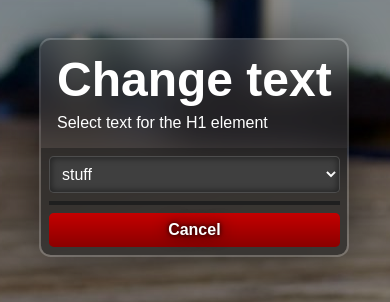
When selecting an option, the value will be printed on the console.