
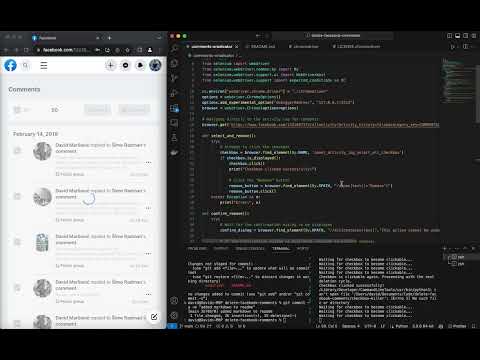
This script automates the process of deleting posts, comments, and likes from your Facebook profile. It uses Selenium with Python to interact with the Facebook acitivty log interface to remove the content.
- Python 3.x
- Selenium: Install using
pip install selenium - Google Chrome
- ChromeDriver:
- The repository includes a ChromeDriver binary compatible with macOS. If you're using a different operating system, you'll need to download the appropriate ChromeDriver for your system from the official site and ensure it's in the same directory as the script or in your PATH.
Before running the script, you need to start a custom instance of Google Chrome. This won't interfere with your existing Chrome sessions.
Run the following command in your terminal:
/Applications/Google\ Chrome.app/Contents/MacOS/Google\ Chrome --remote-debugging-port=9222 --user-data-dir="/tmp/chrome_temp"This command starts a new Chrome instance that the script can attach to without affecting your main Chrome profile.
Navigate to the directory containing the script and run either of these commands:
For deleting comments, run:
python3 comments-eradicator
For archiving facebook posts, run:
python3 posts-archiver
For undoing likes, run:
python3 likes-eradicator
Once the script starts, it will navigate to your Facebook activity log for content and begin the deletion process.
The script will continuously check for content and delete them. If there are no content left or if there's a delay in loading, the script will wait until the checkbox to select the content becomes clickable again and then continue the deletion process.
Facebook will occasionally prompt you to write your Facebook password. Just input it and let the program run.
Ensure that the ChromeDriver version matches the version of Chrome you have installed.
The script uses a specific Chrome instance and won't interfere with your regular Chrome sessions.
Creating a click-and-play executable with pyintaller
Ensuring out-of-the-box support for Linux and Windows