Proxy Workbench v3.0.0

Important
macOS users: please download 3.0.1. The 3.0.0 macOS app cannot collect proxies (it does not trust any HTTPS certificate). Windows, pipx and Docker are not affected.
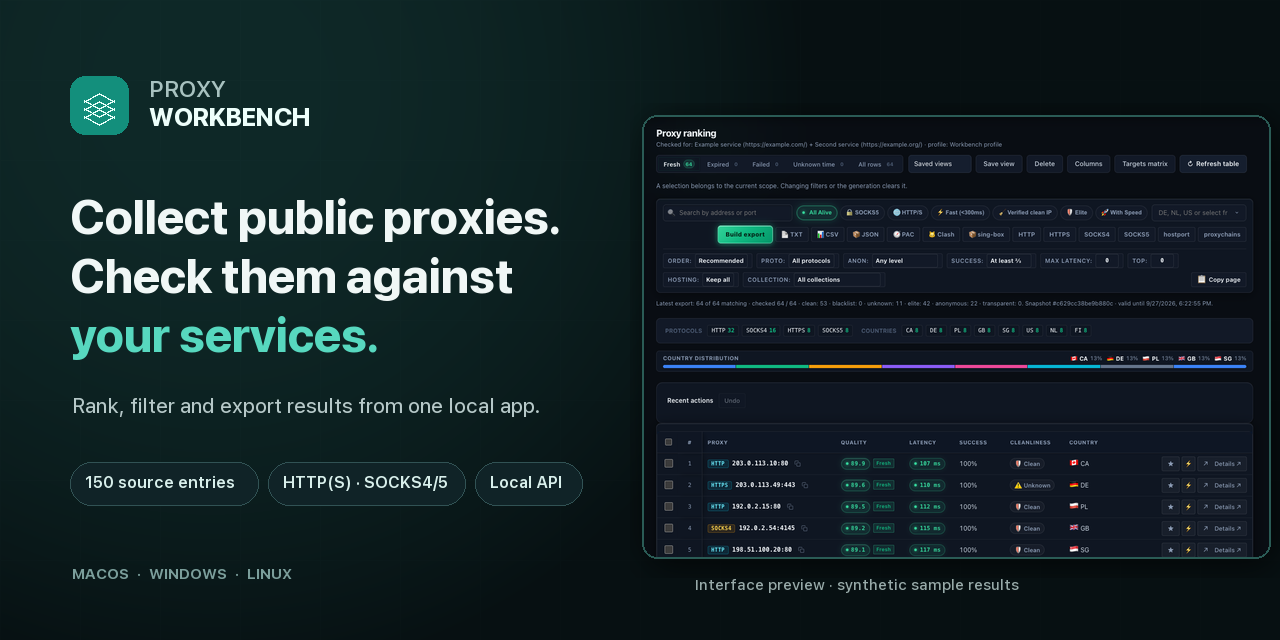
Finds free proxies that actually work — on the sites you need. Proxy Workbench collects free proxies from 150 public sources, tests every one against your own sites and services, and keeps only the working ones: as ready lists, one rotating proxy for your browser, Telegram and any app, or an API for your scripts. Runs on your own computer, no sign-up, no telemetry.
⬇️ Download
| Your system | File | How |
|---|---|---|
| macOS, Apple Silicon (M1–M4) | proxy-workbench-3.0.0-macos-arm64.dmg | Open, drag Proxy Workbench into Applications. First start: right-click → Open (the app is not notarized). |
| macOS, Intel | proxy-workbench-3.0.0-macos-x86_64.dmg | Same as above. |
| Windows 10/11 | proxy-workbench-3.0.0-windows-x64-setup.exe | Run the installer (no admin rights needed). SmartScreen: More info → Run anyway. |
| Windows, no install | proxy-workbench-3.0.0-windows-x64-portable.zip | Unzip anywhere and start proxy-workbench-gui.exe; proxy-workbench-cli.exe is the command line. |
| Linux / any OS with Python 3.11+ | pipx install git+https://github.com/DavidVoitenko/proxy-workbench |
Then run proxy-workbench. |
| Server / NAS | docker compose up -d |
Checker + API + rotating proxy, see the README. |
Every file has a SHA-256 checksum next to it (*.sha256, SHA256SUMS-*).
🎬 See it in action
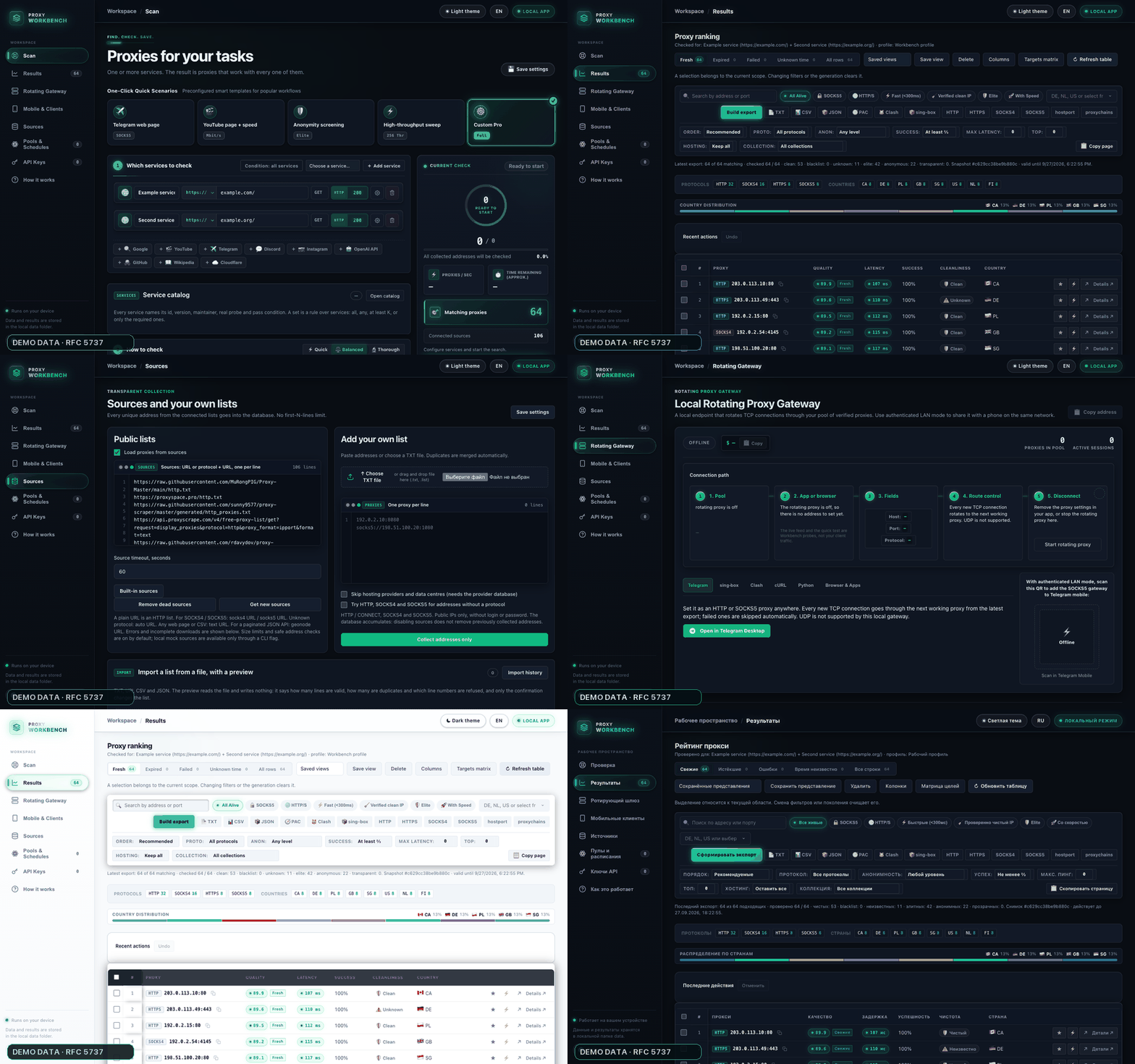
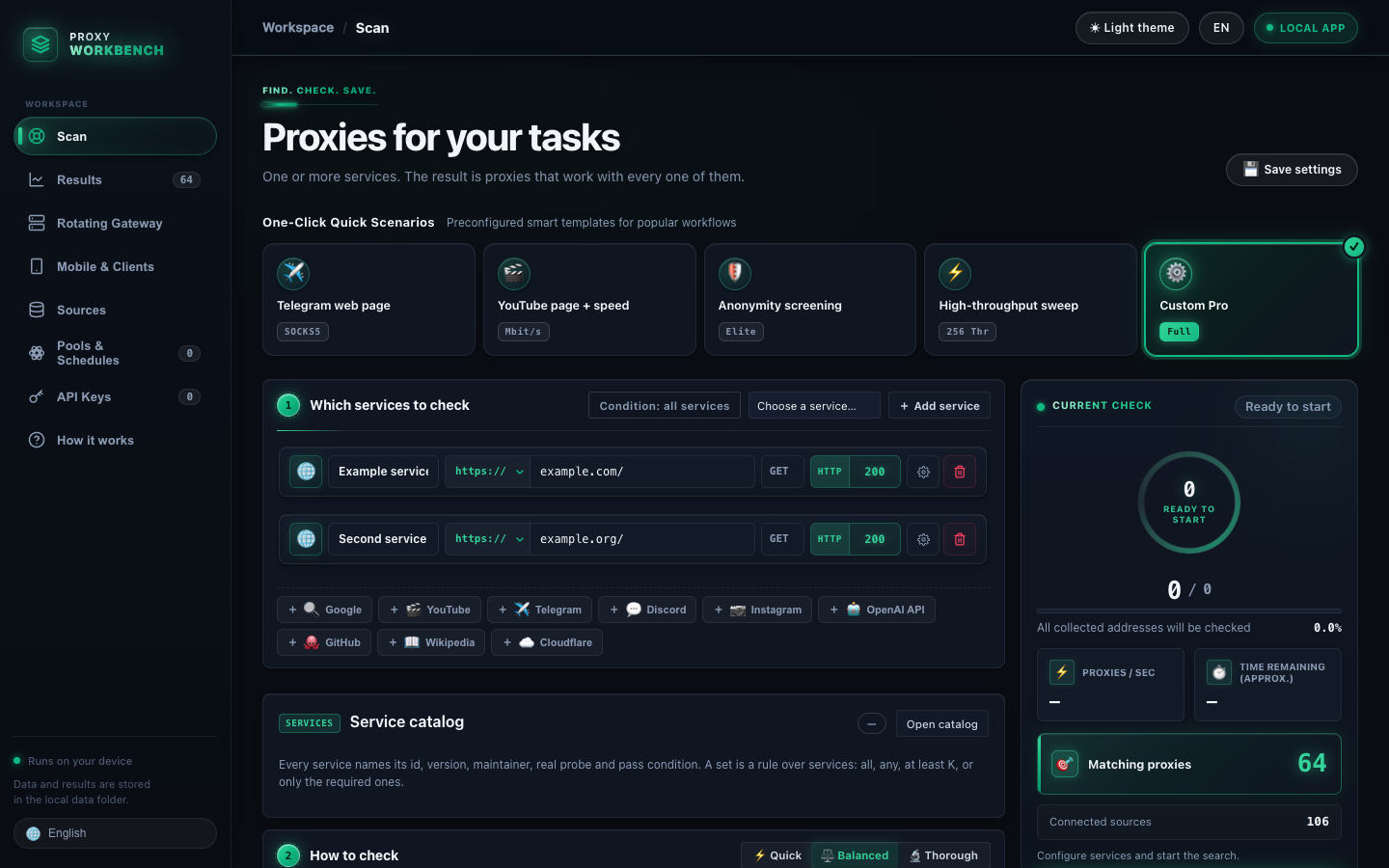 Scan — your sites, success rules and live progress |
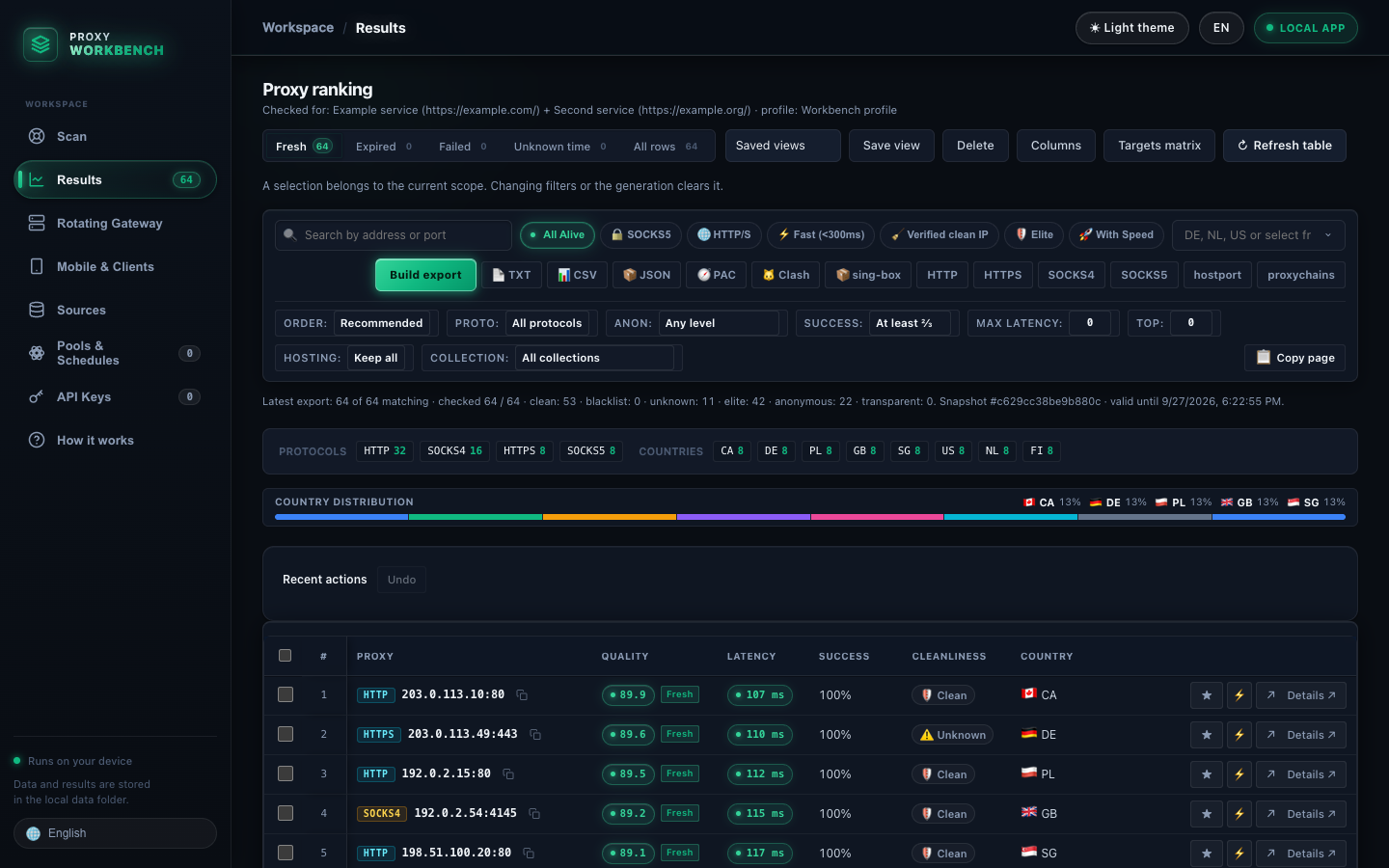 Results — ranked, filtered, ready to export |
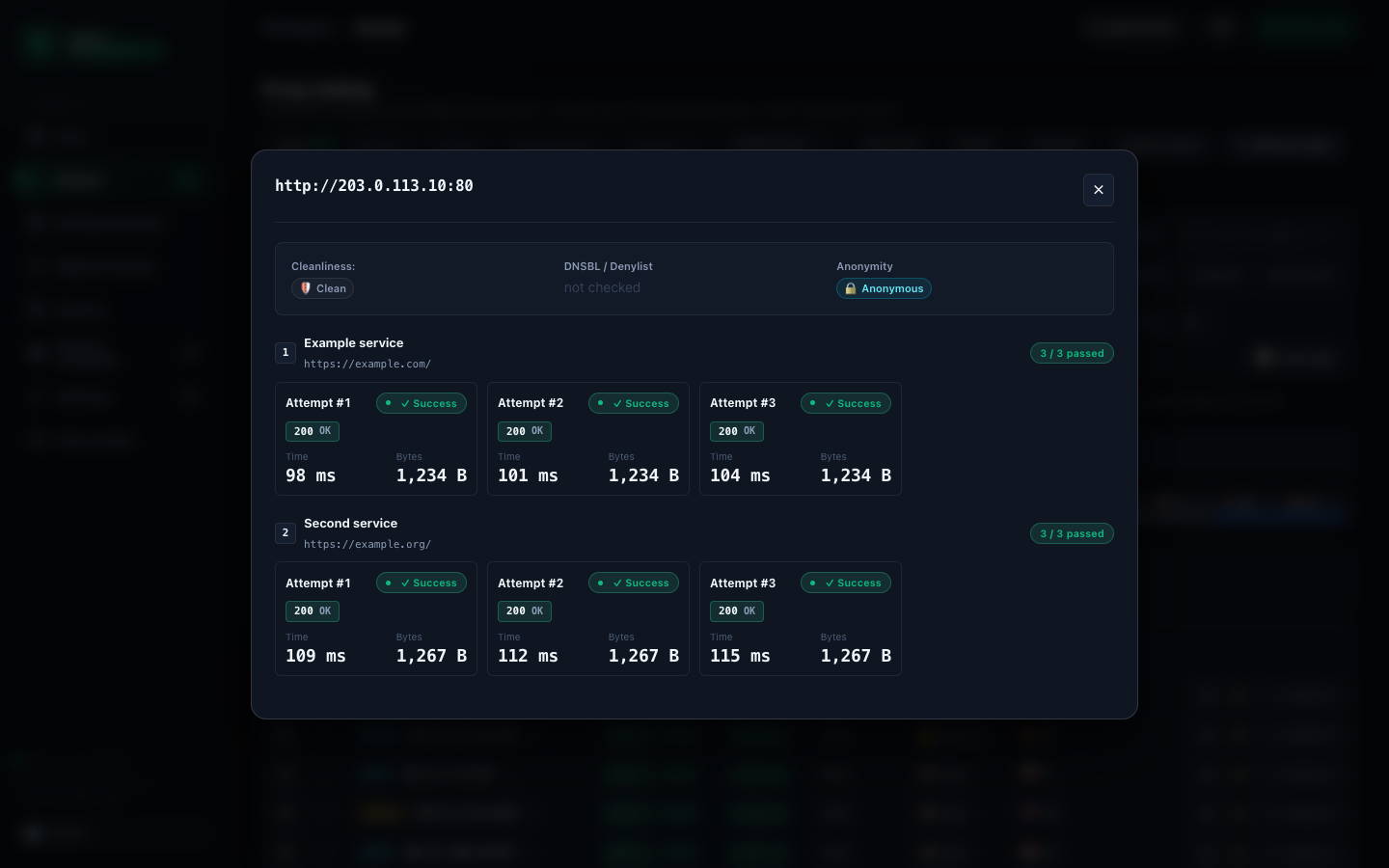 Details — every attempt against every service |
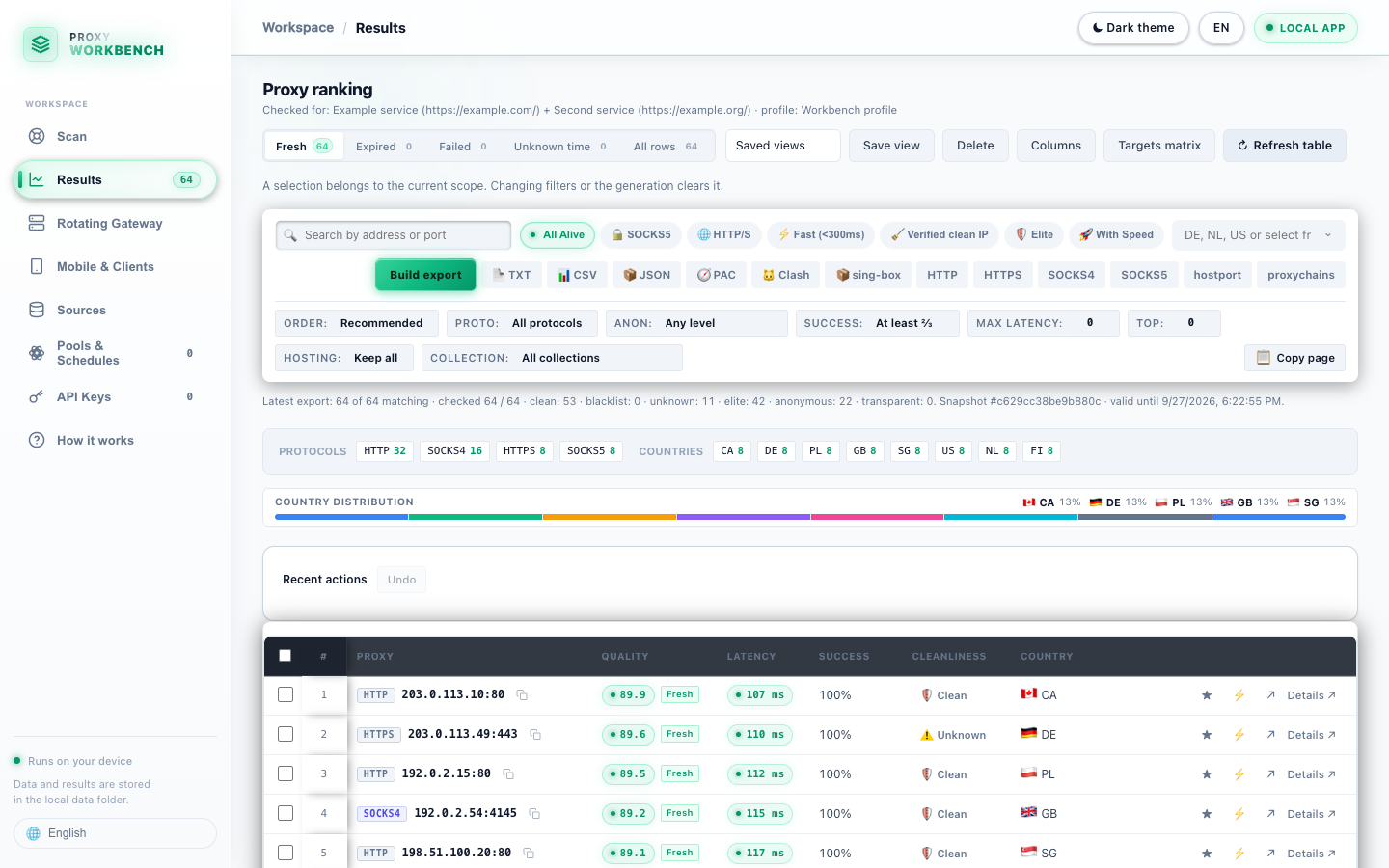 Light theme and 12 languages |
Screenshots use synthetic data from documentation address ranges.
What’s new in 3.0
The biggest release so far: a new interface, a source catalog of 150 lists, a desktop app that lives in the menu bar, persistent proxy pools with schedules, API keys, diagnostics that explain an empty result, and backups you can preview before restoring. Existing data folders are upgraded in place, with an automatic copy taken first.
Highlights
- Redesigned interface. A new dark-first design layer with a reworked light theme, consistent typography, micro-animations and a live feed of the running check. The layout adapts to phones and tablets (a side rail on tablets, a compact layout on phones), and heavy tables stay smooth on large result sets.
- 12 interface languages. English and Russian are joined by German, Spanish, French, Italian, Japanese, Polish, Portuguese, Turkish, Ukrainian and Chinese, every one of them complete.
- Source catalog: 150 sources, 117 of them fully free and public; 106 feeds are collected out of the box. Every entry says who publishes it, what it serves (proxy list, subscription config, API), whether an account is needed, which protocols it carries and how it was verified. Ready-made sets (quick, all supported, extended, by protocol), one-click enable/disable, per-source reports and a comparison that spots lists which republish each other. Only sources marked safe to collect are fetched; commercial, trial and rejected entries are shown for reference.
- Desktop app. Starting
proxy-workbenchwithout arguments now launches the desktop app: a macOS menu-bar icon, a single running instance, optional start at login, and correct recovery after sleep/wake.proxy-workbench gui(or--no-desktop) opens only the web interface, as before. - Proper installers. A macOS
.app/.dmg(Apple Silicon and Intel) and Windows GUI and CLI executables with a per-user installer; Linux installs withpipxor Docker. Data lives in per-user folders, with a portable mode and automatic migration of an olddata/folder.
Added
- Pools. A named pool keeps N working proxies for a profile, with a reserve, quotas and resource budgets; it refills and re-checks itself, and tells you why it is short.
- Schedules. Re-check collections or pools on an interval, in your time zone, with quiet hours, request/byte budgets and notifications when a proxy's state changes.
- Named profiles with revisions and presets. Target rules, success criteria and settings are saved as profiles; every change is a revision, and profiles can be shared without secrets.
- Collections and import. Bring your own lists from TXT, URI, CSV, JSON, Clash or sing-box files with a preview, column mapping and a report of every rejected line; imports are transactional and merge or replace.
- Service catalog. Ready-made checks for popular services, grouped into sets, with an explicit rule for which fields a preset overwrites.
- Geography and exit country. Filter by the proxy's own country, the country traffic actually exits from, or either; exclude countries; choose how unknown locations are treated.
- Rotating gateway, upgraded. Bind the gateway to a pool from the GUI, serve it on your LAN (
--lan,--gateway-interface), and use upstream proxies that need a login (HTTP Basic, SOCKS5 username/password). The gateway has its own password (--gateway-token), separate from the API token. - API keys. Create named keys with permissions, collection/pool scope, rate and concurrency limits, expiry, rotation with a grace window, revocation and an audit log — in the GUI (Keys page) and the CLI (
api-key). A secret is shown exactly once. - Secret store and access identities. Proxy credentials are stored separately and referenced, never copied into exports or diagnostics.
- Diagnostics. A funnel shows where candidates were lost; "why 0 results" explains an empty run in plain words; a health check; and a redacted diagnostic bundle you can review before saving (
diagnose funnel|zero|control|health|bundle). - Backup, restore and retention with preview.
backup create|list|verify|preview|restore|rollback|retention|cleanup|rebind; every change is previewed first and runs only with--apply(or the confirm button in the GUI). - Run budgets and "find N".
--want Nwith--count-what endpoint|ip|exit,--deadline,--max-requests,--run-max-bytes; a run that falls short says which unit it could not reach. - Export targets.
--client-target/--client-binaryvalidate sing-box output for a specific client version. - Versioned control API
/v1for scripts and integrations: collections, sources, profiles, jobs, results, pools, gateway, schedules, exports, imports and keys. A machine-readable description ships asproxy_workbench/openapi.json.
Changed
- Breaking: running
proxy-workbench/python -m proxy_workbenchwith no arguments opens the desktop app instead of only the web interface. Useproxy-workbench guifor the old behaviour. All CLI commands are unchanged. - Breaking: the database schema moves to version 20. Older data folders (1.x and 2.x) are migrated on first start; a backup is taken before any non-additive step and can be restored with
backup rollback. Do not open an upgraded folder with 2.x. - Breaking: the rotating gateway no longer accepts the API token as its password; set
--gateway-token/PROXY_WORKBENCH_GATEWAY_TOKEN. The bundledcompose.ymlalready does. - Each proxy address is now one row per profile and access identity, so an address no longer appears twice in
proxies.txt,ranked.*,proxy.pac,clash.yaml,singbox.jsonor/proxies. - Python 3.11 or newer; CI tests 3.11, 3.12 and 3.14 on Linux, macOS and Windows.
Fixed
- Checks are much faster on real-world lists. A scan no longer waits on its own database lock for every job item, and dead proxies no longer push the number of parallel checks down to one: 3,000 mostly dead candidates now take seconds instead of hours. Running out of file descriptors is no longer recorded as a dead proxy.
- The database no longer grows without limit under
--watch. Each source keeps its last three downloaded lists; older ones are pruned right after a collection, andbackup retentioncleans up history left by earlier versions. A list the server reports as unchanged is re-applied to collections that lost it, and a retry after a broken download no longer counts the first attempt against the size limit. - Collecting is faster and reads more lists. Addresses are written in batches (a full collection of the 106 default feeds went from 133 s to 79 s); four sources that returned nothing (hideip.me, spys.me and others with
ip:portlines and comments) now return addresses; a list that exceeds the size limit is reported as a partial read instead of a failing provider and is no longer put into backoff; a list without country data no longer erases a country learned elsewhere; cached lists are re-read after a failed or refused download. - Control API checked operation by operation. The audit log is written; a key limited to one collection or pool can no longer act on others through body or query fields; event streams deliver events; result paging moves past the first page and every declared filter and sort works; unknown jobs, pools and sources answer 404; refreshing a source returns a job; PUT and wrong methods get JSON errors;
localhostreaches/v1. - The web interface no longer puts the administrator key in a URL.
- Collections can be renamed, archived and restored through the API with revision checks; merge and replace work; members are validated; pools and schedules refuse unknown profiles and collections; gateway settings and bindings set through the API are stored and listed; an active key must be revoked before it is deleted; with
serve --host 0.0.0.0the API accepts the machine's own addresses and hostname. - Stopping and resuming works. A stopped or crashed check no longer leaves its job running, which made every later check fail with “Busy”; running the same command again continues where it stopped without re-measuring finished addresses.
--watchreally re-checks. Every round now measures the passing proxies again; before, rounds after the first measured nothing and republished old results.- A busy host no longer holds up other hosts, and
--wantstops as soon as the target is reached even when workers waited for a host (30 ports on one IP with--want 5: 8 measured instead of 30). hostport.txtlists an address once even when it passed as several protocols; a speed test sample below 1 MiB is refused because it can never give a result.- The chosen interface language is kept after a restart; before, ten of the twelve languages fell back to English on the next start.
- Results table cells stay under their own headers when some columns are hidden.
- Results table text is readable in the light theme.
- A fresh failure now withdraws an older success, so a published list no longer serves an address the latest check rejected.
- Retention cleanup runs instead of being rolled back by SQLite.
- Keys limited to one collection can no longer read other collections' jobs, profiles, sources, schedules or artifacts.
--max-requestsand--run-max-bytesactually limit a run.- Pool refill, start, pause and member listing through the API work.
- Collecting treats HTTP 304 as a cached answer, not an empty list; oversized sources are capped without losing already parsed data.
- Windows: time zones, HTTP handling and coarse-clock timing issues.
- Windows installer: the “Command line” shortcuts open a console with the CLI instead of doing nothing, and a new PATH entry works in new consoles without signing out.
- Windows: the app can be quit from the Start menu (“Quit Proxy Workbench”, or
proxy-workbench --quit), and uninstalling quits a running app first.
Known limitations
- Checking your own proxies that require a login is not supported yet: the checker refuses credentials in proxy URLs (the gateway can use them).
- The menu-bar icon exists on macOS only; sleep/wake is not detected natively on Windows.
- Builds are not code-signed or notarized: macOS will ask you to confirm the first launch, Windows SmartScreen may warn.
- There is no automatic updater; the app can tell you an update exists.
- Gateway settings saved through the API are stored and listed but not yet applied when the gateway starts; the command line and interface options are used.
- The Windows uninstaller leaves the optional PATH entry in place.
- Figures in this release come from local tests and mock services; the quality of public proxies was not measured.