Repository navigation
Mysti 2.0 BETA
Pre-release
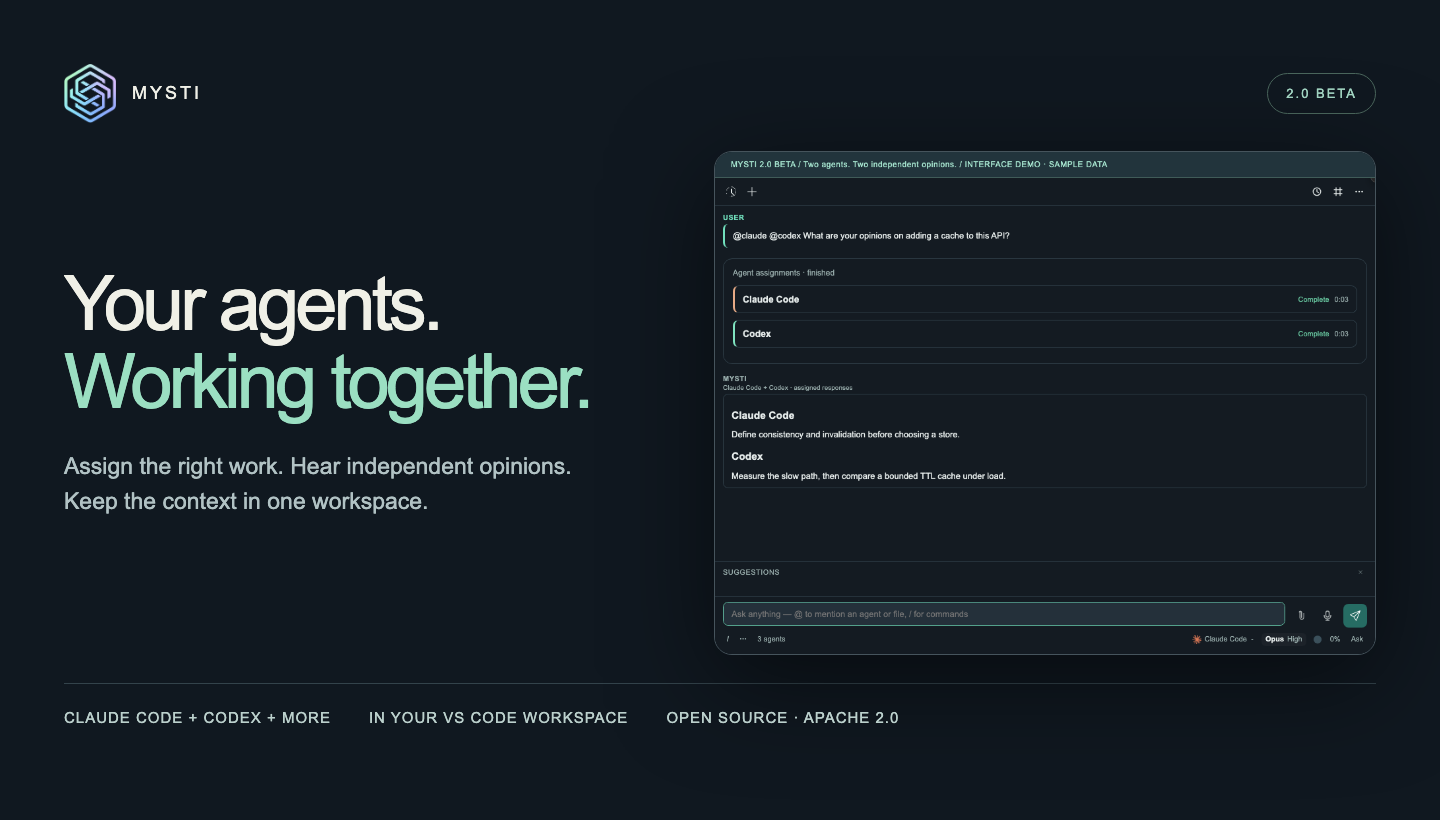
Your agents. Working together. Mysti 2.0 BETA brings independent opinions, explicit agent assignments, connected tools, and proactive project context into one VS Code workspace.
Install from Marketplace · Download the beta VSIX · Watch the 66-second tour
Agents with their own assignments
Ask for independent opinions:
@claude @codex Review this design for failure modes
Or make the next task depend on the first:
@claude Write the parser, then @codex review it for edge cases
Independent read-only assignments can run concurrently. Explicit then handoffs pass the completed result to the next agent; a failed dependency blocks that handoff. Work that may modify the shared workspace runs sequentially. Each participant has attributed output, progress, tool activity, and visible failures.

What’s in 2.0 BETA
- Second opinion: send the original question to another configured agent from a completed answer’s receipt.
- Brainstorm: choose two agents and a discussion strategy, then inspect their analyses and synthesis.
- 16 provider adapters, plus Mysti: Claude Code, Codex, Gemini, Copilot, Cline, Cursor, OpenClaw, OpenCode, Qwen, Hermes, Continue, Kimi, Ollama, LocalAI, OpenRouter, and MiniMax. Capabilities and authentication differ by provider.
- Connected tools: authorize apps and MCP servers through DeepMyst’s Composio and Smithery catalogs, with opt-in access for supported local CLIs.
- Proactive inbox: watch local Git changes or explicitly selected GitHub/Slack resources. Review source evidence before starting a task and opt into VS Code notifications.
- Visual workflows: Canvas and Visual Test for working with visual artifacts and inspecting a running app.
- Composer controls: synchronized model, effort, and supported Ultracode settings; slash commands, provider setup/upgrade actions, and editor-backed dictation.
- Project continuity: personas, skills, roles, conversation history, context compaction, and checkpoints for supported local changes.
Explore all eight animated demos · Provider setup · Proactive setup
Reliability fixes
Explicit multi-agent requests now dispatch every tagged provider instead of folding the work into the selected agent. Quiet participants have their own waiting status, and sequential assignments show the current and next steps. Second opinion excludes the actual respondent, MiniMax appears in the composer picker, and Brainstorm clears its working state on completion or error.
This release also includes the accumulated provider, installer, onboarding, localization, and compatibility work since 0.4.0.
Install
Choose Switch to Pre-Release Version on Mysti’s Marketplace entry, or download the VSIX below and use Extensions → ⋯ → Install from VSIX. Reload VS Code after upgrading.
Requires VS Code 1.86 or newer and a trusted workspace. Start with one configured provider. CLI credentials and provider usage charges remain separate; the Mysti coordinator and connected features use a DeepMyst account.
GitHub tag: v2.0.0-beta.1 · VSIX version: 2.0.0 · Channel: pre-release · License: Apache-2.0.
Validation and beta limits
The attached VSIX is the unchanged artifact from successful CI for commit 0df2961. Linux, macOS, and Windows test/build gates passed, as did package validation and packaged-extension tests in VS Code 1.86 and stable. Its SHA-256 is recorded in the attached SHA256SUMS.txt.
- Demo animations use clearly labeled sample data. Separate live Claude/Codex evidence is documented in the media kit; that earlier capture is not certification of every provider/account/platform combination.
- Assignment scheduling uses explicit tags and conservative dependency rules. Composer attachments are not forwarded to explicit collaborator runs; use Context or
@file. - Proactive currently covers local Git, bounded GitHub PR scans, and Slack top-level messages with keyword matching. Local monitoring requires the editor running. Email/calendar monitoring, mobile/phone delivery, semantic prioritization, and autonomous offload remain future work.
- Dictation depends on editor/OS speech support. Workspace checkpoints cannot undo external actions.
For rollback, keep a backup of your VS Code profile/workspace storage before downgrading. Earlier releases remain available; this beta does not claim unrestricted backward compatibility with older stored data.
Report a reproducible issue · Contribute · Changes since v0.4.0